
Above-the-Fold Content: Answering Before Scrolling
Above-the-fold layout affects Google's mobile interstitial guidance and featured snippet eligibility. What to put in the first screen, and the layout mistakes that cost both.

Above-the-fold content should give a visitor a direct, complete answer within the first screen, before any scrolling — not because “above the fold” is itself a ranking factor, but because Google penalises mobile pages that hide content behind intrusive interstitials, and because featured snippets are pulled from concise, immediately-visible answers that confirm relevance fast. A page that opens with a full-width hero image, a newsletter popup, and three lines of marketing copy before reaching any real answer is fighting both of these mechanisms at once.
The term “above the fold” is a holdover from print layout, and it doesn’t map cleanly onto a world of different screen sizes and viewport heights. What Google actually evaluates isn’t a fixed pixel boundary — it’s whether content is easily accessible immediately after a visitor arrives, and whether the page’s opening structure supports pulling a clean, standalone answer.
Does Google use “above the fold” as an actual ranking signal?
Not under that name, and there’s no single “above the fold” factor in Google’s documented ranking systems. What exists instead are two related, well-documented mechanisms that both depend heavily on what’s visible before scrolling:
| Mechanism | What it evaluates | Where it’s documented |
|---|---|---|
| Intrusive interstitials | Whether mobile content is easily accessible immediately after arriving from search | Google Search Central — Interstitials and dialogs |
| Featured snippet extraction | Whether a page contains a concise, self-contained answer Google can lift directly | Google Search Central — Featured Snippets and Your Website |
| Largest Contentful Paint | How quickly the largest above-the-fold element finishes rendering | Core Web Vitals, part of page experience signals |
| Engagement and bounce behaviour | Indirect signal — not confirmed as a direct ranking factor, but affects it via user behaviour | Not formally documented by Google as a ranking input |
Treat these as the actual mechanisms to design around, rather than chasing a vague “above the fold” best-practices checklist that doesn’t correspond to anything Google has confirmed measuring directly.
How does above-the-fold structure affect intrusive interstitial penalties?
Google’s guidance on interstitials and dialogs is specific about what counts as a problem on mobile: a popup that covers the main content immediately after a visitor arrives from search, a standalone interstitial that has to be dismissed before reaching content, or a layout where the visible portion of the page looks enough like a popup that a user can’t tell what the real content is. Pages that trigger this may not rank as highly for mobile searches, specifically because the transition from the search result to the page fails to deliver accessible content.
The exemptions matter as much as the penalty. Cookie consent banners and legally required age or region checks are explicitly excluded — the guidance targets marketing and engagement popups, not compliance notices. A newsletter signup overlay that fires the moment a visitor lands, before they’ve read a word of content, is the pattern most likely to trigger this; the same overlay delayed until after meaningful scroll or time-on-page is a materially lower risk.
How does above-the-fold structure affect featured snippet chances?
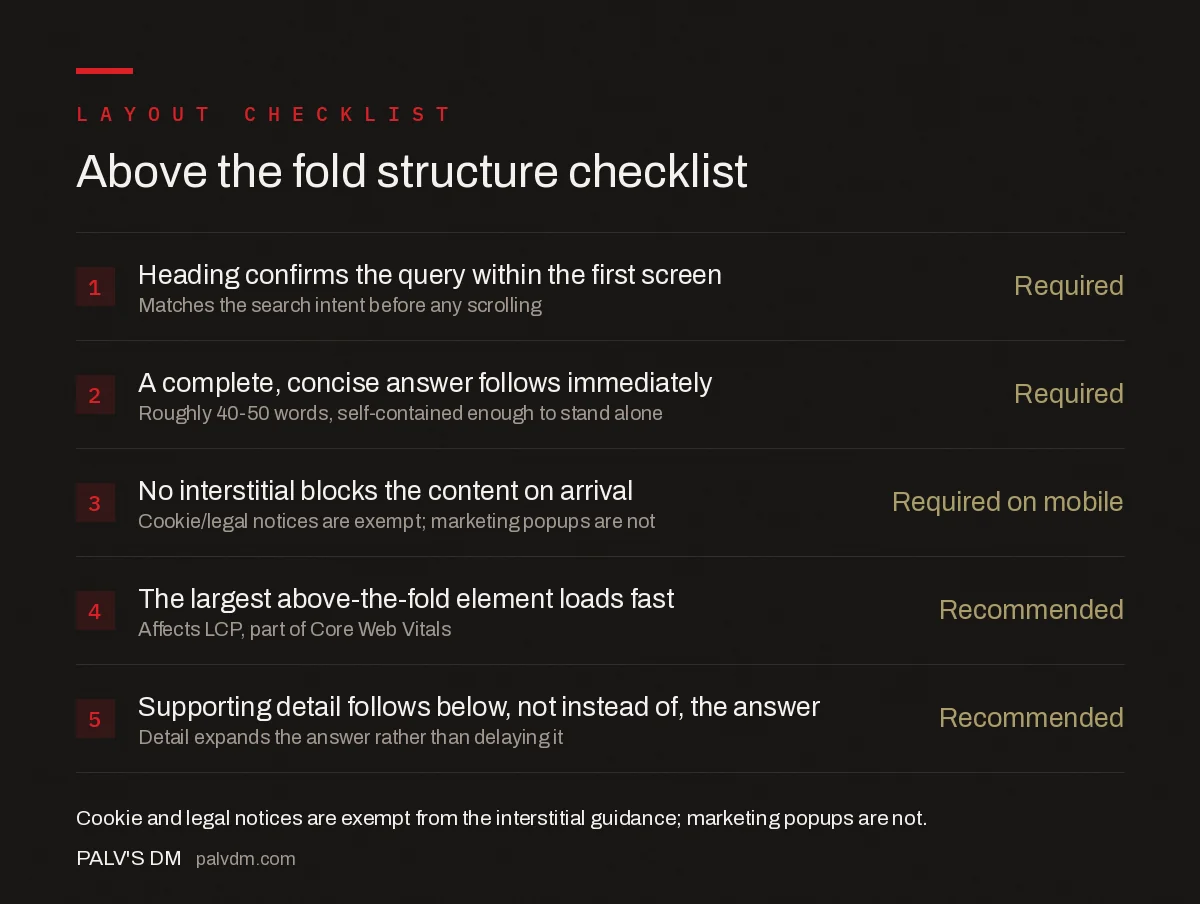
Above-the-fold structure checklist
- Heading confirms the query within the first screen — Required — Matches the search intent before any scrolling.
- A complete, concise answer follows immediately — Required — Roughly 40-50 words, self-contained enough to stand alone.
- No interstitial blocks the content on arrival — Required on mobile — Cookie/legal notices are exempt; marketing popups are not.
- The largest above-the-fold element loads fast — Recommended — Affects LCP, part of Core Web Vitals.
- Supporting detail follows below, not instead of, the answer — Recommended — Detail expands the answer rather than delaying it.
Google’s documentation on featured snippets confirms its systems select pages that provide a good, concise answer to the query, and that the format — paragraph, list, or table — is chosen automatically based on what best matches the question. A page structured so its opening heading and immediate answer already look like a snippet candidate has a real structural advantage; a page that buries the direct answer under three paragraphs of framing does not, regardless of how good that framing eventually turns out to be. This overlaps directly with the guidance in how to win featured snippets, format by format — the format-specific rules there depend on the same principle of leading with the answer.
What actually goes wrong above the fold in practice?
- A full-viewport hero image with no text, pushing every word of actual content below the first screen and delaying both user confirmation and crawlable text.
- A newsletter or discount popup that fires on page load, before a first-time mobile visitor has read anything, which is close to the textbook intrusive interstitial pattern.
- An oversized cookie banner that behaves like a full-page interstitial even though the legal-notice exemption technically covers it — a banner covering 80% of a small mobile viewport creates the same access problem in practice.
- Slow-loading above-the-fold images or web fonts that delay Largest Contentful Paint, which is measured specifically on the largest visible element in the initial viewport.
- Generic opening copy that doesn’t confirm relevance — a paragraph of brand introduction before any answer, which increases the odds a visitor bounces back to the search result before reaching the content that actually matches their query.
How should above-the-fold content be prioritised for indexing and rendering?
Text content that confirms relevance should render early in both the visible layout and the underlying HTML — not injected after several rounds of JavaScript execution, and not queued behind ad scripts or tracking pixels that delay the main content’s paint. This is also where above-the-fold structure connects to list snippet formatting: a numbered or bulleted answer positioned early in the page, rendered directly in HTML rather than built client-side, is both easier for a visitor to use immediately and easier for Google to lift as a snippet candidate.
Ad placement above the fold deserves the same scrutiny. A single, appropriately sized ad unit near the top of a page is not what triggers Google’s interstitial guidance, but a layout where ads occupy most of the initial viewport and push real content down — sometimes called “ad-heavy” above-the-fold layouts — creates the same poor first impression as a marketing popup, even without a literal interstitial. Reviewing a page’s rendered layout with an eye specifically for “what does a visitor see before they scroll, and does any of it answer their question” is a more useful lens than treating any single element in isolation.
How do you actually test what’s above the fold?
“The fold” isn’t one line — it moves with screen size, browser chrome, and device. A phone in portrait mode, a tablet, and a widescreen monitor all show a different amount of a page before any scrolling happens, so testing on a single device gives a false sense of what’s actually visible to most visitors. Chrome DevTools’ device toolbar, set to a handful of common mobile viewport heights, is a faster and more realistic check than trusting a single desktop preview.
Google Search Console’s URL Inspection tool renders the page roughly the way Googlebot sees it, which is a useful second check specifically for whether the intended above-the-fold content is present in the rendered HTML rather than injected late by JavaScript that a slower connection might not finish executing before a real user starts scrolling anyway. If the rendered screenshot in Search Console shows a blank space where the answer should be, that’s the same gap a portion of real mobile visitors are likely experiencing on a slow connection.
A simpler manual test works too: open the page on an actual mid-range phone, on mobile data rather than office wifi, and time how long it takes before any real content — not a loading skeleton, not a logo, not a hero image — is both visible and readable. If that number is more than two or three seconds, the fix usually isn’t rewriting the copy; it’s reordering what loads first.
Frequently asked questions
Is above-the-fold content a direct Google ranking factor?
Not as a standalone factor with that exact name. What Google does penalise is content made inaccessible above the fold by intrusive interstitials on mobile, and it does reward pages whose visible content matches search intent quickly, which affects engagement signals and featured snippet eligibility indirectly.
Does a hero image with no text hurt SEO?
Not by itself, but it’s a missed opportunity. A large decorative hero image that pushes all text below the fold delays a visitor’s confirmation that they’re on the right page, which affects bounce behaviour, and it delays crawlable, indexable text from appearing near the top of the HTML, which weakens the page’s early relevance signal.
Do cookie consent banners count as intrusive interstitials?
No. Google explicitly exempts interstitials required for legal reasons, such as cookie consent or age verification notices, from its intrusive interstitial guidance. The exemption doesn’t extend to marketing popups, newsletter signup overlays, or app-install banners shown on that same first visit.
How much above-the-fold content is enough to win a featured snippet?
There’s no fixed amount, but Google’s featured snippets typically pull a concise 40-50 word answer, so the content immediately below the H1 or opening heading should contain a complete, self-contained answer of roughly that length before expanding into detail.
Sources
- Interstitials and Dialogs — Google Search Central
- Featured Snippets and Your Website — Google Search Central
- On-Page SEO Checklist: The Complete Reference
- Losing a Featured Snippet: Common Causes
- How to Win Featured Snippets, Format by Format
- List Snippets: Formatting for Ordered and Unordered Capture
Want this done on your site?
Every PalV’s DM engagement starts with a free audit of your actual website — a 12-point
crawl covering what is blocking indexation, on-page gaps against your primary keywords, speed
findings, and the three to five fixes worth making first. Delivered in two working days. No
payment details, and the findings are yours whether you hire us or not.


