
Image Pack Optimisation for Visual Queries
Ranking in Google's image pack takes more than alt text: file naming, structured data, surrounding context, and technical delivery all factor in. The full checklist and what matters most.

Ranking in Google’s image pack depends most on the text and context surrounding an image — the alt attribute, the caption, the nearby headings and paragraphs — because that’s what Google uses to understand what the image shows and which searches it answers; file format and structured data support that signal but don’t substitute for it. Teams that treat image SEO as a checklist of technical settings (compress, rename, add alt text) miss the part that actually determines relevance: whether the page around the image genuinely explains what’s in it.
Image search is a meaningfully sized channel on its own, not a side effect of ranking well in regular search. Sites with a deliberately optimized image library report a substantial share of organic sessions arriving through image search specifically, and that traffic often behaves differently — visual, comparison, or how-to intent that text-only optimization doesn’t fully capture.
What does Google actually use to rank images in the image pack?
Google’s own image SEO documentation is direct about this: page context is a primary signal. That includes the image’s alt attribute, any visible caption, the surrounding body text, and the page’s title and headings. A technically perfect image — correct format, fast-loading, descriptive filename — sitting on a page with no relevant surrounding text still underperforms a mediocre image embedded in genuinely relevant, well-structured content.
Beyond context, Google factors in image quality signals (resolution, whether the image is a stretched or low-quality version of a higher-quality original found elsewhere), the page’s overall trust and authority, and increasingly, structured data that clarifies what type of image it is — a product photo, a recipe step, a how-to illustration — through schema types like Product or HowTo.
What are the five pillars of image SEO?
| Pillar | What it covers | Why it matters |
|---|---|---|
| Descriptive file names | red-running-shoes-side-view.webp, not IMG_4521.webp | A weak but real relevance signal read before the image loads |
| Honest alt text | A natural-language description of what the image shows | Primary accessibility signal, also read by Google for context |
| Next-gen formats | WebP or AVIF instead of unoptimized JPEG/PNG | Smaller file size improves load speed and Core Web Vitals |
| Structured data | Product, Recipe, or HowTo schema referencing the image | Unlocks rich result eligibility, not just standard indexing |
| Image sitemap entries | Image tags within the XML sitemap | Helps Google discover images that aren’t easily crawlable otherwise |
How do you write alt text that actually helps?
Alt text has two audiences at once: screen reader users, who need an accurate description because that’s literally what they’ll hear instead of seeing the image, and Google, which uses the same text as a relevance signal. Writing for the first audience correctly usually satisfies the second. Describe what’s actually in the frame — the subject, relevant details, and (where it adds meaning) the context — without stuffing in keywords that don’t describe the image honestly.
A product photo of a red running shoe from the side gets “Red running shoe, side profile, showing the mesh upper and cushioned sole” — not just “running shoes” and not “buy cheap red running shoes online best price,” which describes a sales pitch, not an image.
What five checks make up an image SEO audit?
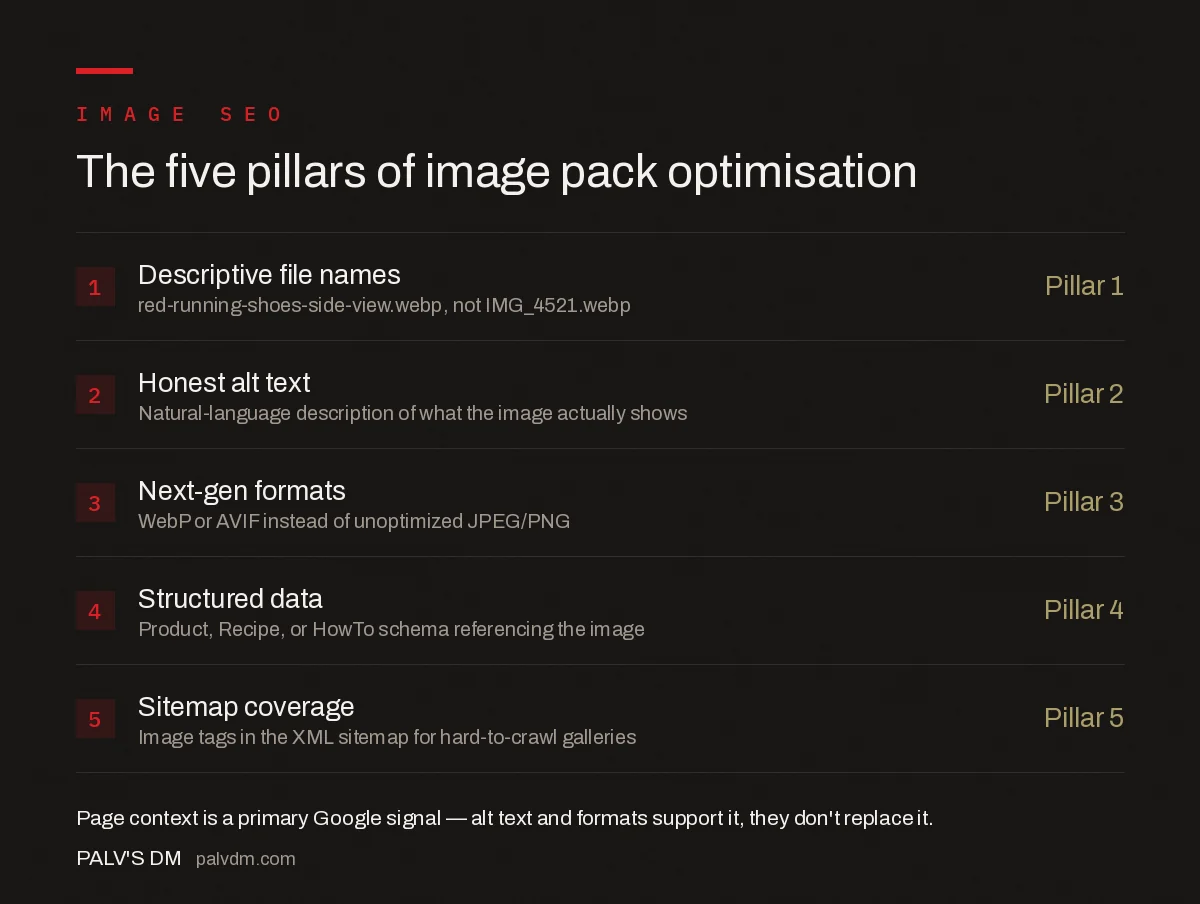
Five checks for an image SEO audit
- File names — Descriptive, hyphen-separated, no default camera or CMS-generated strings like DSC00234.jpg.
- Alt text coverage — Every meaningful image has honest, descriptive alt text; purely decorative images use empty alt=”” so screen readers skip them.
- Format and compression — WebP or AVIF, compressed without visible quality loss, served at the actual display size rather than scaled down by CSS.
- Structured data where relevant — Product, Recipe, or HowTo schema applied where the content type supports it, referencing the correct image field.
- Sitemap and crawlability — Images aren’t hidden behind lazy-loading that blocks discovery, and key images appear in the XML sitemap.
Does image resolution matter for the image pack?
Yes, within reason. Google’s guidance points toward higher-resolution images being preferred when quality is otherwise comparable, since low-resolution or heavily compressed images render poorly in the larger preview Google sometimes shows. That doesn’t mean uploading unnecessarily large files — a 4000px image displayed at 800px wide adds load time without adding visible quality. Serve the image at a resolution appropriate to its largest actual display size, including at higher pixel densities for retina-class screens, and let compression handle the rest.
How does structured data change what shows in the image pack?
Structured data doesn’t make an unrelated image relevant, but it does unlock specific rich result treatments for images that are already relevant. Product schema with a linked image can surface price and availability directly in the image result. Recipe schema can surface a cook-time badge. HowTo schema can connect a specific image to a specific numbered step. These are presentation upgrades on top of an image that already needs to earn its ranking through context and quality — schema without genuine relevance doesn’t create a ranking it wouldn’t otherwise have.
How should product and e-commerce images be optimised differently?
Product photography carries a heavier optimisation load than editorial or blog images because it usually needs to support both the image pack and Google Shopping-style rich results simultaneously. Multiple angles of the same product should each have distinct alt text describing that specific angle — “front view,” “sole detail,” “worn on foot” — rather than one generic description copied across every image in the gallery. Product schema should reference the primary image explicitly, and that image should match what’s actually linked in the schema’s image field; a mismatch between the schema-declared image and the visually primary one on the page is a common, avoidable error.
Background consistency also plays a role for catalog-style product sets. A library where every product photo uses the same lighting and background makes each individual image easier for Google to classify against similar products it has already indexed elsewhere, which supports both relevance and quality signals.
How do you prioritise image SEO work across a large site?
Not every image on a site is worth the same optimisation effort. Start with images on pages that already rank reasonably well in regular search but show weak or no visibility in Google Images for related queries — that gap usually means the image itself, not the page, is the limiting factor. From there, prioritise by commercial intent: product and service images tied to money pages generally deserve more attention than decorative images on low-traffic blog posts, simply because the potential return on a fixed amount of optimisation work is higher.
What mistakes keep images out of the image pack?
- Generic or duplicate alt text. The same alt text copy-pasted across dozens of product variants gives Google nothing to differentiate one image from another.
- Blocking images via robots.txt. Image directories excluded from crawling, often left over from an old site configuration, are invisible to Google Images regardless of how well-optimized the images themselves are.
- Serving images only through JavaScript-rendered galleries. If Google’s renderer can’t find the actual image URL without executing complex client-side logic, indexing becomes unreliable.
- Watermarks and heavy overlays. Images that are mostly text or watermark, with little of the actual visual content, tend to underperform clean product or subject photography.
Frequently asked questions
What’s the single most important factor for ranking in Google’s image pack?
The surrounding page context — the text, headings, and captions near the image — matters most, because Google uses that context alongside the image itself to understand what it depicts and which queries it’s relevant to. Alt text and file names support that signal but don’t replace it.
Does image alt text need to include the exact keyword?
No. Alt text should describe what the image actually shows, in natural language, for accessibility first. If the keyword naturally fits that honest description, include it; forcing an exact-match keyword into alt text that doesn’t describe the image accurately doesn’t help and can look manipulative.
Do I need an image sitemap if I already have a regular XML sitemap?
A standard XML sitemap with image tags added is usually sufficient; a fully separate image sitemap isn’t required unless images are loaded in a way that makes them hard for Google to discover through normal crawling, such as lazy-loaded galleries without proper markup.
Does WebP or AVIF format actually help image pack rankings?
Indirectly. Next-gen formats reduce file size, which improves page speed and Largest Contentful Paint — both of which support overall page quality signals. Format alone doesn’t directly influence which images appear in the image pack; relevance and context do that.
Sources
- Image SEO Best Practices — Google Search Central
- On-Page SEO: The Complete Checklist
- Paragraph Snippets: The 40-60 Word Target
- People Also Ask: Mining It and Ranking In It
Want this done on your site?
Every PalV’s DM engagement starts with a free audit of your actual website — a 12-point
crawl covering what is blocking indexation, on-page gaps against your primary keywords, speed
findings, and the three to five fixes worth making first. Delivered in two working days. No
payment details, and the findings are yours whether you hire us or not.


