
Table of Contents and Jump Links: SEO Value and Setup
A table of contents with jump links doesn't move rankings directly, but it can earn scroll-to sitelinks under a search result and cuts bounce on long pages. How to build one correctly.

A table of contents with jump links doesn’t move rankings by itself, but it can earn a “jump to” sitelink block under a search result, and on long pages it consistently reduces bounce by giving readers an immediate route to the section they came for. The mechanism is indirect either way — better click-through and better engagement, not a documented ranking signal — but both effects are real and worth the fifteen minutes it takes to set one up correctly.
Where this goes wrong is usually a table of contents bolted onto a page that didn’t need one, built with links that don’t actually jump anywhere because the anchor IDs don’t match.
What does a table of contents actually do for SEO?
Two separate things, and they’re often conflated. First, on the page itself, a table of contents with working anchor links lets a reader skip to the exact section they want instead of scrolling past everything else — this reduces the chance they bounce back to the search results out of impatience, which is a real engagement signal even without being a named ranking factor. Second, in the search results themselves, Google can generate “jump to” links directly inside a snippet for a specific query, taking a searcher straight to the relevant section of a page instead of the top. Google’s own commentary on this feature notes it surfaces automatically for content with clear, well-labeled sections; there’s no tag or submission process that guarantees it.
When does a page actually need a table of contents?
| Content type | Table of contents worth adding? |
|---|---|
| Long-form guide (2,000+ words, 5+ sections) | Yes — high skip-ahead intent |
| Comparison or “vs” post | Yes — readers often want one specific comparison |
| Pillar / hub page linking to a cluster | Yes — functions as a navigation aid, not just an SEO tactic |
| Recipe or step-by-step instructions | Often — lets users jump past a long intro to the steps |
| Short blog post (under 1,000 words, 2-3 sections) | No — adds clutter for no real navigation benefit |
| Product or service page | Usually no — these are conversion pages, not reference documents |
The test that matters: would a reader landing from a specific search query plausibly want to skip past other sections to get to one part? If yes, a table of contents earns its space. If the page is short enough that scrolling to any section takes two seconds anyway, it’s decoration.
How do you build a table of contents that actually works?
Each section needs two matching pieces: a heading with a unique id attribute, and a link in the table of contents pointing to that id with a # prefix.
<h2 id="what-does-a-toc-do">What does a table of contents do?</h2>

<a href="#what-does-a-toc-do">What does a table of contents do?</a>
The link text and the heading text should match closely — ideally exactly — so the table of contents functions as a genuine outline of the page rather than a separate, disconnected list of phrases. IDs need to be unique across the whole page; two headings sharing an ID means the jump link will always land on the first one, silently breaking navigation to the second.
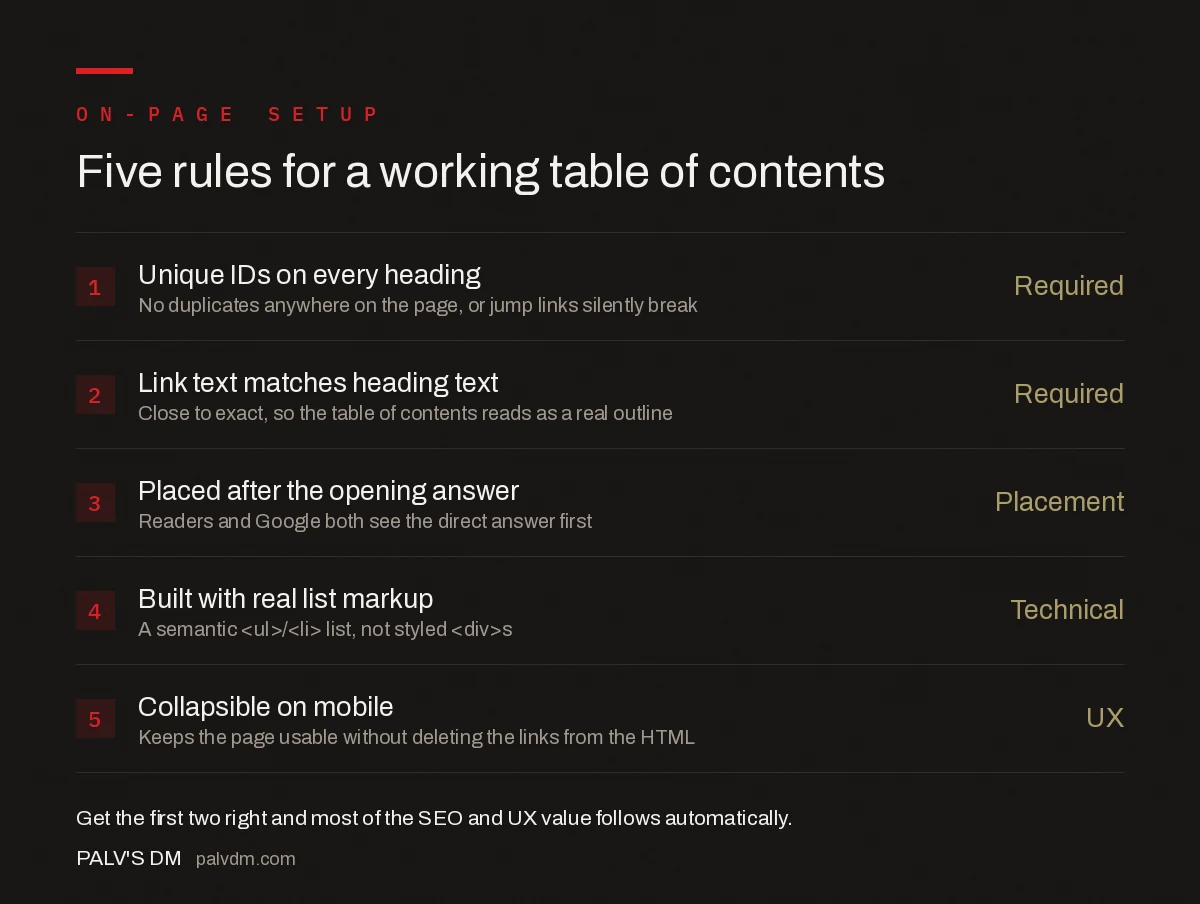
Five rules for a working table of contents
- Unique IDs on every heading — No duplicates anywhere on the page, or jump links silently break.
- Link text matches heading text — Close to exact, so the table of contents reads as a real outline.
- Placed after the opening answer, not before it — Readers and Google both see the direct answer first.
- Built with real list markup — A semantic
<ul>/<li>list, not styled<div>s. - Collapsible on mobile — Keeps the page usable without deleting the links from the HTML.
Where should the table of contents sit on the page?
Below the opening answer or introduction, not above it. A table of contents placed at the very top of the page, before any actual content, pushes the direct answer further down the page for both readers and for any AI system trying to extract a quick answer from the top of the HTML. The standard pattern that works for both audiences: a short answer-first opening paragraph or two, then the table of contents, then the full sections it links to.
Does it need to be a visible box, or can it be collapsed?
Visibility is a UX decision, not an SEO one — Google reads the links from the HTML source whether the box is expanded, collapsed behind a “Contents” toggle, or a sidebar element, as long as the anchor links themselves are present in the markup and not injected only after a user interaction that a crawler wouldn’t trigger. On mobile specifically, a collapsed-by-default table of contents behind a single tap keeps a long guide from opening with a wall of navigation links before any actual content.
What mistakes make a table of contents actively worse?
- Links that don’t jump anywhere. The most common bug — an ID typo or a heading that got edited without updating the corresponding link.
- A table of contents with only two or three items. Below roughly five sections, the box takes more space than the scroll it’s saving.
- Section titles in the table of contents that don’t match the headings. Written separately for “SEO,” they end up as a second, slightly different outline instead of a genuine one.
- Smooth-scroll JavaScript that overrides native anchor behaviour. Fine when it works, but if the script fails to load, native
#anchorjumps should still work as the fallback — don’t remove the plainhref="#id"in favour of a JS-only click handler. - Fixed headers that cover the destination heading after the jump. A sticky nav bar can hide the top of the section the link just jumped to; needs a
scroll-margin-topCSS rule on the heading to compensate.
How does a table of contents relate to featured snippets and PAA boxes?
They’re related but distinct SERP features. A table of contents with jump links is about navigating within one already-ranking page; featured snippets and People Also Ask boxes are about which page or passage Google chooses to surface for a specific query, sometimes from a page that isn’t the top organic result. A page with strong section headings and a clear table of contents is better positioned for both, since well-labeled sections are exactly what both features draw from — but they’re won independently. Our guides on winning featured snippets, format by format and mining and ranking in People Also Ask cover those two mechanisms directly.
How do you check whether a table of contents is actually helping?
Search Console’s Performance report is the practical check, filtered to the specific URL over a few weeks before and after adding the table of contents. A rise in click-through rate for queries already ranking in a similar position is a reasonable signal that jump-to sitelinks started appearing, since CTR moving without a position change usually points to something changing in how the snippet itself is displayed. On-site analytics — scroll depth and time-on-page for that URL — fill in the other half: if visitors are jumping straight to a section and leaving sooner without bouncing back to search, that’s the table of contents doing its job, not a content problem.
Frequently asked questions
Does a table of contents directly improve rankings?
Not directly. There’s no ranking factor for having a table of contents. Its SEO value is indirect: it can produce jump-to sitelinks in the search snippet, which raises click-through rate, and it improves on-page engagement metrics on long pages, both of which support rankings without being a ranking signal themselves.
Does every page need a table of contents?
No. A table of contents earns its space on long, multi-section content like guides, comparisons, and pillar pages where readers commonly want to jump to one part. On a short page with two or three sections, it adds clutter above the content without giving the reader anything a normal scroll wouldn’t.
Why do my jump links not show up as sitelinks in Google?
Sitelinks under a snippet are algorithmically generated and not guaranteed for any page, no matter how well-built the jump links are. Google is more likely to generate them for content with clear, well-labeled sections and matching heading text, but there’s no submission process and no way to force their appearance.
Should the table of contents be visible by default or collapsed?
Either works for SEO as long as the links exist in the raw HTML; visibility is a UX choice, not an indexing one. A collapsed, expandable table of contents keeps the page cleaner on mobile while still giving Google the anchor links to parse in the source.
Sources
- Control Your Snippets in Search Results — Google Search Central
- On-Page SEO Checklist
- Getting Into the Top Stories Carousel
- People Also Ask: Mining It and Ranking In It
- How to Win Featured Snippets, Format by Format
Want this done on your site?
Every PalV’s DM engagement starts with a free audit of your actual website — a 12-point
crawl covering what is blocking indexation, on-page gaps against your primary keywords, speed
findings, and the three to five fixes worth making first. Delivered in two working days. No
payment details, and the findings are yours whether you hire us or not.


