
Paragraph Snippets: The 40-60 Word Target
Paragraph featured snippets favour direct, self-contained answers of roughly 40-60 words placed right under a question-style heading. How to structure, write, and place them so Google can lift them cleanly.
A paragraph featured snippet is Google lifting a self-contained 40-to-60-word answer straight out of your page and placing it above position one, and the single biggest lever for winning one is structural: put the direct answer in the paragraph immediately following a heading that repeats the query, not three sentences into a section. Length matters, but only as a side effect of clarity — a 45-word answer wins because it’s complete and unpadded, not because 45 is a magic number.
Most pages that lose a winnable paragraph snippet don’t lose it on content quality. They lose it on placement: the right sentence exists somewhere on the page, just not directly under a heading Google can match to the query, or padded with two throat-clearing sentences before the actual answer starts.
What is a paragraph featured snippet?
A paragraph snippet is one of three featured snippet formats Google displays in position zero, alongside list and table snippets. It shows a block of text pulled from a page, along with the page’s title and URL, above the standard first organic result. Google’s own guidance describes featured snippets as a “special box” where a regular result’s normal order is reversed — description first, link second — and notes the systems decide algorithmically whether a page would make a good snippet for a given query, then elevate it if so.
Paragraph snippets dominate for definitional and explanatory queries: “what is,” “why does,” “how does X work.” List snippets take over for sequential or enumerable queries, and table snippets appear for comparative or numeric data. Matching your content’s format to the query type is the first filter — a numbered process forced into paragraph form competes against pages that formatted it as a list, and usually loses.
Why does the 40-60 word range work?
Google truncates paragraph snippets that run long, and a bare one-line answer often reads as incomplete next to competitors’ fuller explanations. The 40-60 word band sits in the middle: long enough to state the answer, a qualifier, and one supporting detail, short enough to avoid getting cut off mid-clause. Google’s documentation is explicit that it doesn’t publish a fixed minimum or maximum, because the length it displays depends on the query, the language, and whether the searcher is on mobile or desktop — so 40-60 words is a practitioner’s target, not a hard Google rule, and it’s the range that consistently produces answers Google can display whole.
| Word count | Typical outcome | Why |
|---|---|---|
| Under 25 words | Rarely selected | Reads as incomplete; lacks the supporting clause Google prefers to show |
| 40 – 60 words | Best capture rate | Complete answer plus one qualifier, short enough to avoid truncation |
| 70+ words | Selected less often, often truncated | Google cuts the paragraph mid-sentence to fit the snippet box |
How do you write and place a paragraph snippet, step by step?
The process is mechanical once you know the target query. It works whether you’re writing new content or restructuring an existing page that’s ranking on page one but missing the snippet.
Step 1: Match the H2 to the actual query phrasing
Write the heading as close to the real search phrase as natural English allows — “What is a paragraph featured snippet?” rather than “Understanding snippet formats.” Google matches query text against nearby headings to decide which block of content answers which question, so an exact or near-exact phrase match gives it the clearest signal.
Step 2: Answer in the first sentence, not the third
The paragraph directly under that heading should open with the answer itself, not a transition sentence. “A paragraph featured snippet is…” beats “Let’s take a closer look at what this term means” every time, because Google extracts from the paragraph nearest the heading, and a wasted opening sentence pushes the real answer further from where it’s being read.
Step 3: Hold the paragraph to 40-60 words
Draft the full answer, then cut. State the core definition or fact first, add one supporting clause, and stop. Anything past 60 words is usually elaboration that belongs in the paragraph after, not inside the one competing for the snippet.
Step 4: Check it reads standalone
Read the paragraph with no other context from the page. If it references “this method” or “the above” without naming what that is, rewrite it — Google displays this text completely detached from its surroundings, and so does an AI assistant summarising the page, so a pronoun-dependent sentence loses meaning the moment it’s lifted out.
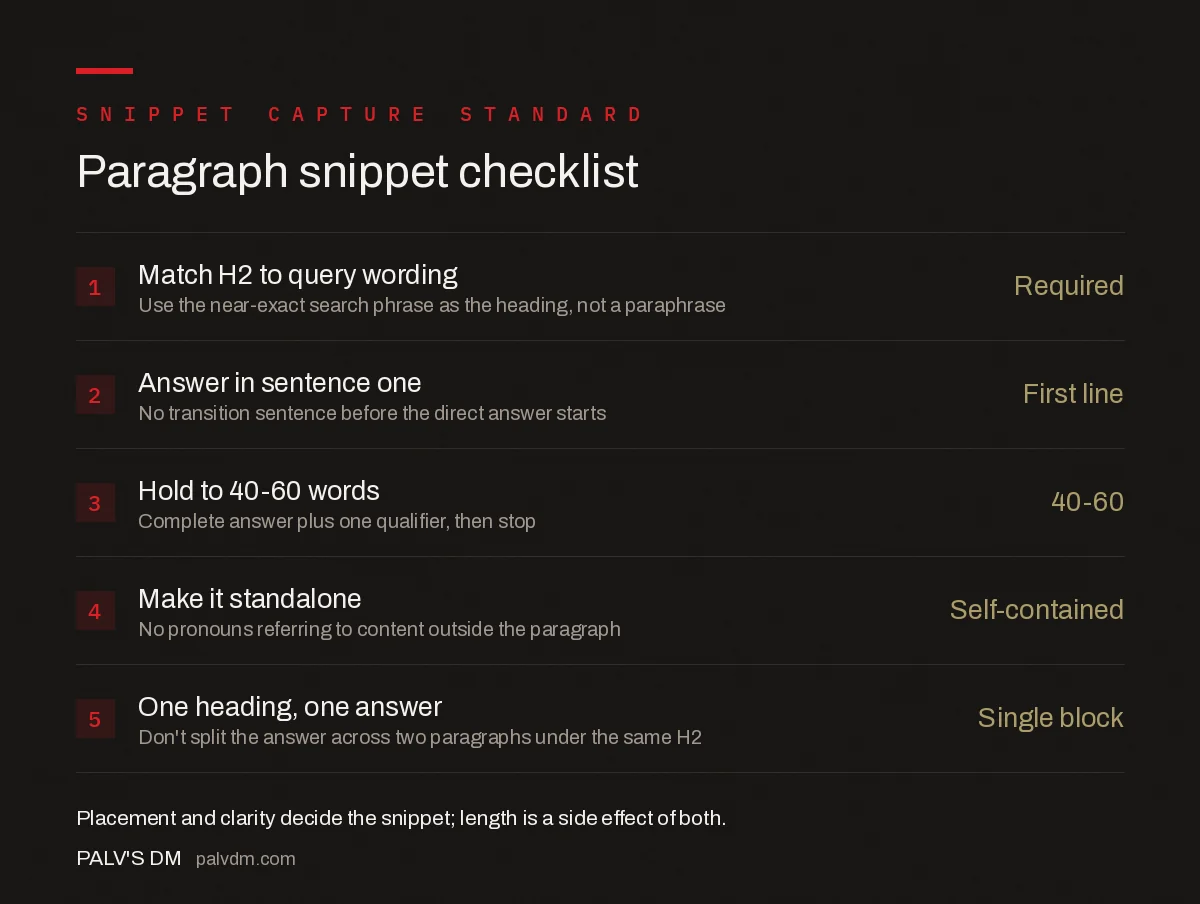
Paragraph snippet checklist
- Match H2 to query wording — Use the near-exact search phrase as the heading, not a paraphrase.
- Answer in sentence one — No transition sentence before the direct answer starts.
- Hold to 40-60 words — Complete answer plus one qualifier, then stop.
- Make it standalone — No pronouns referring to content outside the paragraph.
- One heading, one answer — Don’t split the answer across two paragraphs under the same H2.
What common mistakes cost a page a snippet it should win?
- Burying the answer after a definition of a related term. A page that explains three background concepts before answering the actual query gives Google nothing clean to extract from the top of the section.
- Splitting one answer across two paragraphs. Google grabs the paragraph, not the paragraph-and-a-half; a second paragraph with the rest of the explanation doesn’t get pulled in.
- Using a heading that doesn’t match any real query phrasing. Clever or branded headings (“The Snippet Secret”) give Google no phrase to match against actual search terms.
- Writing the answer as a list dressed up as a paragraph. If the content is genuinely sequential or enumerable, format it as an actual list — competing in paragraph form against pages using list markup is a structural disadvantage.
- Targeting a query that already shows a list or table snippet. Check the current SERP before rewriting; if Google is already displaying a table for that query, a well-written paragraph is unlikely to displace it.
How do you find which of your queries are winnable?
Search Console’s Performance report is the starting point. Filter to queries where your page already ranks positions two through five — Google typically pulls snippets from pages already on page one, so a page ranking eighth is a much longer shot than one ranking third. Cross-reference against the live SERP for each query: if no featured snippet currently appears at all, or the existing one is thin and outdated, that’s a higher-probability target than a query where a well-optimised competitor already holds a strong paragraph snippet.
Once you’ve shortlisted queries, check the format Google is currently showing — paragraph, list, or table — before you write anything, since matching the existing format matters more than matching it with better prose in the wrong shape.
Frequently asked questions
How many words should a paragraph featured snippet be?
Aim for roughly 40 to 60 words. That range reads as a complete, self-contained answer without running long enough for Google to truncate it mid-sentence when it pulls the paragraph into the snippet box.
Does the answer paragraph need to sit right under the heading?
Yes. Google pulls the paragraph immediately following the matching heading, not the best paragraph anywhere on the page. If the direct answer is buried after two paragraphs of setup, the algorithm has nothing clean to extract.
Can I win a paragraph snippet without an H2 that matches the query?
It’s possible but far less likely. Google matches the query text against nearby headings to decide which paragraph answers which question, so a heading that mirrors the actual search phrase gives the algorithm a much clearer signal than a heading that only implies the topic.
Is there a minimum word count for a paragraph snippet?
Google does not publish an exact minimum, and states the length it needs varies by query, language, and device. In practice, answers under about 25 words tend to read as incomplete and rarely get selected as the featured snippet.
Do I need to remove a paragraph snippet if I don’t want to appear in it?
Use the max-snippet meta tag set to a lower character count, or the nosnippet rule if you want no snippet at all. A max-snippet value of 0 blocks the paragraph, list, and table snippet types simultaneously for that page.
Sources
- Featured Snippets and Your Website — Google Search Central
- On-Page SEO Checklist: The Complete Guide
- Table of Contents and Jump Links: SEO Value and Setup
- List Snippets: Formatting for Ordered and Unordered Capture
- People Also Ask: Mining It and Ranking In It
Want this done on your site?
Every PalV’s DM engagement starts with a free audit of your actual website — a 12-point
crawl covering what is blocking indexation, on-page gaps against your primary keywords, speed
findings, and the three to five fixes worth making first. Delivered in two working days. No
payment details, and the findings are yours whether you hire us or not.


