
H1 Tags: One Per Page, and Other Rules Worth Keeping
Google supports multiple H1s per page, but that doesn't make them a good idea. One H1, matching search intent, distinct from the title tag, is the rule worth keeping and why.
A page needs exactly one H1, written in plain language that matches what the page is actually about, and distinct from the title tag rather than a duplicate of it. Google has said publicly that multiple H1s don’t trigger a penalty, and that’s true — but “not penalized” and “best practice” are different claims, and most of the sites still fighting over “how many H1s can I have” are missing the more useful question: is the one H1 they have doing its job.
The rules that actually move the needle are fewer and more boring than the myths around them. Here they are, followed by the mistakes worth checking for on an existing site.
What does an H1 tag do?
The H1 is the top-level heading in a page’s document outline — the HTML element <h1> that, by convention, states the page’s main subject before any subheadings break it into sections. Screen readers announce it first when a user navigates by heading, giving visually impaired visitors an immediate sense of the page’s topic. Search engines use it as one of several signals — alongside the title tag, the URL, and the body content — for understanding what a page is about and, per Google’s own documentation, as one input among several when deciding what to show as the title link in search results.
It is not, on its own, a ranking factor with a fixed weight. It’s a structural and clarity signal that makes every other signal on the page easier for both users and machines to interpret correctly.
How many H1 tags should a page have?
One. Google’s own guidance is that using more than one <h1> is valid HTML5 and won’t cause a ranking penalty, and John Mueller has repeated that stance in multiple public Q&As. That’s the accurate technical answer. The practical answer is still one, for reasons that have nothing to do with penalties:
| Number of H1s | What happens |
|---|---|
| Zero | Page loses a clear topic signal for accessibility tools and search engines; often looks unfinished |
| One | Unambiguous topic statement, clean document outline, standard practice |
| Multiple, same topic | Not penalized, but redundant — no extra signal gained from repeating the same statement |
| Multiple, different topics | Not penalized, but dilutes clarity — the page reads as covering several things at once |
The “multiple H1s are fine” answer gets misapplied most often by page builders that auto-generate an H1 for every content block dropped onto a page — a hero section, a product grid, a testimonial slider — each with its own H1 because that’s the theme’s default heading level for that block type. Nothing breaks. But the page’s actual document outline becomes a list of five unrelated topic statements instead of one clear one, and readability suffers for anyone using assistive technology.
What should the H1 actually say?
The H1 should state, in plain language a first-time visitor would use, what the page covers — matching the intent behind the query that’s supposed to land someone there. For a service page, that’s usually the service name plus a qualifier (“SEO Services for E-commerce Brands,” not “Welcome”). For a blog post, it’s close to the working title, written for a reader already past the search results page rather than for the search snippet itself.
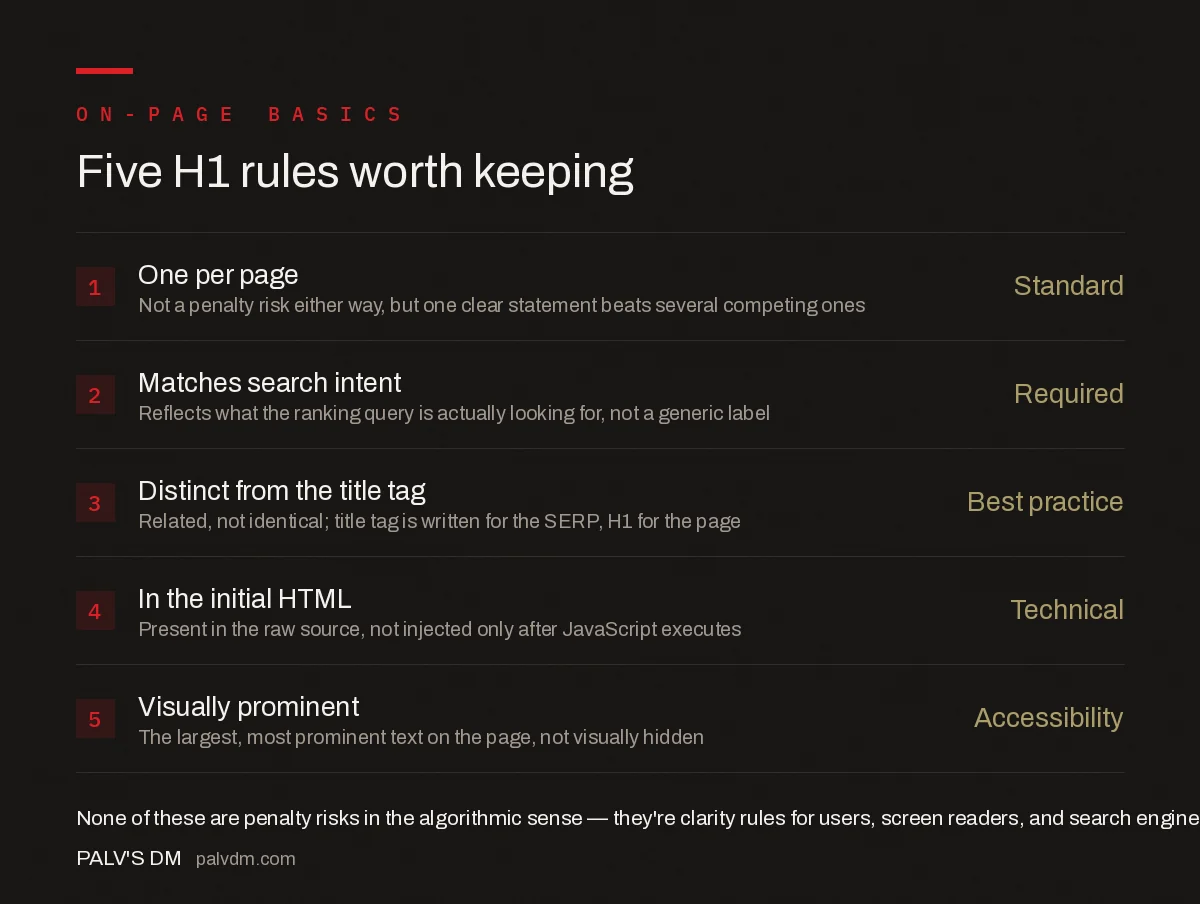
Five H1 rules worth keeping
- One per page — Not a penalty risk either way, but one clear statement beats several competing ones.
- Matches search intent — Reflects what the ranking query is actually looking for, not a generic label.
- Distinct from the title tag — Related, not identical; title tag is written for the SERP, H1 for the page.
- In the initial HTML — Present in the raw source, not injected only after JavaScript executes.
- Visually prominent — The largest, most prominent text on the page, not visually hidden or styled smaller than body text.
Should the H1 match the title tag?
No, and treating them as the same field is a common template mistake. The title tag is written for the search results page: it competes with nine other blue links, often includes a brand name or a compelling modifier like a year or “Guide,” and is truncated around 55-60 characters. The H1 is written for someone who already clicked through — it doesn’t need to sell the click, it needs to confirm the visitor landed in the right place. A title tag of “H1 Tag SEO Guide 2026 | PalV’s DM” and an H1 of “H1 Tags: One Per Page, and Other Rules Worth Keeping” both target the same topic without being copy-pasted duplicates of each other.
Where should the H1 sit in the page, and does its position matter?
Two things matter more than exact pixel position: the H1 needs to be present in the HTML Google’s crawler receives (not only rendered client-side after JavaScript runs, which adds a rendering-queue delay before Google can read it), and it needs to appear near the top of the main content, before other headings. A visually hidden H1 stuffed with keywords and placed off-screen for “SEO purposes” while a styled <div> serves as the visible heading is an old technique that no longer helps and can read as a mismatch between what users see and what crawlers parse.
What are the most common H1 mistakes on real sites?
- The H1 is the site name or logo text. Common on homepages using generic theme defaults — wastes the clearest heading signal on a page on something that doesn’t describe that page’s specific content.
- The H1 is missing entirely. Often happens when a page builder’s hero block uses a styled
<div>or<span>instead of a true heading element. - Multiple H1s from stacked content blocks. Not a penalty, but a clarity problem — see the page-builder issue described above.
- H1 identical to the title tag, word for word. Not wrong, but a missed opportunity — the two fields serve different readers and can be written for each.
- Heading levels skipped entirely (H1 straight to H3, no H2). Confuses the document outline even when the H1 itself is correct, and it’s a distinct issue from the H1 itself — covered in full in our heading hierarchy guide.
How do you audit H1 tags across a whole site?
On more than a handful of pages, a crawler is faster and more reliable than opening each page’s source manually. Screaming Frog, Sitebulb, or a similar crawl tool has a dedicated H1 report that flags missing H1s, multiple H1s, and H1s that are duplicated across different URLs — the last of which usually points to a templating bug rather than intentional duplication. Cross-reference that list against the title tag report from the same crawl; pages where the H1 and title tag are byte-for-byte identical across the whole site are a sign the template is auto-generating one from the other rather than treating them as separate fields.
How does H1 usage connect to the rest of on-page structure?
The H1 is the top of a hierarchy, not an isolated field. Getting it right and then ignoring keyword placement in the body, or scanability for readers scrolling past on mobile, leaves most of the on-page opportunity on the table. Our guides on where to place a keyword on a page and writing for scanning, not scoring cover the two pieces that typically sit right next to this one in an on-page audit.
Frequently asked questions
Does Google penalize a page for having more than one H1?
No. Google has confirmed multiple H1 elements don’t cause a ranking penalty and are valid HTML5. There’s no algorithmic punishment for it, but one clear H1 still communicates the page’s topic more reliably to both users and Google than several competing ones.
Should the H1 be identical to the title tag?
No, they should be related but not identical. The title tag is written for the search results snippet and often includes the brand name or a modifier; the H1 is written for someone already on the page and can be more direct. Both should target the same core topic.
Does the H1 need to contain the exact target keyword?
It should reflect the topic and search intent clearly, and including the natural phrasing of the keyword helps, but forcing an exact-match keyword into an awkward sentence isn’t necessary. Google’s language models handle synonyms and close variants well; clarity for the reader matters more than exact matching.
What happens if a page has no H1 at all?
The page still gets crawled and indexed, but Google loses one of the clearer signals it uses to confirm what the page is about and to help generate the title link shown in search results. Missing H1s are also a common accessibility issue for screen reader users navigating by heading.
Can the logo or site name count as the H1?
Technically yes, but it wastes the most prominent heading on the page on something that doesn’t describe the page’s content. This is common on homepages built from generic themes and is worth fixing — the H1 should describe what that specific page offers, not just repeat the brand name already in the logo.
Sources
- Influencing Title Links in Google Search — Google Search Central
- On-Page SEO Checklist
- Content Readability: Writing for Scanning, Not Scoring
- Heading Hierarchy: Structuring a Page for Readers and Machines
- Where to Place Your Keyword on a Page (And Where Not To)
Want this done on your site?
Every PalV’s DM engagement starts with a free audit of your actual website — a 12-point
crawl covering what is blocking indexation, on-page gaps against your primary keywords, speed
findings, and the three to five fixes worth making first. Delivered in two working days. No
payment details, and the findings are yours whether you hire us or not.


