Content Audit: Scoring Every Page as Keep, Improve, Merge or Kill
A step-by-step content audit framework that scores every page and sorts it into keep, improve, merge, or kill, with real thresholds.

A content audit sorts every page on a site into one of four buckets: keep, improve, merge, or kill, based on how each page performs against traffic, rankings, and quality signals. The process matters because most sites accumulate content faster than they retire it, and a growing share of underperforming pages doesn’t just sit there neutrally, it dilutes crawl budget and can drag down the site’s overall quality signal. A working audit needs a consistent scoring method applied to every URL, not a subjective skim.
Published August 2026.
What counts as a content audit, exactly?
A content audit is a systematic review of every published page on a site (or a defined section of it, like the blog) against a fixed set of performance and quality signals, ending in a decision for each page: keep it as is, improve it, merge it into another page, or remove it. The output isn’t a report that sits in a folder. It’s a prioritised action list, typically organised by quarter, that someone actually executes against.
Audits differ from a one-off content refresh in scope: a refresh usually targets a single underperforming post someone already flagged. An audit looks at the whole site or a whole content category at once, which is the only way to catch pages that are quietly cannibalising each other or sitting unindexed with nobody noticing.
What are the four outcomes, and when does each apply?
| Decision | When it applies | Typical action |
|---|---|---|
| Keep | Good traffic, solid rankings, content still accurate | Leave alone; monitor at the next audit cycle |
| Improve | Good underlying topic and quality, but weak traffic or rankings | Refresh, expand thin sections, fix outdated facts, re-promote |
| Merge | Multiple pages competing for the same intent, splitting traffic | Consolidate into one stronger page; 301 redirect the rest |
| Kill | No traffic, no backlinks, low quality, no realistic improvement path | Remove and serve a proper 404 or 410 status, or redirect if it has any residual link equity |
How do you actually score a page?
A useful approach scores each page across five signals, each rated on a simple scale, then sums them into a single number that decides the bucket:
- Organic traffic trend over the last 6-12 months, from Google Search Console or analytics
- Keyword ranking positions for the page’s target terms
- Backlink count and quality, since a page with real external links carries equity worth preserving even if traffic is currently weak
- On-page quality, meaning whether the content is accurate, complete, and well-structured by today’s standard, not the standard when it was written
- Technical health, covering indexation status, Core Web Vitals, and whether the page even resolves without errors
Score each signal on a 1-5 scale, giving a total out of 25 per page. In practice, a page scoring in the top range performs well and needs no action. A page in the middle range usually needs an update rather than removal. A page scoring low across the board, particularly with no traffic and no backlinks, is a strong candidate for merging or removal rather than investing further editing time.
Step-by-step: running the audit
- Build the full inventory. Export every URL from your CMS and cross-check against Google Search Console and your XML sitemap; the goal is one master list, no gaps.
- Pull the data for each signal. Traffic and rankings from GSC or analytics, backlinks from a link tool, on-page and technical checks manually or via a crawler.
- Score every page consistently. Apply the same 1-5 scale across all five signals for every URL, resisting the temptation to judge some pages by gut feel.
- Sort into the four buckets. Use score thresholds, not instinct, to decide keep, improve, merge, or kill.
- Prioritise the action list. Order by expected impact: high-traffic pages that need improvement usually outrank low-traffic merges for immediate priority.
- Execute within a defined window. A quarter is a common cycle; audits that sit unexecuted for six months lose most of their value as the data goes stale.
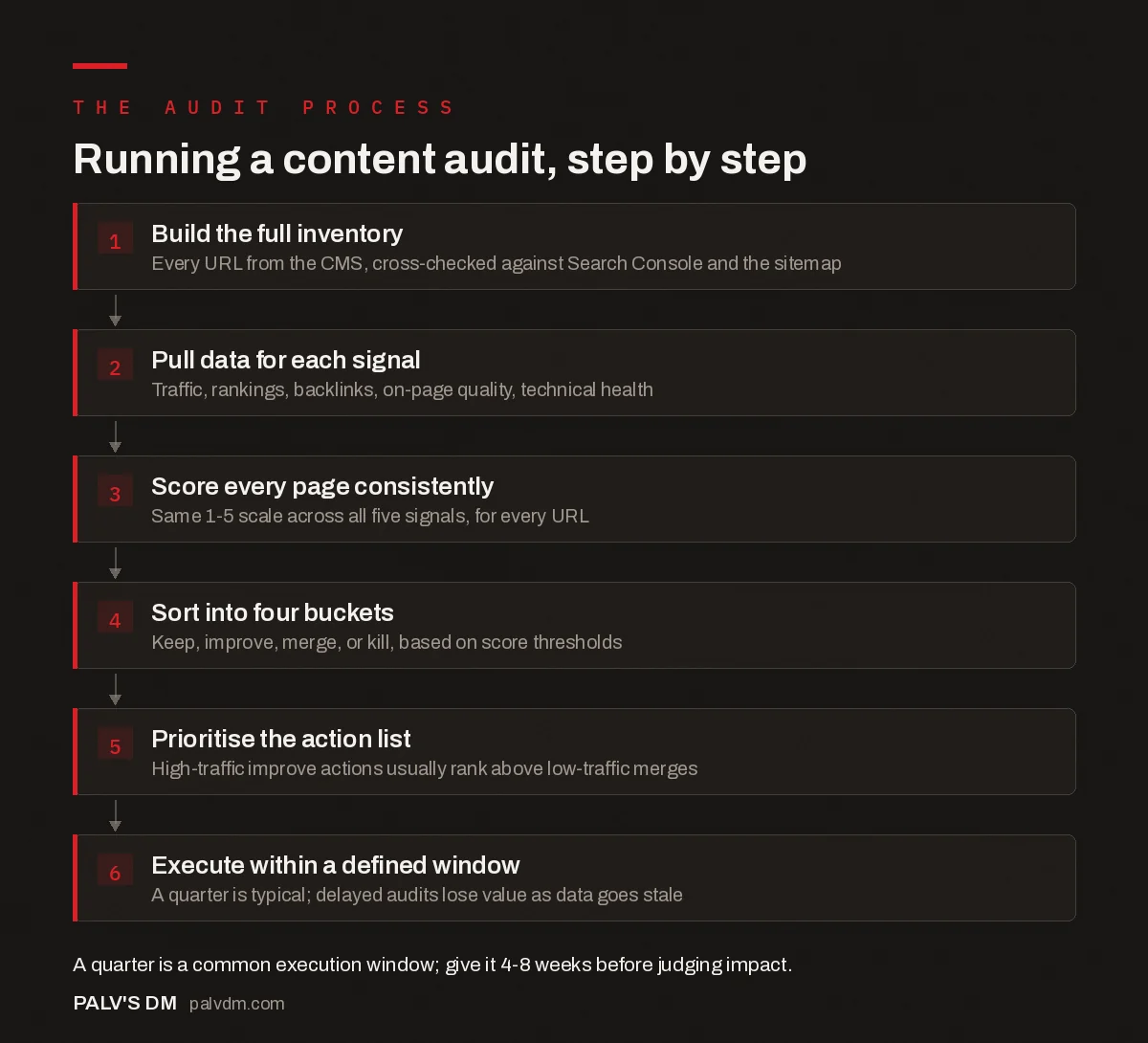
Running a content audit, step by step
- Build the full inventory. Every URL from the CMS, cross-checked against Search Console and the sitemap.
- Pull data for each signal. Traffic, rankings, backlinks, on-page quality, technical health.
- Score every page consistently. Same 1-5 scale across all five signals, for every URL.
- Sort into four buckets. Keep, improve, merge, or kill, based on score thresholds.
- Prioritise the action list. High-traffic improve actions usually rank above low-traffic merges.
- Execute within a defined window. A quarter is typical; delayed audits lose value as data goes stale.
What mistakes derail a content audit in practice?
A handful of recurring errors turn a well-designed audit process into wasted effort.
- Scoring from memory instead of pulling data. A reviewer who’s familiar with the site starts assigning scores based on gut impressions of which pages “feel” strong, rather than pulling actual Search Console numbers. This introduces bias toward pages the reviewer personally likes or wrote, and it’s the single fastest way to make an audit’s output untrustworthy.
- Auditing on a rolling basis with no fixed data window. Comparing one page’s trailing 3 months against another’s trailing 12 months produces scores that aren’t comparable. Every page in a single audit pass needs the same date range.
- Treating the audit as a one-time project. A site that audits once and never again slides back into the same accumulation problem within a year or two, since new pages keep publishing while the review discipline that caught last year’s weak pages quietly stops.
- No owner for the action list. An audit that produces a spreadsheet of keep, improve, merge, and kill decisions but assigns no one to execute it becomes a document that gets referenced occasionally and acted on rarely. The audit’s value is entirely in the execution, not the scoring exercise itself.
- Ignoring cannibalisation between similarly-scoring pages. Two pages that both score in the “keep” range but target near-identical keywords are still a problem, even though neither looks weak individually. The audit needs a cannibalisation check layered on top of the per-page scores.
A worked example: scoring three pages
To make the 1-5 scale concrete, here’s how three different pages on a hypothetical marketing blog might score across the five signals described above.
Page A, a well-trafficked guide published two years ago: traffic trend steady (4), rankings in positions 3-5 (5), genuine backlinks from industry sites (4), content accurate and well-structured (4), technical health clean (5). Total: 22/25, comfortably in keep territory, though worth watching for early decay.
Page B, a guide published 18 months ago: traffic declining over the past two quarters (2), rankings stuck around position 12 (2), no meaningful backlinks (2), content thinner than what’s now ranking above it (3), technical health fine (5). Total: 14/25, improve territory. The clean technical score points at content depth and backlinks as the actual constraint, not a technical problem in disguise.
Page C, an old announcement post with no evergreen value: traffic negligible (1), no meaningful rankings (1), zero backlinks (1), content outdated and thin (1), technical health fine but irrelevant (3). Total: 7/25, a clear kill candidate. Zero backlinks makes a straightforward 404 safe; a few backlinks on the same low score would instead point toward a 301 redirect, since there’d be equity worth preserving.
How do you decide between merging and killing a page?
Merge when two or more pages target the same or very similar search intent and are splitting traffic and links between them; consolidating into the stronger page and 301-redirecting the weaker ones usually recovers combined authority that was previously fragmented. Kill when a page has no meaningful traffic, no backlinks, and covers a topic no longer relevant to the business, where there’s no reasonable version of “improve” that would justify the editing time.
The distinction that trips people up is backlinks. A low-traffic page with a handful of genuine external links pointing to it is usually worth a 301 redirect to a relevant page rather than outright deletion, since deleting it without a redirect throws away that link equity. A page with zero backlinks and zero traffic can typically be removed cleanly with a 404, or a 410 if you want to signal permanent removal more explicitly to search engines.
How often should a content audit run?
Most sites benefit from a full audit annually, with lighter quarterly check-ins on the highest-traffic pages to catch decay early. Sites publishing at high volume, more than a few posts a week, often need audits more frequently, since the inventory grows fast enough that a year-long gap lets a significant backlog of low-performing pages accumulate. After executing an audit’s decisions, give it 4-8 weeks before drawing conclusions about impact, since indexation and ranking changes take time to show up in the data.
Frequently asked questions
Does deleting old blog posts actually help SEO?
It can, when the posts being removed are genuinely low-quality, low-traffic, and have no backlinks worth preserving. Removing thin or outdated content can improve a site’s overall quality signal and free up crawl budget for pages that matter more. It doesn’t help if you’re deleting pages that still get meaningful traffic or hold backlinks; those should be improved or redirected, not removed.
How long does a full content audit take?
For a site with a few hundred pages, expect a data-gathering and scoring phase of one to three weeks depending on how much of it is automated, followed by execution time that depends entirely on how many pages need active work. A blog with a thousand or more posts typically needs a phased audit rather than trying to score everything in one pass.
Should every low-traffic page be killed?
No. Low traffic alone isn’t a kill signal if the page is accurate, well-written, and either holds backlinks or targets a topic with seasonal or long-tail value that doesn’t show up as consistent monthly traffic. Combine traffic data with backlinks and topical relevance before deciding, rather than acting on one metric alone.
What tools are needed to run a content audit?
At minimum, Google Search Console for traffic and rankings, a crawler like Screaming Frog for technical and on-page data, and a backlink tool for link counts. A spreadsheet is enough to combine and score the data; dedicated content audit software helps at scale but isn’t required to run a rigorous first pass.
Turning the audit into action
A content audit only pays off if the keep, improve, merge, and kill decisions actually get executed, not just documented. The scoring framework matters less than the discipline of applying it consistently across every page and then following through within a set timeframe. If your content library has grown faster than your team’s capacity to maintain it, our content writing service can run the audit and handle the resulting improve and merge work as a single engagement.
This post is part of our content audit and refresh series. For what comes after the audit identifies pages to improve, see the content refresh process, start to finish. For pages that land in the kill bucket, see how to retire an underperforming post without losing its links. And for the planning layer this audit feeds into, our content strategy guide covers how audit findings should shape the next publishing cycle.