The Content Refresh Process, Start to Finish
A six-step content refresh process: diagnose decline, check the SERP, update facts, fix structure, relink, and track the result.

A content refresh means updating an existing page’s facts, structure, and depth to match what currently ranks, then re-submitting it for crawling, rather than leaving it untouched or rewriting it from zero. The process has six stages: diagnose why the post is underperforming, check the current SERP for what’s changed, update the facts and statistics, fix the structure and on-page elements, refresh internal links in both directions, then track the result over the following weeks. Skipping the diagnosis step is the most common mistake; teams refresh posts that were never the problem while ignoring ones stuck for a completely different reason.
Published August 2026.
Why refresh a post instead of leaving it or rewriting it?
Search results change even when a page doesn’t. Statistics go stale, competitor pages get updated with better structure or newer proof points, and search intent for a query can shift as the market matures, so a page that ranked well two years ago may no longer match what searchers, or Google, expect from a top result today. A refresh recognises this without throwing away the existing URL’s accumulated authority and backlinks, which is what happens with a full rewrite published at a new address.
The alternative, doing nothing, means watching a page slide down the results as competitors update theirs and yours doesn’t. Content decay is gradual and easy to miss until traffic has already dropped meaningfully.
How do you know a post needs a refresh rather than leaving it alone?
Google Search Console is the first place to check. Look for posts with declining impressions or clicks over a 6-12 month window, or posts stuck consistently in positions 8-20 without moving despite reasonable content. A page that’s still climbing, or holding a stable top-5 position, usually doesn’t need intervention yet. The clearest refresh candidates are posts that were once performing better and have visibly declined, since that pattern points to competitive or intent drift rather than a page that was simply never good enough.
The content refresh process, step by step
- Diagnose the decline. Pull the Search Console data for the page: impressions, clicks, and average position over time. A steady decline points to content decay; a sudden drop points to something more specific, like a core update or a technical issue, worth investigating separately.
- Check the live SERP. Search the target keyword and look at what’s currently ranking. Note format changes (has a listicle overtaken a guide?), new subtopics competitors now cover, and whether the intent itself has shifted, for example from informational to more comparison-driven.
- Update facts and statistics. Replace outdated numbers, old screenshots, and any claim tied to a year that’s no longer current. This is often the highest-leverage single change, since stale data is an easy trust signal for both readers and AI answer engines to catch.
- Fix structure and on-page elements. Rework the opening to directly answer the query in the first few sentences, review headings for clarity, and check the title tag and meta description still match current search behaviour.
- Update internal links in both directions. Add links from newer, related posts back to the refreshed page, and make sure the refreshed page links out to current, relevant content rather than orphaned or outdated pages.
- Log and track the change. Note the refresh date, request re-indexing via Search Console, and check impressions and position at roughly two, four, and eight weeks post-refresh.
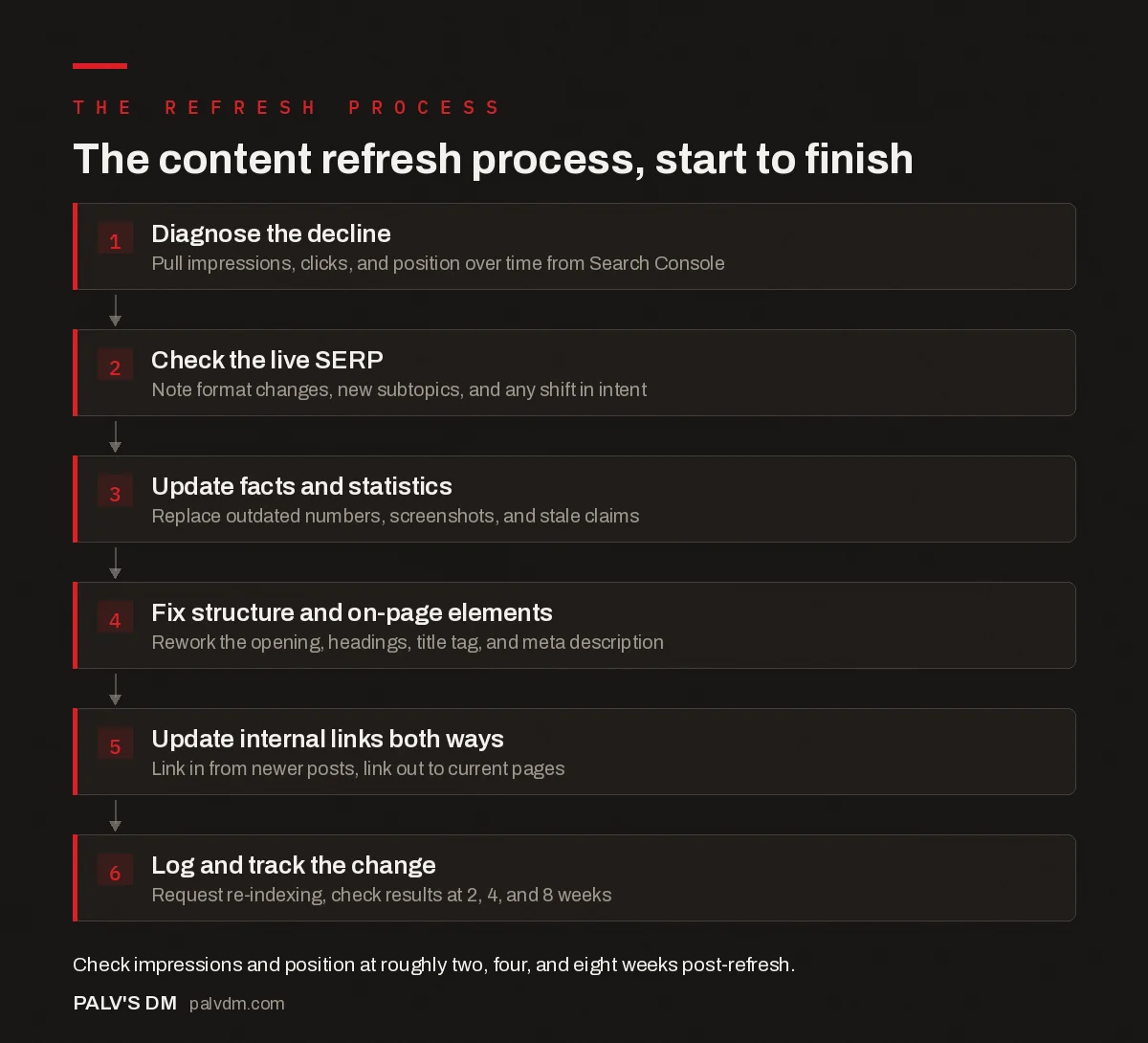
The content refresh process, start to finish
- Diagnose the decline. Pull impressions, clicks, and position over time from Search Console.
- Check the live SERP. Note format changes, new subtopics, and any shift in intent.
- Update facts and statistics. Replace outdated numbers, screenshots, and stale claims.
- Fix structure and on-page elements. Rework the opening, headings, title tag, and meta description.
- Update internal links both ways. Link in from newer posts, link out to current pages.
- Log and track the change. Request re-indexing, check results at 2, 4, and 8 weeks.
How much of the post should actually change?
| Refresh scope | When it applies |
|---|---|
| Light touch (facts, dates, links only) | Post is still fundamentally sound and ranking reasonably; content just needs currency |
| Structural update | Post covers the right topic but competitors now structure the answer better, or cover subtopics you’re missing |
| Substantial rewrite of sections | Search intent has shifted enough that entire sections no longer match what searchers want |
| Full rewrite or replacement | The original angle is no longer valid at all; consider whether this should become a new post with a redirect instead |
Most refreshes fall into the first two categories. A full rewrite is a bigger decision and worth weighing against simply retiring the old post and publishing new, particularly if the topic or intent has changed enough that barely any of the original content survives.
What mistakes make a refresh waste the effort?
A handful of recurring errors turn a well-intentioned refresh into time spent with little to show for it.
- Refreshing the wrong pages. Teams often refresh whichever posts are easiest to edit, rather than the ones Search Console data actually flags as declining. A post that never ranked well usually has a different problem, like weak topical authority or thin backlinks, that a facts-and-structure refresh won’t fix.
- Changing the URL. Republishing a refreshed post at a new URL, even a slightly cleaner one, discards the backlinks and ranking history attached to the original address. Unless the old URL is genuinely broken or off-brand, the refresh should happen in place.
- Updating only the publish-facing date. Changing the displayed “updated” date without making a substantive change to the content is a trust problem waiting to surface. Readers and reviewers occasionally compare version history or cached pages, and a cosmetic-only “update” damages credibility more than leaving the old date alone would have.
- Skipping the SERP check. Editing a post based only on what’s inside it, without checking what’s currently ranking above it, means guessing at what changed competitively instead of confirming it. Two posts with identical internal quality can need very different refreshes depending on what now outranks them.
- No follow-up measurement. Refreshing a post and never checking Search Console again means the team has no idea whether the changes made a difference, so the next refresh decision is still a guess.
A worked example: diagnosing and refreshing a declining post
Consider a guide on “email open rate benchmarks” that ranked position 4 eighteen months ago and has slid to position 14, with impressions down about 40% over the past two quarters. Working through the six-step process:
Diagnose. The decline is gradual over five to six months, not a sudden cliff, which rules out a technical break and points toward content decay or a competitive shift.
Check the SERP. Searching the target keyword shows three of the top five results now include a benchmark table by industry, something the original post lacks. Two competitors have also added 2025-dated statistics, while the existing post still cites a 2023 source.
Update facts. The 2023 benchmark figures get replaced with the most recent publicly available data, cited with its source and publication date rather than presented as if evergreen.
Fix structure. A benchmark-by-industry table gets added near the top of the post, matching the format now dominating the SERP, since the competitive check showed this is what the format has shifted toward.
Update links. Two newer posts on email marketing published since the original went live get links added pointing back to this guide, and the guide’s own outbound links get checked to confirm none point to pages that have since been retired.
Track. Re-indexing is requested through Search Console, and position and impressions get checked at two, four, and eight weeks. A partial recovery, back toward position 7-9 rather than fully to position 4, is realistic given competitors also improved during the same window.
How often should content actually be refreshed?
Cadence depends on how fast the topic moves. Evergreen, stable topics tend to hold up well with a review roughly every 6-12 months. Competitive topics where rankings shift often benefit from a check every 3-6 months. Fast-moving categories, like anything tied to AI tools, finance, or regulatory topics, can go stale in as little as one to three months and need tighter monitoring. Setting a review date at publish time, rather than waiting for a traffic drop to prompt action, tends to catch decay earlier.
Does refreshing content reliably improve traffic?
Refreshing genuinely stale or thin content, particularly posts that have visibly declined in Search Console, commonly recovers some or all of the lost traffic, though the scale of improvement varies widely by topic, competition, and how substantial the update is. It isn’t guaranteed, and a refresh applied to a post that was never the problem (say, one limited by domain authority rather than content quality) won’t move much. The safest claim is directional: content that’s genuinely stale tends to improve when brought current, but treat any specific percentage figure you see quoted online with caution unless it comes with a stated methodology and sample size.
Frequently asked questions
Should the publish date or URL change when refreshing a post?
Keep the URL the same to preserve backlinks and ranking history. For the date, update the “last modified” or “updated” date visibly on the page, but avoid changing the original publish date, and never claim a post was “updated” if the changes are cosmetic. Readers and search engines both treat a genuine update date as a freshness signal, and a dishonest one undermines trust once discovered.
How do you decide which posts to refresh first?
Prioritise by potential impact: posts with meaningful existing traffic that have started declining, or posts stuck in positions 8-20 for commercially relevant keywords, usually offer the best return on refresh effort. Posts with negligible traffic and no backlinks are often better candidates for the content audit’s merge or kill bucket instead.
Can a content refresh hurt rankings?
It’s uncommon but possible if the refresh removes content Google was actually ranking the page for, or if the update coincides with a broader site issue unrelated to the refresh itself. Keeping a backup of the original content and monitoring closely for two to four weeks after publishing catches this early.
Is a content refresh different from a technical SEO fix?
Yes. A refresh addresses the content itself: facts, structure, coverage, and links. A technical fix addresses things like page speed, indexability, or broken elements. A declining page sometimes needs both, and Search Console data usually points toward which one is the actual cause before you invest time in either.
Making refreshes part of a regular cycle
A content refresh only works as a repeatable process, not a one-off rescue mission for a single struggling post. Diagnosing the actual cause before editing, checking the current SERP rather than assuming the original angle still holds, and tracking the result afterward turns refreshing from guesswork into a routine maintenance task. If your blog has a backlog of posts that haven’t been touched since publication, our content writing service runs refreshes as a structured, ongoing engagement rather than a one-time project.
Before refreshing, it helps to know which posts actually deserve the effort. See our content audit framework for scoring pages first. For posts that turn out not to be worth saving, our guide on retiring an underperforming post without losing its links covers the alternative path. And for the bigger picture this fits into, see our content strategy guide.