How to Kill an Underperforming Post Without Losing Its Links
How to retire an old blog post without losing its backlinks: when to 301 redirect versus 404, and what to never redirect to.
If an underperforming post has backlinks or gets meaningful residual traffic, 301-redirect it to the closest relevant page rather than deleting it outright; if it has no backlinks and no traffic, a clean 404 (or 410 for a stronger removal signal) is fine. The mistake that actually costs a site something is deleting a linked page with no redirect at all, which strands every backlink pointing at it and throws away link equity that took real effort to earn. The decision hinges on one question: does this page have anything worth preserving?
Published August 2026.
Why not just delete underperforming posts outright?
Deleting content itself doesn’t damage a site’s SEO. A clean removal that returns a proper 404 isn’t a broken link and won’t harm rankings on its own. The risk isn’t deletion, it’s deletion done carelessly: removing a page that still holds backlinks, without redirecting those links anywhere, strands the link equity those backlinks represent. If ten external sites link to a post and that post disappears with no redirect, all ten links now point at a dead end instead of contributing anything to the site’s authority.
The fix isn’t “never delete.” It’s checking what a page has before deciding how to remove it.
How do you decide between a redirect and a plain 404?
| Situation | Recommended approach |
|---|---|
| Page has backlinks and a clearly relevant replacement exists | 301 redirect to the closest matching live page |
| Page has backlinks but no good replacement exists | 301 redirect to the most relevant parent category or pillar page, not the homepage |
| Page has meaningful residual organic traffic | Consider a refresh instead of removal; if removing anyway, redirect |
| Page has no backlinks and negligible traffic | 404 is sufficient; no redirect needed |
| Page needs a strong, fast removal signal (legal, compliance, or clearly obsolete content) | 410 Gone, which tells search engines the removal is permanent |
A 301 redirect passes most of a page’s accumulated link equity to its destination, which is why it’s the default choice whenever a page has backlinks worth preserving. A 404 or 410 tells search engines and visitors the page is gone; the difference between them is that 410 signals permanence more explicitly, and some evidence suggests Google drops 410s from the index somewhat faster than 404s, though both eventually get deindexed.
What should you never redirect to?
Don’t redirect an old blog post to the homepage, and don’t redirect it to a page that doesn’t actually answer the same question the original post did. Irrelevant redirects confuse both users, who land somewhere unrelated to what they clicked, and search engines, which may discount the redirect’s value if the destination doesn’t reasonably satisfy the same intent. A visitor who followed a link expecting an article about email subject lines and lands on your homepage is likely to leave immediately, and that bounce is a signal search engines can pick up on too.
The right target is the nearest genuine equivalent: a newer post covering the same topic, the pillar page for that content cluster, or, failing either of those, the most relevant category page. If nothing on the site reasonably matches, a 404 is more honest than a forced redirect to somewhere unrelated.
Steps for retiring a post properly
- Check for backlinks. Use a backlink tool to see if any external sites link to the page. Zero backlinks simplifies the decision considerably.
- Check current traffic and rankings. Pull recent Search Console data. Meaningful residual traffic is a signal to consider refreshing instead of removing.
- Identify the closest relevant page. Look for a newer post or a pillar page that reasonably satisfies the same search intent as the one being retired.
- Set up the redirect or removal. 301 to the relevant page if backlinks or traffic exist; 404 or 410 if not, using your CMS’s redirect manager or a plugin like Redirection for WordPress.
- Update internal links pointing to the old URL. A redirect handles the technical hop, but updating internal links directly avoids an unnecessary redirect chain and keeps navigation clean.
- Monitor for 404 errors post-removal. Check Search Console’s coverage report a few weeks after the change to confirm nothing unexpected broke.
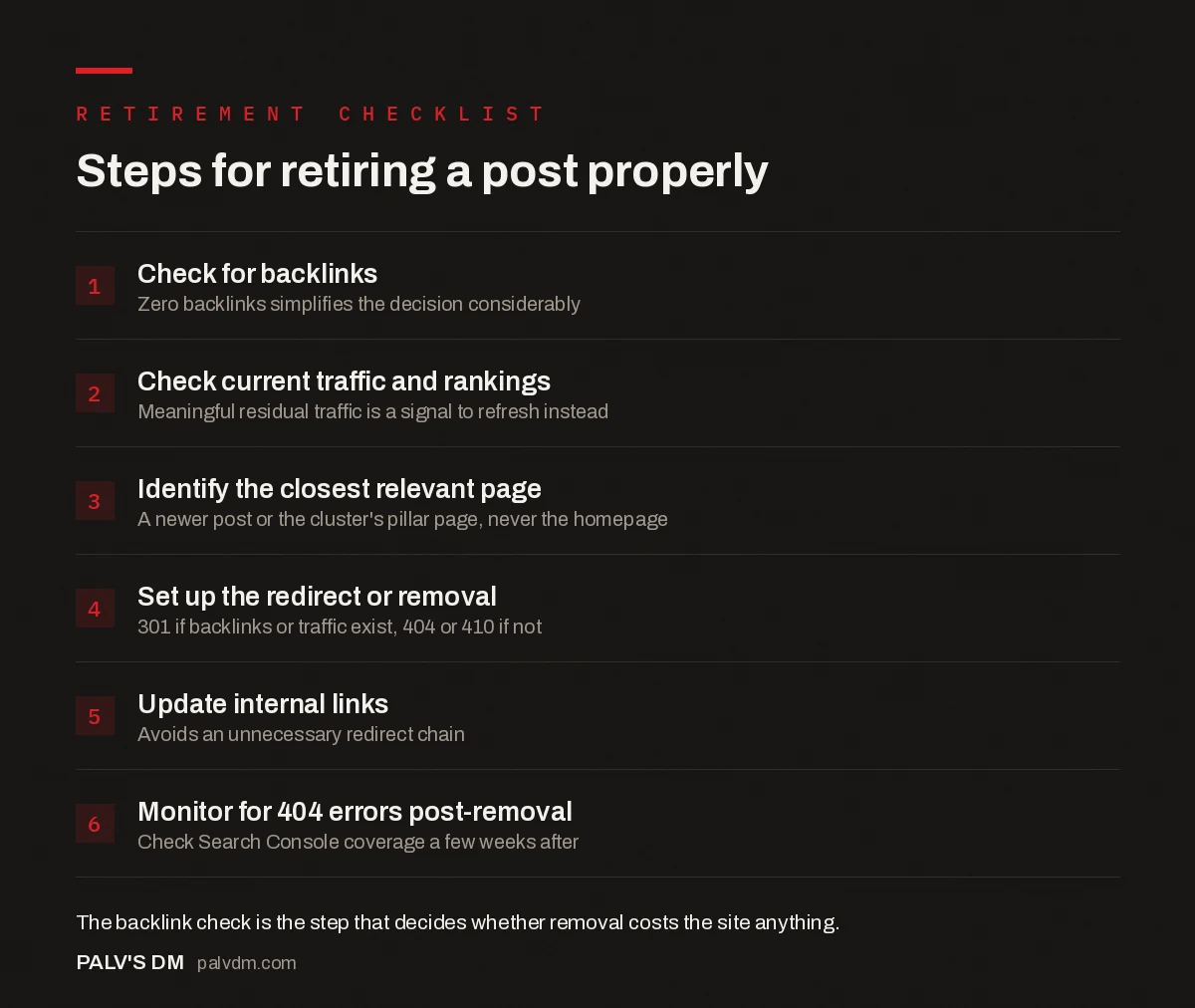
Steps for retiring a post properly
- Check for backlinks. Zero backlinks simplifies the decision considerably.
- Check current traffic and rankings. Meaningful residual traffic is a signal to refresh instead.
- Identify the closest relevant page. A newer post or the cluster’s pillar page, never the homepage.
- Set up the redirect or removal. 301 if backlinks or traffic exist, 404 or 410 if not.
- Update internal links. Avoids an unnecessary redirect chain.
- Monitor for 404 errors post-removal. Check Search Console coverage a few weeks after.
What mistakes actually cost sites link equity when retiring posts?
Most of the damage from retiring content comes from a small set of avoidable errors, not from the act of removal itself.
- Batch-deleting without checking each URL individually. A team cleaning up dozens of old posts at once sometimes applies the same treatment to all of them, missing that a handful in the batch have backlinks the rest don’t. A bulk backlink export catches this before it becomes a problem.
- Redirecting everything to the homepage as a default. When no obviously relevant page exists, some teams default to a homepage redirect rather than doing the extra step of finding the nearest topical match. This weakens the redirect’s value and creates a poor landing experience for anyone who clicks through from an old external link.
- Leaving internal links pointing at the old URL. A 301 redirect handles external traffic, but internal links still pointing at the retired URL create an unnecessary redirect hop on every internal click, and a large enough number of these across a site adds up to real crawl inefficiency.
- Redirecting to a page that doesn’t match search intent. A redirect chosen for topical proximity, like sending a specific how-to post to a broad category page instead of a closer replacement, disappoints visitors and can get discounted by search engines evaluating whether the target reasonably serves the same query.
- No monitoring after the change. Skipping the post-removal check of Search Console’s coverage report means a botched redirect or an unexpected spike in 404s from internal links can sit unnoticed for months.
A worked example: retiring three different posts
Three old posts on a hypothetical marketing blog illustrate how the same decision framework produces different outcomes depending on what each page actually has.
Post 1, a five-year-old guide to a marketing tactic that’s now outdated, with six external backlinks from industry roundups and negligible current traffic. Because it holds real link equity, this gets a 301 redirect to a newer, actively maintained post covering the same general topic, and internal links from other posts pointing at it get updated to the new URL directly rather than relying on the redirect hop.
Post 2, a promotional post about a product launch that ended two years ago, with zero backlinks and effectively zero traffic. There’s no relevant replacement page and nothing worth preserving, so this gets a clean 404. Redirecting it anywhere would just create a confusing landing experience for the rare visitor who stumbles on the old URL, with no equity benefit to justify it.
Post 3, a compliance post referencing a regulation that has since changed substantially, still getting occasional organic traffic from people searching the old regulation’s name. Because the content is now actively misleading rather than just outdated, this is a case for a 410 rather than a 404, paired with a prominent link from the site’s current compliance guide so searchers who land elsewhere can still find accurate information.
The pattern across all three: the decision follows directly from backlinks and traffic, not from how old the post is or how the team feels about it. Two posts of similar age get opposite treatment because their underlying data differs.
Does removing old content actually help the rest of the site?
Removing genuinely thin, outdated, or duplicate content can help by concentrating crawl budget and topical relevance on the pages that matter, particularly on larger sites where a long tail of weak pages has accumulated over years. This is sometimes called content pruning, and practitioners who’ve written about it generally report it as a net positive when applied to pages that were already performing poorly, not as a blanket strategy for cutting site size. Removing content that still has value, just because a site “has too many pages,” is a different and much riskier move, and isn’t supported by the same reasoning.
Frequently asked questions
Does a 404 error hurt a site’s rankings?
Not on its own. A 404 for a page that’s genuinely been removed is expected, normal web behaviour, and search engines handle it correctly. The concern is a large number of 404s coming from broken internal links or a botched migration, which is a different problem than an intentional, well-handled content removal.
Should you redirect every old post you plan to delete?
Only if it has backlinks, meaningful traffic, or a clear, relevant replacement page. Redirecting a page with none of those to some other page just to avoid a 404 can create confusing navigation for the small number of visitors who do land on it, without preserving any equity, since there was none to preserve.
How long should a 301 redirect stay in place?
Indefinitely, or at minimum for several years. Backlinks pointing at the old URL don’t disappear just because time passes, and removing a redirect prematurely strands whatever link equity it was still passing through.
What’s the difference between a 404 and a 410 for SEO purposes?
A 404 says “not found,” which search engines interpret as possibly temporary. A 410 says “gone, permanently,” which is a clearer signal and can lead to faster deindexing. For content you’re deliberately and permanently removing, a 410 is the more precise choice, though the practical SEO difference between the two is often small.
Can you undo a content removal if it turns out to have been a mistake?
Yes, restoring the page and removing the redirect is possible, but rankings and traffic don’t always fully recover, especially if enough time has passed for search engines to have deindexed the page and reassigned any link equity elsewhere. This is why checking backlinks and traffic carefully before removal matters more than being able to reverse the decision after the fact.
Retiring content without losing what it earned
Retiring an underperforming post doesn’t have to mean losing the value it accumulated. Checking backlinks and traffic first, redirecting to a genuinely relevant page when equity exists, and using a clean 404 or 410 when it doesn’t, keeps the process safe rather than risky. The step people skip most often is the backlink check, and it’s the one that actually determines whether a careless deletion costs the site anything. If you’re working through a backlog of old posts and want the retirement decisions made systematically rather than one at a time, our content writing service can fold this into a broader content audit.
This decision usually follows a content audit. See our content audit framework for scoring pages into keep, improve, merge, or kill before deciding what to retire. For posts worth saving instead, see the content refresh process, start to finish. And for the broader planning context, our content strategy guide covers how retirement decisions fit into an ongoing publishing plan.