Contact and Business Details as Trust Signals
A form-only contact page is the commonest trust failure on small business sites. Which details buyers check, why they must match everywhere, and how to mark up.

A contact page containing only a form is the most common trust failure on small business websites, because it lets you reach the visitor while giving the visitor no way to reach you. Google’s Search Quality Rater Guidelines instruct assessors to look for satisfying contact information, and treat its absence as a mark against a page — particularly for shopping sites and money-or-your-life topics where a customer needs recourse. A real postal address, a working phone number, a monitored email address and named people are not administrative details. They are the evidence that a legal entity with something to lose sits behind the website.
The sharper version of the argument: contact details are not read, they are checked. Most visitors will never phone you. They look for the address, register that it exists, and continue. The page works by being complete, not by being used, which is why removing details to reduce spam is usually a bad trade.
What does Google’s guidance say about contact information?
Google’s rater guidelines ask assessors to find out who is responsible for a website and to locate contact and customer service information, with the expected standard rising with the stakes of the topic. An online shop with no returns address, a financial advice site with no registered details, or a clinic with no phone number are treated as deficient. Raters do not affect the sites they rate — their judgements are used to evaluate whether Google’s ranking systems are working — but the guidelines describe what Google is trying to reward.
Google’s helpful content guidance makes a related point from the reader’s side, asking whether content presents information in a way that makes you want to trust it, including background about the site that publishes it. There is no contact page ranking factor, and E-E-A-T is not a measurable score. The reason to do it properly is that it answers a question every cautious buyer asks and most sites leave unanswered.
What belongs on a contact page?
| Element | Minimum | Better |
|---|---|---|
| Address | City and country | Full registered address, with a map and directions |
| Phone | One number in plain text | Number with country code, stated hours, and who answers it |
| A domain email address | Role addresses for sales, support and billing, with response times | |
| People | A named contact | Named contacts by function, with photographs and profile links |
| Entity | Registered business name | Entity type, registration number, tax registration such as GSTIN |
| Expectations | Nothing | Working hours, time zone, typical response time, languages |
The bottom row is the cheapest improvement on the list and almost nobody makes it. “Enquiries answered within one working day, Monday to Friday, 10:00–19:00 IST” removes the uncertainty that stops people submitting a form at all.
Why does a form-only contact page fail?
Three reasons, and they compound.
It is asymmetric. The form gives you the visitor’s details and gives them nothing. A buyer weighing up whether to send a brief to a stranger reads that asymmetry accurately.
It cannot be verified. A form proves nothing about who is behind it. An address that matches a company register, a Google Business Profile and a set of directory listings does. That corroboration is the same principle behind third-party verification of credentials.
It fails silently. Contact forms break — plugin conflicts, mail delivery problems, spam filters. A business whose only channel is a form can lose enquiries for weeks without knowing. Keep the form, because it is convenient, but never make it the only route. Test the form’s delivery on a schedule, and monitor for the silence that indicates it has broken.
Why do the details have to match everywhere?
Because search and AI systems assemble one picture of your business from many sources. If your website says one address, your Google Business Profile says another and three directories carry an old phone number, every one of those systems has to guess which is correct — and some will guess wrong.
Consistent name, address and phone number across your site, your business profile and your listings is the fix, and NAP consistency is the discipline for maintaining it. Where a business serves customers at their location rather than its own, the way to handle the address is documented rather than improvised; service area business SEO covers hiding the address correctly instead of simply omitting it. Keeping the profile itself accurate is part of Google Business Profile optimisation.
What should an Indian business include specifically?
Indian buyers are usually trying to establish two things: that a registered entity exists, and that somebody will answer if there is a problem. Four additions handle both.
- Registered entity name, structure and address. Proprietorship, LLP or private limited, with the registered office address as it appears on the register.
- GSTIN, where registered. It is publicly verifiable and it settles the invoicing question a B2B buyer will ask anyway.
- WhatsApp as a stated channel. For a large share of Indian buyers it is the default, and publishing a business number with stated hours converts more enquiries than a form.
- Working hours in IST, and languages handled. Particularly where clients may be outside India or outside your state.
Building trust in the Indian market covers the wider pattern, and the same details belong on an about page built for verification so that a reader arriving from either direction finds them.
How should contact details be marked up?
Use Organization schema, or LocalBusiness where customers visit a physical location, with address as a PostalAddress, telephone, email, and contactPoint entries for each function such as sales or customer support. Include openingHoursSpecification for a physical business and areaServed for a service-area one. Give the block a stable @id and reference it from the rest of the site’s markup.
The binding rule is that structured data must describe what is visible on the page. Marking up a phone number that appears nowhere in the rendered content is a trust problem rather than a shortcut. Organization schema and LocalBusiness schema cover the property sets in detail.
What about spam and privacy?
The usual objection to publishing an address and a phone number is spam, and it is a real cost. It is also almost always smaller than the cost of looking unreachable. Reasonable mitigations exist: use role addresses rather than personal ones, publish a business number rather than a personal mobile, and use a form alongside the direct details rather than instead of them.
Home-based businesses face a genuine problem, and the honest solutions are a registered office service, a co-working address you actually use, or stating the city and service area plainly while explaining that visits are by appointment. What does not work is inventing an address or borrowing one you have no relationship with, since it is checkable against the register. Where you collect personal data through a form, handling obligations under India’s Digital Personal Data Protection Act apply — what the DPDP Act means for marketing covers the practical requirements.
How do contact details affect AI answers about your business?
Generative engines and assistants answer questions such as “how do I contact [business]” by assembling details from whatever sources they can find. Where those sources disagree, the answer they produce may be an old number, a previous address, or a competitor’s details altogether. The most common cause of a wrong AI answer about a small business is not a model error but inconsistent public records.
The remedy is unglamorous: make the details identical on your site, your business profile, your major directory listings and your schema, then check what assistants currently say. Fixing AI hallucinations about your brand covers the process for finding and correcting the sources feeding a wrong answer.
A ten-minute contact page audit
- Open your contact page on a phone. Can you find an address, a number and an email without scrolling past a form?
- Send yourself a test enquiry through the form and confirm it arrives, including in the spam folder.
- Compare the address and phone number against your Google Business Profile and your three largest directory listings.
- Check that the phone number is plain text as well as a link, so it can be copied and read by extraction systems.
- Confirm the schema matches the visible page exactly.
- Add working hours, time zone and a stated response time if they are missing.
- Link the page from the header, the footer and every service page, and check it is indexable — a site-wide trust signal audit usually finds at least one of these missing.
None of the fixes above take longer than an afternoon, and none of them will move a ranking on their own. What they change is the conversion of the visitors you already have. A prospect who has read something useful, decided you might be worth contacting, and then found a page with a form and no address has been given a reason to hesitate at exactly the wrong moment.
Treat the contact page the way you would treat a shopfront: complete, current, and obviously staffed by people who exist. It is the cheapest credibility asset on the site, it supports every claim made on your about and author pages, and it is the one page where a missing detail costs a specific, countable enquiry rather than an abstract quantity of trust.
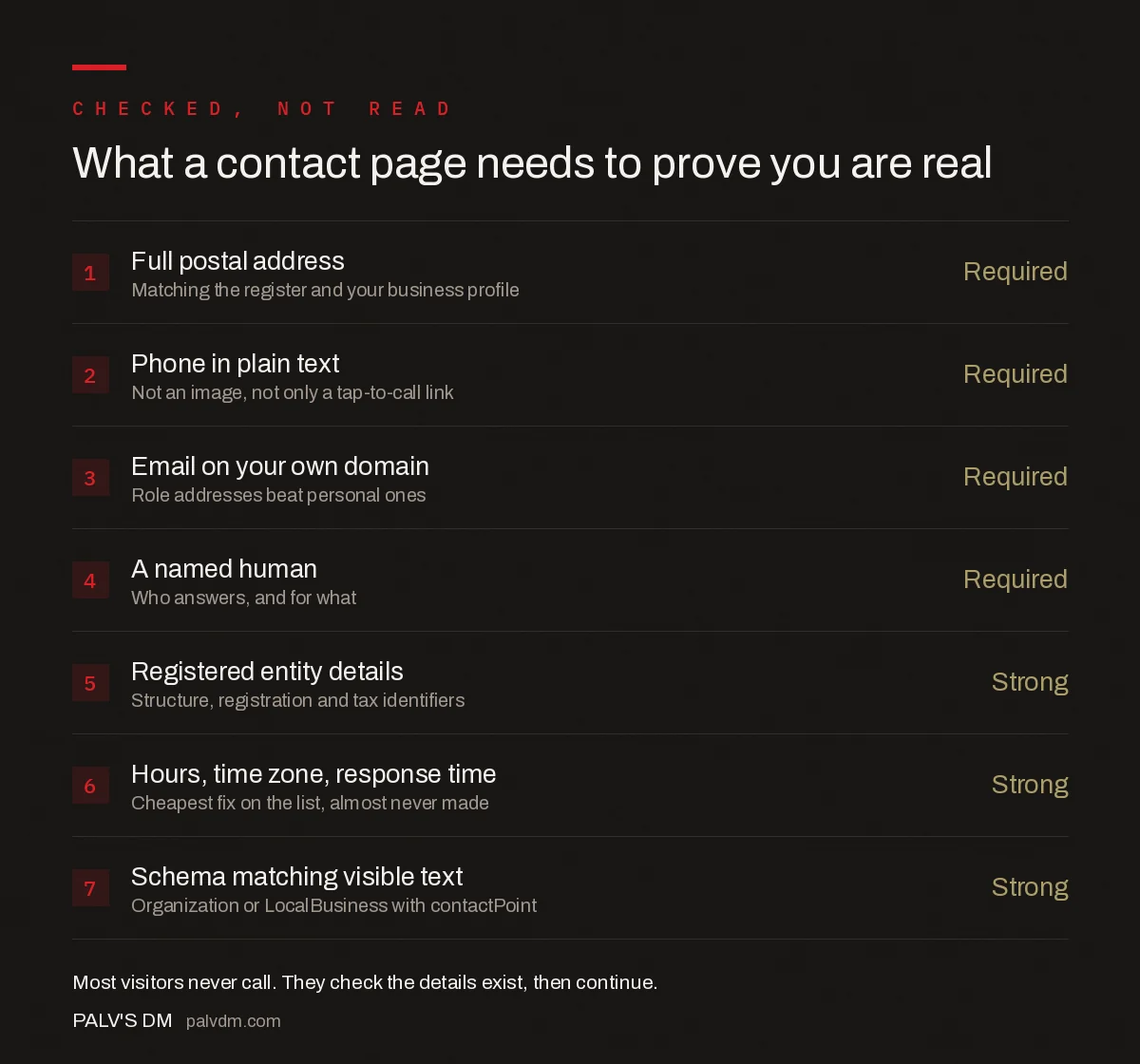
What a contact page needs to prove you are real
- Full postal address — Required. Matching the register and your business profile.
- Phone in plain text — Required. Not an image, not only a tap-to-call link.
- Email on your own domain — Required. Role addresses beat personal ones.
- A named human — Required. Who answers, and for what.
- Registered entity details — Strong. Structure, registration and tax identifiers.
- Hours, time zone, response time — Strong. Cheapest fix on the list, almost never made.
- Schema matching visible text — Strong. Organization or LocalBusiness with contactPoint.
Frequently asked questions
What should a contact page include to build trust?
A full postal address, a phone number in plain text with stated hours, a monitored email address on your own domain, at least one named person, the registered business name and any registration or tax identifiers, and clear expectations such as working hours, time zone and typical response time. A form is useful alongside those details but never as a substitute.
Does a contact page affect SEO?
Not as a ranking factor. Google’s Search Quality Rater Guidelines instruct assessors to look for satisfying contact information and treat its absence as a deficiency, particularly for shopping and money-or-your-life topics, and those ratings inform how Google evaluates its ranking systems rather than affecting rated sites directly. The practical benefit is credibility with buyers and accuracy in AI answers.
Is it safe to publish a business address and phone number?
For most businesses the spam cost is smaller than the credibility cost of looking unreachable. Sensible mitigations are role addresses rather than personal ones, a business number rather than a personal mobile, and a form alongside the direct details. Home-based businesses can use a registered office service, a co-working address they genuinely use, or state city and service area with visits by appointment.
Why do my contact details need to match across directories?
Search engines and AI assistants assemble one picture of a business from many sources. When your website, Google Business Profile and directory listings disagree, those systems have to guess which record is current, and some guess wrong. Inconsistent public records are the most common cause of an AI assistant giving out an old phone number or a previous address.
What schema should a contact page use?
Organization schema, or LocalBusiness where customers visit a physical location, with address as a PostalAddress, telephone, email, and contactPoint entries for functions such as sales and support. Add openingHoursSpecification for a physical business and areaServed for a service-area one. Every marked-up detail must also appear in the visible page content.
Should an Indian business publish its GSTIN on the website?
If registered, yes. A GSTIN is publicly verifiable on the official GST portal, which lets a cautious buyer confirm that a registered entity sits behind the site, and it answers the invoicing question a B2B buyer will raise anyway. Publishing it alongside the registered entity name, structure and office address removes the most common objection in the Indian SME market.
Sources
- Google Search Quality Rater Guidelines — contact and customer service information requirements
- Creating helpful, reliable, people-first content — Google Search Central
- Local business structured data — Google Search Central
- Organization structured data — Google Search Central
Want this done on your site?
Every PalV’s DM engagement starts with a free audit of your actual website — a 12-point
crawl covering what is blocking indexation, on-page gaps against your primary keywords, speed
findings, and the three to five fixes worth making first. Delivered in two working days. No
payment details, and the findings are yours whether you hire us or not.