
Detecting Cannibalisation in Search Console Data
Keyword cannibalisation shows up in Search Console as multiple pages ranking for the same query at similar positions. Here is the four-step process to confirm it and fix it.

Keyword cannibalisation in Search Console shows up as two or more pages on your site both earning impressions for the same query, at similar positions, without one page clearly winning the ranking. The Performance report’s Pages tab, filtered to a single query, is where this becomes visible directly — no third-party tool required to spot the core pattern. The harder part isn’t finding candidate queries; it’s telling genuine cannibalisation apart from Google legitimately testing which page deserves the spot, or two pages correctly serving different sub-intents.
Fixing it matters because split signals rarely add up to more visibility than one consolidated page would earn — two pages each landing around position 12 usually convert to fewer clicks than one page at position 6.
What does keyword cannibalisation look like in Search Console data?
The signature pattern: a query in the Performance report with multiple associated pages, positions within a few spots of each other, and impressions split roughly evenly rather than concentrated on one clear winner. A query where one page gets 90% of impressions and a second page picks up a handful of stray ones isn’t cannibalisation — that’s normal noise from Google occasionally surfacing a related page.
Step 1: Export Performance query data grouped by page
In Search Console, open the Performance report, add a Query filter for a specific target keyword, then switch to the Pages tab. This shows every URL on your site that earned impressions for that exact query, along with each page’s individual clicks, impressions, CTR, and average position. Export this for your priority keyword list rather than checking queries one at a time in the UI — a bulk export makes the pattern-matching in the next step far faster.
Step 2: Filter for queries with multiple ranking pages
Once exported, pivot the data by query and count distinct URLs per query. Any query with two or more pages earning a meaningful share of impressions — not just a trace amount — is a cannibalisation candidate worth a closer look. Sort candidates by total query volume first, since fixing cannibalisation on a high-volume query recovers more traffic than fixing it on a query that barely gets searched.
Step 3: Check position and impression overlap
| Signal | Likely cannibalisation | Likely not cannibalisation |
|---|---|---|
| Position gap between competing pages | Under 5 positions apart | One page ranks far above the other consistently |
| Impression share | Split roughly 60/40 or closer | One page holds 90%+ of impressions |
| Trend over time | Persists for months | Resolves within a few weeks (Google testing) |
| Page intent | Both target the same search intent | Pages serve genuinely different sub-intents |
| Which page ranks on a given day | Swaps back and forth unpredictably | Same page consistently wins |
Step 4: Confirm intent overlap manually
Data alone doesn’t settle whether cannibalisation is a problem — read both pages against the query as a searcher would. If a “best running shoes for beginners” query pulls in both a buying-guide page and a specific product review page, that might be Google correctly serving two different intents, not a conflict to resolve. If both pages are near-identical buying guides covering the same angle, that’s the pattern worth consolidating.
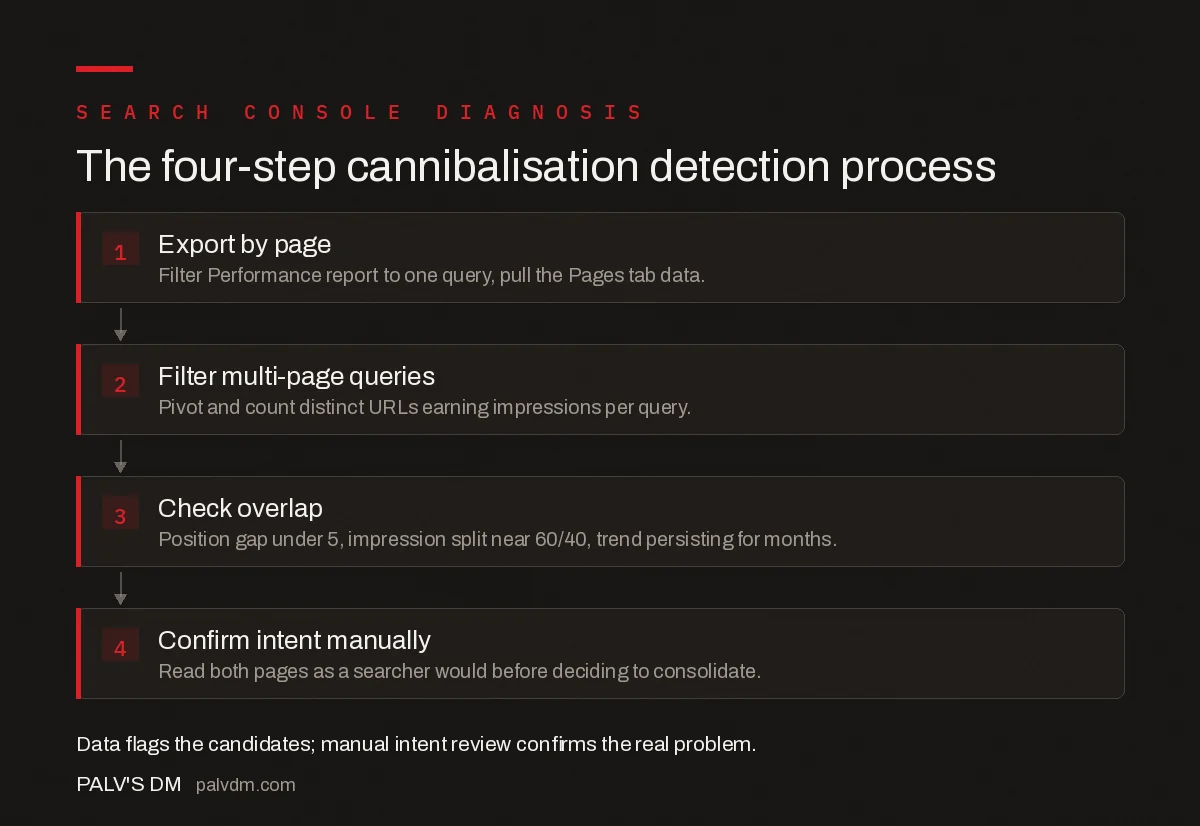
The four-step detection process
- 1. Export by page — Filter Performance report to one query, pull the Pages tab data.
- 2. Filter multi-page queries — Pivot and count distinct URLs earning impressions per query.
- 3. Check overlap — Position gap under 5, impression split near 60/40, trend persisting for months.
- 4. Confirm intent manually — Read both pages as a searcher would before deciding to consolidate.
How do you fix confirmed cannibalisation?
Two paths, depending on what the pages actually contain. If both pages cover the same intent with overlapping content, merge the unique value from the weaker page into the stronger one, then 301 redirect the weaker URL so its existing links and any residual ranking signal consolidate onto the surviving page. If the pages genuinely serve different sub-intents worth keeping separate, differentiate the titles and on-page focus more clearly, and add internal links between them so Google — and users — understand they’re related but distinct rather than competing.
After either fix, watch the query’s position and impression trend over the following four to six weeks rather than expecting an immediate change; Google needs to recrawl, re-evaluate, and settle on the surviving page’s new position.
What looks like cannibalisation but isn’t?
- Google testing multiple pages. A short-term pattern where Google rotates which page it shows for a query before settling — check a longer date range before concluding it’s a real conflict.
- Legitimately different sub-intents. A broad query can have room for a guide, a comparison, and a product page all ranking for genuinely different reasons.
- Brand and non-brand variants of a similar query. Two pages ranking for “seo audit” and “free seo audit” aren’t cannibalising each other even though the terms overlap — they’re different queries with different intent.
- A new page still settling after publication. Freshly published content can temporarily rank alongside an older page while Google figures out relevance; give it a few weeks before treating it as a conflict.
How often should you check for cannibalisation?
A quarterly review against your priority keyword list catches most cases before they compound, especially after a content push that adds several new pages around similar topics. Sites publishing frequently in a narrow topic cluster benefit from checking sooner — new cannibalisation is far easier to fix with a redirect before both pages accumulate their own backlinks and internal links that then need untangling too.
Frequently asked questions
What does keyword cannibalisation look like in Search Console?
Filter the Performance report by a single query and check the Pages tab: cannibalisation shows as two or more URLs both receiving impressions for that query, usually with positions within a few spots of each other and neither page ranking as high as a single consolidated page likely would.
How many pages ranking for the same query counts as cannibalisation?
Two or more pages both earning meaningful impressions for the same query, with similar positions, is the core pattern. One dominant page with a second page picking up a trivial number of stray impressions usually isn’t cannibalisation worth fixing.
Does keyword cannibalisation always hurt rankings?
Not always — Google sometimes ranks both pages for genuinely different sub-intents within one query, which isn’t a problem. It’s worth fixing specifically when the pages target the same intent and neither is reaching the position a single, consolidated page would likely achieve.
What’s the difference between cannibalisation and Google just testing pages?
Google’s algorithm periodically tests multiple pages from a site for a query before settling on one, which can look identical to cannibalisation in a single week of data. Check position and impression share over a longer date range — genuine cannibalisation persists for months, not a single testing cycle.
How do I fix confirmed keyword cannibalisation?
Consolidate the weaker page’s unique content into the stronger one, then 301 redirect the weaker URL, or clearly differentiate the two pages toward different sub-intents and internally link them to each other rather than leaving them to compete unlinked.
Sources
- Performance report (Search results) — Search Console Help
- On-Page SEO Checklist
- Content Freshness: When Updating Helps and When It Doesn’t
- Duplicate Title Tags and Metas Across a Large Site
- Keyword Cannibalisation: Diagnosis and Repair
Want this done on your site?
Every PalV’s DM engagement starts with a free audit of your actual website — a 12-point
crawl covering what is blocking indexation, on-page gaps against your primary keywords, speed
findings, and the three to five fixes worth making first. Delivered in two working days. No
payment details, and the findings are yours whether you hire us or not.


