
Keyword Cannibalisation: Diagnosis and Repair
Keyword cannibalisation is when your own pages compete for the same query. How to confirm it's real, tell it apart from healthy overlap, and fix it with merges, redirects, or re-targeting.

Keyword cannibalisation is when two or more pages on the same site target the same primary keyword closely enough that they compete against each other in rankings instead of against outside competitors. The fix is rarely as simple as “delete one page” — it’s diagnosing whether the overlap is genuinely hurting performance, then choosing between merging, redirecting, or re-targeting each page toward a distinct query.
Not every case of two pages ranking for one keyword is cannibalisation. Google’s own guidance is clear that multiple relevant pages showing for a query isn’t inherently penalised. The real signal is instability: rankings that swap between your own URLs week to week, or two mediocre positions where one consolidated page would likely rank higher.
What is keyword cannibalisation, exactly?
It happens when internal pages send Google conflicting signals about which URL best answers a given query. Two blog posts covering the same how-to topic, a category page and a blog post both optimised for the same commercial term, or old and new versions of an updated guide left live simultaneously are the most common patterns. Google’s algorithms then have to guess which of your own pages to rank, and that guess can change between crawls, causing visible ranking volatility for a term that should otherwise be stable.
How do you diagnose cannibalisation instead of just suspecting it?
Confirm the pattern before fixing anything — merging or redirecting a page that wasn’t actually a problem wastes effort and can lose content that was fine on its own.
- Search site:yourdomain.com “exact keyword” in Google. If more than one of your own URLs shows up on the first page of results for that exact phrase, that’s the first flag.
- Check Search Console’s Performance report. Filter by the query in question, then switch to the Pages tab. If clicks and impressions are split across multiple URLs rather than concentrated on one, the split is measurable, not just visible in search.
- Look for ranking instability over time. Two pages trading positions 8 and 14 for the same query week over week, rather than one holding a stable spot, is the clearest sign Google itself can’t settle on a winner.
- Compare the pages’ actual content and intent. If both genuinely serve the same search intent with substantially similar content, it’s cannibalisation. If they serve different intents that happen to share a keyword, they may not need fixing at all.
How does real cannibalisation differ from healthy overlap?
| Signal | Real cannibalisation | Healthy overlap |
|---|---|---|
| Rankings over time | Positions swap between your own URLs | One page holds a stable position |
| Search intent | Same intent, same audience | Different intent (e.g. informational vs transactional) |
| Content overlap | Substantially duplicate coverage | Shared keyword, distinct angle or depth |
| Combined performance | Both underperform a single stronger page’s likely ranking | Each page earns its own distinct traffic |
What’s the fix sequence for confirmed cannibalisation?
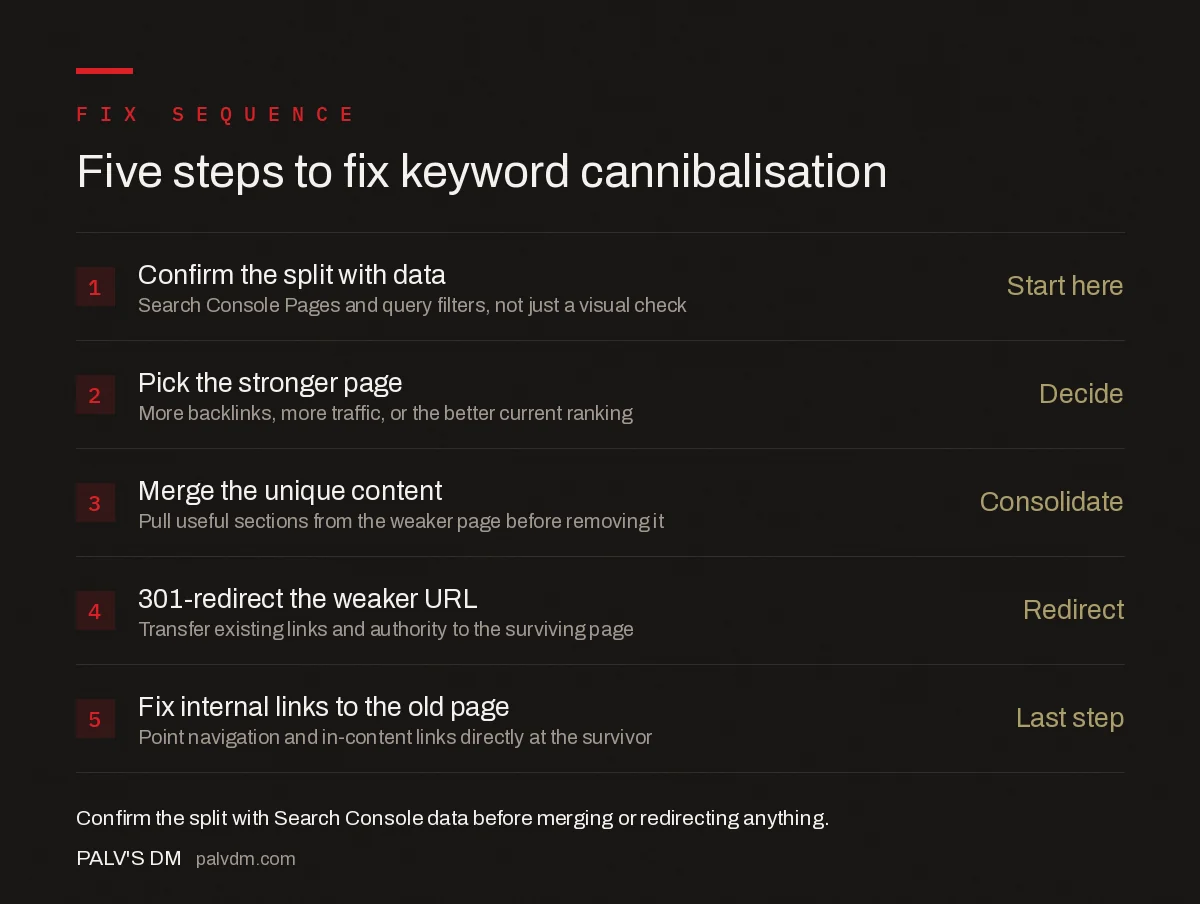
Five-step fix sequence
- Confirm the split with data — Use Search Console’s Pages and query filters, not just a visual site: search, before committing to a fix.
- Pick the stronger page — Usually the one with more backlinks, more organic traffic, or the better current ranking position.
- Merge the unique content — Pull any genuinely useful sections from the weaker page into the stronger one before removing it.
- 301-redirect the weaker URL — Point it to the consolidated page so its existing links and authority transfer rather than disappear.
- Fix internal links pointing to the old page — Update navigation, related-post modules, and in-content links to point directly at the surviving URL instead of relying on the redirect long-term.
When should you re-target instead of merge?
Merging isn’t always right. If both pages genuinely deserve to exist — say, one is a beginner’s guide and the other is an advanced technical breakdown of the same topic — re-targeting each toward a distinct keyword and intent solves the conflict without losing either page. This means rewriting titles, headers, and on-page copy so each page’s primary keyword focus is unambiguous, and cross-linking between them so users (and Google) understand they’re complementary rather than competing.
A keyword map — one row per target URL, one primary keyword and intent assigned per row — is the tool that prevents this from recurring. Before publishing a new page, check the map for an existing page already assigned to that keyword; if one exists, expand it instead of creating a competitor.
What causes cannibalisation to keep coming back?
- No keyword ownership map. Without a documented assignment of one primary keyword per URL, new content keeps getting created without checking what already exists.
- Programmatic or templated content. Auto-generated location or category pages frequently target overlapping terms by construction, not by mistake.
- Content refreshes that don’t check for existing coverage. Updating an old post without first searching the site for a newer, better-optimised page on the same topic recreates the exact problem being solved.
- Multiple authors or teams publishing independently. Without shared visibility into what’s already published, overlapping topics get commissioned separately and end up competing.
Frequently asked questions
Is it always a problem when two of my pages rank for the same keyword?
No. Google’s John Mueller has clarified that two pages ranking for one query isn’t automatically a penalty — it can mean both are genuinely relevant. It’s a problem specifically when the pages swap positions unpredictably or both underperform where a single consolidated page would rank higher.
How do I confirm cannibalisation instead of just suspecting it?
Check Search Console’s Performance report filtered by query, then look at the Pages tab for that same query. If impressions and clicks are split across two or more URLs and rankings fluctuate between them week to week, that’s the pattern. A single site: search showing multiple results for the same query is a faster manual check.
Should I merge cannibalising pages or just redirect one?
Merge when both pages contain content worth keeping — combine them into the stronger URL and 301-redirect the other. Redirect alone, without merging content, when the weaker page adds nothing the stronger one doesn’t already cover.
Can noindexing a weaker page fix cannibalisation without a redirect?
It stops the weaker page from competing, but it doesn’t pass its existing links or ranking signals to the stronger page the way a 301 redirect does. Use noindex when the weaker page has little to no external links or traffic worth consolidating; redirect when it does.
Sources
- Google Answers SEO Question About Keyword Cannibalization — Search Engine Journal
- On-Page SEO Checklist: Every Element That Matters
- How to Update an Old Blog Post for Rankings
- Content Freshness: When Updating Helps and When It Doesn’t
- Thin Content: What Counts and How to Fix It
Want this done on your site?
Every PalV’s DM engagement starts with a free audit of your actual website — a 12-point
crawl covering what is blocking indexation, on-page gaps against your primary keywords, speed
findings, and the three to five fixes worth making first. Delivered in two working days. No
payment details, and the findings are yours whether you hire us or not.


