
Search Appearance Reports Most People Never Open
The Search Appearance filter in Search Console shows which rich results actually earn clicks. Most teams never check it. Here's how to use it.

Published August 2026. SEO team at PalV’s DM.
The Search Appearance filter in Google Search Console lets you isolate clicks and impressions by result type — FAQ rich results, review snippets, video results, and more — instead of looking at your site’s performance as one blended number. Most teams check the main Performance report every week and never touch this filter, which means they miss whether their structured data investment is actually earning extra visibility or just sitting unused in the code.
What is the Search Appearance report, exactly?
Inside the Performance report, alongside Query, Page, Country, and Device, there’s a Search Appearance tab. It groups your clicks and impressions by the type of result Google displayed — a plain blue link, a rich result with an FAQ dropdown, a review star rating, a video thumbnail, and a handful of other formats depending on what schema markup and content types your site uses.
Google has been narrowing this list over time. Several older appearance types have been retired or folded into more specific ones as rich result eligibility rules have tightened — the generic “Rich results” filter was scheduled for removal in favour of individual breakouts like FAQ, HowTo, and Review snippet, since those specific filters now cover what the generic one used to catch. If you set up structured data years ago and never checked back, it’s worth confirming which appearance types your site is still actually eligible for.
Which appearance types are worth checking regularly?
| Appearance type | What it tells you | Check how often |
|---|---|---|
| FAQ rich results | Whether your FAQ schema is earning the expanded SERP treatment | Monthly |
| Review snippets | Whether star ratings are showing and whether they’re moving CTR | Monthly |
| Video results | Whether embedded or hosted video is generating separate impressions | Monthly |
| HowTo rich results | Rare since 2023 eligibility narrowing — mostly a legacy check now | Quarterly |
| AMP results | Shrinking relevance as AMP usage declines industry-wide | Yearly |
Why does this matter more than it seems at first glance?
Structured data is usually implemented once and forgotten. A team adds FAQ schema to a set of blog posts, ships it, and moves on — without ever confirming Google is actually using it to generate rich results, or checking whether the CTR from those rich-result impressions beats the CTR from plain listings on similar pages. The Search Appearance report is the only place inside Search Console that answers this directly.
It’s also a fast way to catch a regression. If Google updates its eligibility criteria for a rich result type — which happens periodically — a page that used to show an FAQ dropdown might silently lose it. Impressions and clicks for that page might barely move, but the mix shifts from rich-result impressions to plain-link impressions, which usually means a lower CTR at the same position. You won’t see this in the main Performance report; you’ll only see it by filtering to Search Appearance and watching for a rich-result category quietly dropping toward zero.
How do you actually use the report to make a decision?
- Filter to one appearance type — for example, FAQ rich results — and compare its average CTR against your site’s blended average CTR at similar positions.
- Check the trend line over 3-6 months, not just the current snapshot, since eligibility for a given rich result type can change without any action on your part.
- Cross-reference against your schema markup — if you’ve added FAQPage schema to twenty pages but only five show up under the FAQ appearance filter, something in the other fifteen is likely failing Google’s eligibility checks (often duplicate or thin content, or markup that doesn’t match visible page content).
- Watch for zero-row appearance types you expected to see — an empty filter for a schema type you’ve implemented is a signal worth investigating, not ignoring.
Which schema types are worth the effort for an Indian SMB or D2C brand?
Not every schema type is worth implementing for every business. FAQ schema tends to pay off fastest for service businesses and B2B sites answering common pre-purchase questions — legal, financial, home services, and SaaS all see this pattern regularly. Review snippet markup matters most for D2C brands and local services where star ratings visibly influence the click decision, though Google has tightened requirements around self-serving review markup, so it needs to reflect genuine third-party reviews rather than site-owner claims. Video appearance is worth checking if you already host product demos or tutorials, but it’s rarely worth producing video purely to chase this appearance type.
The pattern we see most often with Indian SMB clients is FAQ schema implemented broadly but review schema either missing entirely or implemented incorrectly — usually because the reviews shown don’t meet Google’s structured data guidelines for review markup, which require the reviews to be genuinely collected and clearly attributed, not summarised or aggregated from unclear sources.
What should you do if a rich result type isn’t showing at all?
First confirm the markup is valid using the Rich Results Test tool, since invalid or incomplete schema is the most common reason a page never gets rich-result treatment even after weeks. If the markup validates cleanly but still isn’t appearing, the next most common causes are that the page doesn’t meet Google’s broader quality bar for that rich result type, or that Google has simply chosen not to show it for that particular query — rich result eligibility is not a guarantee even with perfect markup. Google’s own documentation is explicit that structured data increases eligibility, not certainty, for enhanced display.
- Validate the markup with the Rich Results Test before assuming anything else is wrong.
- Check the URL Inspection tool for that specific page to see whether Google’s last crawl detected the structured data at all.
- Give it time. Rich result eligibility can take several weeks to reflect after a fix, since it depends on recrawling and reprocessing.
- Accept that eligibility isn’t guaranteed even with perfect implementation — Google reserves the right to show or withhold rich results based on broader ranking and relevance signals.
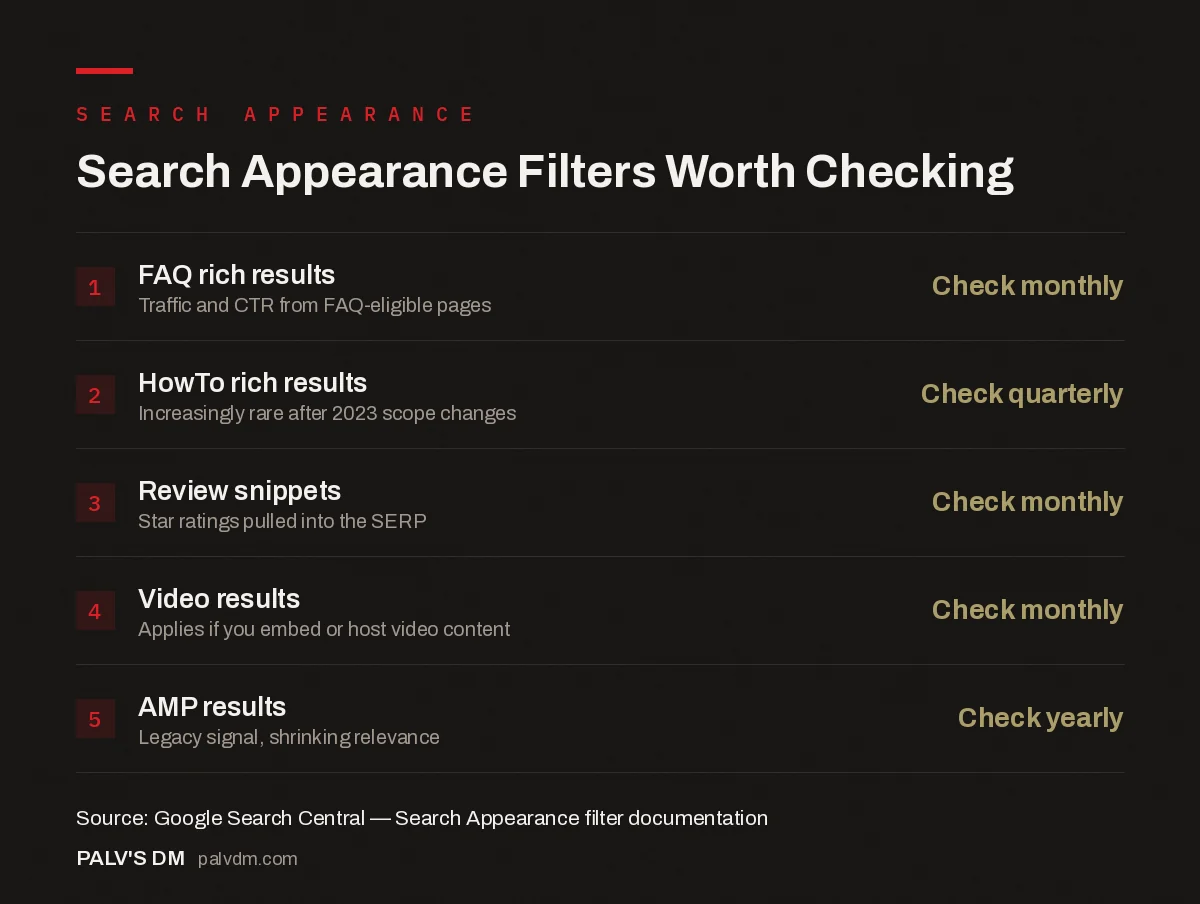
Search Appearance Filters Worth Checking
- FAQ rich results — Check monthly. Traffic and CTR from FAQ-eligible pages.
- HowTo rich results — Check quarterly. Increasingly rare after 2023 scope changes.
- Review snippets — Check monthly. Star ratings pulled into the SERP.
- Video results — Check monthly. Applies if you embed or host video content.
- AMP results — Check yearly. Legacy signal, shrinking relevance.
For most SMB and D2C sites, this report only needs a monthly glance rather than a dedicated dashboard, but skipping it entirely means structured data work goes unmeasured. This kind of measurement discipline is part of what we build into ongoing SEO Growth engagements, alongside the broader reporting cadence covered in our Google Search Console guide.
Once you’ve confirmed which rich results are actually showing, it’s worth checking whether the CTR gain is real by benchmarking against what a good CTR looks like by position, and cross-referencing swings using the correct Page and Query view combinations.
Can Search Appearance data tell you anything about AI Overviews?
Not directly. AI Overviews and other AI-generated answer formats aren’t broken out as their own Search Appearance category in Search Console as of this writing — they show up blended into standard web results reporting rather than as a separate filterable type. This is a real gap for anyone trying to measure AI-citation visibility specifically. If tracking AI-driven visibility is a priority, log file analysis, referral traffic patterns in GA4, or dedicated AI-visibility monitoring tools fill the gap better than the native Search Appearance filter, at least until Google adds more granular reporting for this result type.
FAQ
What’s the difference between Search Appearance and Rich Results in Search Console?
Search Appearance is the filter dimension inside the Performance report that lets you segment clicks and impressions by result type. “Rich results” was one such appearance type — a generic catch-all — that Google has been retiring in favour of specific filters like FAQ, Review snippet, and HowTo, since those now cover what the generic category used to represent.
Why did my HowTo rich results disappear?
Google significantly narrowed HowTo rich result eligibility in 2023, largely restricting it to non-commercial, instructional content from specific verticals. If your HowTo markup used to generate rich results and no longer does, this policy change is the most likely explanation rather than a technical error on your site.
Does adding FAQ schema guarantee an FAQ rich result?
No. Structured data makes a page eligible for enhanced display; it doesn’t guarantee Google will show it. Google evaluates eligibility against broader quality and relevance signals for that specific query, and can choose not to show the enhanced format even when the markup is valid.
How often should a small business check the Search Appearance report?
Monthly is enough for most SMB sites, timed alongside your regular Search Console review. If you’ve recently added or changed structured data, check weekly for the first month to confirm the markup is being recognised and to catch any indexing issues early.


