
Why Your Rankings Look Different in Incognito
Incognito mode doesn't hide your location from Google. Here's what it actually removes, what still affects rankings, and how to check accurately.

Published August 2026. SEO team at PalV’s DM.
Incognito mode is not a neutral, “true” view of your rankings. It removes your search history, saved cookies, and signed-in account personalisation, but Google can still estimate your location from your IP address and reads your device type and language settings normally. If your rankings look different in incognito than in your normal browser, that’s expected, but incognito isn’t showing you the one objective ranking either. Both views are personalised; one just has fewer inputs.
Why do rankings differ between incognito and a normal browser at all?
Google customises search results using a combination of signals: your account history if you’re signed in, your recent searches and clicks in that browser profile, your approximate location, your device type, and your language settings. A normal, signed-in browser session carries all of these. Incognito mode strips out the account and history layer but keeps location, device, and language active by default.
That’s why a business owner checking their own site’s ranking in a normal browser often sees it position 2, while a colleague in a different city checking the same term sees position 6, and incognito shows something in between. None of these three views is “wrong”, they’re each personalised differently, and none matches what a third-party rank tracker reports either, because those tools use their own fixed location and device assumptions.
Does incognito mode actually turn off geolocation?
No, and this is the most common misunderstanding. Incognito mode is a browser privacy feature, it stops your browser from saving history, cookies, and site data locally, and it signs you out of your Google Account for that session. It does nothing to hide your IP address, and Google uses IP address as one of its primary signals for estimating searcher location, alongside any location permissions you’ve granted.
For local businesses this matters a lot. Searching “plumber near me” in incognito from an office in Bengaluru will return Bengaluru-area results regardless of the incognito status, because location targeting for local-intent queries doesn’t depend on being signed in.
What does incognito actually remove, and what stays active?
| Factor | In incognito mode |
|---|---|
| Search and browsing history | Not used, session starts fresh |
| Signed-in Google Account personalisation | Off, unless you sign in manually within the session |
| Saved cookies and autofill | Not applied |
| IP-based location | Still active, Google still estimates your city or region |
| Device type (mobile vs desktop) | Still active, results can differ by device regardless of mode |
| Browser and OS language settings | Still active, still influences result language and format |
So how should you actually check a ranking?
If the goal is a rough sanity check, “does my site show up at all for this term”, incognito from the right city is a reasonable manual method. If the goal is a reliable, repeatable ranking number to report on, incognito checks aren’t precise enough on their own:
- Use Search Console’s average position metric for the query, which reflects Google’s actual serving data rather than a single manual check.
- Use a rank tracking tool that fixes location and device explicitly, so every check is apples-to-apples over time.
- If checking manually, match location intentionally, use a VPN or Google’s location parameter in search settings to simulate the city that matters, rather than relying on incognito alone.
- Check on both mobile and desktop if your business serves both, since Google can rank pages differently by device, particularly with mobile-first indexing.
Does this affect AI-generated answers and overviews the same way?
Largely yes, and arguably more so. AI Overviews and chat-style answer engines draw on similar location and context signals when deciding what to surface, and they add a further layer: conversation history and prior prompts within a session can shape follow-up answers. Checking whether your business appears in an AI Overview from one incognito search tells you about as much as checking traditional rankings the same way, a single data point from one location and one context, not a stable measurement. Treat AI-visibility checks with the same scepticism you’d apply to a single incognito ranking check, and prefer monitoring tools or repeated checks across locations over one-off searches.
Why do rank tracking tools sometimes disagree with what I see myself?
Rank tracking tools typically simulate a search from a fixed, unauthenticated location and device profile, often a data centre IP rather than a residential one, and without any personalisation history. That’s intentional, it gives you a consistent baseline to track change over time. But it also means the number a tool reports rarely matches exactly what any real searcher sees, because real searchers are never in that exact neutral state. Search Console’s own position data is closer to reality since it reflects real impressions, but it’s an average across every real search context that triggered your page, not a single clean number either.
Why does this myth keep coming back?
The “incognito shows the real ranking” belief persists because incognito genuinely does remove something real, your own search history bias. If you’ve Googled your own business dozens of times and clicked your own listing, your normal browser will show it artificially high for you specifically. Switching to incognito removes that specific distortion, which feels like getting a “clean” answer. The mistake is assuming that removing one source of personalisation removes all of it.
This confusion shows up often with multi-location Indian businesses. A Delhi-based team checking rankings in incognito might see strong positions for a query, not realising Google served those results based on their Delhi IP address, while the same query searched by a customer in Chennai returns a completely different local pack because a Chennai-based competitor is closer and more relevant there. Incognito made the search feel neutral without actually making it location-neutral.
What’s a concrete example of this going wrong in a client conversation?
A regional furniture brand with showrooms in three cities got a call from their Pune showroom manager insisting the business had “dropped off Google entirely” for their main product term, based on an incognito search from a laptop at the Pune office. Checking Search Console’s query data for that exact term showed steady impressions and a stable average position around 4 for the trailing month, no drop at all. The discrepancy turned out to be simple: the manager’s search happened to be made from an IP address that Google mapped to a business park with a strong existing competitor showroom two streets away, so that competitor’s local listing was outranking the brand for that one specific location and moment. The same term searched from the Mumbai office, or from Search Console’s aggregated data, showed no such problem. Nothing had actually changed; one search from one location had been mistaken for the whole picture.
What should a business owner actually do with this information?
- Stop treating one incognito search as proof of ranking. Use it as a rough sanity check, not a report metric.
- Rely on Search Console’s Performance report for the actual average position across real searches, filtered by the query and location that matter.
- Pick one rank tracking tool and stick with its methodology so numbers are at least consistent over time, even if they don’t match a manual search.
- If checking manually for a local business, set the search location explicitly via Google’s search settings rather than trusting incognito to represent a specific city.
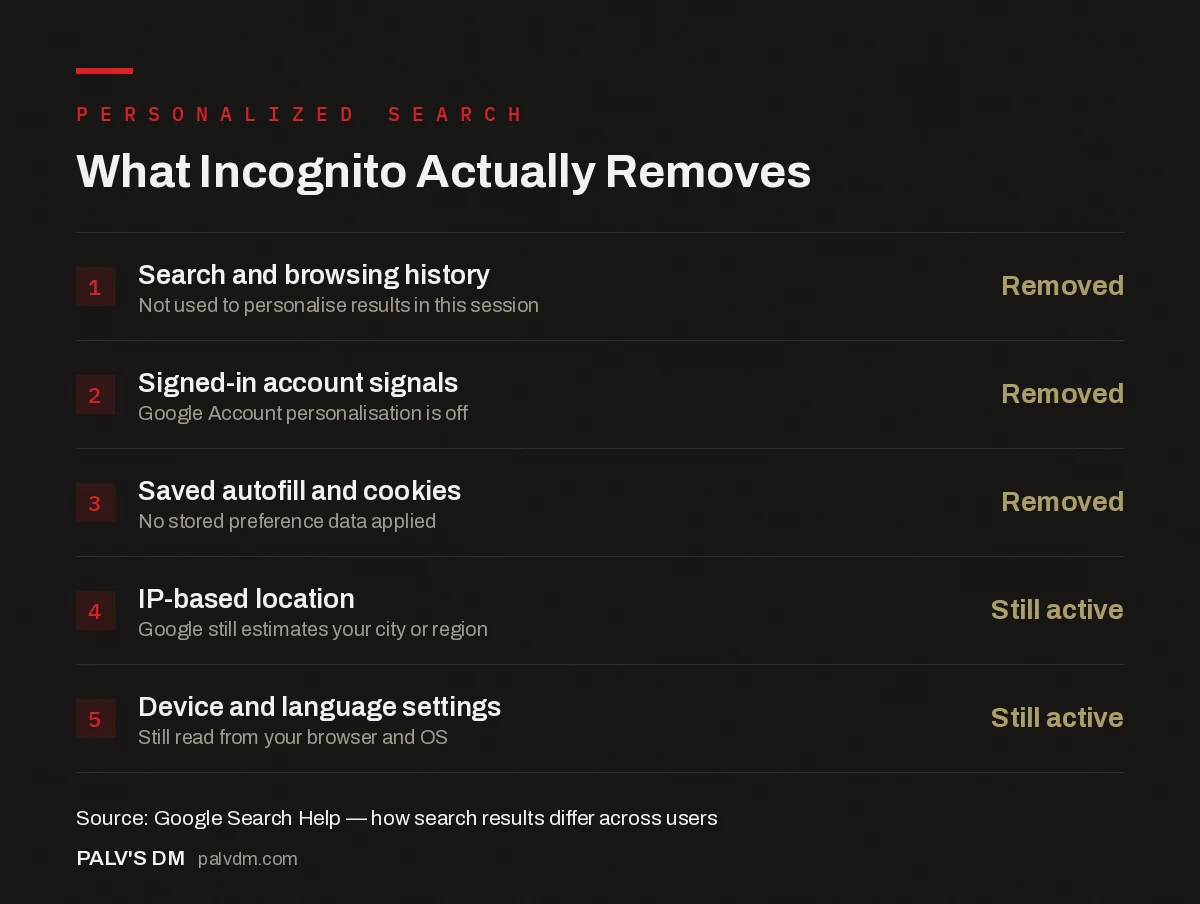
What Incognito Actually Removes
- Search and browsing history. Removed. Not used to personalise results in this session.
- Signed-in account signals. Removed. Google Account personalisation is off.
- Saved autofill and cookies. Removed. No stored preference data applied.
- IP-based location. Still active. Google still estimates your city or region.
- Device and language settings. Still active. Still read from your browser and OS.
What’s the fastest way to spot-check a ranking without misleading yourself?
If a manual check is genuinely needed in the moment, a client is on a call asking “are we ranking for X”, the fastest reasonably reliable method is Google’s own location override in Search Settings, found under the “Location” section, which lets you set a specific city without needing incognito, a VPN, or any third-party tool. Paired with a note of which device and account state was used, this gives a repeatable, explainable answer rather than a screenshot that can’t be reproduced later. It’s still one data point, not a trend, but at least it’s a controlled one rather than whatever combination of IP, device, and history happened to be active on the laptop in the room.
Clients frequently ask why a competitor “outranks” them based on one search from one laptop, and the honest answer is often that the search itself wasn’t a fair test. Building ranking reports around Search Console data and consistent tracking methodology instead of manual spot checks is standard practice inside our SEO Growth engagements.
For a deeper look at what Search Console’s own position metric actually measures and where it gets misread, see why average position is the most misread metric in GSC, and for reading swings correctly once you trust the number, see comparing date ranges without fooling yourself. This topic also connects to our broader Google Search Console guide.
FAQ
Does incognito mode hide my location from Google?
No. Incognito mode stops your browser from saving history and cookies locally and signs you out of your Google Account, but it does not hide your IP address. Google still estimates your approximate location from your IP and can still show location-relevant results, including for local business queries.
Why does my site rank higher when I’m signed into my Google Account?
If you’ve searched for your own site, clicked on it before, or visited it directly, Google’s personalisation can weight results based on that browsing history when you’re signed in. This creates a bias that makes your own site appear to rank better than it does for searchers with no prior relationship to your domain.
Is there any way to see a completely unpersonalized search result?
Not through the standard Google search interface, since location and device signals apply regardless of personalisation settings. The closest approximation is Search Console’s average position data for real impressions, or a dedicated rank tracking tool using a fixed, defined location and device profile.
Should I trust a client or colleague who says “I searched and we’re not showing up”?
Treat it as a data point, not a conclusion. Ask what device, location, and account state they searched from, then verify separately using Search Console’s Performance report filtered to that query, or a rank tracker with a matched location, before deciding anything has actually changed.
Can I use a VPN instead of incognito to check a specific city’s results?
Yes, and it’s generally a more reliable method for simulating a specific location than incognito alone, since a VPN actually changes the IP address Google sees rather than just clearing history and cookies. Google’s own location override in Search Settings achieves a similar result without needing a VPN subscription, and is usually the simpler option for a quick city-specific check.


