
Building an SEO Audit Workbook in Google Sheets
How to build a Google Sheets SEO audit workbook that actually gets used: the tabs, formulas, and severity scoring behind it.

A working SEO audit workbook needs five tabs at minimum: Technical, On-Page, Content, Backlinks, and an Action Plan that pulls the highest-severity items from the other four. Build it once, properly structured, and you reuse it every quarter instead of starting from a blank sheet or paying for a tool report that scores your priorities the same way it scores everyone else’s.
Most people either skip the spreadsheet entirely and rely on a tool’s canned audit report, or they build a messy one-tab dump of every crawl error with no structure. Both approaches lose the thing that actually makes an audit useful: forcing yourself to look at each issue and decide what it means for this specific site, not a generic severity label a tool assigned automatically.
What should the workbook actually contain?
Five categories cover the ground a full audit needs: Technical (crawlability, indexation, Core Web Vitals, redirects), On-Page (titles, meta descriptions, headings, internal linking), Content (thin pages, duplicate or cannibalizing content, outdated information), Backlinks (profile health, toxic links, lost links worth reclaiming), and a final Action Plan tab that isn’t raw data at all, it’s a prioritized list pulled from the other four, sorted by severity and estimated effort.
That last tab is the one most homemade audit sheets skip, and it’s the one that actually gets used by whoever has to act on the findings. A hundred rows of crawl errors sorted by URL is data. Ten rows sorted by “fix this first because it’s costing you the most” is a plan.
How do you build it, step by step?
Work through this order. Each step depends on the one before it, so building the Action Plan tab before you’ve scored severity in the source tabs just means redoing it later.
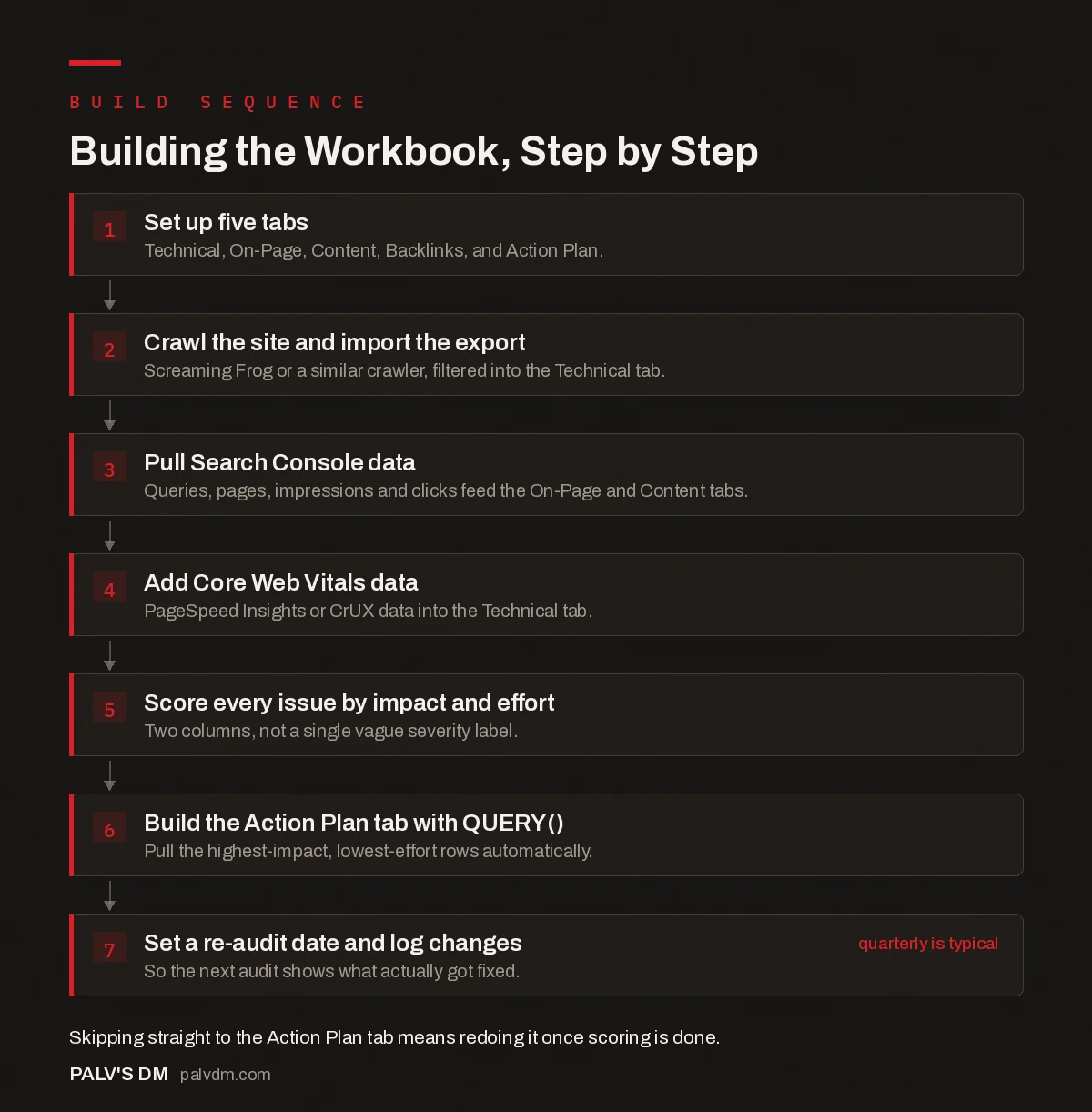
Building the Workbook, Step by Step
- Set up five tabs. Technical, On-Page, Content, Backlinks, and Action Plan.
- Crawl the site and import the export. Screaming Frog or a similar crawler, filtered into the Technical tab.
- Pull Search Console data. Queries, pages, impressions and clicks feed the On-Page and Content tabs.
- Add Core Web Vitals data. PageSpeed Insights or CrUX data into the Technical tab.
- Score every issue by impact and effort. Two columns, not a single vague severity label.
- Build the Action Plan tab with QUERY(). Pull the highest-impact, lowest-effort rows automatically.
- Set a re-audit date and log changes. So the next audit shows what actually got fixed. quarterly is typical
What goes in each tab, specifically?
Vague category names don’t help much on their own, so here’s what actually populates each one.
- Technical. Crawl status codes, indexability flags, canonical tag conflicts, redirect chains, Core Web Vitals scores per template type, and XML sitemap coverage gaps. This tab is almost entirely fed by a crawler export and PageSpeed data, not manual review.
- On-Page. Title tag length and duplication, missing or duplicate meta descriptions, heading structure issues, internal link counts per page, and keyword-to-content alignment for your priority pages. Cross-reference against Search Console impressions so you’re not spending time optimizing pages nobody searches for.
- Content. Thin pages under a reasonable word count for their intent, content that hasn’t been touched in over a year on topics that still matter, and cannibalization, two or more pages competing for the same query in Search Console’s performance report.
- Backlinks. Overall referring domain trend, any sudden drop worth investigating, obviously toxic or spammy links worth a disavow review, and lost links that were once driving real referral traffic and might be worth reclaiming.
- Action Plan. Not raw data. A pulled, filtered, ranked list from the four tabs above, sorted by the impact and effort scoring described below.
Which formulas actually do the heavy lifting?
- QUERY() is the workhorse for the Action Plan tab, pulling rows from every category tab that match a severity condition into one consolidated view, without manually copying anything.
- VLOOKUP() or XLOOKUP() to cross-reference a URL’s crawl data against its Search Console performance, so you can see at a glance whether a technical issue is sitting on a page that actually gets traffic, which changes how urgently it matters.
- Conditional formatting rules tied to a severity column (Critical, Warning, Minor) turn a wall of text into something scannable in seconds, which matters more than it sounds like it should when you’re staring at four hundred rows.
- IMPORTRANGE() if you’re maintaining a master template and pulling live data from a per-client crawl sheet, so the template updates without manual copy-paste between files.
- COUNTIFS() on a summary tab to show issue counts by category and severity at the top of the workbook, so anyone opening it gets the headline numbers before scrolling into detail.
How do you score severity without it becoming arbitrary?
Pick two axes and stick to them: impact and effort. Impact means how much organic traffic or conversion value the affected page or issue touches, not how technically serious the error sounds. A broken canonical tag on a page with zero organic sessions is a lower priority than a slow-loading image on your highest-converting landing page, even though the canonical error looks scarier in a crawl report. Effort means how much work the fix actually takes: some things are a five-minute plugin setting, others need a developer and a deploy cycle. Plot every issue against both, and the genuinely urgent ones (high impact, low effort) sort themselves to the top without much debate.
The mistake I see most in DIY audit sheets is treating “critical” as a label the crawl tool assigned rather than a judgment call tied to actual traffic and revenue data. A 404 error is not automatically critical. A 404 error on a page ranking for your highest-value keyword is.
How do you keep the workbook from going stale?
Set a re-audit cadence and put the date directly in the workbook, quarterly works for most small to mid-size sites, sooner after a redesign, a migration, or a bulk content push. Keep a simple change log tab noting what was fixed and when, so a re-audit six months later shows you whether last quarter’s fixes actually held, instead of starting from zero every time with no memory of what’s already been addressed.
If you’re running this across multiple client sites, build one master template with the five-tab structure locked in, then duplicate it per client rather than rebuilding the structure from scratch each time. That’s the difference between an audit workbook and an audit habit.
What mistakes make an audit sheet useless six months later?
- No date column anywhere. Without a timestamp on when each row was captured, you can’t tell if a listed issue is current or three audits stale, and you end up re-verifying everything from scratch instead of trusting the record.
- One tab, everything dumped in together. Technical crawl errors mixed in with content notes and backlink data in a single sheet is the fastest way to make a workbook nobody wants to open. Structure isn’t optional past a handful of pages.
- Severity copied straight from the crawl tool. A generic “high/medium/low” label assigned by a crawler has no idea which of your pages actually make money. Re-score against your own traffic and conversion data, every time.
- No owner column. An action plan with no name attached to each row is a wish list, not a plan. Even a one-person operation benefits from marking what’s assigned versus what’s just noted.
- Building it once and never reopening it. The workbook’s value compounds the second and third time you use it, when you can compare against the last audit and see what actually moved.
Frequently asked questions
Do I need a paid tool to build an SEO audit workbook?
No. Google Sheets is free, Search Console data exports for free, and Screaming Frog’s free tier crawls up to 500 URLs, enough for most small business sites. Paid tools speed up data collection at scale, but the workbook and analysis don’t require a subscription.
How long does it take to run an audit with this kind of workbook?
For a small site under fifty pages, a few hours covers a first pass: crawling, pulling Search Console data, and scoring issues by severity. Larger sites take longer mainly because of crawl time and row volume, not because the method itself is slow.
What’s the difference between this and just using an SEO tool’s built-in audit report?
A built-in report gives you someone else’s severity scoring and someone else’s priorities. A spreadsheet you build yourself forces you to look at every flagged issue and decide, for your specific site and goals, whether it actually matters. That’s slower, and it’s also the point.
How often should I refresh the audit workbook?
Quarterly is a reasonable default for most small to mid-size sites. Re-crawl sooner after a redesign, a migration, or any bulk content change, since that’s when new technical issues are most likely to appear undetected.
Should every issue in the audit get fixed immediately?
No. Not every 4xx error or missing meta description is worth immediate action, especially on a large site. Severity scoring exists precisely so low-traffic, low-impact issues don’t consume the same urgency as a canonical tag problem on your highest-converting page.
Sources
- How To Create a Google Sheets SEO Audit Template, AgencyAnalytics
- SEO Audit Templates and Spreadsheets in Google Sheets, Sheets for Marketers
- Technical SEO: The Complete Working Guide
- Google Sheets Formulas Every SEO Should Know
- Automating Reports With Google Sheets and Apps Script
- Free SEO Tools That Replace Paid Ones (Mostly)
Want this done on your site?
Every PalV’s DM engagement starts with a free audit of your actual website — a 12-point
crawl covering what is blocking indexation, on-page gaps against your primary keywords, speed
findings, and the three to five fixes worth making first. Delivered in two working days. No
payment details, and the findings are yours whether you hire us or not.
Get your free SEO audit
See One-Time Services plans and prices


