
URL Slugs: Short, Clean, and Keyword-Bearing
A URL slug should be short, lowercase, hyphen-separated, and carry the page's primary keyword without stuffing it. Here is the complete standard for writing slugs Google and users can both read.
A URL slug should be short (3-5 meaningful words), all lowercase, hyphen-separated, and carry the page’s core topic without repeating it or padding it with stop words. That’s the whole standard. The nuance is in what breaks it: underscores instead of hyphens, auto-generated ID strings, uppercase letters that create duplicate-looking URLs, and slugs stuffed with every variation of a keyword instead of the one phrase that actually describes the page.
Google has been direct about how small a ranking factor this is on its own — John Mueller has called words in the URL “a very small ranking factor” and cautioned against obsessing over it. The real payoff of a clean slug isn’t a rankings bump; it’s a URL a user can read in a search result and trust enough to click, and a URL your own team can read in a spreadsheet six months from now without opening the page.
What makes a URL slug SEO-friendly?
Four properties, all confirmed directly in Google’s URL structure guidance:
- Descriptive, readable words instead of long ID numbers or query strings. Google’s own example contrasts
/wiki/Aviationagainst/index.php?topic=42&area=3a5ebc944f41daa6f849f730f1— the first tells a human and a crawler what the page is about, the second tells neither. - Hyphens, not underscores. Google explicitly recommends hyphens as word separators because it parses each hyphenated segment as a distinct word; underscores are read as joiners, the way programming languages use them to keep
format_datetogether as one token. - Lowercase, consistently. URLs are case-sensitive to Google —
/Appleand/appleare technically different URLs — so mixed casing anywhere in a site’s slugs risks creating accidental duplicates. - As few parameters as possible. Trim anything that doesn’t change the actual content: session IDs, referral tags, and sort parameters all inflate the URL without adding meaning.
How long should a slug actually be?
Three to five meaningful words is the practical range most SEOs converge on, landing the slug between roughly 30 and 60 characters. That’s a guideline, not a Google rule — there’s no published maximum — but two things make shorter slugs the better default: they’re easier to read at a glance in a search result, and Google has said that when two pages are otherwise equal, the one with the shorter, more relevant URL tends to have a small edge in how it’s perceived, mostly through click-through rate rather than a direct ranking boost.
| Example slug | Verdict | Why |
|---|---|---|
/blog/url-slug-best-practices/ | Good | Short, hyphenated, lowercase, topic is unambiguous |
/blog/post?id=4471 | Bad | No readable words, tells a user or crawler nothing |
/blog/the-complete-and-total-ultimate-guide-to-url-slugs-in-2026/ | Bad | Padded with filler words well past the useful length |
/Blog/URL_Slug_Best_Practices/ | Bad | Mixed case and underscores risk duplicate URLs and poor word parsing |
/blog/url-slug-url-slugs-best-url-slug-practices/ | Bad | Keyword repeated three times; reads as spam to users and crawlers alike |
Should the exact keyword be in the slug?
The core topic should be represented, but “the exact keyword” and “the core topic” aren’t always the same string, and treating them as identical is where slugs go wrong. A page targeting “best running shoes for flat feet” doesn’t need that entire phrase in the URL — /best-running-shoes-flat-feet/ covers the topic without becoming unreadable. Google’s guidance is consistent here: descriptive and topically clear beats an exact-match string crammed in for its own sake.
What are the most common slug mistakes?
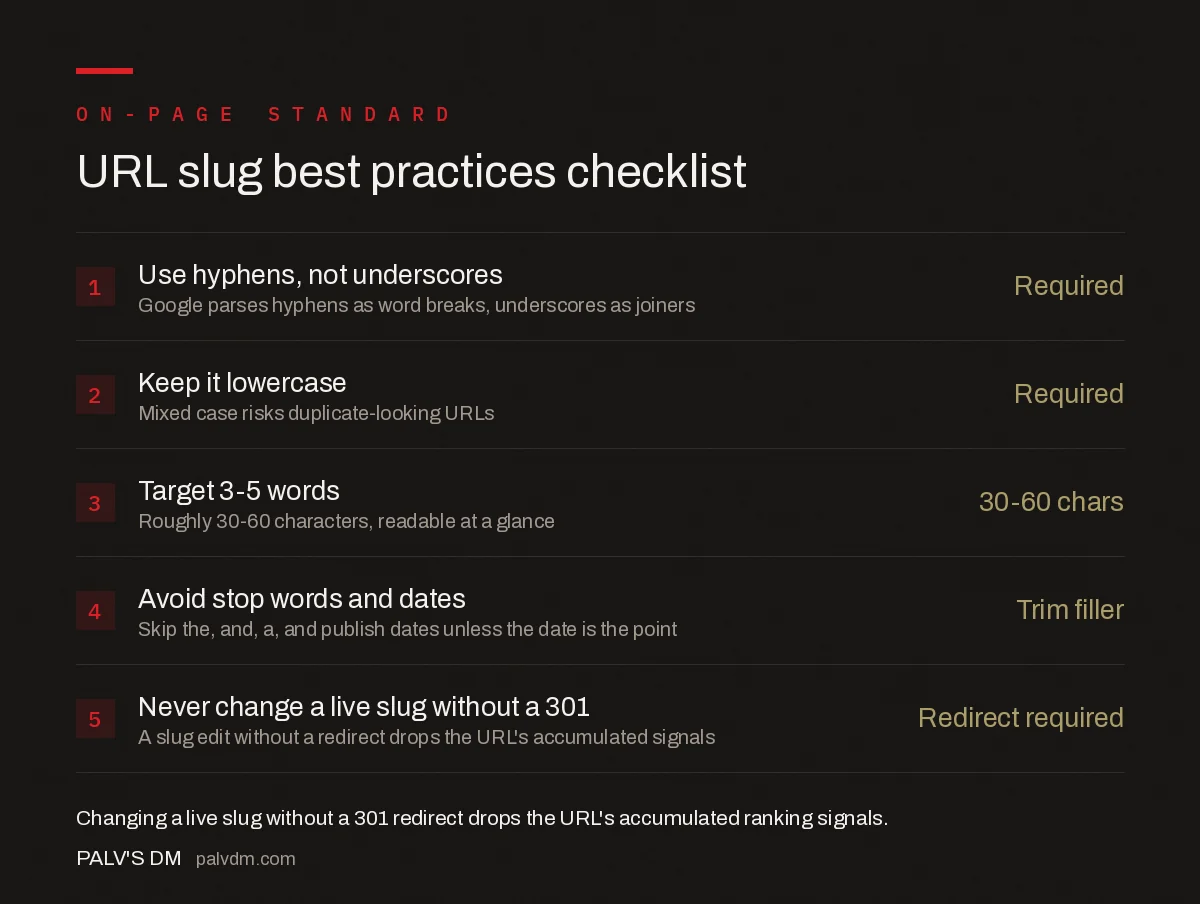
URL slug best practices checklist
- Use hyphens, not underscores — Google parses hyphens as word breaks, underscores as joiners
- Keep it lowercase — mixed case risks duplicate-looking URLs
- Target 3-5 words — roughly 30-60 characters, readable at a glance
- Avoid stop words and dates — skip “the,” “and,” “a,” and publish dates unless the date is the point
- Never change a live slug without a 301 — a slug edit without a redirect drops the URL’s accumulated signals
Beyond the checklist above, a few specific failure patterns show up repeatedly in audits: auto-generated slugs left as numeric IDs or timestamps because a CMS default was never overridden; category or tag paths stacked three or four levels deep before the actual slug, which pads length without adding clarity; and slugs that don’t match the page’s actual H1 or title tag at all, which is confusing for anyone scanning a URL to guess what they’re about to click.
Is it worth changing old slugs?
Rarely, and only when the current slug is actively broken — a raw product ID, a stale date stamp that makes evergreen content look outdated, or characters that don’t render cleanly across browsers. Changing a slug means implementing a 301 redirect from the old URL to the new one, and that redirect briefly interrupts the accumulated signals (links, ranking history, cached snippets) the old URL had built up. For a page that’s ranking and performing, the disruption usually isn’t worth a marginal cleanup. For a page that’s actively hurting because of its URL — say, a slug with the wrong product name after a rebrand — the fix is worth the temporary dip.
How do slugs fit into a broader URL structure?
A single well-formed slug still sits inside a larger site architecture, and the same principles that apply to individual slugs apply to the folder structure around them: shallow, logical hierarchies beat deep nesting, and consistent patterns across a site (all blog posts under /blog/, all products under /products/) make both crawling and internal linking more predictable. A perfect individual slug in an inconsistent URL structure still leaves crawl and usability problems on the table.
Frequently asked questions
Should I use hyphens or underscores in a URL slug?
Always hyphens. Google’s own URL structure guidance recommends hyphens because Google treats each hyphen as a word separator, letting it read multi-word phrases correctly, while underscores are treated as joiners that can merge words into one unreadable token.
How long should a URL slug be?
Three to five meaningful words is the practical target, which typically lands between 30 and 60 characters. There’s no hard Google limit, but shorter slugs are easier for users to read and share, and John Mueller has confirmed URL length itself is not a ranking factor.
Should the exact keyword appear in the URL slug?
The primary topic should be represented, but it doesn’t need to be an exact-match phrase and shouldn’t be repeated. John Mueller has called keywords in URLs a very small ranking signal; the bigger, more reliable benefit is a clearer click-through rate in search results, not rankings.
Is it worth changing old URL slugs to add keywords?
Usually no, unless the current slug is actively broken (auto-generated IDs, date stamps that make content look stale, or characters that don’t render cleanly). Changing a slug requires a 301 redirect and briefly interrupts the URL’s accumulated signals, so the fix has to outweigh that cost.
Should stop words like “the” and “and” be removed from slugs?
Generally yes, for brevity, but it’s a style choice rather than a Google requirement. Removing them shortens the slug and keeps the meaningful keywords more prominent; keeping one where it changes the phrase’s actual meaning is a reasonable exception.
Sources
- URL Structure Best Practices for Google Search — Google Search Central
- Internal Linking: The Complete Guide
- The Complete On-Page SEO Checklist
- Image Alt Text: What to Write and What to Skip
- Anchor Text Optimisation Without Over-Optimising
- Where to Place Your Keyword on a Page (And Where Not To)
Want this done on your site?
Every PalV’s DM engagement starts with a free audit of your actual website — a 12-point
crawl covering what is blocking indexation, on-page gaps against your primary keywords, speed
findings, and the three to five fixes worth making first. Delivered in two working days. No
payment details, and the findings are yours whether you hire us or not.


