
Building a Weekly SEO Metrics Review Habit
A fifteen-minute weekly SEO review checklist covering clicks, crawl errors, striking-distance keywords, and conversions.
Published August 2026. A weekly SEO metrics review should take fifteen to twenty minutes and cover four things: Search Console clicks and impressions against the prior week, any new crawl errors or indexing issues, movement on keywords near striking distance (positions 8-15), and conversions from organic traffic. It’s not a deep-dive analysis — it’s an early-warning check that catches problems while they’re still small and cheap to fix. Skip it for a month and you find out about a ranking drop from a client instead of from your own dashboard.
Why Review Weekly Instead of Just Monthly?
Monthly reporting is right for communicating results to a client, but monthly-only review means real problems sit undetected for up to four weeks before anyone notices. A crawl error introduced by a site update, a sudden drop in impressions from an algorithm change, or a technical issue blocking a key page from indexing all cost more to fix the longer they go unnoticed.
The weekly review isn’t trying to replicate the monthly report’s depth — it’s a faster, narrower check aimed at catching red flags early. Compare it to a smoke detector versus a fire inspection: one is a constant low-effort check for immediate danger, the other is a thorough periodic review. You need both, and they serve different purposes.
What Should Be on the Weekly Checklist?
- Search Console clicks and impressions, 7-day view against the prior 7 days. This is the fastest-moving reliable signal available. A sharp drop here, especially paired with a stable impressions count, often points to a CTR or SERP feature change rather than a ranking problem.
- New crawl errors or coverage issues. Check Search Console’s Coverage report for any new “Excluded” or “Error” status pages that weren’t there last week. Catching this early prevents a small technical bug from silently costing weeks of indexing.
- Keywords in striking distance. Terms sitting in positions 8 through 15 are the ones most responsive to a quick optimization push — a title tag tweak or an internal link addition can move them into page one faster than terms sitting at position 40.
- Organic conversions. A quick check in GA4 that conversion tracking is still firing correctly and that the trend looks reasonable relative to traffic. This catches tracking breakage fast, before a month of broken data accumulates.
- Any manual actions or security issues flagged in Search Console. Rare, but severe enough that a week’s delay in noticing one is a real cost.
| Check | Where | Red Flag |
|---|---|---|
| Clicks vs prior week | Search Console Performance | Drop over 15-20% with no known cause |
| New coverage errors | Search Console Coverage | Any new “Error” status page |
| Striking-distance keywords | Search Console or rank tracker | Terms slipping out of positions 8-15 |
| Organic conversions | GA4 | Conversion count at or near zero unexpectedly |
| Manual actions | Search Console Security & Manual Actions | Any new entry at all |
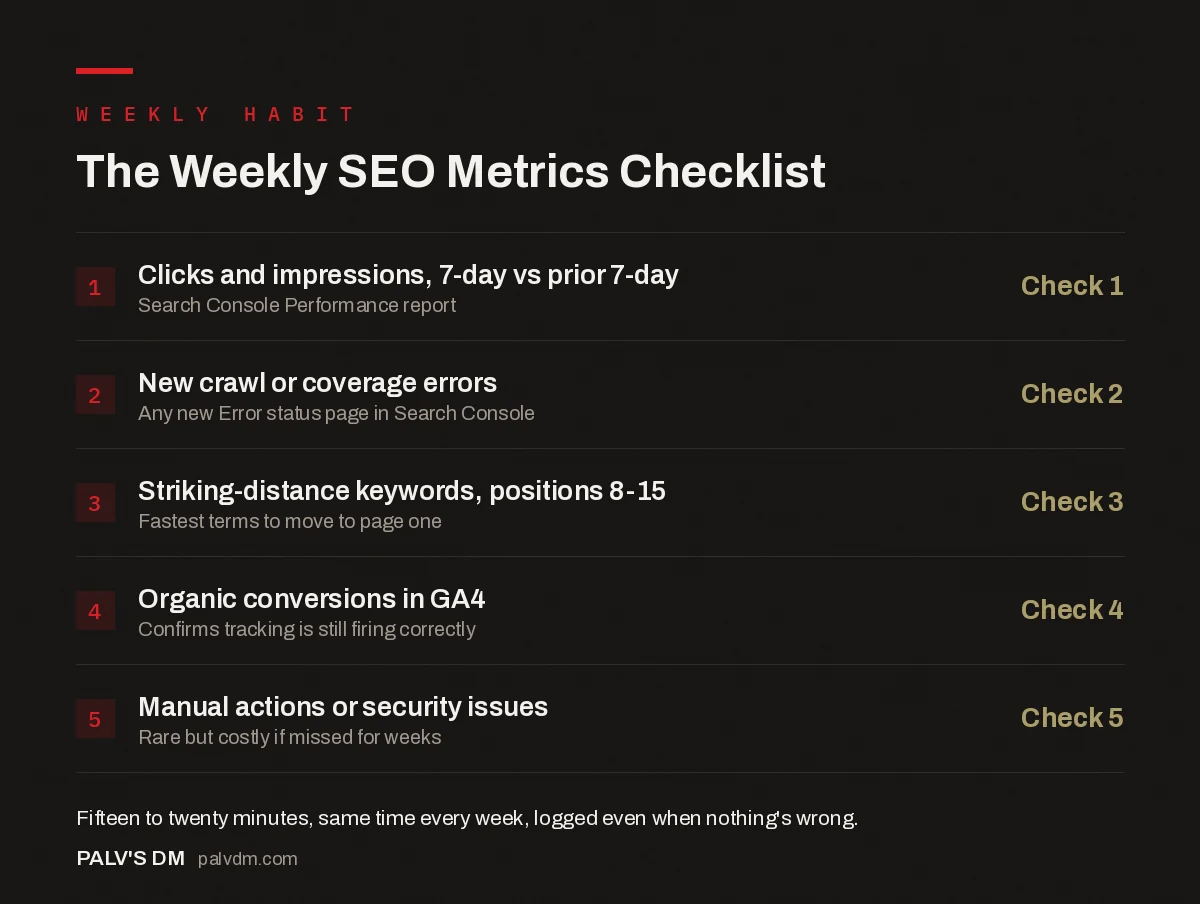
The Weekly SEO Metrics Checklist
- Clicks and impressions, 7-day vs prior 7-day — Check 1. Search Console Performance report.
- New crawl or coverage errors — Check 2. Any new Error status page in Search Console.
- Striking-distance keywords, positions 8-15 — Check 3. Fastest terms to move to page one.
- Organic conversions in GA4 — Check 4. Confirms tracking is still firing correctly.
- Manual actions or security issues — Check 5. Rare but costly if missed for weeks.
How Do You Build This Into an Actual Habit, Not a One-Time Effort?
- Put it on the calendar as a recurring block, not a “when I get to it” task. Fifteen minutes, same day and time each week, treated with the same seriousness as a recurring meeting.
- Use a saved view or bookmarked dashboard, not a fresh search each time. If you’re re-navigating Search Console and GA4 from scratch every week, the review takes longer than it should and is more likely to get skipped when time is tight.
- Log a one-line note each week, even when nothing’s wrong. “Week of Aug 11: stable, no flags” takes ten seconds to write and gives you a record to spot slower-moving trends across several weeks that a single week’s snapshot wouldn’t show.
- Set a clear escalation rule. Decide in advance what triggers a deeper investigation versus what’s normal noise — for example, a click drop under 10% might just be normal weekly variance, while anything over 20% triggers a same-week look into cause.
What Tools Make This Fifteen Minutes Realistic?
A saved, filtered Search Console Performance view scoped to the date comparison you use every week removes the setup time that otherwise eats into the review itself. Bookmark it directly rather than navigating from the Search Console homepage each time.
A lightweight Looker Studio dashboard, even a simpler one than a full client-facing report, built specifically for this weekly check speeds things up further — a handful of scorecards showing week-over-week percentage change on the core metrics, refreshed automatically, means you’re scanning four or five numbers instead of manually comparing two separate weekly exports. This doesn’t need to be sophisticated; a simple version built once and reused every week beats a polished one you have to rebuild each time.
What’s the Difference Between This and the Monthly Client Report?
The weekly review is internal and operational — it exists to catch problems, not to communicate results. The monthly report is external and narrative — it exists to explain what happened and why to someone who wasn’t watching daily. Trying to make one document serve both purposes usually produces something too thin for internal use and too raw for client presentation.
In practice, most of what surfaces in a weekly review never makes it into the monthly report at all, because it gets caught and fixed within the week. The monthly report benefits from this even though it never mentions it directly — fewer unresolved issues accumulating means a cleaner story to tell each month.
What Happens When the Weekly Review Actually Catches Something?
The response should be proportional to what was found. A single new coverage error on a low-value page might just go on a list to fix during the next content or technical sprint. A sharp click drop across a large set of pages, or a new manual action, warrants an immediate deeper look that same day rather than waiting for the next scheduled review. The weekly check’s job is triage, not resolution — deciding what’s urgent versus what can wait, so effort goes where it’s actually needed instead of being spread evenly across every minor fluctuation.
FAQ
Is a weekly review necessary for a small site with low traffic?
The core checks — new crawl errors, manual actions — are worth doing regardless of site size, since they’re fast and catch problems that compound if ignored. The keyword and traffic trend checks matter less on very low-traffic sites where week-to-week numbers are naturally noisy and hard to interpret meaningfully.
What counts as a normal week-over-week fluctuation versus a real problem?
There’s no universal threshold — it depends on your site’s typical variance, which you learn by tracking a few months of weekly numbers. A general starting rule many practitioners use is treating single-digit percentage shifts as normal noise and double-digit shifts as worth a closer look, but calibrate this against your own site’s history rather than treating it as a fixed rule.
Should the weekly review include rank tracking beyond Search Console?
If you have a dedicated rank tracker (SEMrush, Ahrefs, or similar), a quick glance at movement on your defined priority keyword list adds useful detail Search Console’s position data doesn’t capture as cleanly, since GSC’s average position can be noisy for low-volume queries. It’s not required to run a useful weekly review, but it sharpens the striking-distance check.
Who on a small team should own this weekly check?
Whoever owns SEO performance day to day, ideally the same person each week rather than rotating, since pattern recognition builds up over consecutive weeks of watching the same numbers. If no one currently owns it, that’s usually a sign the weekly habit won’t survive past a month or two without a named owner.
Making the Weekly Check Stick
The value of a weekly SEO review comes almost entirely from consistency, not depth. A fifteen-minute check done every week for a year catches more problems early than an occasional two-hour deep dive done whenever someone remembers. The habit is the point, not the sophistication of the checklist.
If your team doesn’t have the bandwidth to maintain this consistently, it’s one of the recurring operational tasks folded into our SEO Growth service, so nothing slips between monthly reporting cycles.
For what the monthly version of this reporting looks like once it reaches a client, see the SEO report clients should get every month. For the metrics worth cutting from either review, read vanity metrics in SEO reporting and what to replace them with. And for the dashboard infrastructure that makes a fifteen-minute weekly check realistic, see building an SEO dashboard in Looker Studio.
For the Search Console reports this weekly habit depends on most, see Google Search Console: the reports that actually matter.


