
Losing a Featured Snippet: Common Causes
A lost featured snippet traces back to one of five causes: a broken edit, a better competitor answer, a ranking drop, a technical error, or a Google SERP test. Here's how to diagnose which one hit you.

A featured snippet disappears for one of five reasons: your own page edit broke the answer block Google was extracting, a competitor published a cleaner answer, your page slipped out of the top rankings the snippet pulls from, a technical error made the page unreadable or untrustworthy, or Google is running a SERP test. The fix is different for each cause, so the first step after noticing a loss isn’t rewriting the page — it’s figuring out which of the five actually happened.
Featured snippets are pulled from pages already ranking on page one; Google’s systems select the page and passage that best answers the query and reformat it into the snippet box. That selection is re-evaluated continuously, which is why snippets move even when nothing about the underlying page has changed.
How do you confirm you actually lost the snippet?
Check Search Console’s Performance report filtered to the query, and compare average position for the affected page before and after the date you noticed the drop. A true snippet loss usually shows the page still ranking on page one but with a click-through-rate drop, since the snippet no longer sends clicks at the elevated rate a position-zero box gets. Confirm with a manual search or a rank tracker that shows SERP features — some trackers flag exactly when a featured snippet was lost and to which domain, which immediately narrows the cause.
Cause 1: did your own edit break the answer block?
This is the most common self-inflicted cause and the easiest to check first. Google extracts snippets from a specific structural element — a direct-answer paragraph, an ordered list, or a table — sitting close to the matching heading. A redesign that removed the summary paragraph, a CMS update that changed a numbered list into paragraph text, or new content inserted above the original answer block can all break the extraction even though the information is technically still on the page. Compare the current live HTML against a cached or archived version from before the loss; a side-by-side diff of the section that used to be extracted is usually enough to spot the change.
Cause 2: did a competitor publish a better answer?
Google re-ranks snippet candidates the same way it re-ranks organic results — continuously, against every other page targeting the same query. If a competitor added a clearer direct-answer sentence, a more scannable table, or more current data, Google can swap the snippet source even without your page changing at all. Search the query directly and check who holds the snippet now; read their answer block specifically, not their whole page, and compare structure and directness against yours.
Cause 3: did your page drop out of the ranking range snippets pull from?
Snippets come from page-one results, so any ranking drop below that threshold takes the snippet with it. Check whether the loss coincides with a broader ranking decline for the page — a content quality reassessment, a broken internal link that reduced crawl priority, or a sitewide issue like slow Core Web Vitals dragging down eligibility. If the page’s average position dropped from 3 to 14, the snippet loss is a symptom of the ranking drop, not a separate problem, and the ranking drop is what needs fixing first.
Cause 4: did a technical error break how Google reads the page?
Schema errors, a broken mobile render, an accidental noindex tag, or a robots.txt change can all make a previously eligible page ineligible without any visible change to a human visitor. Run the URL through Search Console’s URL Inspection tool to confirm it’s still indexed as expected, check the mobile-friendly rendering, and validate any structured data on the page. These issues are the least common cause but the most disruptive, since they can silently remove the page from consideration entirely.
Cause 5: is Google just testing a different SERP layout?
Google runs continuous experiments on which queries show a featured snippet at all, sometimes replacing it with an AI Overview, a different SERP feature, or no snippet whatsoever for a period before reverting. If none of the first four causes check out — the page, competitor, and rankings all look unchanged — a layout test is the remaining explanation, and it usually resolves on its own within a few weeks without any action needed.
| Cause | How to confirm it | Typical fix |
|---|---|---|
| Your own page edit | Diff current HTML against a cached/archived version | Restore the direct-answer paragraph, list, or table structure |
| Competitor’s better answer | Search the query, read who holds the snippet now | Match or exceed their directness, structure, and currency |
| Ranking drop below page one | Search Console average position trend for the query | Fix the underlying ranking issue first, snippet follows |
| Technical/schema error | URL Inspection tool + structured data validation | Fix indexability, mobile rendering, or markup errors |
| Google SERP test | All of the above check out clean | Usually none needed; monitor for a few weeks |
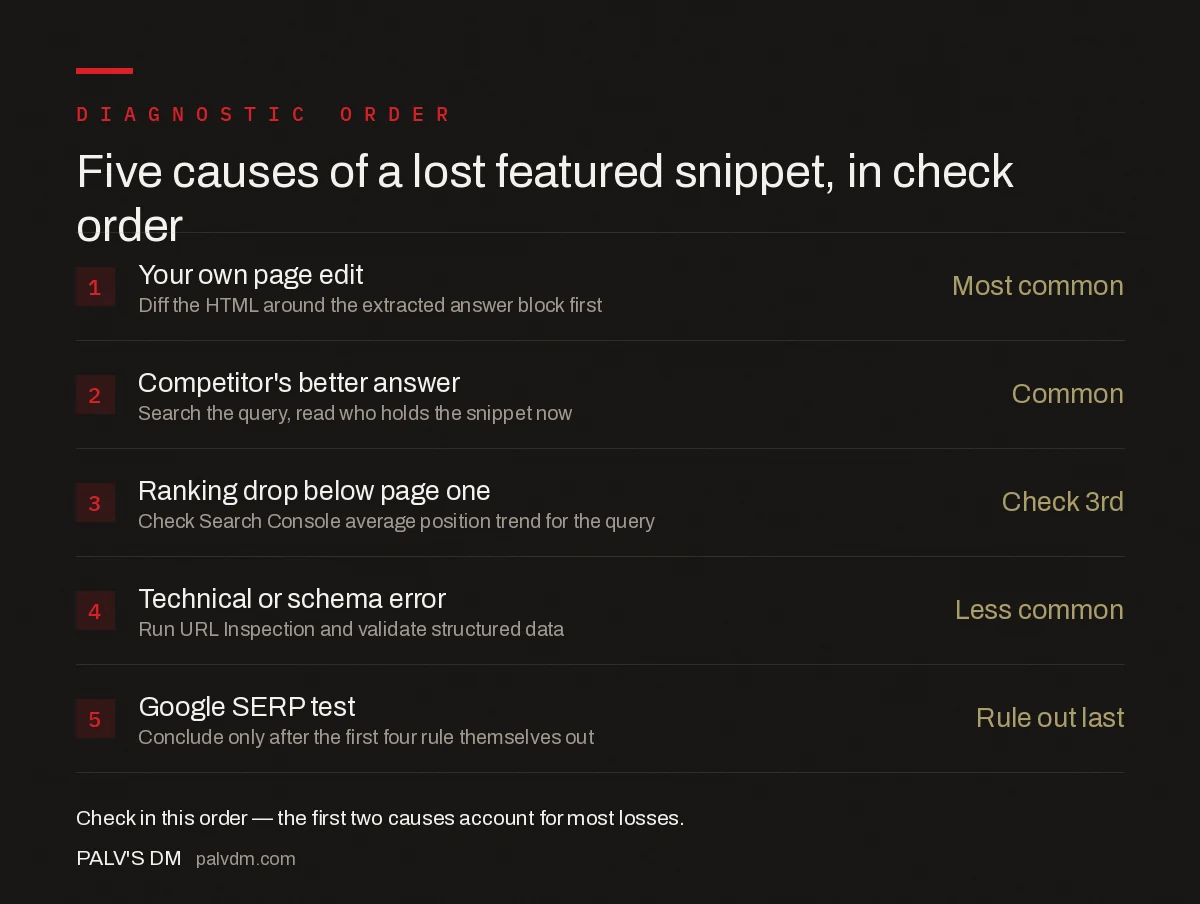
Diagnostic order: check these five, in this sequence
- 1. Your own edit — Most common. Diff the HTML around the extracted answer block first.
- 2. Competitor’s answer — Common. Search the query and read who holds it now.
- 3. Ranking drop — Check average position trend before rewriting anything.
- 4. Technical error — Less common but most disruptive. Run URL Inspection.
- 5. SERP test — Only conclude this after the first four rule themselves out.
How do you win the snippet back once you’ve found the cause?
If the cause was your own edit, restore the specific structural element Google was extracting — don’t just add the information back in prose form if it was originally a numbered list or table, since the format itself was likely part of why it qualified. If a competitor out-answered you, rewrite the direct-answer sentence or paragraph to be shorter, more specific, and placed immediately under the matching heading, then strengthen the supporting list or table beside it. If it was a ranking drop, treat the snippet as secondary and fix whatever caused the broader decline — a content freshness pass, a technical audit, or a backlink or internal-linking gap. After any fix, request indexing through Search Console rather than waiting for the next natural crawl, since snippet re-evaluation only happens after Google reprocesses the page.
Frequently asked questions
Can I lose a featured snippet without losing my ranking position?
Yes. Featured snippets are pulled from pages already ranking on page one, but Google re-evaluates the snippet independently of the ranking position. A page can stay at position one or two and still lose the snippet if a competitor’s content answers the query more directly.
How long does it take to recover a lost featured snippet?
There’s no fixed timeline. Once you republish a fixed or improved answer, recovery depends on Google recrawling and re-evaluating the page, which can take anywhere from a few days to several weeks depending on the page’s crawl frequency.
Does editing a page always risk its featured snippet?
Only if the edit changes the specific answer block Google was extracting — removing the direct-answer paragraph, restructuring the list or table it was pulling from, or burying the answer under new content above it. Edits elsewhere on the page are generally safe.
Do Core Web Vitals affect featured snippet eligibility?
Indirectly. Poor Core Web Vitals can affect whether a page ranks well enough to be a snippet candidate in the first place, and severe technical issues like broken mobile rendering have been observed alongside snippet losses, though Google hasn’t confirmed Vitals as a direct snippet-selection factor.
Should I try to win back a snippet or focus on new keywords?
Check the cause first. If it’s a fixable content or technical issue on a high-value query, fixing it is usually the faster win. If a competitor has published a genuinely more complete answer, matching or exceeding that quality is still worth it, but it’s a bigger lift than a quick fix.
Sources
- Featured Snippets and Your Website — Google Search Central
- On-Page SEO Checklist: The Complete Guide
- How to Win Featured Snippets, Format by Format
- Table of Contents and Jump Links: SEO Value and Setup
- FAQ Blocks: The Single Highest-Yield On-Page Element
Want this done on your site?
Every PalV’s DM engagement starts with a free audit of your actual website — a 12-point
crawl covering what is blocking indexation, on-page gaps against your primary keywords, speed
findings, and the three to five fixes worth making first. Delivered in two working days. No
payment details, and the findings are yours whether you hire us or not.


