
List Snippets: Formatting for Ordered and Unordered Capture
Google pulls list snippets from a real ol or ul sitting directly under a query-matching heading. The formatting rules that decide ordered vs unordered, and the mistakes that keep a list out of position zero.

Google pulls list snippets directly from a real <ol> or <ul> element sitting immediately under a heading that closely matches the search query — numbers for sequences and ranked items, bullets for everything else — and the single most common reason a well-written list misses the snippet is a paragraph of preamble sitting between the heading and the list. Nothing marks a page as snippet-eligible directly; Google’s systems decide automatically based on how cleanly the markup and heading answer the query. Six formatting choices determine whether a given list has a real shot.
Most sites that get this wrong have the right content — the correct steps, the right items — but bury the list under introductory sentences, mix numbered and bulleted formatting inconsistently, or use a heading that doesn’t read like the query it’s meant to answer. Fixing the formatting, not the content, is usually what closes the gap.
What makes Google show a list snippet instead of a paragraph or table?
Google selects among snippet formats — paragraph, list, or table — based on which structure best matches how the answer is naturally organised. A query asking “how to” do something in discrete steps, or asking for a set of items (best X, types of Y, causes of Z), tends to pull a list snippet when a page presents that content as genuine <ol>/<ul> markup rather than as a run of prose. A query asking for a single fact or definition usually pulls a paragraph snippet instead, even from a page that also contains a list further down.
| Query pattern | Likely snippet format | List type |
|---|---|---|
| “how to [do a sequence of steps]” | List snippet | Ordered (<ol>) |
| “best/types of/reasons for [X]” | List snippet | Unordered (<ul>) |
| “what is [X]” | Paragraph snippet | Not applicable |
| “[X] vs [Y] comparison” | Table snippet | Not applicable |
Step 1: Match the heading to the query, not to house style
The heading directly above the list needs to read close to how the target query is phrased, ideally as a question. A heading like “Steps” tells Google nothing about what the list answers; a heading like “How do you reset a router?” placed directly above a five-step <ol> tells Google exactly which query this content is a candidate for. This matters more than any other single factor, because Google’s snippet selection leans heavily on the semantic match between query and the immediate surrounding heading.
Step 2: Choose <ol> for sequences, <ul> for sets
Use an ordered list only when the order genuinely matters — steps performed in sequence, or items ranked by some criterion. Use an unordered list for a set of items with no inherent order — ingredients, causes, features, examples. Google infers the list type from the actual markup, so a numbered-looking list built with styled <div> elements instead of a real <ol> doesn’t read as a list to Google at all, no matter how it looks rendered in a browser.
Step 3: Remove the paragraph between the heading and the list
This is the single most common formatting mistake. A heading followed by two sentences of context, followed by the list, works fine for a human reader but weakens the direct heading-to-list match Google is looking for. Where context is genuinely useful, put it after the list, or trim it to a single short sentence and keep the list as the very next element following the heading.
Step 4: Keep each list item short and self-contained
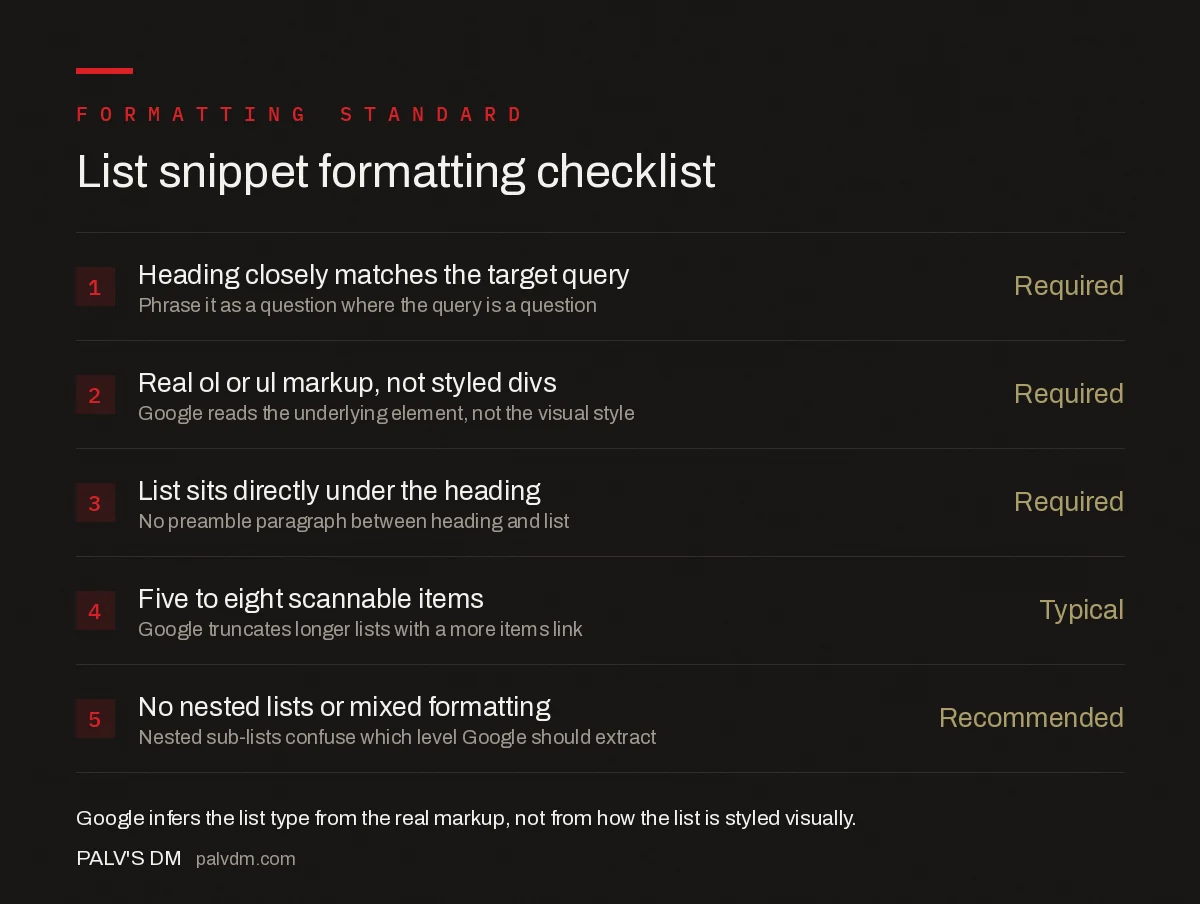
List snippet formatting checklist
- Heading closely matches the target query — Required. Phrase it as a question where the query is a question.
- Real
<ol>or<ul>markup, not styled divs — Required. Google reads the underlying element, not the visual style. - List sits directly under the heading — Required. No preamble paragraph between heading and list.
- Five to eight scannable items — Typical. Google truncates longer lists with a “more items” link.
- No nested lists or mixed formatting — Recommended. Nested sub-lists confuse which level Google should extract.
Google doesn’t publish an exact character or word limit for list items, and has said the limit varies by query, language, and platform. As a practical target, keep each item’s core point in the first line — a bolded lead phrase followed by a short clarifying clause reads well both as a snippet and as body content, matching the pattern used in the checklist above.
Step 5: Label steps explicitly when sequence matters
For genuinely sequential how-to content, starting each list item or subheading with “Step 1,” “Step 2,” and so on removes any ambiguity about order, which matters both for Google’s extraction and for a reader scanning the page. This is redundant with an <ol>‘s automatic numbering for on-page display, but it reinforces the sequence signal in contexts where the numbering itself might not render identically across surfaces (voice assistants reading the list aloud, for instance, benefit from explicit step labels rather than an inferred number).
Step 6: Verify what Google is actually pulling
Search the exact target query in an incognito browser and check what’s showing in position zero, if anything — for a competitor’s list, for the page’s own list once it’s live, or to confirm no snippet is currently being served for that query at all. Google Search Console doesn’t report featured snippet status directly, so manual query checks, ideally across both desktop and mobile, remain the most reliable way to confirm capture. Repeat this check periodically; snippet ownership shifts as competing pages update their own formatting.
Do AI Overviews pull list content the same way?
The underlying preference is the same, and the formatting work isn’t wasted on AI Overviews or other answer engines. A clean <ol> or <ul> sitting directly under a query-matching heading is exactly the kind of self-contained, easy-to-lift unit these systems favour when assembling a synthesised answer, whether the extraction mechanism is Google’s classic featured snippet logic or a generative summary pulling structured content from several sources at once. Sites optimising list formatting for the traditional featured snippet are, in practice, already doing most of the work needed for AI-generated answers to cite them cleanly rather than paraphrase around them.
How do you check performance after a list wins a snippet?
Search Console’s Performance report doesn’t have a dedicated “featured snippet” filter, but a sudden jump in impressions for a query without a matching jump in average position often signals a snippet win — the page is now showing at position zero as well as its regular ranking, inflating impressions relative to clicks at the “official” position. Cross-reference against the manual query check from step six; a page that shows both effects together has a confirmed snippet. Losing a snippet shows the opposite pattern: impressions drop sharply while position barely moves, since the page is still ranking, just without the extra visibility position zero provides.
What mistakes keep a list out of the snippet?
- Styled divs instead of real list markup. A visually numbered list built without
<ol>/<li>tags isn’t a list to Google’s parser, regardless of appearance. - A generic heading above the list. “Instructions” or “Steps” doesn’t carry the query-matching signal a specific, question-phrased heading does.
- A paragraph wedged between heading and list. Breaks the direct structural link Google relies on to associate the two.
- Overly long list items. An item that runs three sentences before making its point gets truncated awkwardly or skipped for a competitor’s tighter version.
- Mixing ordered and unordered semantics. Numbering steps that have no real sequence, or leaving genuinely sequential steps unordered, sends a mismatched signal about what kind of list this is.
Frequently asked questions
How does Google decide between an ordered and unordered list snippet?
Google infers order from the content itself. If the page presents numbered steps, ranked items, or a sequence, Google typically shows a numbered list. If the items are a set with no inherent order — ingredients, features, causes — Google shows bullets instead, matching the underlying
- or
- Featured Snippets and Your Website — Google Search Central
- Control Your Snippets — Google Search Central
- On-Page SEO: The Complete Checklist
- Table Snippets: Structuring Data Google Will Lift
- FAQ Blocks: The Single Highest-Yield On-Page Element
- markup.
Can I force my page to become a featured snippet?
No. Google’s own documentation states there is no way to mark a page as a featured snippet — Google’s systems decide automatically whether a page is a good fit for a given query. Good formatting improves the odds; it doesn’t guarantee selection.
Is there a minimum or maximum length for a list snippet?
Google doesn’t publish an exact minimum, saying it varies by query, language, and device. In practice, snippets commonly show five to eight visible list items before truncating with a “more items” link, so keep each item’s core answer within the first line or two.
Does the heading above the list need to match the search query exactly?
Not word for word, but closely. A heading that mirrors the phrasing and intent of the target query — ideally as a question, like the query itself — gives Google a clear signal that the list directly beneath it is the answer, rather than unrelated supporting content.
Can I stop a specific list on my page from becoming a featured snippet?
Yes. Wrapping the list content in an element with the data-nosnippet attribute excludes just that text from snippets while leaving the rest of the page eligible. The nosnippet rule blocks snippets for the entire page, and max-snippet lowers the odds without guaranteeing exclusion.
Sources
Want this done on your site?
Every PalV’s DM engagement starts with a free audit of your actual website — a 12-point
crawl covering what is blocking indexation, on-page gaps against your primary keywords, speed
findings, and the three to five fixes worth making first. Delivered in two working days. No
payment details, and the findings are yours whether you hire us or not.


