
Table Snippets: Structuring Data Google Will Lift
Google pulls table featured snippets from clean HTML tables with clear th headers, 3-5 columns, and a query-matching H2 directly above them. The exact structure and placement that earns the pull.

Google pulls a table featured snippet from a genuine HTML <table> element with clear <th> headers, placed directly beneath an H2 that matches a comparison or data-lookup query, kept to roughly 3-5 columns and 4-8 rows so it fits the snippet’s display space without truncating. Tables rendered as images, as styled <div> grids, or buried three sections below the matching heading rarely get pulled, even when the underlying data is exactly what the query needs.
This is a mechanical extraction problem more than a content quality problem. Two pages can have identical data; the one in a real, cleanly labelled table wins the snippet, and the one in a screenshot or a fancy CSS grid doesn’t even compete.
What makes a query a table-snippet opportunity?
Table snippets appear for queries that compare options across multiple attributes, or that ask for a specific value from a structured dataset — “canonical vs noindex vs redirect,” “LCP threshold ranges,” “http status codes list.” If the honest answer to a query is a grid of values rather than a paragraph of prose, it’s a table-snippet candidate. Forcing a table onto a query that’s actually asking for a narrative answer doesn’t help; Google’s system matches the format to the query intent, not the other way around.
How do you build a table Google will pull as a snippet?
Step 1: Confirm the query wants tabular data
Check the current SERP for the target keyword. If a competitor already holds a table snippet, or if the “People also ask” questions are asking for comparisons and specific values, the query supports a table.
Step 2: Write real HTML table markup, not an image or a div grid
Use <table>, <thead>, <tbody>, <tr>, <th>, and <td> tags. Google’s own documentation style guide for tables is explicit that <th> header cells and correct semantic structure are what let a system parse the relationship between rows and columns — an image of a spreadsheet has none of that structure available to extract.
Step 3: Keep dimensions inside the display window
Aim for 3-5 columns and 4-8 rows. Bigger tables aren’t wrong to have on the page, but the portion visible inside a snippet is limited, so the most snippet-relevant version of your data should fit inside that window without a “view more” click.
Step 4: Write column headers that match the query’s vocabulary
A header like “Metric” is technically correct and unhelpful; “LCP threshold” tells both the reader and the extraction system exactly what’s in that column. Match header language to how the target query is actually phrased.
Step 5: Place the table directly under a matching H2
The H2 immediately above the table should restate the query in question form — “Canonical tag vs noindex vs redirect: which one to use” — with the table as the direct answer to that heading, not several paragraphs of preamble first.
Step 6: Add one framing sentence before or after
A short sentence introducing what the table covers, or a closing sentence noting the key takeaway, gives Google textual context to connect the table to the query — the table doesn’t need to stand completely alone.
What table dimensions actually get pulled?
| Table size | Snippet behaviour | Recommendation |
|---|---|---|
| 2-3 rows, 2-3 columns | Often fully visible, but may look sparse for complex queries | Fine for simple lookups |
| 4-8 rows, 3-5 columns | Fits the typical display window without truncation | Best general target |
| 10+ rows or 6+ columns | Truncates with a “view more” link, cutting visible data | Keep on page, but not the snippet target |
What are the common mistakes that block a table snippet?
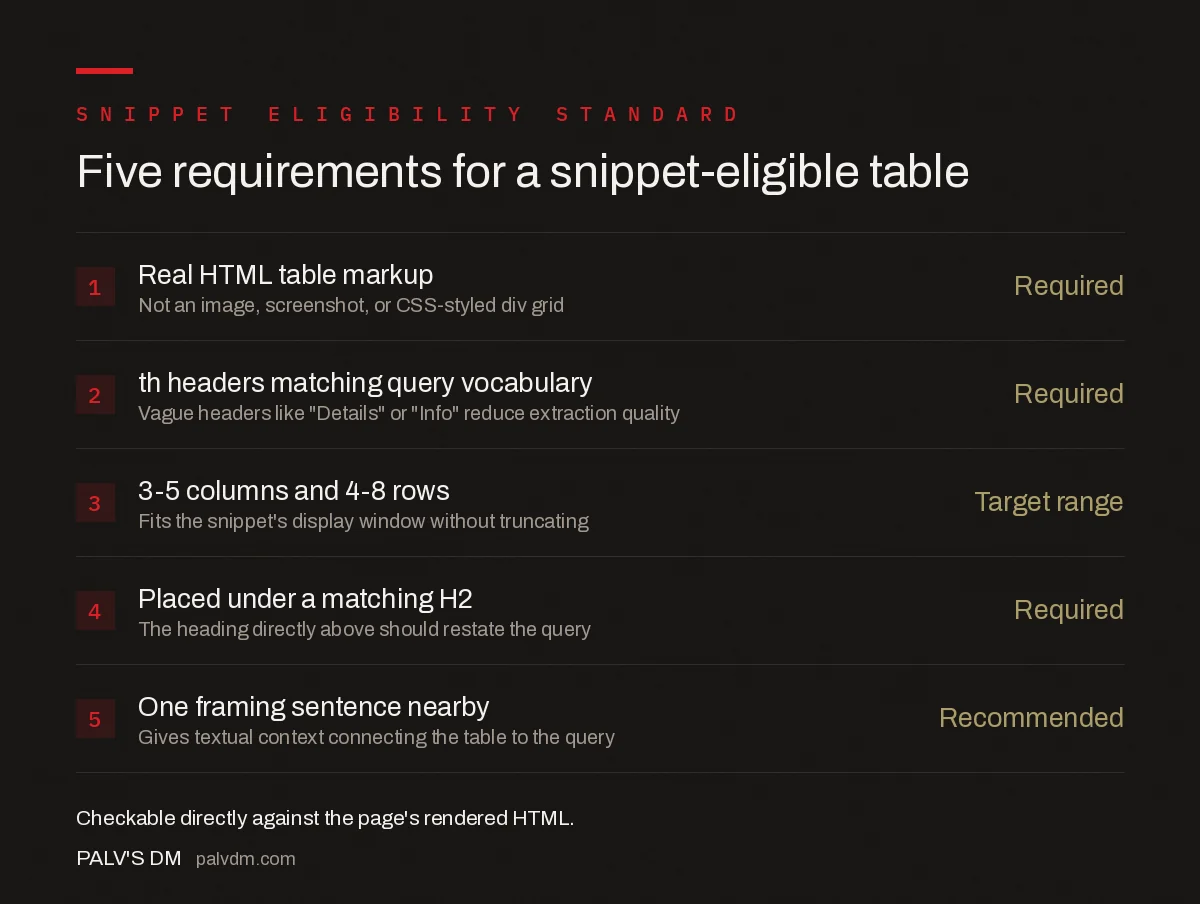
Five requirements for a snippet-eligible table
- Real HTML table markup — Required. Not an image, screenshot, or CSS-styled div grid.
- th headers matching query vocabulary — Required. Vague headers like “Details” or “Info” reduce extraction quality.
- 3-5 columns and 4-8 rows — Target range. Fits the snippet’s display window without truncating.
- Placed under a matching H2 — Required. The heading directly above should restate the query.
- One framing sentence nearby — Recommended. Gives textual context connecting the table to the query.
Beyond the structural requirements, the most common mistake is treating a table snippet as a one-time build. If a competitor rebuilds their table with tighter headers or a more current dataset, Google can reassign the snippet — table snippets are one of the more volatile snippet types precisely because so many sites are capable of the same clean structure once they know the requirements.
Does a table snippet help beyond the featured snippet box?
Yes. The same table that’s snippet-eligible is also what AI systems cite when answering comparison or lookup queries, since a structured table is easier for a language model to parse accurately than a paragraph describing the same data. A well-built table earns both a possible Google featured snippet and a more citable passage for AI Overviews and other AI answer engines — the same structural discipline serves both. This compounds with other on-page fundamentals; see FAQ blocks for the equivalent structural pattern applied to question-and-answer content instead of tabular data.
Frequently asked questions
How do you get a table featured snippet on Google?
Build a real HTML table with th header cells, place it directly under an H2 that matches a comparison or data-lookup query, and keep it to roughly 3-5 columns and 4-8 rows. Google extracts the table markup directly, so a genuine table element outperforms a table rendered as an image or a styled div.
How many rows and columns work best for a table snippet?
Roughly 3-5 columns and 4-8 rows. Google’s snippet display has limited space, so larger tables get truncated with a “view more” link, which reduces the amount of your data actually visible in the snippet itself.
Do I need schema markup for a table snippet?
No. Table featured snippets are pulled from standard HTML table markup, not from a specific schema type. Dataset structured data exists for large downloadable datasets, but a comparison or reference table on a normal page doesn’t need it to be snippet-eligible.
Why is my table not appearing as a featured snippet even though I rank on page one?
Usually one of three reasons: the table sits too far down the page relative to the matching H2, the headers don’t clearly label what’s in each column, or a competing page already holds that snippet with a table Google judges to be a cleaner match for the query.
Sources
- Tables — Google Developer Documentation Style Guide
- Featured Snippets and Your Website — Google Search Central
- On-Page SEO Checklist: The Complete Working List
- FAQ Blocks: The Single Highest-Yield On-Page Element
- Sitelinks: What Influences Them and What Doesn’t
Want this done on your site?
Every PalV’s DM engagement starts with a free audit of your actual website — a 12-point
crawl covering what is blocking indexation, on-page gaps against your primary keywords, speed
findings, and the three to five fixes worth making first. Delivered in two working days. No
payment details, and the findings are yours whether you hire us or not.


