
The SEO Report Clients Should Get Every Month
What belongs in a monthly SEO report, what to leave out, and how to present traffic and ranking data so clients actually read it.

Published August 2026. A monthly SEO report worth reading has five parts: a plain-language summary of what happened, organic traffic and conversion trends, keyword movement that matters to the business, technical issues found and fixed, and next month’s priorities. Anything beyond that risks burying the signal in noise. If your current report is a screenshot dump from three different tools with no narrative, it’s not doing its job even if the data is accurate.
What Should Actually Be in a Monthly SEO Report?
The report exists to answer one question for the client: is this working, and what happens next. Every section should serve that question directly.
- Executive summary. Three to five sentences, no jargon, covering the month’s headline result and the single biggest action item going into next month.
- Organic traffic and conversion trend. Month-over-month and year-over-year where seasonality matters, tied to actual business outcomes (leads, sign-ups, revenue-attributed sessions) rather than raw session counts alone.
- Keyword movement that matters. Not every keyword tracked — the ones tied to commercial intent and the pages that drive business results. A jump from position 45 to 38 on a low-intent term isn’t worth a client’s attention.
- Technical health. Crawl errors found and fixed, Core Web Vitals status, indexing issues resolved. This is where clients see the unglamorous maintenance work that keeps the site eligible to rank at all.
- Content and link activity. What was published, what was updated, and any link acquisition, tied back to the strategy rather than reported as raw activity counts.
- Next month’s plan. Two to four concrete priorities, not a vague “continue optimizing.”
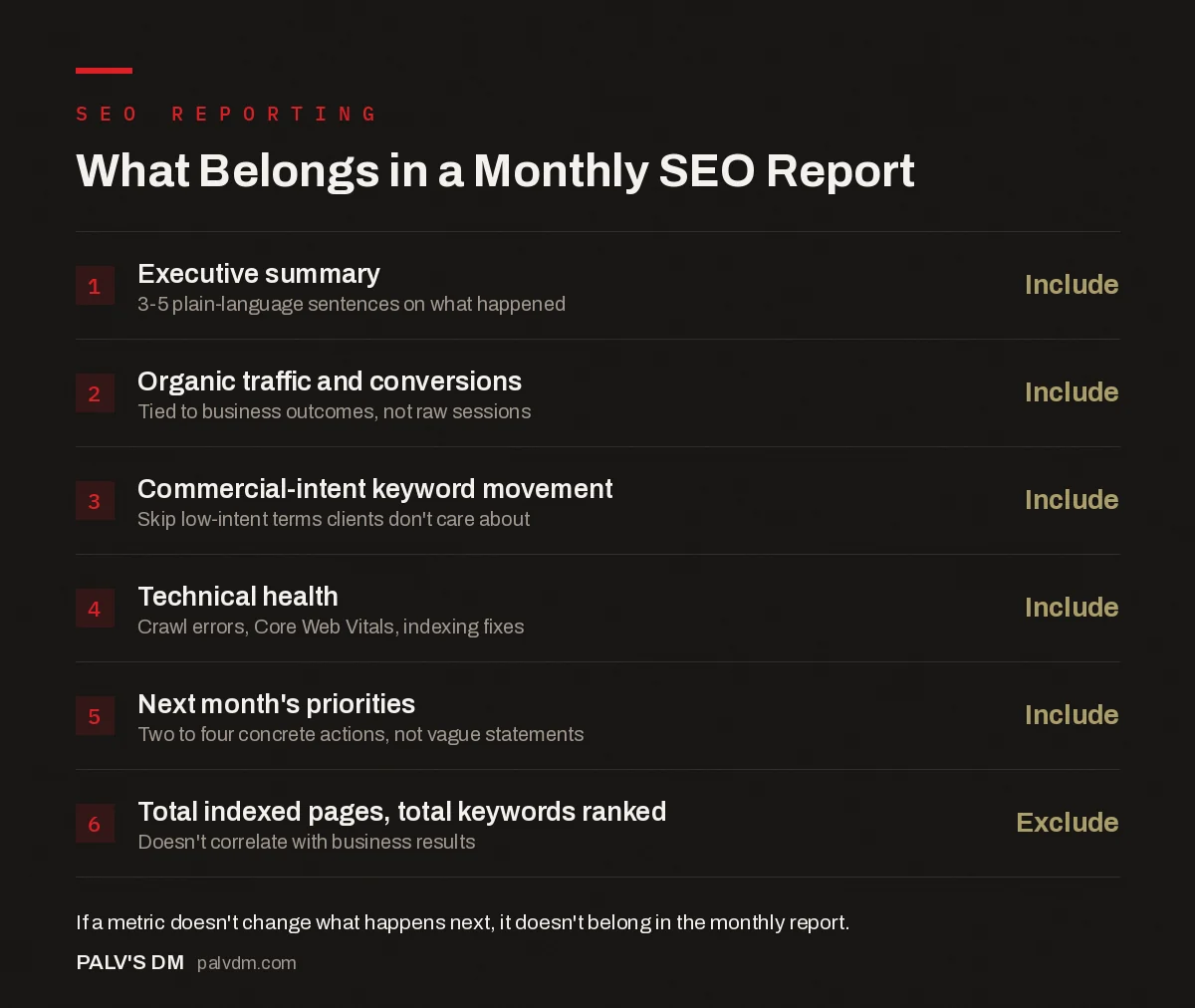
What Belongs in a Monthly SEO Report
- Executive summary — Include. 3-5 plain-language sentences on what happened.
- Organic traffic and conversions — Include. Tied to business outcomes, not raw sessions.
- Commercial-intent keyword movement — Include. Skip low-intent terms clients don’t care about.
- Technical health — Include. Crawl errors, Core Web Vitals, indexing fixes.
- Next month’s priorities — Include. Two to four concrete actions, not vague statements.
- Total indexed pages, total keywords ranked — Exclude. Doesn’t correlate with business results.
How Should the Report Connect SEO Work to Revenue?
The gap between “traffic went up” and “the business grew” is where most SEO reporting loses credibility with owners and finance-minded stakeholders. Wherever conversion tracking allows it, tie organic performance to a business number — leads generated, form submissions, revenue-attributed sessions, or cost-per-lead compared to other channels the client runs.
This requires GA4 conversion tracking to actually be set up correctly before the report can say anything meaningful about it — a report claiming SEO drove X leads is only as trustworthy as the tracking configuration behind that number. If conversion tracking isn’t solid yet, say so plainly rather than presenting session counts dressed up as business results.
What Should You Leave Out of a Monthly Report?
Total indexed pages, total keywords ranked, raw impressions with no context, and Domain Authority or similar third-party scores are the most common vanity inclusions. None of these move a business decision on their own — a site can rank for ten thousand keywords and generate no revenue if none carry commercial intent. Including them without framing invites a client to ask why the number that got smaller matters, when it usually doesn’t.
If a metric doesn’t change what the client or your team does next, it doesn’t belong in the monthly report — save it for a deeper quarterly review if it’s genuinely useful context there.
| Metric | Include Monthly? | Why |
|---|---|---|
| Organic sessions to key landing pages | Yes | Directly tied to business-relevant traffic |
| Conversions from organic search | Yes | The actual business outcome |
| Rankings for commercial-intent keywords | Yes | Predicts near-term traffic and conversion changes |
| Total indexed pages | No | Doesn’t correlate with performance on its own |
| Total keywords ranked (any position) | No | Includes irrelevant, low-value terms |
| Domain Authority / similar scores | No | Third-party estimate, not a Google ranking factor |
| Crawl errors found and resolved | Yes | Shows maintenance work protecting rankings |
How Often Should Reporting Cadence Change?
Monthly is the right default cadence for most SEO engagements because organic search results move slowly enough that weekly reporting mostly shows noise, and quarterly is too infrequent to catch problems early. Early in an engagement — the first two to three months — some agencies add a lighter check-in report to keep clients oriented while results are still building, since organic SEO rarely shows dramatic movement in month one.
For high-stakes periods (a site migration, a major algorithm update, a critical campaign launch) a supplementary update outside the normal monthly cycle is worth sending, even if it’s brief. Silence during a visible ranking drop erodes trust faster than a report showing the problem and the plan to fix it.
Who Should Actually Receive the Report — and Does That Change the Format?
A marketing manager reading the report weekly wants operational detail: which keywords moved, which pages were updated, what’s queued for next month. A business owner or CEO reading it once a month wants three things: is it working, what did it cost in effort, and what’s the plan. Sending the same document to both audiences usually under-serves one of them.
A practical fix many agencies use is a one-page executive summary at the top of the same report, with the operational detail following underneath for whoever wants to read further. That way one document serves both audiences without maintaining two separate reports each month, which rarely stays sustainable past a few cycles.
How Do You Present Data Without Overwhelming a Non-Technical Client?
- Lead with the takeaway, not the chart. “Organic leads grew 12% month-over-month, driven mainly by two blog posts ranking in the top 5” tells a client more in one sentence than a traffic graph does.
- Use one chart per metric that matters, not a dashboard dump. A report with fifteen charts and no narrative asks the client to do the analysis themselves — that’s your job, not theirs.
- Explain drops before the client asks. If a metric fell, say why in plain language before it becomes a question in a call. Context prevents unnecessary anxiety and shows you’re watching the account closely.
- Anchor everything to the business goal, not the SEO tactic. A client doesn’t need to know you fixed twelve broken internal links; they need to know why that mattered for the pages driving inquiries.
How Do You Handle a Month With Bad News?
Every SEO account has a bad month eventually — an algorithm update, a technical issue that shipped from another team, a seasonal dip. The instinct to soften or bury bad news in a report is usually the wrong one. Clients who find out about a drop from their own dashboard before hearing it from their agency lose confidence fast, even if the underlying work was sound.
The better pattern: state the drop plainly in the executive summary, explain the likely cause with whatever evidence you have (a known algorithm update, a technical regression, a seasonal pattern from prior years), and lay out what you’re doing about it. A report that handles bad news directly tends to build more long-term trust than one that only ever shows good news, because clients eventually notice when a report has never once mentioned a problem.
FAQ
Should a monthly SEO report include competitor comparisons?
It can, but keep it brief and only if it’s actionable — a shift in a competitor’s visibility on a shared target keyword is worth a line, a full competitive audit belongs in a quarterly review, not squeezed into a monthly update the client needs to read in ten minutes.
How long should a monthly SEO report be?
Long enough to cover the sections above with real context, short enough that a client can read it in under ten minutes without skimming. For most SMB accounts, that’s two to four pages or the equivalent in a dashboard format, not a fifteen-page PDF nobody opens past page two.
Should the report be a PDF, a live dashboard, or both?
Both, ideally. A live dashboard (built in Looker Studio or similar) gives clients on-demand access between reporting cycles, while a written monthly summary provides the narrative and context a dashboard alone can’t. A dashboard without commentary asks the client to interpret the data themselves.
What’s the biggest mistake agencies make in monthly reports?
Reporting activity instead of outcomes — “published 4 blog posts, built 6 links, fixed 10 technical issues” without connecting any of it to traffic, rankings, or conversions. Activity reporting is easy to produce and easy to ignore. Outcome reporting takes more analysis but is the only version that actually earns continued trust in the engagement.
Building a Report That Clients Actually Read
The difference between a report clients skim and delete versus one they read carefully every month comes down to relevance and honesty — showing the metrics that connect to business results, explaining drops as clearly as wins, and cutting anything that only exists to make the report look busier. Vanity metrics pad a report; they don’t strengthen it.
Building and maintaining this kind of reporting takes real time every month, which is exactly the work our SEO Growth service includes as standard for ongoing client engagements, rather than treating reporting as an afterthought.
For the dashboard infrastructure behind an efficient monthly report, see building an SEO dashboard in Looker Studio and automating client reporting from Data Studio to Looker Studio. For the metrics worth cutting entirely, read vanity metrics in SEO reporting and what to replace them with.
For the underlying search performance data every monthly report should draw from, see Google Search Console: the reports that actually matter.


