Service Support — One-Time Services
What You Receive From a Paid Keyword Research Project
A paid keyword research service should deliver a clustered, tagged, prioritised keyword list mapped to pages, not just a spreadsheet of search volumes.

A paid keyword research service should hand you three things a free tool export never will: keywords clustered into page-level groups, each one tagged by intent, and a priority order based on realistic win-rate rather than raw search volume. If your deliverable is just a spreadsheet with a “volume” and “difficulty” column copied out of Ahrefs or SEMrush, you paid for data you could have pulled yourself. The point of paying someone is the judgment layered on top of the data — what to target first, what to ignore, and which page on your site should own which term.
Key takeaway
- A real keyword research service delivers clustered, intent-tagged, prioritised terms mapped to pages — not a raw list of volumes.
- The clustering and page-mapping step is where most of the actual value sits; it’s also the step most templated deliverables skip.
- A standalone project makes sense when you need a defined list to hand to writers or developers, not an ongoing programme.
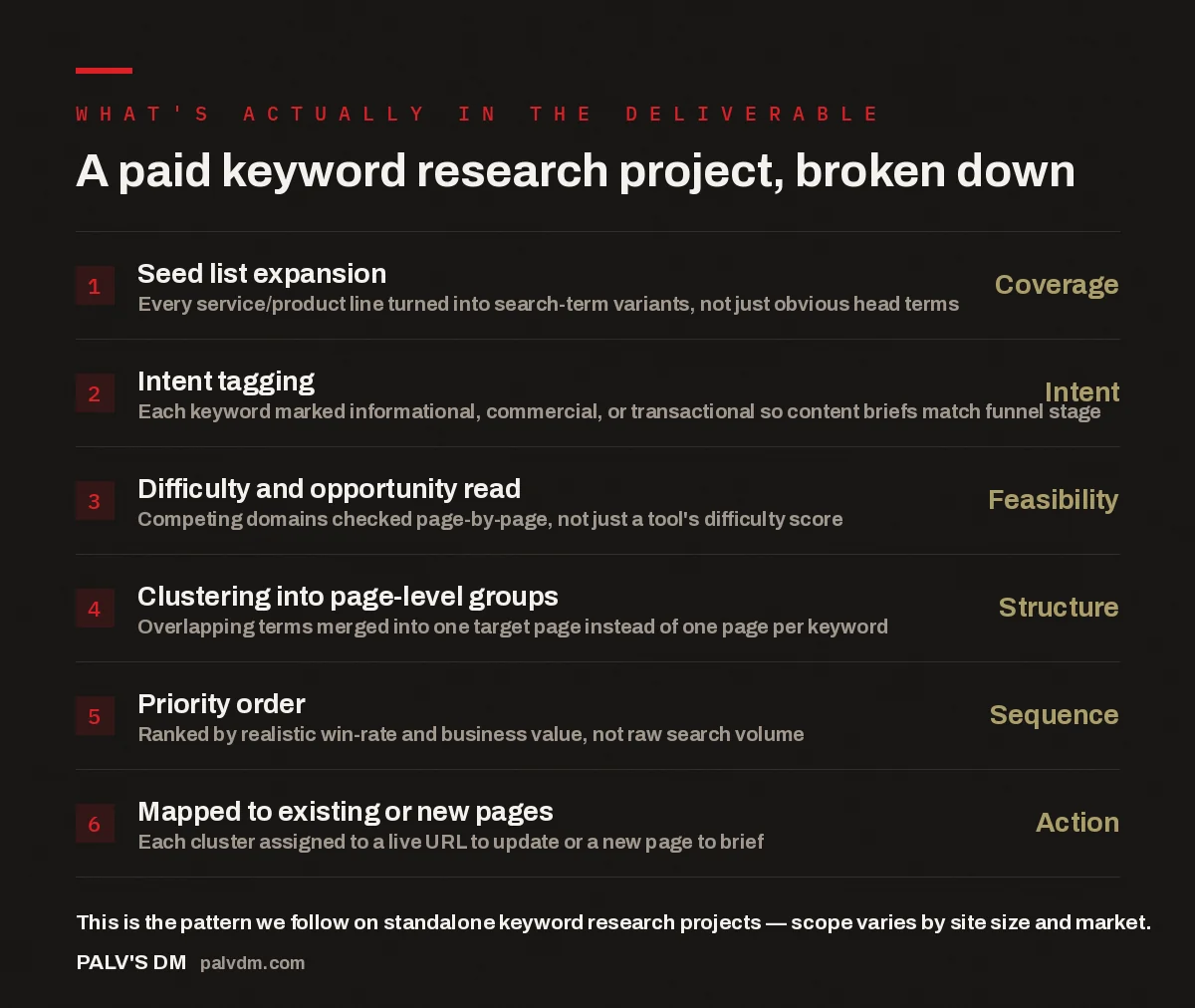
A paid keyword research project, broken down
- Seed list expansion — Coverage. Every service/product line turned into search-term variants, not just obvious head terms.
- Intent tagging — Intent. Each keyword marked informational, commercial, or transactional so content briefs match funnel stage.
- Difficulty and opportunity read — Feasibility. Competing domains checked page-by-page, not just a tool’s difficulty score.
- Clustering into page-level groups — Structure. Overlapping terms merged into one target page instead of one page per keyword.
- Priority order — Sequence. Ranked by realistic win-rate and business value, not raw search volume.
- Mapped to existing or new pages — Action. Each cluster assigned to a live URL to update or a new page to brief.
What does a keyword research service actually deliver?
The deliverable is a document, not a subscription: a spreadsheet or Notion doc listing every target keyword, grouped by the page it belongs to, tagged with intent, and ranked by priority. Underneath that spreadsheet sits a short written summary explaining the logic — which clusters to build first and why, which existing pages already rank for something adjacent and should be expanded instead of duplicated, and which terms are worth watching but not worth building a page for yet. A standalone keyword research service (as opposed to keyword research bundled into an ongoing retainer) is scoped once, delivered once, and handed to you to action — either yourself, your in-house writer, or your developer.
What it does not include, unless you’ve separately bought it, is the content itself. Keyword research tells you what to write and where to put it; it doesn’t write the page. If you want both, that’s usually a combination of this service and a content strategy deliverable layered on top.
How is a paid keyword list different from a free tool export?
Free and cheap keyword tools are genuinely good at generating a list — that part of the job has been commoditised for years. What they don’t do is tell you which fifteen keywords out of the four hundred you exported are actually worth a page. That judgment call requires someone to open the search results for each term, look at who’s actually ranking, and decide whether your site has a realistic shot in a reasonable timeframe given your current domain strength and content history.
In the accounts we work on, the pattern that shows up repeatedly is a client arriving with a keyword list they’ve already built themselves — usually from a tool export — and asking for help figuring out what to do with it. The list itself is rarely the problem. The missing piece is almost always structure: which terms should share a page, which need their own, and what order to build them in so the site doesn’t end up with a dozen thin pages competing with each other for the same query.
What does intent tagging look like in practice?
Every keyword gets sorted into roughly three buckets, and the bucket determines what kind of page should target it:
- Informational — the searcher wants an explanation, not a purchase. These map to blog posts and guides.
- Commercial — the searcher is comparing options before deciding. These map to comparison pages, “best X for Y” content, or service-scope explainers like this one.
- Transactional — the searcher is ready to act. These map directly to service or product pages, not blog posts.
The reason this matters more than most clients expect: putting a transactional keyword on a blog post, or an informational keyword on a hard-sell service page, is one of the more common reasons a page ranks but doesn’t convert. The traffic arrives, the intent mismatch is immediate, and the visitor leaves. Getting the intent tag right at the research stage is what prevents that mismatch from being built into the site in the first place.
How are keywords clustered into page groups?
Clustering is the step that turns a keyword list into a site structure. Terms that a search engine would satisfy with the same page get grouped together, even if they look different on the surface — “keyword research service,” “paid keyword research,” and “keyword research consultant” are three different strings but one page can reasonably target all three. Terms that look similar but actually reflect different intent — say, “keyword research service” versus “how to do keyword research” — get split into separate pages, because one is commercial and one is informational, and forcing them onto the same page usually serves neither well.
This is also where existing pages get checked before new ones get proposed. If you already have a page ranking for something adjacent to a cluster, the recommendation is usually to expand that page rather than create a competing one — publishing a near-duplicate page is a common way sites end up cannibalising their own rankings.
The list of keywords was never the hard part. The hard part is deciding which page owns which term, and having the discipline to say “expand this existing page” instead of creating a new one every time a new keyword shows up.
Palash, Founder, PalV’s DM
How is priority order decided?
Search volume is one input, not the deciding factor. A cluster gets ranked higher in the priority order when it combines three things: a realistic chance of ranking given the site’s current authority, clear commercial or informational relevance to what the business actually sells, and low build cost relative to the other options on the list. A high-volume keyword that would need a domain the site doesn’t have a realistic shot at competing on for a year or more is usually pushed down the list in favour of a lower-volume term the site can win within a few months — momentum from early wins tends to matter more than chasing the biggest number on the list first.
The priority order should also account for what already exists. A cluster that maps to updating a page you already have — adding a section, tightening the targeting, fixing an intent mismatch — is usually faster to act on than one that requires briefing and building a page from nothing, so those tend to sit near the top even when the underlying keyword volume is modest.
What format does the final deliverable come in?
Typically a spreadsheet with one row per keyword (term, monthly volume, intent tag, and which cluster it belongs to), a second sheet or section listing the page-level clusters with their priority order and a one-line brief for each, and a short written summary at the top explaining the reasoning. Some projects add a simple visual map showing how the clusters relate to the site’s existing structure, which is useful if you’re handing the deliverable to a developer or a content team who won’t read the full spreadsheet line by line.
What you shouldn’t expect in a standalone project is ongoing keyword tracking or monthly updates — that’s a retainer feature, not part of a one-time deliverable. If you need the list revisited as the market shifts, that’s worth discussing separately; see when a one-time SEO service beats a retainer for how to think about that trade-off.
Where does this fit alongside other one-time services?
Keyword research is usually one of the earlier purchases in a DIY or in-house SEO programme, because most other one-time services depend on knowing which pages to target first. A paid technical SEO check tells you what’s broken; keyword research tells you what to build once it’s fixed. If you’re not sure what order to buy services in, the order to buy one-time services in covers the sequencing question in more depth — keyword research typically sits near the front of that sequence, right after (or alongside) an initial audit.
Ready to see the scope for your site
If you want a clustered, prioritised keyword list mapped to your actual pages instead of a raw export, that’s exactly what a standalone project produces.
Frequently asked questions
How many keywords should a paid keyword research project cover?
There’s no fixed number — it depends on how many distinct services, products, or topic areas the site covers. A narrow single-service business might end up with 8-15 clusters; a broader catalogue site can run into 40 or more. What matters more than the count is whether every cluster maps cleanly to a page you can actually build or update.
Does keyword research include competitor analysis?
Some competitor checking is usually built in, because the difficulty and opportunity read depends on knowing who currently ranks for each term. That’s different from a full standalone competitive audit, which looks at a competitor’s entire site strategy. If you specifically want that, ask whether it’s included or needs to be scoped as a separate project.
Can I use the keyword list with any writer or does it need to come back to the same agency?
A properly scoped standalone deliverable should be usable by anyone — your in-house writer, a freelancer, or a different agency entirely. If the deliverable only makes sense in the hands of the people who produced it, that’s a sign it wasn’t documented clearly enough, not a necessary feature of the service.
How long does a keyword research project take to deliver?
For a single-service business with a defined scope, a few working days is typical once the seed list and site access are confirmed. Larger sites with multiple product lines or several markets take longer, mainly because the clustering and page-mapping step scales with the number of distinct topic areas, not just the raw keyword count.
Is keyword research worth buying before I have a website?
Yes, arguably more so — deciding your page structure before you build is cheaper than restructuring an existing site around keyword clusters after the fact. A pre-launch keyword research project can double as the site’s information architecture plan, feeding directly into navigation and page count decisions.
Short version: a paid keyword research service is worth the money when the deliverable is a clustered, intent-tagged, prioritised list mapped to real pages on your site — not a spreadsheet of search volumes you could have exported yourself. The value is in the judgment calls: what to build first, what to merge into an existing page, and what to leave alone for now.