Service Support — One-Time Services
What a Paid Technical SEO Check Actually Covers
A technical SEO audit service should cover crawlability, architecture, speed, structured data, mobile rendering, and server setup. Here's what's included.
A paid technical SEO audit service covers six things at minimum: crawlability and indexation, site architecture and internal linking, page speed and Core Web Vitals, structured data, mobile rendering, and server-level configuration (HTTPS, redirects, status codes). If a proposal skips more than one of these, it’s not a full technical audit — it’s a partial check being sold as one. What separates a genuinely useful paid audit from a template report is whether each finding is tied to a specific URL, a specific fix, and a reason it matters for your site rather than a generic best-practice list.
Key takeaway
- A real technical SEO audit service checks crawlability, architecture, speed, structured data, mobile rendering, and server configuration — not just a Lighthouse score.
- The deliverable that matters is a prioritised, per-URL list of fixes with an implementation note, not a 40-page PDF of tool exports.
- A technical audit deliberately stops at technical issues — it doesn’t cover content quality, link building, or keyword strategy, and a good one will say so explicitly.
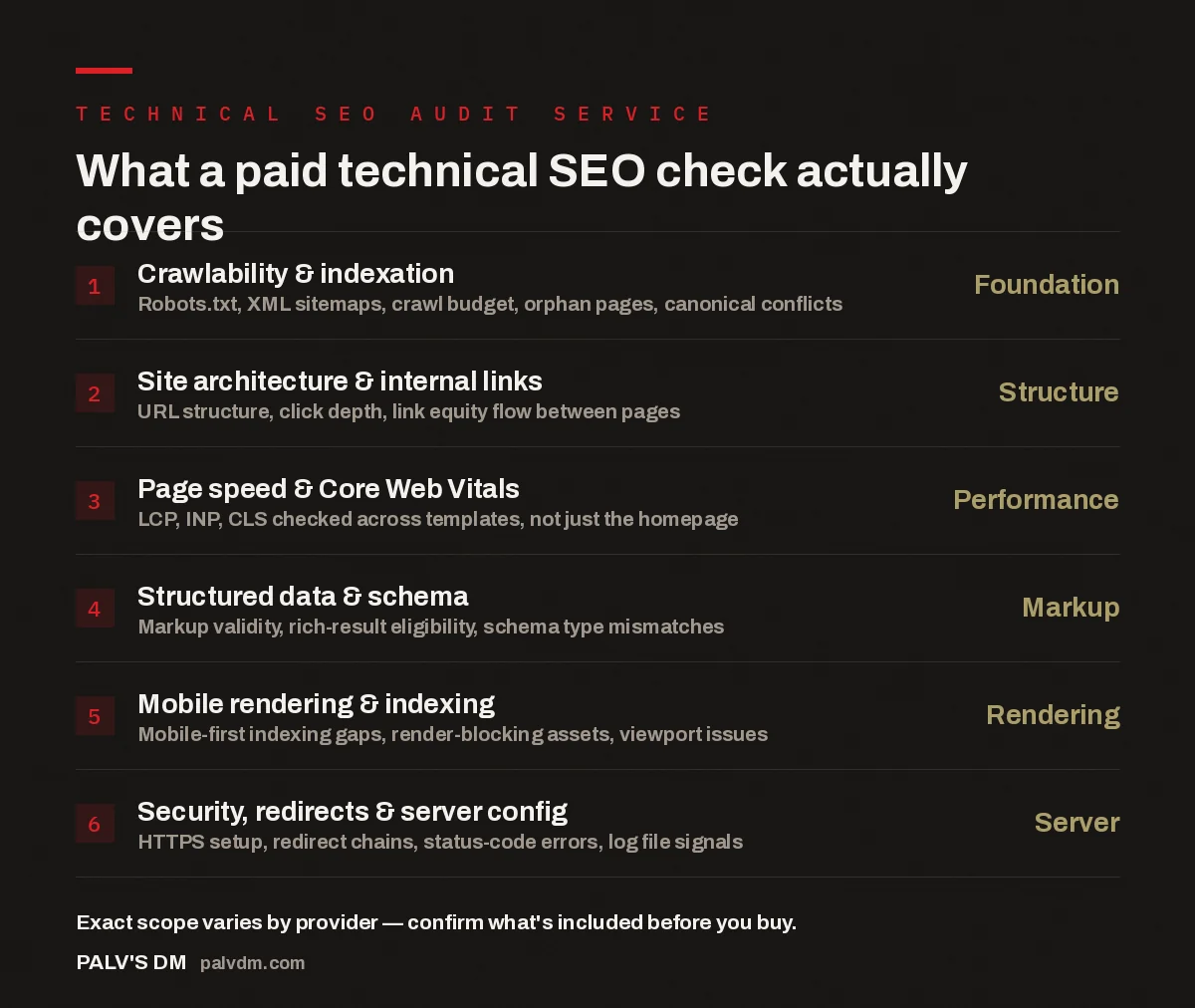
What a paid technical SEO check actually covers
- Crawlability & indexation — Foundation. Robots.txt, XML sitemaps, crawl budget, orphan pages, canonical conflicts.
- Site architecture & internal links — Structure. URL structure, click depth, link equity flow between pages.
- Page speed & Core Web Vitals — Performance. LCP, INP, CLS checked across templates, not just the homepage.
- Structured data & schema — Markup. Markup validity, rich-result eligibility, schema type mismatches.
- Mobile rendering & indexing — Rendering. Mobile-first indexing gaps, render-blocking assets, viewport issues.
- Security, redirects & server config — Server. HTTPS setup, redirect chains, status-code errors, log file signals.
What does a technical SEO audit service actually check?
Start with crawlability, because nothing else matters if search engines can’t reach your pages. This means pulling the robots.txt file line by line, checking whether the XML sitemap actually matches what’s live (a sitemap listing pages that 404, or missing pages that should be there, is more common than it should be), and running a crawl to find orphan pages — pages with no internal links pointing to them, which search engines struggle to discover on their own. Canonical tags get checked here too: it’s routine to find canonicals pointing to the wrong parameter version of a URL, or two pages canonicalising to each other in a loop.
Site architecture comes next — how pages connect to each other, not just whether they exist. A technical audit maps click depth (how many clicks from the homepage to reach a given page) because pages buried five or six clicks deep get crawled less often and rank worse, all else equal. It also looks at internal link distribution: whether your highest-value pages are actually receiving internal links, or whether link equity is pooling on pages that don’t need it, like a privacy policy or an old campaign landing page nobody’s touched in two years.
Page speed and Core Web Vitals get measured per template, not per homepage. A site can have a fast homepage and a product page template that loads three render-blocking scripts before anything visible appears — the audit should catch that distinction, because Google evaluates pages, not sites. Largest Contentful Paint, Interaction to Next Paint, and Cumulative Layout Shift are checked on the page types that actually drive traffic and revenue: category pages, product pages, blog posts, whichever templates matter for your business.
Structured data gets validated for both syntax and eligibility. A schema block can be technically valid JSON-LD and still be useless because the page content doesn’t match what the schema claims — a Product schema on a page with no visible price, for instance. Mobile rendering is checked separately from mobile speed: does the page render the same content on mobile as desktop, are there elements hidden from mobile crawlers that shouldn’t be, does the viewport meta tag actually work as intended.
Server and security configuration rounds it out: HTTPS implementation (mixed content warnings, certificate issues), redirect chains (a redirect that hops through three URLs before landing wastes crawl budget), and a review of server log files where available, which show what search engine crawlers are actually requesting versus what you assume they’re requesting.
How is a paid audit different from a free one?
A free audit, in our experience, is almost always a tool export with light commentary — a Screaming Frog crawl or a PageSpeed Insights report with a paragraph of context bolted on. It’s useful for spotting that something is wrong. A paid technical SEO check goes further in three specific ways: it explains why an issue matters for your specific site rather than in the abstract, it prioritises fixes by expected impact instead of listing every issue with equal weight, and it accounts for how your site is actually built — the CMS, the hosting setup, the plugin or app stack — so the fix recommendations are ones your developer can actually implement, not generic advice that assumes a different platform. For a longer breakdown of exactly where the line sits, see what the free audit covers and where the paid one goes deeper.
What does the deliverable actually look like?
The deliverable that’s actually useful is a spreadsheet or document organised by URL and issue, not a narrative report you have to read cover to cover to extract action items. Each row should state the specific page or page type affected, what’s wrong, why it matters, and what needs to change — ideally with a rough sense of effort so whoever implements it can plan the work. A summary section at the top for stakeholders who won’t read the detail is reasonable; a 40-page PDF that buries the ten fixes that actually matter inside 200 minor observations is not a good deliverable, even if it looks thorough.
Screenshots and crawl data as supporting evidence are useful — they help a developer or client trust that a finding is real rather than a tool false positive. What’s not useful is raw, unfiltered tool output presented as the deliverable itself. A crawl tool will flag hundreds of “issues,” most of which are non-issues in context. Part of what you’re paying for is a human filtering that noise down to what genuinely needs attention.
The value in a paid technical audit isn’t the crawl — anyone can run a crawl. It’s someone looking at the crawl output and telling you which five things to fix first and why those five, not the other ninety-five.
Palash, Founder, PalV’s DM
How long does a technical SEO check take?
Timeframes depend heavily on site size and how much manual investigation each finding needs, but the pattern that shows up repeatedly across the sites we work on: a small site with a few hundred pages can be audited thoroughly in a matter of days, while a large ecommerce catalogue or a site with a complicated migration history takes considerably longer, because more of the work is investigative — tracing why a set of pages behaves oddly, rather than just running a crawl. A provider quoting the same fixed turnaround for every site regardless of size is a signal the audit is more templated than it should be.
What a technical audit does not cover
A technical SEO audit deliberately does not evaluate whether your content is good, whether you’re targeting the right keywords, or the state of your backlink profile. Those are separate, real disciplines with their own scope — content strategy, keyword research, and off-page analysis are typically sold and delivered as distinct services, because they require different expertise and different tools to assess properly. If a provider bundles a two-paragraph content opinion or a backlink summary into a “technical audit” without pricing or scoping it separately, that’s worth questioning — it usually means the technical side got less attention to make room for padding. For what those adjacent checks actually look like, see what an on-page check finds that you won’t and what an off-page check reveals about your link profile — both are commonly confused with technical SEO but examine different things.
It’s also worth being clear that a technical audit identifies problems — it doesn’t fix them. Some providers include a limited amount of implementation (fixing a handful of the highest-priority items) as part of the package; most treat the audit and the fix as separate stages, with the audit handed to your developer or implemented as a follow-on project. Ask which model you’re buying before you commission the work, because “audit” means different things to different providers.
How do you use the findings once you have them?
A completed audit is only useful once someone turns the findings into an ordered task list with owners and rough timelines — the report itself doesn’t fix anything sitting in a shared drive. If you don’t have an in-house developer or SEO resource to do that translation, that’s a gap worth planning for before you buy the audit: ask the provider whether prioritisation and an implementation-ready action plan are included, or whether you’re expected to do that step yourself. See turning an audit into a prioritised action plan for how to sequence fixes when you can’t do everything at once.
It’s also reasonable to commission a technical audit even if you can’t implement every fix immediately — a clear, prioritised list still tells you what to hand to a developer next quarter, or what to check before a migration. What matters is that the findings are specific enough to still be actionable months later, not written in language so generic it needs to be re-investigated before anyone can act on it.
Short version
A proper technical SEO audit service checks crawlability, architecture, speed, structured data, mobile rendering, and server configuration, and hands you back a prioritised, per-URL list of fixes — not a generic checklist or a wall of raw tool output.
How much does a technical SEO audit service typically cost?
Cost depends mainly on site size and how deep the investigation needs to go — a small brochure site is a much smaller job than a large ecommerce catalogue with a history of migrations. Ask providers to scope the price against your specific site rather than comparing flat “audit” prices across companies, since the scope behind that price varies enormously.
Do I need a technical SEO audit if my site already ranks reasonably well?
Ranking reasonably well doesn’t mean nothing’s costing you — a slow product template or a chunk of orphaned pages can still be capping growth even on a site that already gets traffic. An audit is also useful preventively, before a redesign, migration, or platform change, to establish a clean baseline first.
Can a technical SEO audit be done without access to Google Search Console?
Some of it, yes — crawlability, site architecture, and speed can be assessed from the live site directly. But Search Console data (indexation status, crawl stats, mobile usability reports) fills in what search engines are actually seeing, which a crawl alone can’t fully replicate. Grant read access if you can; it makes the findings more accurate.
Does a technical SEO audit cover AI search visibility as well as Google?
A standard technical audit focuses on traditional crawlability and indexation, which does underpin AI crawler access too — if Googlebot can’t reach a page cleanly, AI crawlers generally can’t either. But dedicated AI-visibility factors like structured data depth for AI comprehension or llms.txt setup are typically a separate, more specialised scope — ask explicitly if that’s what you need.
Should I buy a technical audit before or after a website redesign?
Before, ideally. An audit of the current site establishes which URLs, templates, and structures are actually working so they can be preserved or deliberately improved in the redesign, rather than accidentally lost. Auditing after a redesign only tells you what went wrong once it’s already live.