Form Length vs Lead Quality: Finding the Balance That Actually Converts
Shorter forms convert more visitors, longer forms filter better leads. Here is how form field count actually affects conversion rate and quality.
Shorter forms convert more visitors into submissions, but every field you remove is a piece of information your sales team no longer has before the first call, and some of those fields were quietly filtering out people who were never going to buy. The “shorter is always better” advice you’ll find everywhere is only half true. It’s correct for top-of-funnel forms and wrong for anything closer to a purchase decision.
This is one of the most common fights between a marketing team chasing lead volume and a sales team drowning in unqualified ones. Both sides usually have a point, and the fix isn’t picking a side, it’s matching form length to what that specific form is actually for.
What does the data actually say about form length and conversion?
The relationship is well documented and consistent in direction, if not always in exact magnitude. A widely cited HubSpot study found conversion rates drop by roughly 4 percent, on average, with each additional field added to a form. In concrete terms from that data: a single-field form converted at 18.2 percent, two fields dropped that to 13.0 percent, and three fields brought it down to 11.5 percent. The steepest drop happens early, going from one field to two costs you more, proportionally, than going from seven fields to eight.
One of the most cited real-world case studies on this comes from Imaginary Landscape, a digital agency that cut an inquiry form from 11 fields down to 4 and saw completion rates jump 120 percent, alongside a reported 160 percent lift in lead quality. That second number matters: cutting fields didn’t just produce more leads, in their case it also produced better ones, which runs against the simple “shorter always dilutes quality” assumption. Context and execution clearly matter more than a blanket rule in either direction.
Why doesn’t “always cut fields” work as a universal rule?
Because a form field isn’t just friction, some of them are doing real filtering work. The checklist below is what we run through with clients before touching a single field.
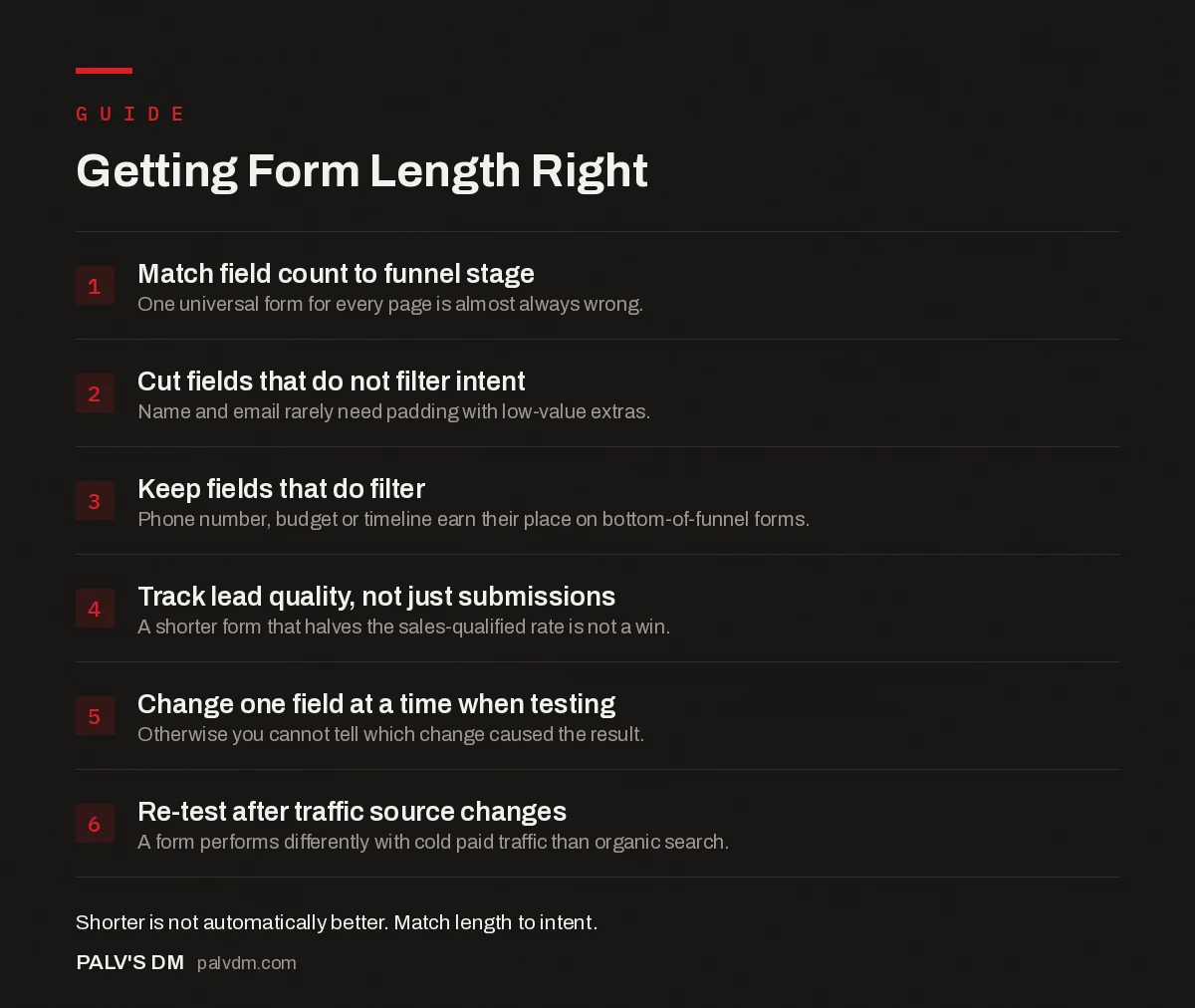
Getting Form Length Right
- Match field count to funnel stage. One universal form for every page is almost always wrong.
- Cut fields that do not filter intent. Name and email rarely need padding with low-value extras.
- Keep fields that do filter. Phone number, budget or timeline earn their place on bottom-of-funnel forms.
- Track lead quality, not just submissions. A shorter form that halves the sales-qualified rate is not a win.
- Change one field at a time when testing. Otherwise you cannot tell which change caused the result.
- Re-test after traffic source changes. A form performs differently with cold paid traffic than organic search.
How should form length change by funnel stage?
Match the field count to the commitment level of the click that got someone there. A visitor clicking a blog post’s newsletter signup has given you almost no context about intent, so ask for almost nothing back: an email address, maybe a first name. A visitor who’s read three pricing pages and clicked “request a demo” has already signaled real intent, and a slightly longer form there isn’t friction, it’s a reasonable ask that also helps your sales team walk in prepared.
- Top of funnel (newsletter, lead magnet, gated guide). One to three fields. Email is often enough. Every extra field here costs you volume for very little qualifying benefit, since these visitors haven’t shown strong intent yet.
- Middle of funnel (webinar registration, free trial, consultation request). Three to five fields. Name, email, and one qualifying question (company size, role, or specific need) strikes a reasonable balance.
- Bottom of funnel (sales quote, enterprise demo, custom pricing request). Seven to ten fields is defensible here. You want fewer, more serious submissions, and asking for budget range, timeline, or company details filters out tire-kickers before they reach a salesperson’s calendar.
Which fields actually do useful filtering work?
Not all fields are equal, and this is the part “reduce friction” advice tends to flatten. A phone number field is a good example: it consistently lowers submission volume because it feels like a bigger commitment than an email address, but the people willing to give it are, on average, more serious. Cutting it raises your lead count and lowers your average lead quality in the same move. Whether that trade is worth it depends entirely on whether your sales team has capacity to sort through a larger, noisier pile, or would rather work a smaller, cleaner one.
Open text fields work similarly but in a different way. Research from enterprise B2B contexts (cited in comparisons from firms like Deloitte and Accenture) found that adding an open-ended “describe your challenge” field lowered conversion slightly, by around 5 percent, but raised the sales acceptance rate of the leads that did come through by close to 28 percent. That’s a genuinely good trade for a sales-driven B2B business and a bad one for a low-touch ecommerce signup form.
What actually happens when marketing and sales disagree here?
We see this constantly: marketing wants the form shorter to hit a lead-volume target, sales wants it longer because they’re tired of chasing unqualified submissions. Both are optimizing for a real metric, just different ones, and neither number alone tells you if the form is working. The fix is agreeing on a shared metric before touching the form: track submission volume and the percentage of those submissions that become sales-qualified leads, together, not separately. A change that doubles form submissions but halves the qualified rate hasn’t improved anything, it’s just moved the filtering work from the form onto a salesperson’s time, which is usually more expensive.
How do you actually test a form length change?
- Change one variable at a time. Remove a single field, not five at once. Otherwise you won’t know which change caused the result.
- Run it long enough to reach a real sample size. Low-traffic pages need weeks, not days, before a difference in conversion rate means anything statistically.
- Track quality downstream, not just submissions. Tag leads by which form version they came from and follow them into your CRM to see which version actually produced sales-qualified opportunities.
- Re-test after major traffic source changes. A form that performs one way with organic search traffic can behave differently once a paid campaign starts sending colder visitors to the same page.
Does a shorter form invite more spam and junk submissions?
It can, and this is the part CRO articles rarely mention. Cut a form down to just name and email with no honeypot or CAPTCHA, and bot submissions climb noticeably, sometimes fast enough to make a “we doubled our leads” win look a lot less impressive once you sort out the fake ones. The fix isn’t adding back the fields you just removed, it’s separating spam prevention from lead qualification entirely. A honeypot field or a lightweight CAPTCHA blocks bots without adding real friction for a human visitor, where an extra required text field blocks both bots and a chunk of genuine prospects who didn’t want to type more.
We see this mix-up constantly on client sites: a company adds a “company size” dropdown specifically hoping it’ll deter spam, when what it actually filters is legitimate small businesses who assume the form isn’t meant for them. Spam prevention and lead qualification solve different problems and deserve different tools, not one field doing both jobs badly.
Frequently asked questions
How many form fields should a lead generation form have?
Three to five fields is the sweet spot for most lead generation forms: name, email, and one or two qualifying questions. Top-of-funnel forms (a newsletter signup, a lead magnet) do best with one to three fields. Bottom-of-funnel forms, where you’re filtering for sales-ready leads, can justify seven to ten.
Does adding form fields really reduce conversion rate?
Yes, consistently, across nearly every published study on the topic. One widely cited HubSpot analysis found conversion drops by roughly 4 percent on average with each additional field, with one-field forms converting at 18.2 percent versus 11.5 percent for three fields. The drop isn’t always linear, and it varies by industry and offer, but the direction is reliable.
Do shorter forms produce worse leads?
Not automatically, but they can if the extra fields you cut were doing real qualifying work. A phone number field, for instance, filters out people who aren’t serious about being contacted. Removing it raises submissions but also raises the share of low-intent, low-quality leads your sales team has to sort through.
Should every page on my site use the same form?
No. A newsletter signup and a request for an enterprise sales quote are different intents and should ask for different amounts of information. Matching field count to funnel stage, short at the top, longer near a purchase decision, consistently outperforms using one standard form everywhere.
What’s a good way to test form length changes?
Change one variable at a time (remove a single field, not five) and track both submission volume and downstream lead quality, not just the raw conversion number. A form that doubles submissions but halves the sales-qualified rate hasn’t actually improved anything.
Sources
- 5 Studies on How Form Length Impacts Conversion Rates, Venture Harbour
- How Form Length Impacts Conversion Rate, Neil Patel
- Conversion Rate Optimisation for Small Traffic Sites
- Lead Qualification Before the Call: Forms That Filter
- Writing CTAs People Actually Click
- Thank-You Pages That Do More Than Say Thanks
Want this done on your site?
Every PalV’s DM engagement starts with a free audit of your actual website — a 12-point
crawl covering what is blocking indexation, on-page gaps against your primary keywords, speed
findings, and the three to five fixes worth making first. Delivered in two working days. No
payment details, and the findings are yours whether you hire us or not.
Get your free SEO audit
See Web Development plans and prices