
Filtering GSC by Query Regex to Find Real Patterns
How to use regex filters in Google Search Console: setup steps, useful patterns for question queries, branded terms, and folder audits, plus common mistakes.

Published August 2026 · SEO team at PalV’s DM
Google Search Console’s regex (regular expression) filter lets you match query or page patterns that a simple “contains” filter can’t, such as all questions starting with “how,” every query over a certain word count, or all URLs matching a folder structure. To use it, go to Performance > Search results, click the “+ New” filter button, choose Query or Page, select “Custom (regex)” from the dropdown, and choose either “Matches regex” to isolate matching rows or “Doesn’t match regex” to exclude them. The feature uses RE2 syntax, Google’s regex engine, which supports most common patterns but not lookahead/lookbehind assertions.
Why use regex instead of the standard filters?
Search Console’s basic filters (contains, doesn’t contain, exact match) work for simple checks but break down once you need to match a pattern rather than a fixed string. Regex answers questions the basic filters can’t: how many of my queries are questions, how many contain a competitor’s brand name in any form, how many URLs in a specific folder depth are getting impressions but no clicks. It’s the difference between searching for one word and searching for a shape of query.
What are the most useful regex patterns for SEO work?
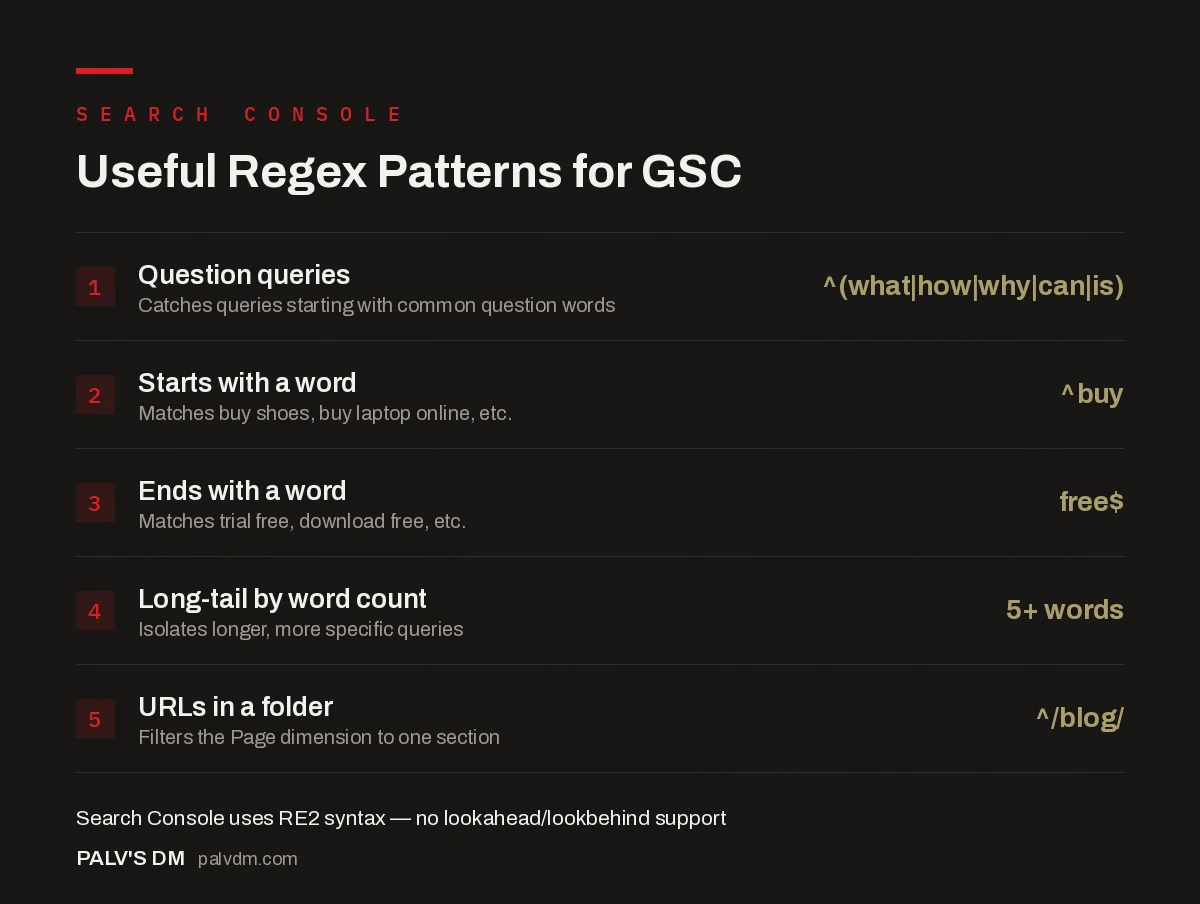
Useful Regex Patterns for GSC
- Question queries — ^(what|how|why|can|is). Catches queries starting with common question words.
- Starts with a word — ^buy. Matches buy shoes, buy laptop online, etc.
- Ends with a word — free$. Matches trial free, download free, etc.
- Long-tail by word count — 5+ words. Isolates longer, more specific queries.
- URLs in a folder — ^/blog/. Filters the Page dimension to one section.
| Goal | Pattern | What it catches |
|---|---|---|
| Question-based queries | ^(what|how|when|where|why|which|can|do|does|is|are|who|should) | Queries starting with common question words |
| Queries starting with a specific word | ^buy | “buy shoes,” “buy laptop online,” etc. |
| Queries ending in a specific word | free$ | “trial free,” “download free,” etc. |
| Brand name in any casing | (?i)^(palvdm|pal v'?s dm) | Branded searches regardless of spacing or capitalisation |
| Long-tail queries by word count | ([^ ]*\s){5,}? | Queries with more than 5 words (adjust the number) |
| URLs in a specific folder | ^/blog/ | All blog pages, when filtering the Page dimension |
What’s the difference between “Matches regex” and “Doesn’t match regex”?
“Matches regex” narrows the table down to only the rows fitting your pattern — useful when you’re isolating a specific group, like question queries, to study them closely. “Doesn’t match regex” does the opposite: it removes rows fitting the pattern and keeps everything else, which is the more useful mode when you want to see performance with a known category (like branded queries) excluded, so the remaining data reflects everything else more clearly. Getting these two reversed is a common early mistake — always glance at the row count and a few sample queries after applying the filter to confirm it did what you expected.
How do you actually set up a regex filter, step by step?
- Open Search Console and go to Performance > Search results.
- Click “+ New” above the data table.
- Choose “Query” or “Page” depending on what you want to filter.
- Select “Custom (regex)” from the filter type dropdown.
- Choose “Matches regex” to show only rows that match your pattern, or “Doesn’t match regex” to exclude them.
- Enter your pattern and apply. Search Console will show a live-updated table, so you can sanity-check the pattern is catching what you expect before committing to further analysis.
What are some practical use cases beyond basic filtering?
- Finding question-based content gaps. Filter queries to question words only, sort by impressions, and check which high-impression questions don’t have a dedicated page answering them directly.
- Auditing cannibalisation within a folder. Filter pages by a folder pattern like
^/blog/seo-to see every page in a topic cluster side by side and check for overlapping queries. - Isolating branded versus non-branded traffic. Use “Doesn’t match regex” with your brand pattern to see non-branded query performance in isolation, which gives a cleaner read on organic content performance separate from people already searching for you by name.
- Spotting emerging query patterns. Some practitioners use regex to isolate queries containing terms like “chatgpt” or “ai” to see how AI-tool-related searches are showing up in their Search Console data, an increasingly relevant check as search behaviour shifts.
What does a real regex-driven content gap audit look like?
Take a site auditing its blog for question-content gaps. Filtering the Query dimension with (?i)^(what|how|why|can|is|does) and sorting by impressions surfaces roughly 40 distinct question queries generating meaningful impressions. Cross-checking that list against the site’s published titles finds six queries with over 200 monthly impressions each that have no dedicated page, they’re only picking up incidental impressions from pages that mention the topic in passing rather than answer it directly.
The next step is narrowing further: applying “Doesn’t match regex” with the site’s own brand pattern removes branded question queries from the list, since those are a different intent (someone already familiar with the brand asking a support-style question) than the informational gap the audit is trying to find. What’s left after both filters is a short, genuinely actionable list, unanswered informational questions with real search volume and no branded noise mixed in, which is a far more useful output than scrolling the full unfiltered query table looking for patterns by eye.
The same technique works in reverse for pruning: filtering pages by ^/blog/ and cross-referencing against a “zero clicks in 12 months” export (built outside Search Console, since the Performance report itself doesn’t offer a built-in zero-click filter) identifies candidates for consolidation or removal, which is a separate but related use of the same folder-pattern approach.
What additional patterns are worth having on hand?
Beyond the core set already covered, a few more come up often enough in ongoing SEO work to be worth keeping in a reference document.
| Goal | Pattern | What it catches |
|---|---|---|
| Queries containing a number | [0-9] | Queries with a year, quantity, or price mentioned, useful for spotting “best X 2026” style intent |
| Comparison-style queries | (?i)(vs|versus|or|compared to) | Queries comparing two options, a strong signal for comparison-page content |
| Local-intent queries | (?i)(near me|in [a-z]+ city|local) | Queries with location intent, relevant for local SEO tracking |
| Excluding a specific subfolder | ^/blog/(?!seo-) | All blog pages except one topic cluster, though note RE2 doesn’t support negative lookahead so this needs “Doesn’t match regex” with ^/blog/seo- instead |
| Queries with exact phrase in any position | content writing (no anchors) | Any query containing the phrase anywhere, not just at the start or end |
The subfolder exclusion row is worth flagging specifically, since it’s the pattern most likely to trip up someone used to writing regex in other tools. Because RE2 doesn’t support lookahead assertions, the workaround is running two filters, a “Doesn’t match regex” on the excluded pattern rather than trying to build the exclusion into a single expression the way you might in JavaScript or Python’s re module.
How does this help beyond Search Console itself?
Patterns built and validated in Search Console’s regex filter often get reused elsewhere: in Google Ads negative keyword lists, in Google Analytics content grouping rules, or in a rank tracker’s tagging system. Because RE2 is a fairly standard regex flavour, a pattern that works in Search Console will usually work with minor adjustments in these other tools too, which makes the time spent getting a pattern right in one place worth more than it first appears.
What mistakes are easy to make with regex filters?
- Forgetting RE2 doesn’t support lookaheads or lookbehinds. Patterns that rely on
(?=...)or(?<=...)syntax, common in other regex flavours, will fail silently or throw an error in Search Console. - Not anchoring the pattern when you mean to. Forgetting the
^at the start of a pattern means it can match anywhere in the string, not just the beginning, which often catches far more than intended. - Overcomplicating a pattern that a simple filter would solve. If you just need “contains X,” the basic contains filter is faster and less error-prone than writing a regex for the same thing.
- Not testing the pattern on a small sample first. Apply the filter, glance at the resulting query list, and confirm it’s catching what you expect before pulling conclusions from the filtered totals.
How does this fit into regular reporting?
Regex filters are best used for periodic deep dives, not every single reporting cycle. A useful cadence: run a question-query audit quarterly to catch new content gaps, run a branded-vs-non-branded split monthly if brand search is a meaningful share of traffic, and use folder-based filters whenever auditing a specific content cluster for cannibalisation or underperformance.
FAQs
Does Google Search Console support full regex syntax?
It supports RE2, Google’s regex engine, which covers most standard patterns (anchors, character classes, quantifiers, alternation) but does not support lookahead or lookbehind assertions. If a pattern uses those, it needs to be rewritten using RE2-compatible syntax or broken into multiple simpler filters.
Can I combine a regex filter with other filters like device or country?
Yes. Search Console filters stack, so you can apply a regex query filter alongside a device or country filter to narrow results further. This is useful for, say, isolating question-based queries specifically on mobile.
Is regex filtering available on the free version of Search Console?
Yes, regex filtering is a standard feature within Search Console’s Performance report and isn’t gated behind any paid tier, since Search Console itself is free for verified site owners.
Why does my regex pattern return zero results even though I know matching queries exist?
The most common causes are a typo in the pattern, forgetting that Search Console regex matching is case-sensitive by default (use (?i) at the start of the pattern for case-insensitive matching), or the underlying queries falling below Search Console’s data-display threshold and simply not appearing in the query list at all.
Can regex filters be saved for reuse?
Search Console doesn’t offer a built-in saved-filter library, so most teams keep a running document of useful patterns to copy-paste as needed. Some also replicate this analysis in the Search Console API or a connected spreadsheet for a more permanent, reusable setup.
Regex filtering is one of several ways to get more out of the Performance report — see our guide on reading the Search Console Performance report correctly for the fundamentals, and page vs query vs page+query views for a related way to slice the same data. The overview in our Google Search Console guide covers where this fits among the platform’s other reports.
If query-pattern analysis like this is something your team wants done monthly without the manual setup, PalV’s DM’s SEO Growth service includes this as part of ongoing reporting.


