
Meta Descriptions: Do They Affect Rankings, and What to Write
Meta descriptions are not a Google ranking factor, but they set your click-through rate. Here's what actually earns the click, with real formatting rules and length limits.

A meta description does not affect where a page ranks in Google — Google’s own documentation confirms it has no effect on rankings — but it directly shapes whether someone clicks your result over the one above or below it. The description tag exists to sell the click, not to earn the position, and writing one that does that job well comes down to a handful of concrete rules rather than keyword stuffing.
The confusion here is understandable. Early search engines did use meta tags as a ranking input, and some SEO advice from that era never got updated. Google has been explicit and consistent since at least 2009 that the description tag plays no role in its ranking systems. Treating it as a click-through lever instead of a ranking lever changes what “good” looks like.
What does a meta description actually do?
A meta description is an HTML tag — <meta name="description" content="..."> — that suggests the summary text shown under your page’s title and URL in search results. It’s a pitch, not a ranking input. Google generates the visible snippet dynamically and will use your written description when it judges that description to be a strong match for the query; otherwise it pulls a passage from the page body instead.
Because the snippet is what a searcher reads before deciding to click, the description competes directly with every other result on the page for attention. Two pages can rank in identical positions and get very different click-through rates purely because one description answers the query and the other reads like boilerplate.
How long should a meta description be?
| Guideline | Typical range | Why it matters |
|---|---|---|
| Desktop display | ~120-155 characters | Beyond this, Google usually truncates with an ellipsis |
| Mobile display | ~120-130 characters | Narrower screens truncate sooner than desktop |
| Minimum useful length | ~70-80 characters | Shorter descriptions look thin next to fuller competitor snippets |
| Hard technical limit | None enforced | Google truncates rather than rejects; there’s no penalty for going long |
There’s no single correct number because Google’s display width is measured in pixels, not characters, and varies by device and by how many wide characters (like “m” or “w”) appear in the text. Writing to “roughly 150 characters, complete the sentence before that point” is more reliable than chasing an exact count.
What makes a meta description actually earn the click?
The descriptions that outperform aren’t the ones stuffed with the target keyword — they’re the ones that answer the implicit question behind the search. A few patterns hold up consistently:
- Lead with the specific answer or value, not a restatement of the title. If the title is “Meta Description SEO Guide,” the description should say what the guide actually delivers.
- Include the primary keyword naturally, once. Google bolds matching query terms in the snippet, and that bolding draws the eye — but stuffing it twice reads as spam and adds nothing extra.
- State a concrete detail — a number, a timeframe, a specific outcome — because concrete beats vague in a list of ten near-identical blue links.
- Match search intent. A transactional query (“buy running shoes”) wants price, shipping, or selection signals; an informational query wants a promise of a clear answer.
- Write in active voice with a natural sentence break near the likely truncation point, so a cut-off description still reads coherently.
Why does Google rewrite meta descriptions so often?
Google rewrites the displayed snippet when it believes text elsewhere on the page is a better match for the specific query typed, which happens more often than most site owners expect — independent studies of large SERP samples regularly find Google rewriting the description on a majority of results. This is normal and not a sign of a penalty. It means Google’s snippet system is query-specific: the same page can show a different auto-generated snippet for two different searches, regardless of what’s in the meta tag.
Writing a strong, specific meta description still matters because it’s the version Google uses when your description is a stronger match than anything extractable from the body — and it’s the only version you fully control.
What are the most common meta description mistakes?
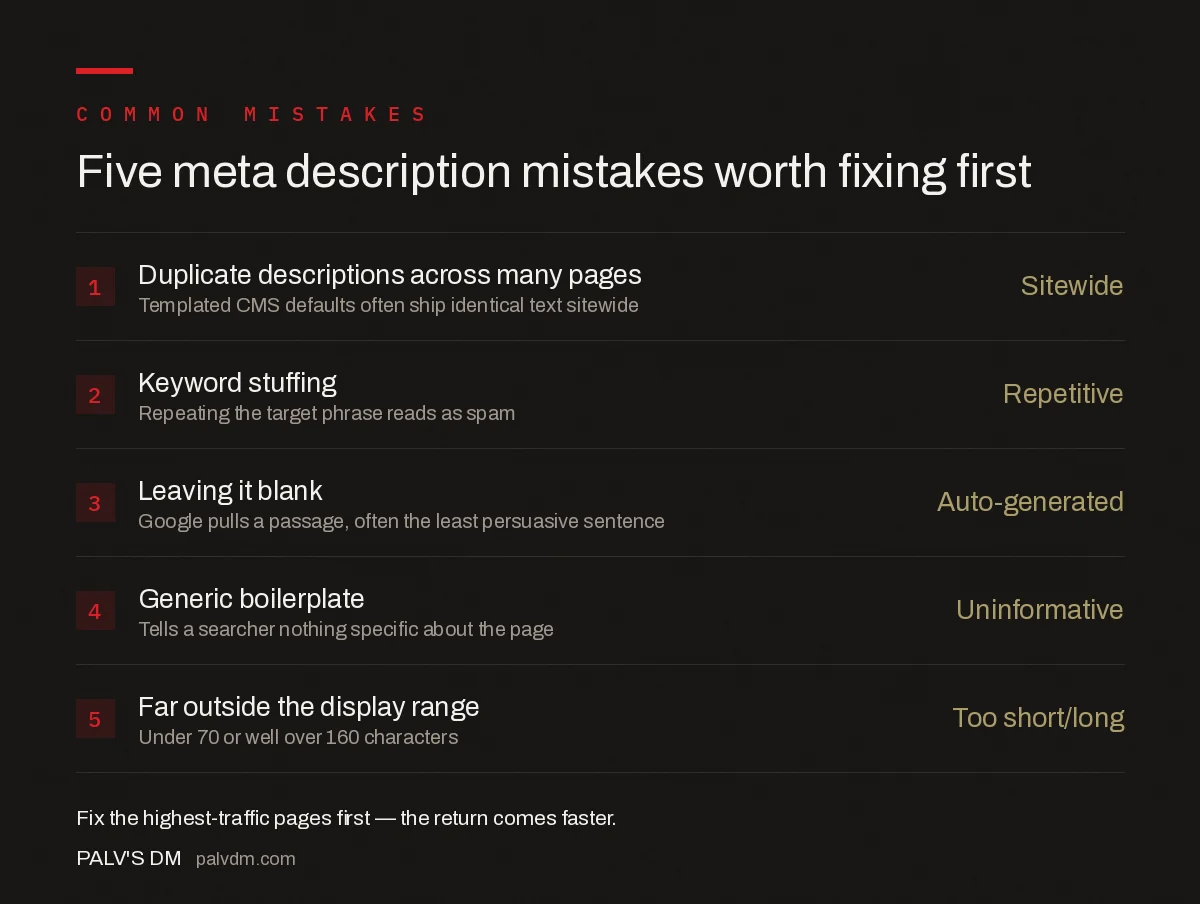
Five meta description mistakes worth fixing first
- Duplicate descriptions across many pages — Sitewide. Templated CMS defaults often ship every product or category page with the identical description.
- Keyword stuffing — Repetitive. Repeating the target phrase three times reads as spam and doesn’t improve the odds Google uses it.
- Leaving it blank — Auto-generated. Google will pull a passage from the page, which is frequently the least persuasive sentence on it.
- Generic boilerplate — Uninformative. “Welcome to our website, learn more about our products and services” tells a searcher nothing.
- Far outside the display range — Too short or too long. Under 70 characters wastes space; well over 160 gets cut off mid-sentence.
How do you audit meta descriptions across an entire site?
On sites with more than a few dozen pages, a crawler like Screaming Frog, Sitebulb, or Search Console’s page indexing export surfaces duplicates and missing descriptions in one pass. Filter for pages sharing an identical description, pages with a blank description tag, and pages where the description length falls well outside the 70-160 character band, then prioritise fixing the highest-traffic pages first — a better snippet on a page that already gets impressions returns value faster than one on a page nobody sees yet.
Frequently asked questions
Do meta descriptions affect Google rankings?
No. Google’s own documentation states the description meta tag has no effect on rankings. It can, however, improve click-through rate from the results page, and click-through rate can indirectly influence performance over time through user engagement signals.
How long should a meta description be?
Aim for roughly 120-155 characters. Google’s snippet display varies by device and query, sometimes truncating around 155-160 characters on desktop, but there’s no hard technical limit — write the length that completes the thought without padding.
Does Google always use the meta description I write?
No. Google frequently rewrites the displayed snippet, pulling text from the page body if it judges that text better matches the searcher’s specific query. Studies commonly find Google rewrites the meta description on more than half of results for a given search.
Should every page have a unique meta description?
Yes. Duplicate meta descriptions across pages give Google no reason to prefer your written snippet over an auto-generated one, and they make near-identical pages look interchangeable in the results, which lowers the click-through incentive for both.
Sources
- How to Write Meta Descriptions — Google Search Central
- On-Page SEO Checklist: The Complete Working List
- Keyword Density Is a Myth. Here’s What Replaced It
- The First 100 Words: The Highest-Leverage Paragraph on the Page
- H1 Tags: One Per Page, and Other Rules Worth Keeping
Want this done on your site?
Every PalV’s DM engagement starts with a free audit of your actual website — a 12-point
crawl covering what is blocking indexation, on-page gaps against your primary keywords, speed
findings, and the three to five fixes worth making first. Delivered in two working days. No
payment details, and the findings are yours whether you hire us or not.


