
Publish Dates and Updated Dates: Handling Them Honestly
Google reads visible dates and structured data together to estimate a page's byline date. The honest way to handle publish and updated dates, and the mistakes that get them ignored.

Handle publish and updated dates by showing the real one, keeping your structured data and visible date in agreement, and only moving the “updated” date when the content itself materially changed. Google determines the byline date it shows in search results from a combination of visible on-page text and structured data, and it explicitly warns against artificially freshening a date to make old content look new.
Most sites get this wrong in one of two directions: either they never update a date and stale content quietly loses relevance signals, or they bump the date on every minor edit and train both users and Google to distrust it. Neither serves the actual goal, which is giving searchers an accurate sense of how current the information is.
What does Google actually do with publish and updated dates?
Google calls the date it displays in search results a “byline date” — its best estimate of when a page was published or significantly updated. Google’s documentation is direct that it doesn’t rely on a single factor: it looks at several signals together, including the visible, user-facing date on the page and any structured data markup, to settle on the date it trusts most. When those signals disagree, Google decides which one to believe, and it isn’t always the one you intended to be authoritative.
This means a mismatch between your displayed date and your schema markup isn’t a cosmetic issue. It’s a direct signal conflict, the same category of problem as a canonical tag disagreeing with a sitemap.
How should you mark up publish and updated dates?
Google recommends adding a CreativeWork subtype — Article, BlogPosting, or similar — with both datePublished and dateModified fields specified in structured data, alongside a clearly labelled, user-visible date on the page itself.
| Element | Requirement | Common mistake |
|---|---|---|
| Visible date | Clearly labelled (“Published,” “Last updated”) | Vague or unlabelled date users can’t interpret |
| datePublished | ISO 8601 format, matches visible publish date | Left as the page’s original date even after a full rewrite |
| dateModified | Updated only on substantive changes | Auto-updated by the CMS on every save, including typo fixes |
| Consistency | Visible date and structured data match exactly | Template shows one date, schema outputs another |
Time and timezone are optional in the visible, on-page date even when they’re present in the structured data, but the date portion itself needs to match between the two everywhere it appears.
Should you show both dates on the page?
This is where the guidance gets more nuanced than “always show both.” Displaying a publish date and a last-updated date together, prominently, on every article regardless of how substantial the update was has been associated with lower click-through rates in independent analysis — searchers can read “updated” language as a signal the page has been rewritten to appear current rather than genuinely refreshed. That doesn’t mean hide the information; it means reserve visible “updated” language for updates that earn it.
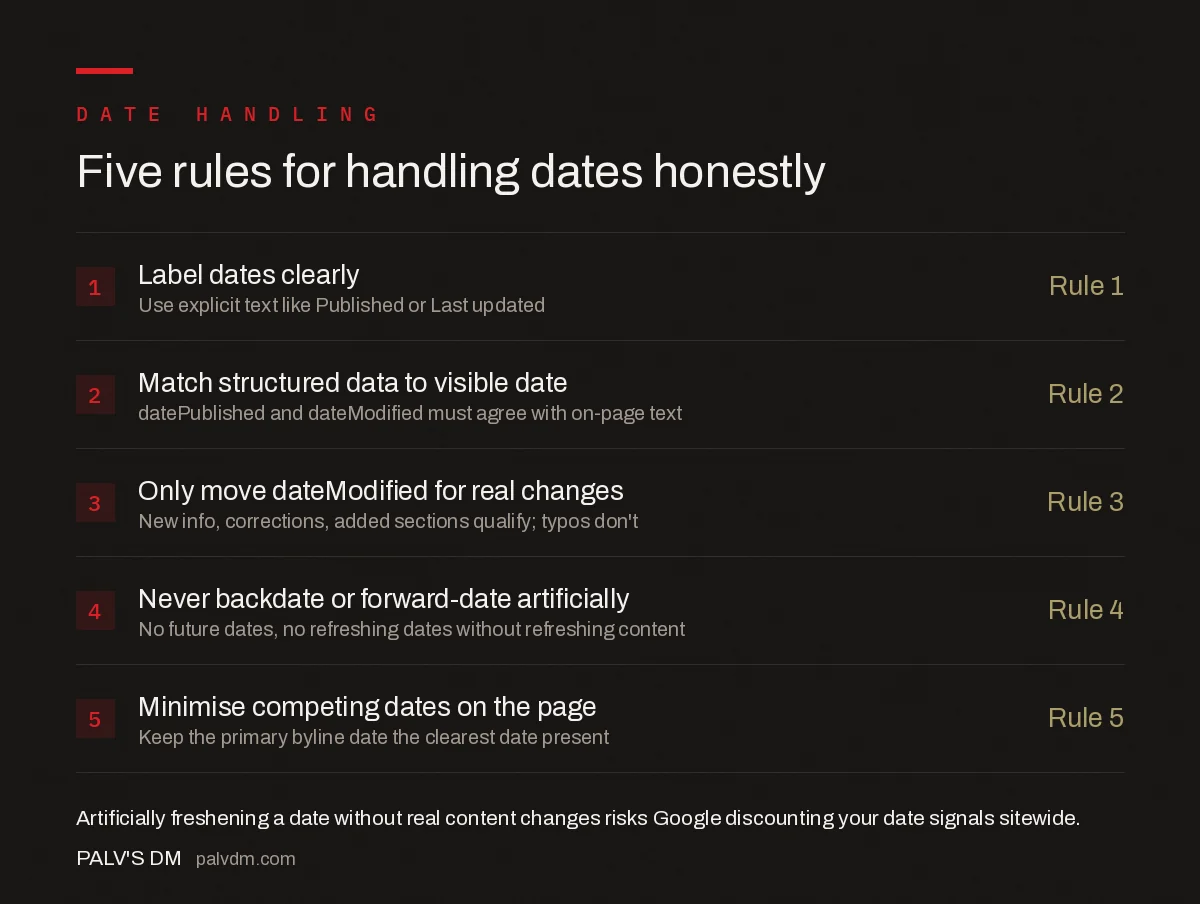
Five rules for handling dates honestly
- Label dates clearly — Use explicit text like “Published” or “Last updated,” not an ambiguous standalone date.
- Match structured data to the visible date — datePublished and dateModified in schema must agree with what’s shown on the page.
- Only move dateModified for real changes — New information, corrections, or added sections qualify; typo fixes and template tweaks don’t.
- Never backdate or forward-date artificially — Don’t set a future date, and don’t refresh a date without refreshing the content behind it.
- Minimise competing dates on the page — Sidebar “related posts” dates or footer copyright years can confuse which date Google picks as the byline; keep the primary date the clearest one present.
What happens if you artificially freshen a date?
Google’s guidance is explicit on this: don’t change a page’s date to make it appear fresh without a compelling reason or substantial new information behind it. Sites caught doing this systematically — bumping every post’s date sitewide on a fixed schedule regardless of actual edits — risk Google discounting their date signals broadly, which then affects genuinely updated content too. The near-term ranking bump some sites chase from an artificial freshness push tends to be short-lived and comes with a longer-term cost to how much Google trusts that site’s dates going forward.
How do you decide whether an update qualifies for a new date?
- Qualifies: New statistics or data replacing outdated ones, a corrected factual error, an added section addressing a gap, or a restructured answer that changes what the page actually says.
- Doesn’t qualify: Fixing a typo, adjusting internal links, a sitewide template or footer change, re-optimising a meta description, or minor formatting cleanup.
- Borderline — use judgment: Adding a single new FAQ entry, updating an example to a current year, or refreshing a screenshot. If the change would make a returning reader learn something new, it likely qualifies.
A practical test: if you’d be comfortable explaining the specific change to a reader who asks “what’s different since I last read this,” the date update is earned. If the honest answer is “not much,” leave the date alone.
Frequently asked questions
Should I show both a publish date and an updated date?
Only when the update is real and worth noting. Showing both dates prominently on every post, including ones barely touched since publishing, has been linked to lower click-through rates because it signals the visible content might be stale even when it isn’t.
Does changing the publish date to today help rankings?
No, and it can backfire. Google’s guidance explicitly warns against artificially freshening a page’s date without a substantial content change. If Google detects the mismatch between a fresh date and stale content, it can reduce trust in your date signals sitewide.
Do datePublished and dateModified need to match the visible on-page date?
Yes. Google explicitly recommends keeping structured data dates consistent with the user-visible date on the page. A mismatch between the two doesn’t just risk the wrong date showing in search results — it can make Google distrust both sources.
What counts as a significant enough update to change dateModified?
A change that materially affects the accuracy or usefulness of the content: new data, a corrected fact, an added section, or a restructured answer. Fixing a typo, adjusting formatting, or a template-wide footer change doesn’t qualify and shouldn’t move the date.
Sources
- Influence Your Byline Dates in Google Search — Google Search Central
- On-Page SEO Checklist: Every Element That Matters
- Outbound Links: Do They Help or Leak Authority
- How to Write Title Tags That Google Won’t Rewrite
- Where to Place Your Keyword on a Page (And Where Not To)
Want this done on your site?
Every PalV’s DM engagement starts with a free audit of your actual website — a 12-point
crawl covering what is blocking indexation, on-page gaps against your primary keywords, speed
findings, and the three to five fixes worth making first. Delivered in two working days. No
payment details, and the findings are yours whether you hire us or not.


