
How to Write Title Tags That Google Won’t Rewrite
Google rewrites the majority of title tags it shows in search results. Here's the length, structure, and content rules that keep your written title intact.
Google rewrites the title tag it displays in search results for the majority of pages — one large-scale study put it at 61%, with more recent checks closer to 76% — and the fix is a title between 50 and 60 characters that matches your H1, uses one separator at most, and states the page’s actual topic without keyword stuffing or bracketed modifiers. A rewritten title isn’t a penalty; it’s Google deciding your written title wasn’t the best match for the query or the page. Most rewrites are avoidable once you know the specific triggers.
The gap between “recommended by SEO guides” and “actually respected by Google” is wide here. A title crammed with three keyword variants and a year in brackets might look thorough to whoever wrote it. To Google’s title-generation system, it reads as noise, and noise gets replaced with something built from the page’s H1 or an on-page phrase.
What is a title tag and why does it get rewritten?
The title tag, written as <title>...</title> in a page’s <head>, is the primary source Google uses for the clickable title link shown in search results. But Google’s own documentation is explicit that this is a source, not a guarantee: Google may generate a different title link than your <title> element if it determines that doing so provides a more accurate or useful description for the specific query.
When Google rewrites, it typically pulls from one of three places: the page’s H1 or another prominent heading, the anchor text used in internal or external links pointing to the page, or visible on-page text near the top of the content. That’s why titles that already match the H1 rarely get touched — there’s nothing better for Google’s system to swap in.
What triggers a title tag rewrite?
Five patterns account for most rewrites, based on the length and structure findings across recent independent studies of SERP titles versus source title tags.
Length outside the display window
Titles much longer than about 60 characters get truncated or replaced outright, since Google would rather generate a title that fits than show a cut-off phrase. Titles that are too short and vague get expanded or replaced with something more descriptive pulled from the page.
Keyword stuffing
Repeating a keyword or close variants two or three times in one title reads as manipulative to Google’s systems and triggers a high rewrite rate — the replacement is usually a cleaner, single mention pulled from the H1.
Bracketed modifiers
Additions like [2026 Guide], [Updated], or [New] get stripped or the whole title replaced at a notably higher rate than plain titles, according to rewrite-rate studies tracking this specific pattern.
Title doesn’t match on-page content
A title promising something the page doesn’t clearly deliver — a different angle, a narrower or broader scope than the actual content — gets swapped for text lifted directly from the page, because Google prioritizes accuracy to the query and the content over the literal string in the tag.
Repeated brand name on every page
Stacking the brand name at the start of every single title sitewide, rather than reserving it for the homepage or letting it appear once at the end, increases rewrite frequency because it pushes the actually descriptive part of the title further from the front, where truncation or replacement is more likely to cut it.
How do you write a title tag Google is likely to keep?
Five practical rules, applied in this order, cover the fixes for the triggers above.
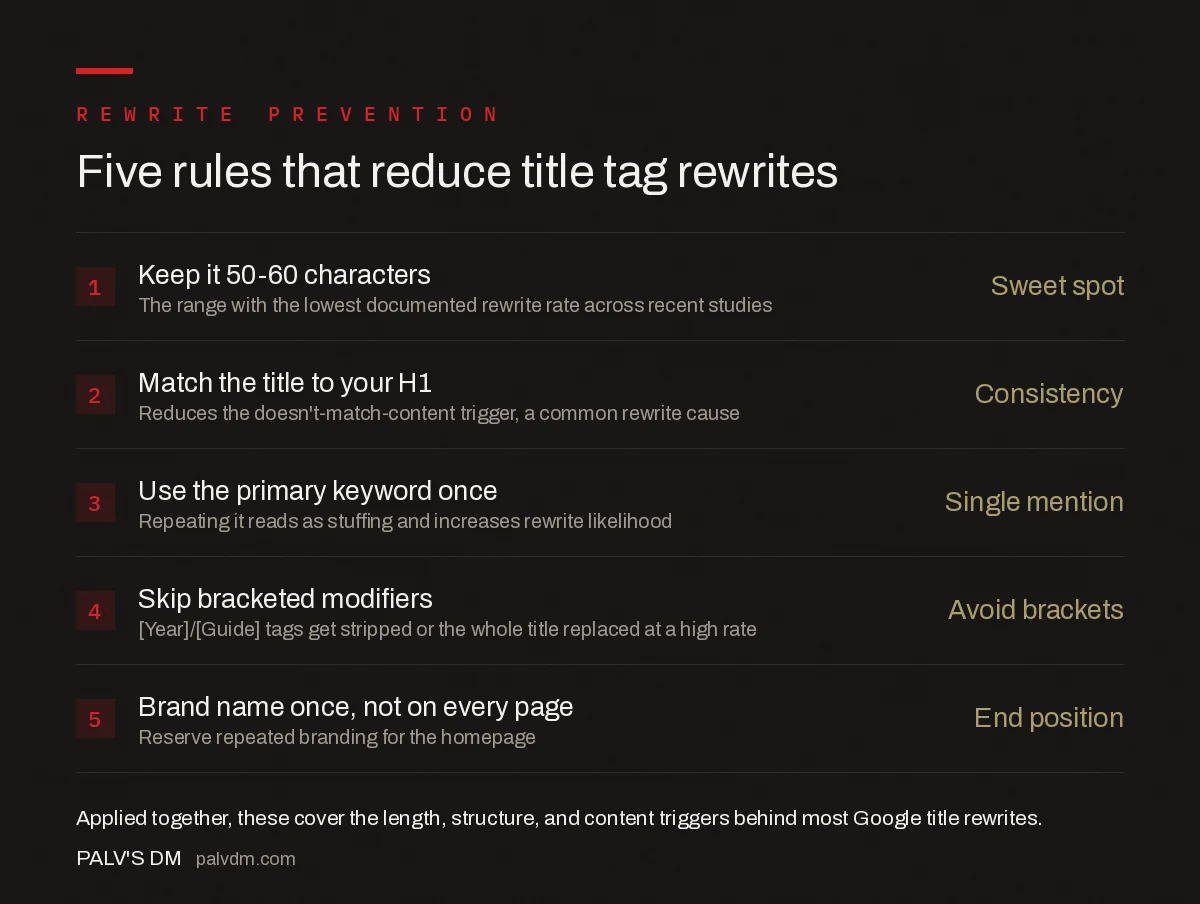
Five rules that reduce title tag rewrites
- Keep it 50-60 characters — Sweet spot. The range with the lowest documented rewrite rate across recent studies.
- Match the title to your H1 — Consistency. Reduces the “doesn’t match content” trigger that’s one of the most common rewrite causes.
- Use the primary keyword once — Single mention. Repeating it reads as stuffing and increases rewrite likelihood.
- Skip bracketed modifiers — Avoid [Year]/[Guide]. These get stripped or the whole title replaced at a high rate.
- Brand name once, not on every page — End position. Reserve repeated branding for the homepage; put the descriptive part first elsewhere.
What does a rewrite-resistant title actually look like next to a risky one?
| Risky pattern | Rewrite-resistant version | Why it’s safer |
|---|---|---|
| Best Project Management Software 2026 [Top 10 Picks] | BrandName | Best Project Management Software: 10 Tools Compared | Shorter, no brackets, brand dropped, matches likely H1 |
| SEO Services | SEO Agency | Best SEO Company | BrandName | SEO Services for Growing Businesses | BrandName | One keyword phrase instead of three stacked variants |
| How To Fix Slow Website Speed Problems Fast And Easily Today | How to Fix a Slow Website: A Step-by-Step Guide | Cuts filler words, lands inside the 50-60 character band |
How do you check whether Google has already rewritten your titles?
Search Console’s Performance report shows clicks and impressions per query but doesn’t flag rewrites directly. The fastest manual check is running a site:yourdomain.com "exact phrase from your title" search for a sample of important pages and comparing what’s displayed against your actual <title> tag in view-source. For a full-site check, a rank tracker that captures live SERP titles alongside source titles automates the comparison and flags every mismatch in one pass.
Fixing a rewritten title doesn’t guarantee Google reverts to your version immediately — expect the change to take effect on the next crawl and re-render of that URL’s search snippet, typically within one to a few weeks depending on how often the page is recrawled.
Frequently asked questions
Why does Google rewrite title tags?
Google rewrites a title link when it decides the written title tag doesn’t represent the page well for a given query, is too long to display, is stuffed with repeated keywords or the brand name, or doesn’t match the page’s actual H1 and content.
What is the ideal title tag length to avoid a rewrite?
Independent studies of rewrite rates put the lowest rewrite frequency at titles between roughly 50 and 60 characters, which is also close to the pixel width Google typically displays before truncating. Titles well outside that range get rewritten far more often.
Does matching the title tag to the H1 prevent rewrites?
It significantly reduces the rewrite rate, though it isn’t a guarantee. When the title tag and H1 say the same thing, Google has less reason to believe the tag is misleading or unrelated to the page’s actual content, which is one of the main triggers for a rewrite.
Do brackets and pipes in title tags cause rewrites?
Bracketed additions like [2026] or [Guide] are rewritten at a high rate, with Google frequently dropping the bracketed portion entirely. A single pipe or dash used once to separate a title from the brand name is generally safe; repeating separators or stacking multiple modifiers is not.
How do I check which of my title tags Google has rewritten?
Search Console doesn’t report rewrites directly, but running site: searches for key pages and comparing the displayed title against your source HTML shows it immediately. Third-party rank trackers that capture live SERP titles automate this across a full site.
Sources
- Influencing Your Title Links in Search Results — Google Search Central
- On-Page SEO Checklist: The Complete Guide
- How Long Should a Blog Post Be? Deriving It From the SERP
- Outbound Links: Do They Help or Leak Authority
- H1 Tags: One Per Page, and Other Rules Worth Keeping
Want this done on your site?
Every PalV’s DM engagement starts with a free audit of your actual website — a 12-point
crawl covering what is blocking indexation, on-page gaps against your primary keywords, speed
findings, and the three to five fixes worth making first. Delivered in two working days. No
payment details, and the findings are yours whether you hire us or not.


