
How to Verify a Tool’s Data Before You Trust It
SEO tools disagree constantly on volume, rank and traffic. Here is how to check any tool numbers against real first-party data before acting on them.

No third-party SEO tool’s number should be treated as ground truth on its own: cross-check keyword volume, ranking position, and traffic estimates against a first-party source, mainly Google Search Console and your own analytics, before you build a strategy around what a dashboard tells you. Every SEO tool is an estimate built on somebody else’s crawl data, sampling panel, or modeling assumption, and estimates from different vendors rarely agree with each other or with reality.
This isn’t a case against paid tools. Ahrefs, SEMrush, and the rest are genuinely useful for pattern-spotting, competitive research, and finding opportunities you’d never notice by hand. The problem shows up when a specific number from one of these tools gets treated as fact in a client report or a strategy decision, when the tool itself would tell you, if you read the fine print, that it’s an estimate with a stated margin of error.
Why do two SEO tools never agree on the same number?
Because they’re not measuring the same thing, they’re each modeling it differently. Search volume estimates come from a mix of clickstream panel data, search engine partnerships, and proprietary statistical smoothing, and no two vendors license the same panels or apply the same smoothing. Backlink counts differ because every tool crawls the web on its own schedule with its own crawler, so a link discovered by one tool’s bot last week might not be in another tool’s index for another month. Rank tracking differs because each vendor runs its checks from its own chosen server locations, at its own chosen time of day, which is a meaningfully different sample from what an actual searcher in a specific city, on a specific device, sees at the moment they search.
Google Search Console sits in a different category entirely from every one of those. It’s not modeling anything, it’s reporting the actual clicks, impressions and average position Google logged for your property. That doesn’t make it infallible (it has its own quirks, like aggregation differences between the chart and the table view), but it’s the one number in your entire toolkit that isn’t an estimate of someone else’s estimate.
How do you verify keyword search volume numbers?
Start with Google Keyword Planner as your baseline, understanding its own limitation: forecasts refresh daily and are based on the trailing 7 to 10 days of data adjusted for seasonality, and volume shows as a range rather than a precise number unless your account has active ad spend. That’s a real constraint, not a reason to skip it, because it’s still Google’s own data, closer to the source than any third-party estimate.
Then cross-reference against Search Console impressions for any keyword you’re already ranking for, even partially. If Search Console shows your page received 400 impressions for a query last month and your keyword tool claims that term gets 50 searches a month globally, one of those numbers is wrong, and it’s worth figuring out which (often it’s a geography or match-type mismatch in the tool’s estimate, not an error in Search Console’s logged count).
How do you verify a tool’s ranking data?
Manually, and with the right expectations about what “manual” can and can’t confirm. Search a target keyword yourself in an incognito or private window, ideally with location settings matched to your target market. Understand going in that this still won’t match every real searcher’s result: Google’s own documentation is explicit that results are personalized by time, place, device and the searcher’s own history, so your incognito check, a competitor’s automated rank tracker, and an actual customer’s phone can all legitimately see three different result orders for the same query at the same moment.
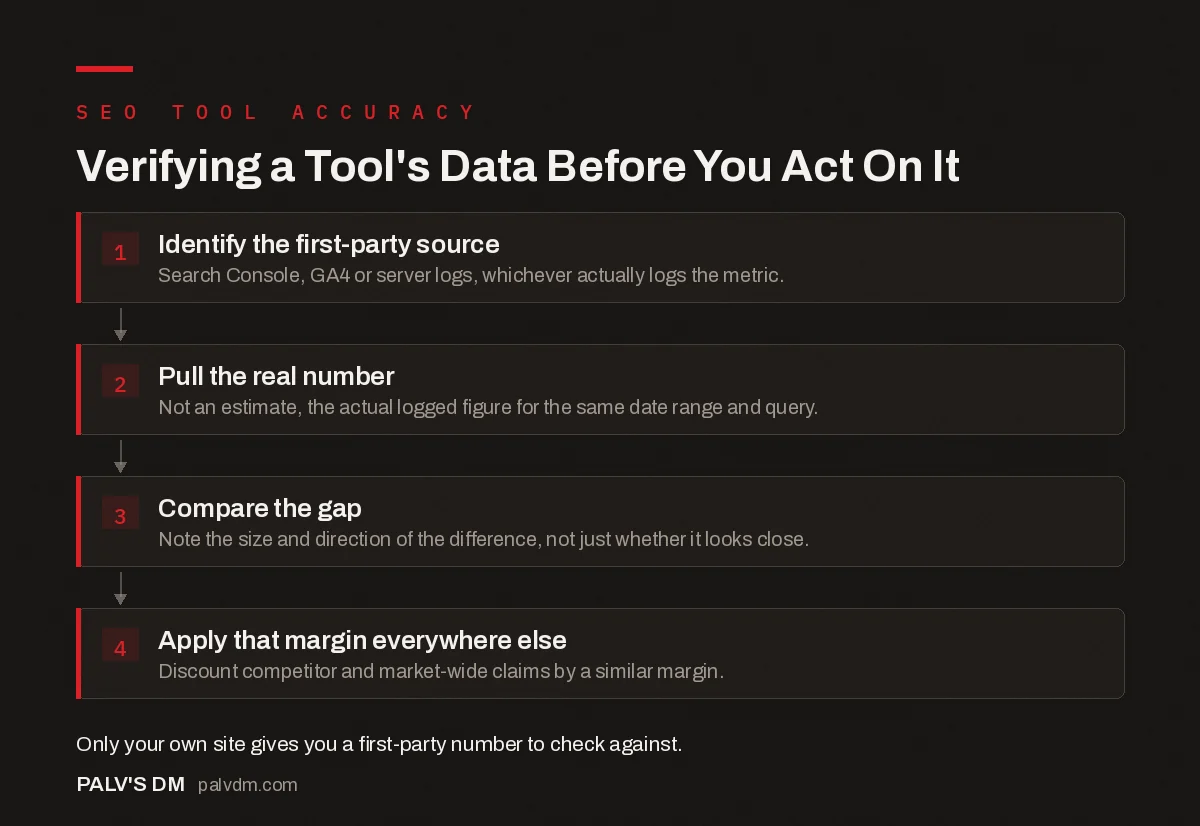
Verifying a Tool’s Data Before You Act On It
- Identify the first-party source. Search Console, GA4 or server logs, whichever actually logs the metric.
- Pull the real number. Not an estimate, the actual logged figure for the same date range and query.
- Compare the gap. Note the size and direction of the difference, not just whether it looks close.
- Apply that margin everywhere else. Discount competitor and market-wide claims by a similar margin.
How do you verify a domain’s traffic estimate?
For your own site, this is the easiest check available: compare the tool’s estimated organic traffic figure against your actual GA4 organic sessions for the same period. Differences of 20 to 30% are common even from reputable tools because they’re modeling total search demand and estimated click-through, not measuring your server logs. Differences several multiples off, in either direction, tell you something about how that specific tool’s model handles your type of site, low-competition niche, heavy branded search, JavaScript-rendered pages, that’s worth knowing before you trust its estimate for a competitor you can’t cross-check at all.
That’s really the core discipline here: you can only directly verify data for your own site. Every competitor number from every tool is unverifiable in isolation. What you can do is establish how reliable a given tool is using the one dataset you can check, your own, and calibrate your trust in everything else that tool reports accordingly.
What should you just accept as directional-only, never exact?
| Data type | First-party ground truth available? | How to sanity check it |
|---|---|---|
| Your own site’s clicks and impressions | Yes, Search Console | Trust directly, it’s logged data, not a model |
| Your own site’s sessions and conversions | Yes, GA4 or server logs | Trust directly, reconcile tagging issues if numbers look off |
| Keyword search volume | Partial, Keyword Planner ranges | Cross-check against Search Console impressions where you already rank |
| Your own ranking positions | Partial, Search Console average position | Treat as the primary source over any third-party tracker |
| Competitor traffic estimates | No | Directional only, calibrate trust using your own site’s known accuracy gap |
| Backlink counts, any domain | No | Cross-reference two or more tools, expect disagreement, trust trend over absolute count |
When should you stop trusting a tool entirely?
When the gap between its number and your verified first-party number is both large and unexplained. A one-time discrepancy after a known algorithm update or a tracking configuration change is normal, everyone’s numbers wobble after those. A tool that’s persistently 3x or more off from your logged Search Console or GA4 data, quarter after quarter, with no clear cause, isn’t giving you noisy data, it’s giving you the wrong data, and no amount of averaging across multiple checks fixes a systematically broken measurement.
The clients who get burned worst by this aren’t the ones using a bad tool. They’re the ones who never checked a single number against Search Console in the first place and built an entire quarter’s content plan around search volume figures nobody verified. Set a recurring calendar reminder to spot-check three or four of your top-ranking pages against Search Console every quarter. It takes fifteen minutes and it’s the cheapest insurance available against a strategy quietly built on a bad number.
Frequently asked questions
Why do SEO tools show different search volume for the same keyword?
Each tool builds its volume estimate from its own data sources, clickstream panels, click-log agreements, and modeling assumptions, and none of them use the exact same inputs. Google’s own Keyword Planner also shows volume as a range rather than an exact figure unless you’re running active spend, which is a different kind of imprecision again.
Is Google Search Console more accurate than third-party rank trackers?
For your own site, yes, it’s the actual logged data from Google, not an estimate. Search Console’s average position reflects real recorded impressions, while a third-party rank tracker runs its own automated searches from its own server locations and infers a position, which can differ from what any specific real searcher sees.
Can I trust a tool’s traffic estimate for a competitor’s site?
Treat it as directional only, never exact. You have no first-party way to verify a competitor’s real analytics, so the estimate is entirely dependent on that tool’s modeling. If the same tool’s estimate for your own site is off by a wide margin against your actual GA4 numbers, apply that same margin of doubt to every competitor figure it reports.
Why does my rank tracker show a different position than when I search manually?
Search results are personalized by time, location, device and search history, so a logged-out incognito check from your desk and an automated tool checking from a data center rarely see identical results, and neither necessarily matches what a real customer sees from their phone.
How often should I re-verify a tool’s data against first-party sources?
Spot-check quarterly at minimum, and immediately after any tool update, algorithm change, or unexplained jump in reported numbers. A tool that was reliable a year ago can silently change its data source or methodology without an obvious announcement.
Sources
- Performance report (Search results): Overview and basic setup, Google Search Console Help
- Use Keyword Planner, Google Ads Help
- Google Search Console: The Reports That Actually Matter
- Comparing Backlink Databases: Why the Numbers Never Agree
- Keyword Tools Compared on Indian Search Volume Accuracy
- Rank Tracking Tools Compared for Indian SERPs
Want this done on your site?
Every PalV’s DM engagement starts with a free audit of your actual website — a 12-point
crawl covering what is blocking indexation, on-page gaps against your primary keywords, speed
findings, and the three to five fixes worth making first. Delivered in two working days. No
payment details, and the findings are yours whether you hire us or not.


