WhatsApp Business Leads: A Real Conversion Channel for Indian SMBs
How Indian businesses turn WhatsApp into a real lead channel: Click-to-WhatsApp ads, how Meta's message pricing actually works, and what to automate first.
WhatsApp works as a lead channel because it removes the two biggest drop-off points in a form: typing on a small screen and waiting for a reply that might take days. A visitor taps once, sends a message they were already going to type into a form anyway, and gets an answer in minutes instead of an autoresponder. For a market where WhatsApp is already the default way people message anyone, that’s not a novelty channel. It’s closer to how your customers already expect to talk to a business.
The mistake most businesses make isn’t ignoring WhatsApp. It’s treating it as a phone number pasted into a footer instead of a channel with its own setup, its own pricing model, and its own failure modes. Get the plumbing right and it becomes one of the highest-converting channels a small business runs. Get it wrong and it becomes a black hole where leads go to die in someone’s personal chat app.
Why does WhatsApp work as a lead channel in India specifically?
India is WhatsApp’s largest market by user count, with more than 500 million active users, which means you’re not asking a prospect to install anything or learn a new interface. They’re already there, all day, for everything from family group chats to paying a vendor. That familiarity is the entire advantage: friction drops when the channel is one your customer already trusts and already has open.
It also solves a specific Indian business problem: phone calls get screened, emails get ignored, and a contact form on a slow mobile connection is a real drop-off point. A WhatsApp message sent from a “Click to WhatsApp” ad or a website button doesn’t have any of those failure modes.
What’s the actual setup: Business App vs Business API?
Two different products, and picking the wrong one wastes both time and money. The free WhatsApp Business App is fine for a single owner-operator answering messages from one phone. It doesn’t scale past that: one device, one login, no CRM integration, no automation beyond basic quick replies and away messages.
The WhatsApp Business Platform (what most people still call “the API”) is what you need the moment more than one person needs to answer messages, or you want messages logged into a CRM, or you want any automation beyond a static away message. You access it through a Meta-approved Business Solution Provider rather than signing up directly, and setup typically takes a few days to a couple of weeks depending on business verification.
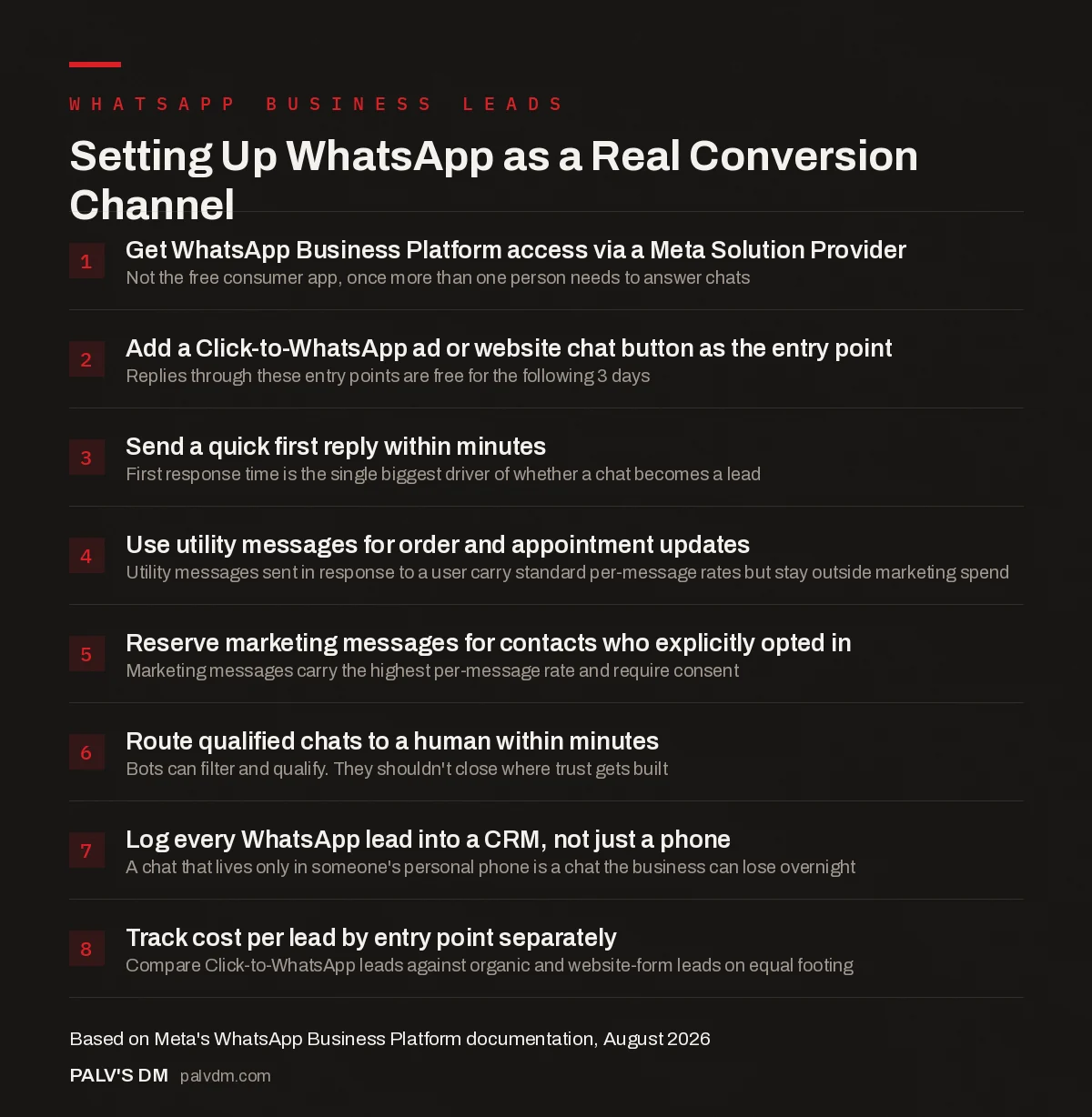
Setting Up WhatsApp as a Real Conversion Channel
- Get WhatsApp Business Platform access via a Meta Solution Provider. Not the free consumer app, once more than one person needs to answer chats.
- Add a Click-to-WhatsApp ad or website chat button as the entry point. Replies through these entry points are free for the following 3 days.
- Send a quick first reply within minutes. First response time is the single biggest driver of whether a chat becomes a lead.
- Use utility messages for order and appointment updates. Utility messages sent in response to a user carry standard per-message rates but stay outside marketing spend.
- Reserve marketing messages for contacts who explicitly opted in. Marketing messages carry the highest per-message rate and require consent.
- Route qualified chats to a human within minutes. Bots can filter and qualify. They shouldn’t close where trust gets built.
- Log every WhatsApp lead into a CRM, not just a phone. A chat that lives only in someone’s personal phone is a chat the business can lose overnight.
- Track cost per lead by entry point separately. Compare Click-to-WhatsApp leads against organic and website-form leads on equal footing.
How does WhatsApp Business Platform pricing actually work now?
Meta moved away from conversation-based pricing to per-message pricing, charged when a message is delivered, based on who it’s sent to and which of four categories it falls into: marketing, utility, authentication, or service. Two things matter most for a lead-generation setup specifically.
- Service messages are free. Once a customer messages you, that opens a 24-hour window where you can reply with service messages at no charge, resetting every time they message again.
- Click-to-WhatsApp ad replies are free for three days. Any message sent to you through an ad that clicks to WhatsApp, or a Facebook Page call-to-action button, gets a 72-hour window of free replies across every message category, not just service.
Utility messages you send unprompted (an order confirmation, an appointment reminder) and marketing messages carry per-message charges, with utility and authentication messages getting cheaper at higher volume tiers. For most lead-generation use cases, the bulk of your conversation stays inside the free service window, since a genuine sales conversation is mostly you responding to them.
What actually turns a WhatsApp chat into a lead, not just a conversation?
Speed and structure, in that order. A message that sits unanswered for four hours loses most of the intent that made someone message you in the first place; they’ve likely messaged two competitors in the meantime. A quick, even automated, first response that confirms you got the message and sets expectations on when a human will follow up does more for conversion than a perfectly worded reply that arrives the next morning.
Structure matters just as much. A chat that captures name, need, and rough budget or timeline within the first exchange, whether through a simple bot flow or a trained team member following a script, is a qualified lead. A chat that stays as unstructured back-and-forth with no next step defined is just a conversation that happened to occur on a business number.
What should you automate, and what should stay human?
Automate the filter, not the close. A basic flow that greets the visitor, asks one or two qualifying questions, and routes them to the right person or team handles the repetitive part without making anyone feel like they’re talking to a wall. That’s a legitimate use of a bot and it’s what most of the “5x more leads” claims from WhatsApp automation vendors are actually describing: faster qualification, not better selling.
Keep pricing negotiations, anything emotionally weighted, and the actual close human. Trust gets built in that part of the conversation, and a scripted bot response at the wrong moment reads as exactly what it is. If you’re weighing forms against chat more broadly, our piece on form length versus lead quality covers the same trade-off from the other side.
What’s the single biggest mistake we see with client WhatsApp setups?
Every WhatsApp setup we’ve audited that “isn’t converting” has the same root cause: leads are landing in a salesperson’s personal phone, with no CRM record, no handoff process, and no visibility for the owner into how many chats are actually going unanswered. The business owner assumes WhatsApp is working because sales are happening somewhere. Nobody can say how many chats went cold, how long the average first response took, or which ad actually generated the message. You can’t fix a channel you can’t measure, and a phone screen isn’t a reporting tool.
Fix it by routing every WhatsApp conversation through a system, even a basic one: a shared inbox tool, a CRM integration, or at minimum a spreadsheet someone updates after every chat. Once WhatsApp leads are as visible as your form leads, you can actually compare cost per lead across channels and act on what you find. If lead capture is being rebuilt anyway, our guide to qualifying leads before the call and our piece on thank-you pages that do more than say thanks are worth reading alongside this one, since the same discipline (capture, qualify, route, follow up) applies across every channel, not just WhatsApp.
Should you use WhatsApp’s catalog feature instead of driving traffic to your website?
For some businesses, yes, at least for part of the funnel. WhatsApp’s built-in catalog lets a business list products or services with prices and images directly inside the chat, so a customer can browse without leaving the conversation. For a service business or a shop with a small, stable set of offerings, that removes a step: no tab-switching to a website, no separate page to load on a slow connection.
It doesn’t replace a website. A catalog is thin on the details a considered purchase needs: no blog content, no case studies, nothing that ranks in search, and no room for the kind of trust-building a full page can carry. Treat it as a fast-path for warm, ready-to-buy contacts, not a substitute for the site doing the heavier lifting of getting found and building credibility in the first place.
Frequently asked questions
Is WhatsApp Business API free?
The platform itself has no flat subscription fee from Meta; you pay per message based on category, market, and volume, with service messages and replies within free entry-point windows costing nothing. Most businesses also pay their Business Solution Provider a separate platform or seat fee for the tools layered on top of Meta’s raw API.
Do I need a developer to set up WhatsApp Business API?
Not necessarily. Most small businesses go through a Business Solution Provider that offers a managed dashboard, template builder, and basic automation without writing code. A developer becomes useful once you want custom integrations, like syncing WhatsApp leads directly into a CRM or connecting a bot to internal systems.
Can I send WhatsApp marketing messages to anyone who messages me?
No. Marketing messages require explicit opt-in consent under WhatsApp’s policies, separate from someone simply messaging you once. Replying to an inbound message with service or utility content is fine; sending unrequested promotional messages to a contact who never opted in risks your number getting restricted.
What’s the difference between the WhatsApp Business App and the API?
The Business App is a free single-device app for one person managing a modest volume of chats manually. The Business Platform (API) supports multiple users, CRM integration, automation, and analytics, accessed through an approved provider, and is built for businesses that need more than one person answering messages.
How fast do I need to respond to a WhatsApp lead?
As fast as practically possible. There’s no fixed rule, but a first response within a few minutes, even an automated acknowledgment confirming a human is following up, keeps the intent that prompted the message from cooling off or moving to a competitor.
Sources
- WhatsApp Business Platform Pricing, Meta
- WhatsApp Business Platform Pricing Documentation, Meta for Developers
- Digital Marketing Channels: Which to Start With and Why
- Form Length vs Lead Quality: Finding the Balance
- Lead Qualification Before the Call: Forms That Filter
- Thank-You Pages That Do More Than Say Thanks
Want this done on your site?
Every PalV’s DM engagement starts with a free audit of your actual website — a 12-point
crawl covering what is blocking indexation, on-page gaps against your primary keywords, speed
findings, and the three to five fixes worth making first. Delivered in two working days. No
payment details, and the findings are yours whether you hire us or not.
Get your free SEO audit
See Web Development plans and prices