
Building an Update Log So You Can Prove Causation Later
Six weeks after a traffic drop, nobody remembers what shipped. The columns, categories and rules for an update log that makes causation provable.
An update log is a single dated record of everything that could plausibly move your rankings — your own deployments and content changes alongside Google’s confirmed updates — and without one, causation becomes unprovable roughly six weeks after the event. The reason is mundane: nobody remembers what shipped in which week, Search Console retains sixteen months of performance data while your memory of a plugin update lasts about ten days, and the confounders that matter most are usually your own. A log takes about ten minutes a week to keep and is the difference between a diagnosis and an argument.
Most SEO teams keep something loosely like this and it fails at exactly the wrong moment, because it records the update dates and not the deployments. Google’s dates are public and reconstructable at any time. Your own release history is not.
Why does an update log matter more than a tracker subscription?
Because the hard part of diagnosis is never “was there an update”. That is one dashboard lookup. The hard part is ruling out yourself, and self-inflicted causes are more common than algorithmic ones for the average traffic drop.
Core update rollouts run roughly 12 to 18 days, which means most deployments in a normal release cycle land inside a rollout window purely by coincidence. Without a dated record you cannot tell the coincidence from the cause, and the comfortable explanation wins by default. That failure mode is the whole subject of was it an update or was it you, and the log is what makes the diagnostic answerable.
What goes in the log?
One row per event, one sheet, columns fixed. Anything more elaborate stops being maintained by week three.
| Column | What it holds | Example value |
|---|---|---|
| Date | The date the change went live, not the date it was planned | 2026-03-27 |
| Type | Google update, content, technical, links, tracking, commercial | Google update |
| Event | One line, specific | March 2026 core update started |
| Scope | Which URLs or templates it touched | All /blog/ templates |
| Source | Where the fact came from | Search Status Dashboard |
| Owner | Who shipped it | Dev team |
| Reversible | Yes or no, and how | Yes — revert deploy |
The Scope column does the heaviest lifting during diagnosis. When a loss turns out to be concentrated in one template, the first question is what happened to that template, and a log without scope cannot answer it. Scope is what connects the log to segmented damage analysis.
Which events actually need logging?
Six categories cover almost everything that has ever caused an unexplained traffic change.
- Google confirmed updates. Start and completion dates from the Search Status Dashboard only. Log the update name and the incident, not a tracker screenshot.
- Deployments. Code releases, theme changes, plugin updates, CMS upgrades, caching and CDN configuration changes, firewall rules.
- Content changes. Publishing, substantial rewrites, consolidations, deletions, redirects, title and meta changes at scale.
- Technical SEO changes. robots.txt edits, noindex and canonical changes, sitemap changes, internal link restructures, schema changes.
- Tracking and measurement changes. Analytics migrations, consent banner changes, tag changes, property or filter changes. These cause apparent drops with no ranking movement at all.
- Commercial and external events. Campaign starts and stops, price changes, PR coverage, seasonality markers, festival weeks.
Category five is the one teams omit and the one that produces the most wasted diagnostic effort, because a measurement change looks exactly like a traffic loss until someone checks. Where Search Console and analytics disagree, the discrepancy usually has a documented cause.
How do you log Google’s updates without misrecording them?
Two rules keep the Google rows trustworthy. Log only what the dashboard confirms, and log the start and completion as separate rows, because the window between them is what you later exclude from every comparison.
Third-party volatility gets its own row type, labelled honestly. Around fourteen tracking tools registered spikes across 1–6 August 2026 while Google’s dashboard showed no ranking, indexing, crawling or serving incident in that window at all. The correct log entry for that period reads “unconfirmed volatility, multiple trackers, no dashboard incident” — which is exactly what the August 2026 episode demonstrates, and why confirmed and unconfirmed movement need separate labels.
Where should the log live?
Wherever the whole team will actually update it, which in practice means a shared spreadsheet rather than a project management tool. Three requirements matter more than the format: everyone who ships changes can write to it, it outlives staff turnover and agency changes, and it is exportable.
Mirror the log as annotations wherever you read data. Charts without annotations invite invented explanations, and annotating update dates directly onto reporting removes most of that guesswork before it starts. If you report to clients monthly, the log also feeds the report — the standard is set out in what an SEO agency should report.
How often should the log be updated?
At the moment of the change, or it does not get written. A weekly catch-up session sounds efficient and reliably loses the small changes — a plugin auto-update, a caching tweak, a redirect added to fix one broken URL — which are exactly the ones that later turn out to matter.
Three habits make it stick. Attach logging to the deployment process itself so a release is not finished until the row exists. Give one person responsibility for the Google update rows and have them check the dashboard weekly rather than relying on newsletters. And review the log at the start of every monthly report, which is when omissions are cheapest to correct and when the log stops feeling like admin because it is producing the report’s narrative.
How do you use the log when something drops?
- Fix the exact date the drop began, using daily rather than weekly data.
- Read every log row for the fourteen days before that date and the fourteen days after.
- Rule out your own rows first — deployments, technical changes and tracking changes, in that order.
- Only then check whether a confirmed Google update overlaps the window.
- Set comparison windows that exclude the rollout dates recorded in the log.
- Write the conclusion back into the log as its own row, with the evidence.
Step three before step four is the entire discipline. Reversing that order produces a confirmed update every time, because there is nearly always one somewhere nearby, and the search stops the moment a satisfying answer appears.
What the log gives you a year later
Search Console holds sixteen months of performance data, so a log kept consistently for a year lets you do something almost nobody can: read a past rollout against a documented record of what you actually did, and check whether the work you shipped preceded the movement you claimed it caused.
It also protects attribution during recovery work, where Google states the largest changes tend to arrive with a subsequent core update rather than between them. If several classes of change ship in the same window, the next rollout teaches you nothing — the reasoning is in why recovery waits for the next core update. A log plus one change class at a time is what turns each rollout into evidence instead of folklore, and it is the same discipline behind publishing your methodology rather than asserting results.
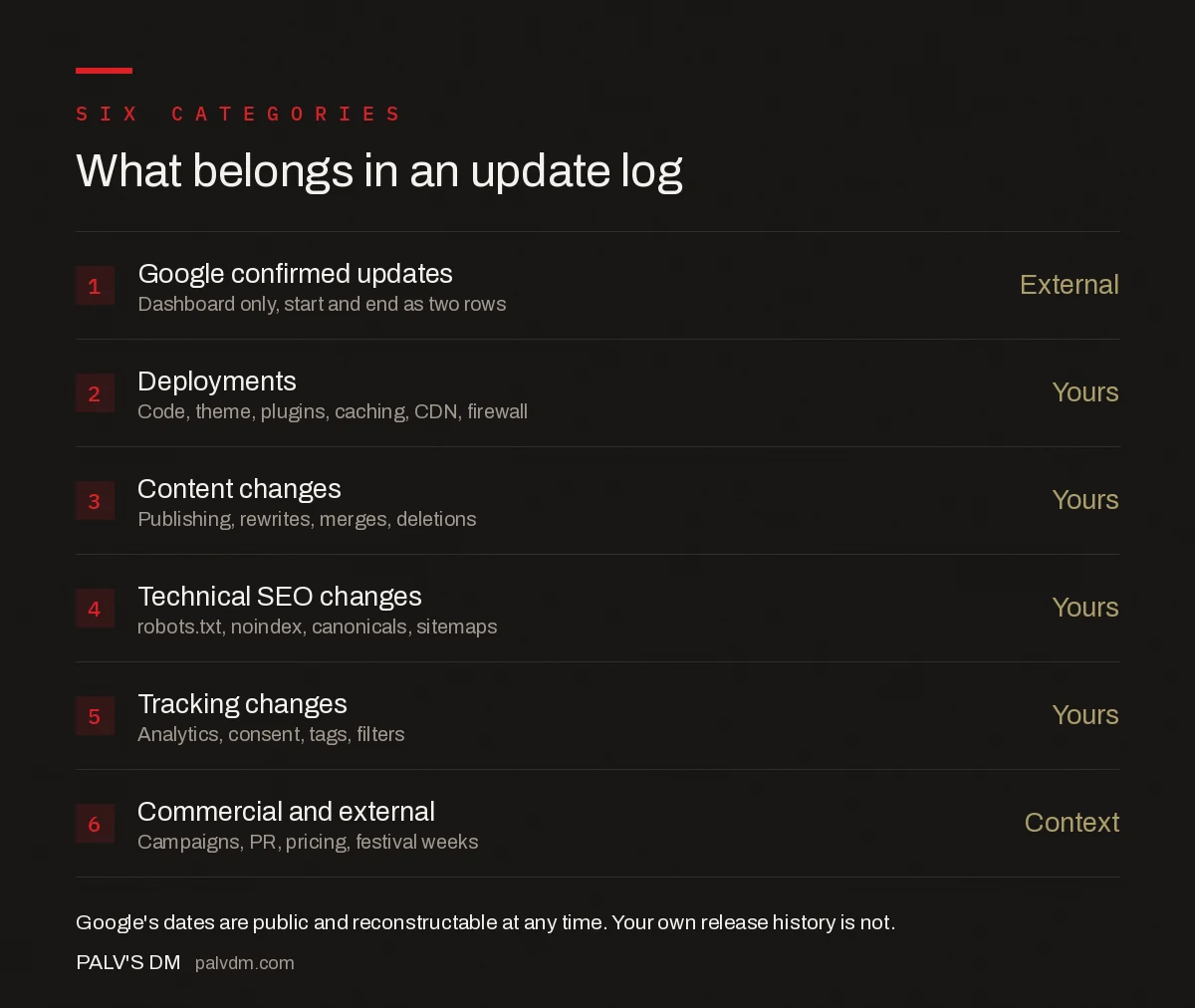
What belongs in an update log
- Google confirmed updates — External. Dashboard only, start and end as two rows.
- Deployments — Yours. Code, theme, plugins, caching, CDN, firewall.
- Content changes — Yours. Publishing, rewrites, merges, deletions.
- Technical SEO changes — Yours. robots.txt, noindex, canonicals, sitemaps.
- Tracking changes — Yours. Analytics, consent, tags, filters.
- Commercial and external — Context. Campaigns, PR, pricing, festival weeks.
Frequently asked questions
What is an SEO update log?
An SEO update log is a single dated record of every event that could plausibly move rankings: your own deployments, content changes, technical SEO changes and tracking changes, alongside Google’s confirmed algorithm updates. Its purpose is to make causation provable after the fact, when nobody can reliably remember what shipped in a given week.
What should I record in an algorithm update log?
Use one row per event with fixed columns: the date it went live, the type of event, a one-line description, the scope of URLs or templates affected, the source of the information, who shipped it, and whether it is reversible. Scope matters most, because damage concentrated in one template needs a record of what happened to that template.
How do I track Google algorithm updates accurately?
Take start and completion dates from Google’s Search Status Dashboard and log them as two separate rows, because the window between them is what you later exclude from comparisons. Record third-party volatility separately and label it unconfirmed, since trackers show that results moved while only Google confirms that Google moved them.
Why should I log my own deployments as well as Google updates?
Because Google’s update dates are public and can be reconstructed at any time, while your release history cannot. Core update rollouts run roughly 12 to 18 days, so most deployments in a normal release cycle land inside a rollout window by coincidence. Without dated records, coincidence and cause become indistinguishable.
How do I use an update log to diagnose a traffic drop?
Fix the exact date the drop began using daily data, then read every log row for the fourteen days either side. Rule out your own deployments, technical changes and tracking changes first, and only then check whether a confirmed Google update overlaps the window. Reversing that order finds an update every time.
How far back should an SEO update log go?
At least sixteen months, because that is how long Search Console retains performance data, so a log covering the same span lets you read any past rollout against a documented record of what you did. Keeping it longer costs nothing and preserves context through staff turnover and agency changes.
Sources
- Google Search Status Dashboard
- Search Console Performance report — Search Console Help
- Google core updates and your website — Search Central
- August 2026 Google Webmaster Report — Search Engine Roundtable
Want this done on your site?
Every PalV’s DM engagement starts with a free audit of your actual website — a 12-point
crawl covering what is blocking indexation, on-page gaps against your primary keywords, speed
findings, and the three to five fixes worth making first. Delivered in two working days. No
payment details, and the findings are yours whether you hire us or not.


