
Canonical vs noindex vs Redirect: A Decision Tree
Canonical tags, noindex, and redirects solve different problems. A six-step decision tree for picking the right one and avoiding the combination that breaks indexing.

Use a 301 redirect when a URL should stop existing, use a canonical tag when two or more URLs need to stay live and one should collect the ranking credit, and use noindex when a page must stay reachable but should never appear in search results. Most canonicalisation problems trace back to picking the wrong one of these three, not to a broken implementation of the one that was chosen.
The three tools look interchangeable because they all “deal with duplicate or unwanted URLs,” but they control different things. A redirect changes what the browser and crawler receive when they request the URL. A canonical tag changes which URL gets indexing and ranking credit while leaving both pages live. Noindex changes whether a page can appear in results at all, without touching its availability. Confusing these produces exactly the failure modes covered below.
What problem does each tool actually solve?
Before the decision tree, it helps to see the three side by side, because the confusion usually starts with treating them as three ways to do the same thing.
| Tool | What it does | What it does not do |
|---|---|---|
| 301 redirect | Sends users and crawlers to a new URL; the old URL stops resolving on its own | Does not keep the old URL live or reachable |
| Canonical tag | Points Google to the preferred URL among duplicates while both stay live | Does not remove the non-preferred URL from crawling or direct access |
| Noindex | Removes a page from search results while keeping it crawlable and visitable | Does not consolidate ranking signals onto another URL |
Step 1: Decide whether the old URL should stop existing
Start here, because it eliminates two of the three options immediately. If a product has been discontinued, a page has been merged into another, or a URL structure changed and the old path serves no purpose, that URL should stop existing. Answer: 301 redirect to the closest relevant replacement. Skip the remaining steps.
If the URL still needs to exist — a filtered category page, a print-friendly version, a paginated result — move to step 2.
Step 2: Decide whether both URLs need to stay reachable
This is where teams default to a canonical tag out of habit. The real question is whether users or systems still need to load the non-preferred URL directly. A tracking-parameter version of a page (?utm_source=) needs to stay reachable because ads and emails link to it, so canonicalise it to the clean URL. A duplicate page created by a CMS bug that nobody links to on purpose is a better candidate for a redirect, because there’s no reason to keep it addressable at all.
Step 3: Decide whether the page should ever appear in search results
Some pages are correctly live and correctly unique, but should never rank: internal search results, thank-you and confirmation pages, staging-style preview URLs, filtered views that create thin, near-duplicate combinations. These get noindex, not a canonical tag, because there is no “better” URL to point to — the goal is exclusion, not consolidation.
Step 4: Confirm you haven’t combined signals that contradict each other
The most common technical error here isn’t picking the wrong tool — it’s applying two tools that fight each other. A canonical tag pointing to URL B while URL A also carries noindex is a direct contradiction: “index the other one instead of me” and “don’t index me” say almost the same thing, but Google resolves them inconsistently across sites, which makes the outcome unpredictable rather than simply wrong.
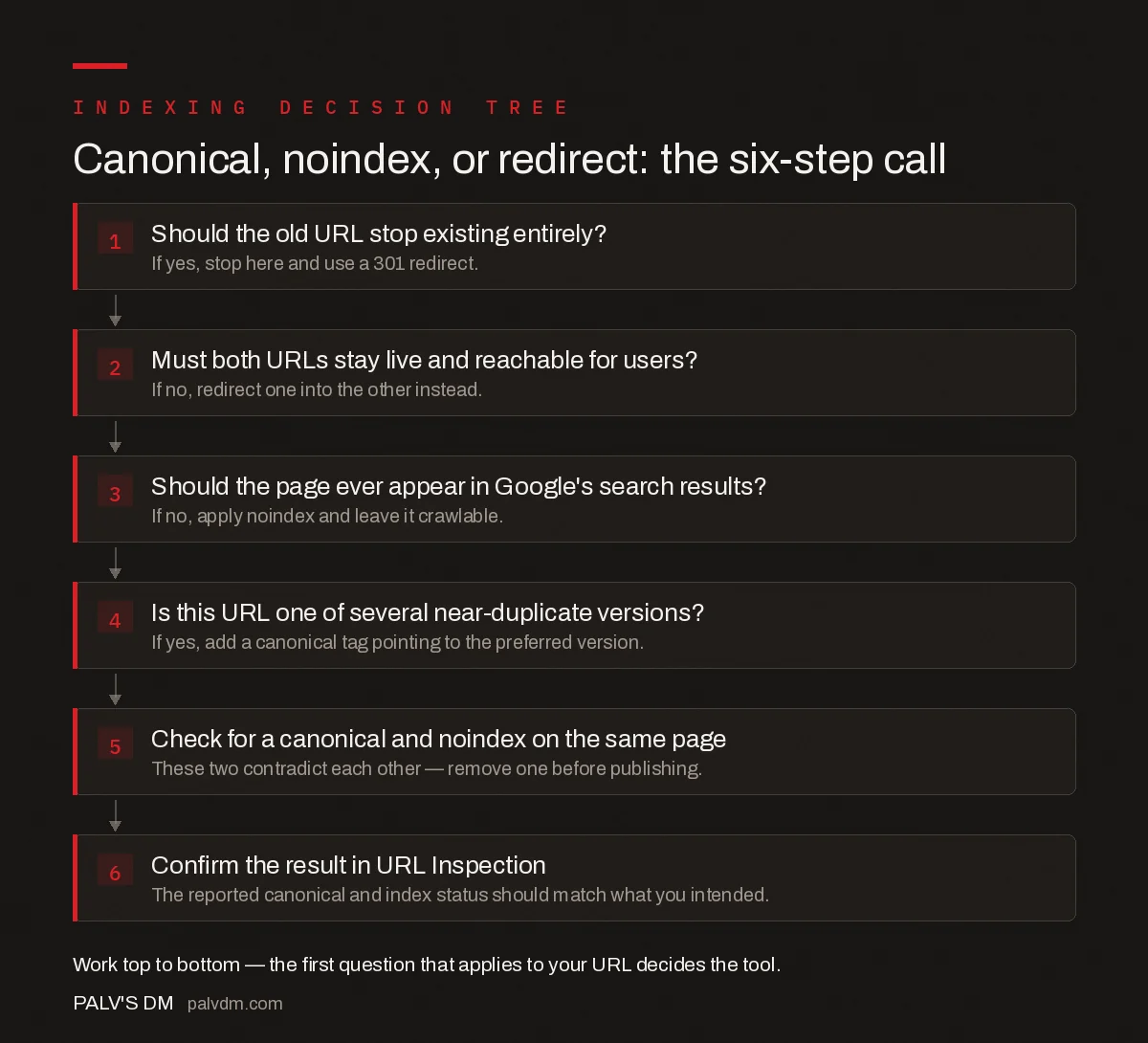
Canonical, noindex, or redirect: the six-step call
- Should the old URL stop existing entirely? If yes, stop here and use a 301 redirect.
- Must both URLs stay live and reachable for users? If no, redirect one into the other instead.
- Should the page ever appear in Google’s search results? If no, apply noindex and leave it crawlable.
- Is this URL one of several near-duplicate versions? If yes, add a canonical tag pointing to the preferred version.
- Check for a canonical and noindex on the same page. These two contradict each other — remove one before publishing.
- Confirm the result in URL Inspection. The reported canonical and index status should match what you intended.
What common mistakes break this decision?
- Canonicalising instead of redirecting a discontinued page. The old URL stays live, still gets crawled, and still shows up in analytics as a low-value page competing for crawl budget it no longer needs.
- Redirecting a page that still gets direct traffic from an app or email link. Users following an old bookmarked link land somewhere they weren’t expecting instead of the page they saved, which a canonical would have avoided.
- Noindexing a page you meant to consolidate. The page disappears from search entirely instead of passing its signals to the preferred version — the opposite of what a merge is supposed to do.
- Leaving both a canonical and a noindex tag on a template-generated page. This happens most often on faceted navigation or filtered listing pages where a plugin adds noindex by default and a separate template adds a self-referencing canonical.
- Assuming a canonical tag stops a page from being crawled. It doesn’t. Google still crawls the non-preferred URL periodically to confirm the canonical still applies, which matters for crawl-budget planning on large sites.
How do you verify the outcome in Search Console?
After applying a fix, check the specific URL in the URL Inspection tool rather than trusting the aggregated Pages report, which lags behind real-time changes. Inspection shows the “Google-selected canonical” separately from the “user-declared canonical” — when these two disagree, that’s the conflicting-signals problem from step 4, not a bug in the tool. For redirects, confirm the target URL returns a 200 status and isn’t itself part of a redirect chain, since chains slow down how quickly the consolidation completes.
What does a real example look like?
A furniture retailer sells the same armchair in five fabric options, each generating its own URL: /armchair?fabric=grey, /armchair?fabric=blue, and so on. None of these should stop existing — customers land on them from filtered category pages and saved links — so a redirect is wrong. None of them should be invisible to search either, since “grey armchair” and “blue armchair” are both real queries with real search volume, so noindex is also wrong. The correct call is a canonical tag on each variant pointing to the single best-performing fabric URL, which consolidates ranking signals while keeping every variant reachable and functional for the customer who wants that specific color.
Contrast that with a duplicate URL created by a broken pagination parameter — /armchair?page=1 serving identical content to /armchair. Nobody links to the parameterised version on purpose, no query targets it specifically, and it serves no functional purpose distinct from the clean URL. That’s the case for a redirect, not a canonical, because there’s no reason for the duplicate to keep existing at all.
Frequently asked questions
What is the simplest rule for choosing between canonical, noindex, and redirect?
If the old URL should stop existing, redirect it. If both URLs need to stay live and reachable, canonicalise the weaker one to the stronger one. If a page must stay live but never show up in search results, noindex it. Each tool answers a different question about the URL’s future.
Can I use a canonical tag on a page that also has noindex?
No. A canonical tag says index the other URL instead of this one, while noindex says do not index this URL at all. Combined, they send contradictory instructions, and Google typically follows the noindex and ignores the canonical, which is rarely the intended outcome.
Does a 301 redirect pass more ranking value than a canonical tag?
They are designed to consolidate signals similarly, but a redirect is a stronger, unambiguous instruction because the old URL stops resolving. A canonical tag is a hint that competes with other signals like the sitemap and internal links, so it can be overridden in ways a redirect cannot.
Should thank-you pages and internal search results be noindexed or redirected?
Noindexed, not redirected. These pages need to stay live and reachable for the users and systems that depend on them — a confirmation email link, an internal search query — they just should not compete for rankings or appear in results.
How long does it take Google to act on a redirect versus a canonical change?
Both depend on recrawl frequency, not a fixed timer. High-authority, frequently crawled pages can update within days; low-priority pages can take weeks. Requesting indexing through URL Inspection for the new or changed URL speeds up the first recrawl but does not guarantee an immediate result.
Sources
- Block Search Indexing with noindex — Google Search Central
- Technical SEO: The Complete Working Guide
- Crawled, Currently Not Indexed: What It Means and How to Fix It
- Meta Refresh and JavaScript Redirects: Why Google Dislikes Them
- Conflicting Signals: When Canonical and Sitemap Disagree
Want this done on your site?
Every PalV’s DM engagement starts with a free audit of your actual website — a 12-point
crawl covering what is blocking indexation, on-page gaps against your primary keywords, speed
findings, and the three to five fixes worth making first. Delivered in two working days. No
payment details, and the findings are yours whether you hire us or not.


