Rich Results Test vs Schema Validator: Different Jobs
The Rich Results Test checks Google eligibility. The Schema Validator checks raw syntax for every schema.org type. Here's when to use each.

The Rich Results Test tells you whether Google will actually use your structured data for a search feature; the Schema Markup Validator tells you whether your JSON-LD is valid schema.org syntax, period. They’re not competing tools, and one isn’t a replacement for the other. Passing the Validator means your code is well-formed. Passing the Rich Results Test means Google specifically can do something with it.
We still see SEOs treat these as interchangeable, checking one and assuming the other would pass too. They frequently don’t agree, and the disagreement is informative rather than a bug in either tool.
What does the Rich Results Test actually check?
Google built the Rich Results Test to answer one specific question: can this page qualify for one of Google’s supported search features, like FAQ snippets, review stars, breadcrumbs, or the Article rich result? It checks your markup against Google’s own requirements for each feature type, which is a narrower list than the full schema.org vocabulary. Google explicitly recommends starting here when validating structured data, since it previews how Search might actually use it, not just whether the code parses.
A page can have perfectly valid schema.org markup for a type Google doesn’t support for rich results at all, Recipe subtype variations or niche Event properties, for example, and the Rich Results Test will simply report that no eligible rich result was found. That’s not an error. It’s the tool doing its job correctly.
What does the Schema Markup Validator check instead?
The Schema Markup Validator, now hosted on schema.org itself, validates structured data against the full schema.org specification, independent of what any particular search engine chooses to use. It supports every schema.org type, whether or not Google, Bing, or anyone else has built a search feature around it. This is the tool for confirming your JSON-LD is syntactically sound: correct nesting, valid property names, properly typed values, when your goal is broader than “will Google show a rich result.”
| Question | Rich Results Test | Schema Markup Validator |
|---|---|---|
| Run by | Schema.org | |
| Checks against | Google’s supported rich result features only | The full schema.org vocabulary, all types |
| Best for | Confirming eligibility for a specific Google search feature | Confirming raw JSON-LD syntax is valid, regardless of search engine |
| Blind spots | Won’t flag valid schema.org markup for types Google doesn’t use | Won’t tell you if you’re eligible for an actual Google search feature |
| Successor of | N/A, purpose-built by Google | Google’s deprecated Structured Data Testing Tool (2020) |
Why do the two tools disagree so often?
Because they’re checking different things by design, not because one of them is wrong. A common pattern: you mark up a Person entity with several schema.org properties the Validator confirms are all syntactically fine. Run the same page through the Rich Results Test and it reports nothing, because Google doesn’t build a dedicated search feature around generic Person markup outside of specific contexts. Both tools are correct simultaneously. The confusion comes from expecting a pass on one to predict a pass on the other.
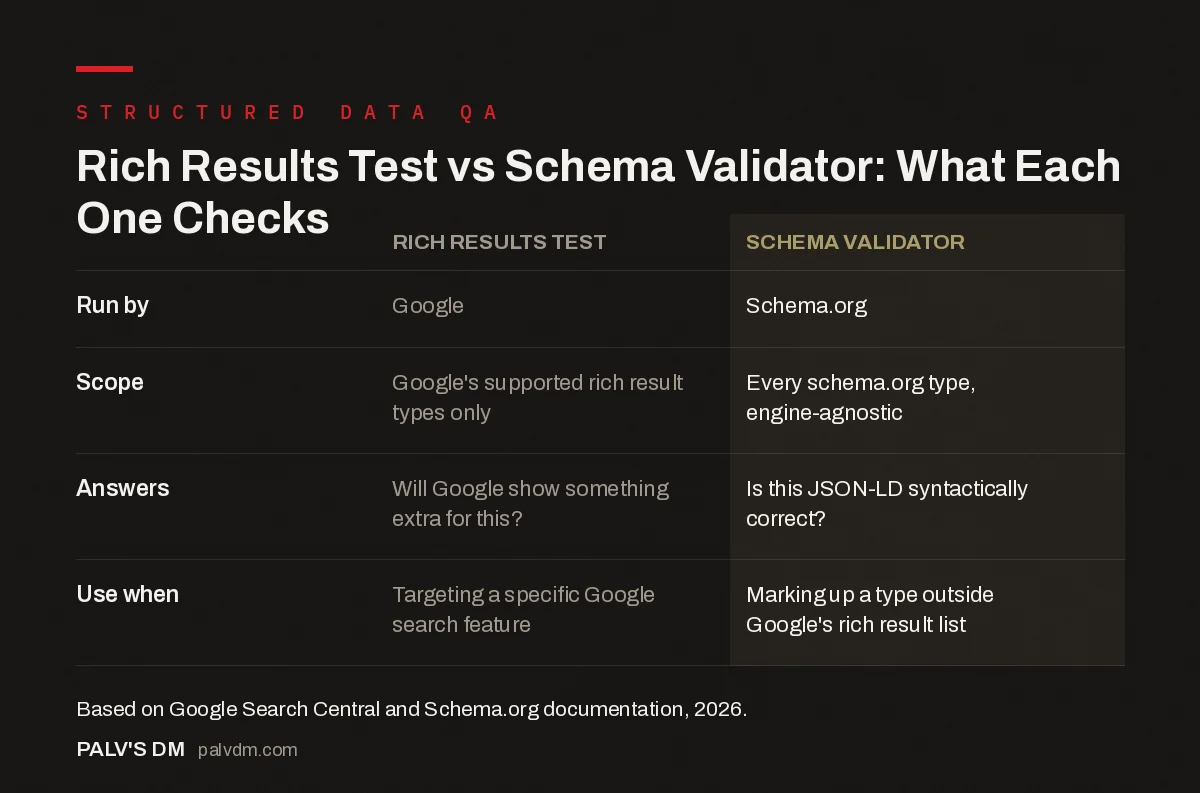
Rich Results Test vs Schema Validator: What Each One Actually Checks
| Rich Results Test | Schema Validator | |
|---|---|---|
| Scope | Google’s supported rich result types only | Every schema.org type, engine-agnostic |
| Answers | “Will Google show something extra for this?” | “Is this JSON-LD syntactically correct?” |
| Use when | Targeting a specific Google search feature | Marking up a type outside Google’s rich result list |
What’s the right order to check structured data in?
- Write and place your JSON-LD. Get the markup on the page before testing anything.
- Run the Rich Results Test first if you’re targeting a specific feature. It tells you directly what’s missing for FAQ, Article, breadcrumb or review eligibility.
- Run the Schema Markup Validator to confirm clean syntax. Especially useful for entity types (Organization, Person) where you want valid structure even without a Google feature attached.
- Deploy, then check Search Console’s structured data reports. Manual testing checks one URL at a time; Search Console shows what Google actually parsed across your live, crawled pages.
- Re-test after any template change. A theme update or plugin change can silently break JSON-LD output sitewide, and neither tool checks your site automatically without you running it again.
What replaced Google’s old Structured Data Testing Tool?
Google deprecated the original Structured Data Testing Tool (SDTT) in August 2020. Its general-purpose validation role didn’t just disappear, it moved: the Schema Markup Validator now hosted on schema.org effectively continues that job, while Google steered everyone toward the purpose-built Rich Results Test for anything specific to Google Search features. If you’re following an old blog post or tutorial that still references the Structured Data Testing Tool by name, treat it as outdated and use the two current tools instead.
Where does the URL Inspection tool in Search Console fit in?
It’s a third layer, and skipping it is one of the more common mistakes we see in schema QA workflows. The Rich Results Test and Schema Validator both test a URL you paste in manually, at the moment you test it. The URL Inspection tool inside Search Console shows you what Googlebot actually saw the last time it crawled that specific live page, which can differ from a fresh manual test in ways that matter: a caching layer serving stale HTML, a JavaScript-rendered schema block that didn’t execute during the crawl, or a CDN edge node returning different markup than your origin server. If a client asks “why does Search Console show a schema error I can’t reproduce,” this mismatch is almost always the answer.
Run all three in sequence when something looks off: Rich Results Test for eligibility, Schema Validator for syntax, URL Inspection for what Google actually crawled. Skipping the third one is how “it works when I test it” and “Search Console says it’s broken” end up both being true at the same time.
What’s a real example of these tools disagreeing?
A recurring one from client audits: a site adds Service schema to a set of service pages, confirms it validates cleanly in the Schema Validator, and then wonders why nothing changed in the SERP. Nothing was wrong. Google doesn’t currently build a dedicated rich result around generic Service markup outside specific verticals, so the Rich Results Test correctly reports no eligible feature, while the Validator correctly confirms the syntax is fine. The schema still has value for entity clarity and potential future features, just not an immediate visible SERP change today.
Does passing both tools guarantee a rich result will actually show?
No, and this trips people up constantly. Passing the Rich Results Test confirms eligibility, not guaranteed display. Google still applies its own discretion about when to actually render a rich result in the SERP, based on factors like overall page quality, competition for that query, and whether Google judges the feature useful for that specific search. We’ve had client pages pass the Rich Results Test cleanly and still not show FAQ rich results in the live SERP for weeks, because eligibility and display are two separate decisions on Google’s side.
Frequently asked questions
What is the difference between the Rich Results Test and the Schema Markup Validator?
The Rich Results Test, run by Google, checks whether your structured data qualifies for Google’s specific search features like FAQ rich results or review stars. The Schema Markup Validator, hosted on schema.org, checks whether your JSON-LD is syntactically valid according to the full schema.org vocabulary, regardless of whether Google uses that type at all.
What happened to Google’s old Structured Data Testing Tool?
Google deprecated the Structured Data Testing Tool in August 2020. Its general validation role was effectively absorbed by the Schema Markup Validator now hosted on schema.org, while Google directed everyone toward the Rich Results Test for anything specific to Google Search features.
Why does my markup pass the Schema Validator but fail the Rich Results Test?
Because the Schema Validator only checks that your JSON-LD is syntactically correct schema.org markup. It doesn’t know or care which properties Google’s specific rich result features require. Passing there confirms your syntax is clean, not that Google will show anything extra for it.
Which tool should I check first when debugging schema?
Start with the Rich Results Test if your goal is a specific Google search feature; it tells you directly whether you’re eligible and what’s missing. Use the Schema Markup Validator afterward, or first if you’re marking up a type Google doesn’t support, to confirm the underlying syntax is clean.
Do I still need to check Search Console after both tools pass?
Yes. Both testing tools evaluate a single URL you paste in manually. Search Console’s structured data reports show what Google actually saw when it crawled your live pages at scale, which can differ from a one-off manual test, especially on JavaScript-rendered pages.
Sources
- Rich Results Test, Google Search Console
- How structured data works, Google Search Central
- Schema Markup: A Practical Guide With Copy-Paste JSON-LD
- Common Schema Errors in Search Console and Their Fixes
- JSON-LD vs Microdata vs RDFa: Which to Use
- Does Schema Improve Rankings Directly?
Want this done on your site?
Every PalV’s DM engagement starts with a free audit of your actual website — a 12-point
crawl covering what is blocking indexation, on-page gaps against your primary keywords, speed
findings, and the three to five fixes worth making first. Delivered in two working days. No
payment details, and the findings are yours whether you hire us or not.