
Common Schema Errors in Search Console and How to Fix Them
The structured data errors that show up most in Search Console's Enhancements report, what causes each one, and how to fix and validate them.

Most structured data errors in Search Console come from a template problem, not a one-page mistake, and the fix is to correct the template, validate on a live URL, then request revalidation and wait. The report itself is easy to misread if you haven’t spent time in it: it separates errors from warnings, groups issues by schema type, and doesn’t always update the moment you fix something.
I check the Enhancements report on every technical audit, and the same handful of error types account for most of what shows up, across completely unrelated sites and industries. Here’s what they actually mean and how to clear them without guessing.
Where do you actually find these errors?
In Search Console, under Search Appearance in the left sidebar, you’ll see separate reports for each structured data type Google recognizes on your site: Products, FAQ, HowTo, Breadcrumbs, and others, each with its own error and warning count. There’s no single unified “schema errors” list. If you’re only checking the Coverage report, you’ll miss this entirely, Coverage tracks indexing, not structured data validity.
What’s the difference between an error and a warning?
This distinction changes how urgently you should act. An error means the structured data item fails a required property and is completely ineligible for that rich result. A warning means the item is eligible but missing a recommended (not required) field, so Google may show it with a reduced version of the rich result, or with certain optional elements missing.
Fix errors first, always. Warnings are worth cleaning up but rarely urgent. I’ve seen teams burn a week chasing every warning on a site while an actual error sat untouched, quietly keeping every product page ineligible for review stars.
What’s the actual workflow for fixing one?
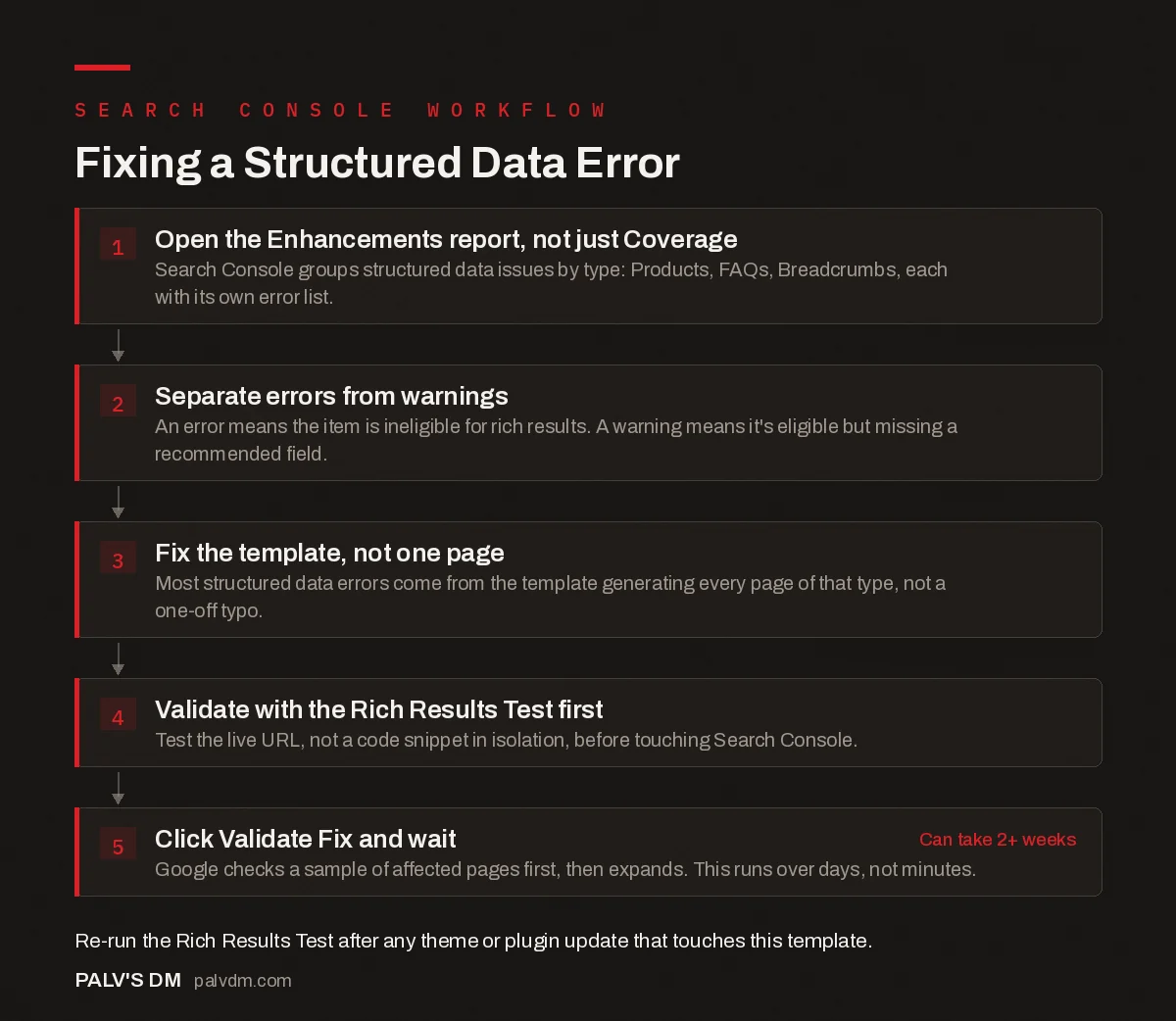
Fixing a Structured Data Error
- Open the Enhancements report, not just Coverage. Search Console groups structured data issues by type: Products, FAQs, Breadcrumbs, each with its own error list.
- Separate errors from warnings. An error means the item is ineligible for rich results. A warning means it’s eligible but missing a recommended field.
- Fix the template, not one page. Most structured data errors come from the template generating every page of that type, not a one-off typo.
- Validate with the Rich Results Test first. Test the live URL, not a code snippet in isolation, before touching Search Console.
- Click Validate Fix and wait. Google checks a sample of affected pages first, then expands. This runs over days, not minutes. Can take 2+ weeks
What causes the most common errors?
- Missing required properties. Product schema without a price or availability. Review schema without a rating. FAQPage schema where a question has no matching answer text. Google’s structured data guidelines list required fields per type; skipping one is the single most common cause of an outright error.
- Bad JSON-LD syntax. A misplaced comma, an unescaped apostrophe inside a string, or a missing closing brace invalidates the entire block, not just the field it’s in. One broken quote mark can take down schema for an entire template if it’s in a shared component.
- Content that doesn’t match what’s on the page. Marking up a rating, price, or FAQ that isn’t actually visible to a visitor violates Google’s structured data policy directly, separate from the technical syntax being valid.
- Values in the wrong format. A date that isn’t ISO 8601, a price without a currency code, or a URL that’s relative instead of absolute. These often pass a basic syntax check but fail the schema-specific validation.
The “missing field group” warning on Product schema is almost always a WooCommerce variable product where only the parent product has a price set and the variations don’t. Fixing the parent product’s price does nothing for that warning. You have to fix the price on each variation, or fix the plugin logic generating the schema loop, because Google is reading the variation-level data, not the parent summary.
How do you validate a fix before telling Google about it?
Run the live URL, not just a code snippet, through the Rich Results Test. Testing a snippet in isolation can pass even when the live page fails, because the live page might have a caching layer serving stale markup, a plugin conflict duplicating the schema block, or a CDN altering headers in a way that breaks parsing. Test the URL as Google will actually crawl it.
Once the live URL passes, go back to the specific error in Search Console and click “Validate Fix.” Don’t click it speculatively before confirming with the Rich Results Test first, each validation attempt takes days to run and a failed attempt resets the clock.
Why does the error count in Search Console lag behind your fix?
Because Search Console’s error counts are based on the last time Google crawled and processed each affected URL, not real-time. Google checks a small sample of your affected pages first when you click Validate Fix. If that sample passes, it expands validation to the rest, which for a large site can take one to two weeks. Don’t panic and re-fix something that’s already correct just because the dashboard hasn’t caught up yet. Check the actual live URL with the Rich Results Test as your source of truth, treat the Search Console count as a lagging indicator.
Does a schema error hurt rankings directly?
No, not as a ranking penalty. The consequence is narrower and more mechanical: the page becomes ineligible for the specific rich result that schema type controls. A Product page with broken schema won’t show star ratings in search results, but it isn’t demoted in the ranking itself for that reason. The indirect cost is real though, a listing without stars or price often gets a lower click-through rate than a competitor’s listing that does, and click-through is something Google does weigh over time. For the fuller picture on what schema does and doesn’t do for rankings, see our piece on whether schema improves rankings directly.
JSON-LD or Microdata: does the format matter for these errors?
It matters for how easy debugging is, if nothing else. JSON-LD sits in a single script block, separate from your HTML, so a syntax error is usually easy to isolate and fix in one place. Microdata is woven directly into the HTML as attributes on the elements themselves, so a broken microdata implementation often means hunting through template files rather than one clean JSON block. If you’re deciding which format to standardize on for a new build, our comparison of JSON-LD vs Microdata vs RDFa covers the tradeoffs beyond just error debugging.
How do you stop these errors from coming back?
Set a recurring check, not a one-time cleanup. Structured data errors tend to reappear after a theme update, a plugin update, or a content migration touches the template that generates the schema. A quarterly pass through the Enhancements report catches drift before it accumulates into dozens of affected URLs.
Two habits cut down on how often this happens in the first place. First, whenever a developer touches a template that includes schema output, re-run the Rich Results Test on a sample page from that template before deploying, not after. Second, if you’re using a plugin like Rank Math or Yoast to generate schema automatically, check the plugin’s changelog before updating on a production site; a schema-generation bug shipped in a plugin update affects every page using that template at once, which is a much bigger cleanup than a single hand-coded error.
Frequently asked questions
Why does Search Console show schema errors on pages that look fine?
Because the error is in the structured data markup, not the visible page. A page can look correct to a human visitor while the JSON-LD behind it has a missing property, a mismatched value, or invalid syntax that only a parser catches. The two are rendered and validated separately.
What’s the difference between an error and a warning in the Enhancements report?
An error means the item fails Google’s requirements and is ineligible for the rich result entirely. A warning means the item is still eligible but missing a recommended (not required) field, so it may display without some optional enhancements. Fix errors first, warnings are lower priority.
How long does it take Google to revalidate a fix?
After clicking Validate Fix, Google checks a small sample of affected URLs first, which can take a few days, then expands to the rest of the affected pages if the sample passes, which can take one to two weeks depending on site size and crawl frequency.
Can invalid schema get a page penalized?
Invalid or non-compliant schema doesn’t trigger a ranking penalty by itself. The consequence is narrower: the page simply becomes ineligible for the specific rich result that schema type would have earned. Deliberately deceptive markup, like schema describing content that isn’t actually on the page, is a separate manual action risk.
Should I use Rich Results Test or Schema Markup Validator to check my fixes?
Use the Rich Results Test for anything Google displays as a rich result (FAQ, HowTo, Product, Review). Use the Schema Markup Validator (schema.org’s own tool) for schema types Google doesn’t render as a rich result but that still matter for entity understanding, like Organization or Person.
Sources
- Fix structured data issues in Search Console, Google Search Central
- Structured data general guidelines, Google Search Central
- Schema Markup: A Practical Guide With Copy-Paste JSON-LD
- Does Schema Improve Rankings Directly?
- JSON-LD vs Microdata vs RDFa: Which to Use
- Rich Results Test vs Schema Validator: Different Jobs
Want this done on your site?
Every PalV’s DM engagement starts with a free audit of your actual website — a 12-point
crawl covering what is blocking indexation, on-page gaps against your primary keywords, speed
findings, and the three to five fixes worth making first. Delivered in two working days. No
payment details, and the findings are yours whether you hire us or not.


