
JSON-LD vs Microdata vs RDFa: Which One Should You Actually Use
JSON-LD, Microdata and RDFa compared for real implementation work: what Google recommends and when to keep legacy Microdata.

Use JSON-LD unless you have a specific technical reason not to. Google explicitly recommends it as the format it’s easiest for site owners to implement and maintain correctly, it lives in one script block instead of being scattered across your HTML, and it’s what almost every modern SEO plugin and code example defaults to. Microdata and RDFa still work and Google still reads them, they’re just harder to keep accurate as a site grows.
This question comes up on almost every technical audit that touches schema. Someone inherited a site with Microdata baked into the theme, or a developer defaults to RDFa out of habit, and the client wants to know if switching is worth the effort. Usually it is, but not urgently, and not for the reason most people assume. It’s rarely about rankings. It’s about how many hours a broken template costs you six months from now.
What actually separates these three formats?
All three are ways of describing the same schema.org vocabulary to a search engine; they differ in where that description lives, not in what it can say.
JSON-LD sits in a single <script type="application/ld+json"> block, usually in the page head, completely separate from the visible HTML. It describes the page’s entities in one self-contained chunk of structured data.
Microdata is written directly into your existing HTML tags using attributes like itemscope, itemtype, and itemprop. The markup is woven through the same elements a visitor sees rendered on the page.
RDFa works similarly to Microdata, attributes embedded in HTML, but comes from a different standards lineage (originally built for XHTML) and uses a different attribute vocabulary: vocab, typeof, property. It shows up most often in sites built around specific CMS templating systems that generate it automatically.
Which one should you actually use?
The practical comparison, side by side, on the things that actually affect a working implementation.
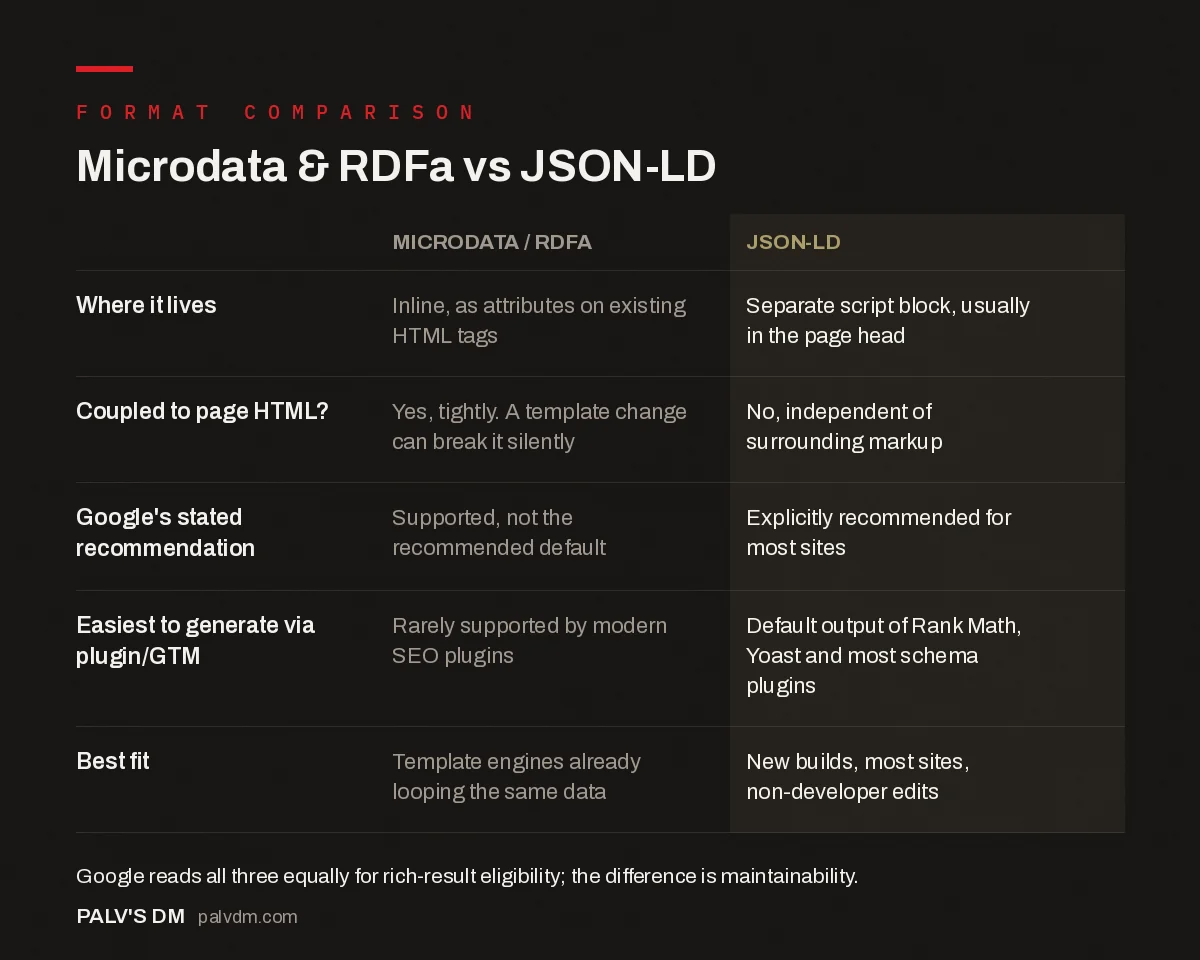
Microdata & RDFa vs JSON-LD
| Microdata / RDFa | JSON-LD | |
|---|---|---|
| Where it lives | Inline, as attributes on existing HTML tags | Separate script block, usually in the page head |
| Coupled to page HTML? | Yes, tightly. A template change can break it silently | No, independent of surrounding markup |
| Google’s stated recommendation | Supported, not the recommended default | Explicitly recommended for most sites |
| Easiest to generate via plugin/GTM | Rarely supported by modern SEO plugins | Default output of Rank Math, Yoast and most schema plugins |
| Best fit | Template engines already looping the same data | New builds, most sites, non-developer edits |
What does each one actually look like in code?
Seeing the three side by side makes the maintenance argument concrete. Here’s the same simple fact, a business named “PalV’s DM,” expressed in each format.
JSON-LD, self-contained in one block:
<script type="application/ld+json">
{ "@context": "https://schema.org", "@type": "Organization", "name": "PalV's DM" }
</script>
Microdata, woven into the visible markup:
<div itemscope itemtype="https://schema.org/Organization">
  <span itemprop="name">PalV's DM</span>
</div>
RDFa, similar placement with a different attribute set:
<div vocab="https://schema.org/" typeof="Organization">
  <span property="name">PalV's DM</span>
</div>
Notice what happens if a designer later decides that div should become a span, or gets wrapped in a new container for a redesign. The JSON-LD block doesn’t care; it’s not attached to that element at all. The Microdata and RDFa versions have to be manually preserved through that same change, by someone who remembers the attribute is there and matters.
Does the format choice matter for AI search visibility?
Less than the content of the markup does, but it’s not irrelevant. AI crawlers and answer engines parsing a page for citable facts generally favor the same clean, unambiguous structure Google’s own indexer does, a single well-formed JSON-LD block is easier for any automated system to extract reliably than picking scattered itemprop attributes out of nested HTML. If part of your strategy involves getting cited accurately in AI-generated answers, keeping your entity data in one clean, easily parsed block is the safer default, on top of every other reason to prefer JSON-LD.
Why does Google recommend JSON-LD specifically?
Google’s own documentation states the reasoning plainly: JSON-LD is easiest for site owners to implement and maintain at scale, in other words, less prone to user error. That’s the whole argument, and it holds up in practice. Because JSON-LD lives separately from the HTML, a redesign that changes your markup structure doesn’t automatically break your schema the way it can with Microdata, where the structured data is physically interleaved with the elements a designer might restructure without realizing they’re also touching SEO markup.
I’ve seen this exact failure mode more than once: a theme update reorganizes a product page’s HTML, and Microdata that was working perfectly the week before silently stops validating, because an itemprop attribute got dropped along with the element it was attached to. JSON-LD in a script block doesn’t have that dependency on the surrounding markup staying put.
When does Microdata or RDFa still make sense?
- Template engines that already loop through the same data. If your CMS renders a product grid by looping through product objects, annotating those same loop variables inline can be less work than building a parallel JSON-LD structure that has to stay in sync.
- Legacy systems where JSON-LD injection isn’t straightforward. Some older platforms make it easier to add attributes to existing templates than to inject a clean script block into the head.
- It’s already there and validating cleanly. Working Microdata that passes Google’s Rich Results Test isn’t broken. Migrating it isn’t wrong, but it isn’t urgent either.
None of these are reasons to choose Microdata or RDFa for a new build in 2026. They’re reasons not to panic about existing Microdata that’s functioning correctly.
Is one format easier to debug than the other?
Considerably. When a JSON-LD block fails validation, the error points you straight at a line in a self-contained JSON object, and you can copy that whole block into a validator on its own to isolate the problem in seconds. When Microdata fails, the “error” is usually a missing or misplaced attribute buried somewhere inside a full page of HTML, and finding it means reading through the rendered markup line by line, or worse, the compiled template that generated it. On the audits I’ve run where Product markup suddenly stopped validating, the missing itemprop has more than once been buried inside a nested carousel component, taking longer to locate than it did to actually fix once found. That kind of debugging time is the real cost of Microdata at scale, not anything to do with rankings.
This matters more as a site grows. A five-page site can get away with either format because someone can eyeball the whole thing. A three-hundred-page site with templated product or service pages can’t; a single template bug in Microdata silently breaks structured data across every page using that template, and nothing in the interface tells you until a rankings or rich-result audit catches it weeks later.
How do you migrate from Microdata to JSON-LD without breaking anything?
- Screenshot or export your current Rich Results Test output for the pages you’re migrating, so you have a baseline to compare against.
- Build the JSON-LD version alongside the existing Microdata, don’t delete the old markup yet.
- Validate the new JSON-LD independently against Google’s Rich Results Test and the Schema Markup Validator, checking for the same entities and properties the old markup covered.
- Remove the Microdata attributes only after the JSON-LD passes validation on its own, then re-test the page to confirm nothing duplicated or conflicted.
- Request re-indexing for the changed pages in Search Console rather than waiting for a natural recrawl, so you’re not guessing whether the change registered.
Frequently asked questions
Does Google rank JSON-LD pages higher than Microdata pages?
No. Google supports all three formats equally for eligibility for rich results, and there’s no ranking bonus tied to the markup format itself. JSON-LD’s advantage is practical: easier to implement correctly and maintain at scale, not a hidden ranking signal.
Should I migrate my existing Microdata to JSON-LD?
If it’s working and validating cleanly, there’s no urgency. Migrate when you’re already touching those templates for another reason, or if the Microdata is tightly coupled to HTML that changes often, since that’s where it quietly breaks without anyone noticing.
Can I mix JSON-LD and Microdata on the same page?
Technically yes, but avoid it deliberately. Running two formats describing overlapping entities on one page invites conflicting or duplicate data, and makes debugging a validation error much harder.
Why do some developers still prefer Microdata or RDFa?
Mainly in codebases where the markup is generated by a template engine that already loops through the same elements being marked up, so annotating inline avoids a second data structure to keep in sync. A valid trade-off in specific cases, not the default choice for most sites.
Which format is easiest to add without a developer?
JSON-LD, by a wide margin. Because it lives in a single script block instead of scattered HTML attributes, it can be generated by an SEO plugin, pasted in via Google Tag Manager, or hand-written and dropped into a page without touching the surrounding template.
Sources
- Intro to How Structured Data Markup Works, Google Search Central
- Getting Started With Schema.org Using Microdata, Schema.org
- Schema Markup: A Practical Guide With Copy-Paste JSON-LD
- Does Schema Improve Rankings Directly?
- Common Schema Errors in Search Console and Their Fixes
- Automating Schema Across Hundreds of Pages
Want this done on your site?
Every PalV’s DM engagement starts with a free audit of your actual website — a 12-point
crawl covering what is blocking indexation, on-page gaps against your primary keywords, speed
findings, and the three to five fixes worth making first. Delivered in two working days. No
payment details, and the findings are yours whether you hire us or not.


