Automating Schema Across Hundreds of Pages Without Hand-Coding Each One
How to generate valid JSON-LD schema across hundreds of templated pages using template-level mapping instead of manual per-page markup, and where automation breaks.

Automating schema across hundreds of pages means generating JSON-LD at the template level, from fields your CMS already stores, rather than hand-writing markup for each page. Do it once per template and every page built from that template inherits correct, current schema automatically. Do it per page and you’ve committed to hand-editing hundreds of files every time a detail changes.
The mistake we see most: a site has genuinely good schema on its five most important pages, hand-coded carefully, and nothing at all on the other 300 because nobody wants to repeat that work by hand. Template-level automation isn’t a nice-to-have at that scale. It’s the only approach that doesn’t collapse under its own maintenance cost within a year.
Why does per-page schema fall apart at scale?
Because it’s not actually a scaling problem, it’s a maintenance problem wearing a scaling problem’s clothes. Hand-written JSON-LD on individual pages works fine at ten pages. At a hundred, someone has to remember which pages have it, which are missing a field Google added requirements for last year, and which still reference a price or an author that changed six months ago. Nobody remembers that reliably, and nobody should have to. The fix is moving the logic into the template so the data stays correct by construction, not by someone’s memory.
What does template-level automation actually look like?
Six steps, roughly in order, and skipping the validation step is where most large-scale schema rollouts go wrong.
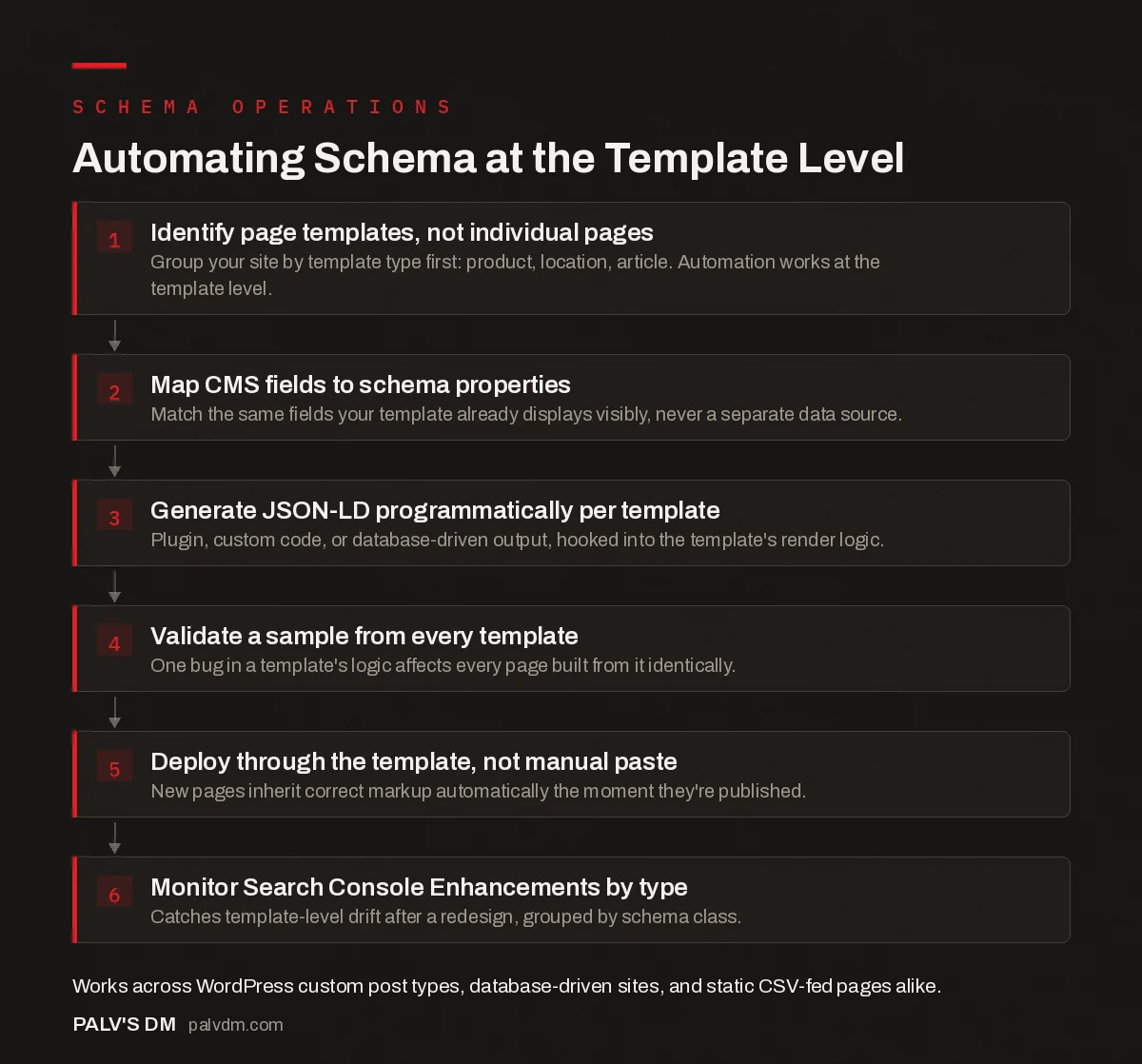
Automating Schema at the Template Level
- Identify page templates, not individual pages. Group your site by template type first: product, location, article. Automation works at the template level.
- Map CMS fields to schema properties. Match the same fields your template already displays visibly, never a separate data source.
- Generate JSON-LD programmatically per template. Plugin, custom code, or database-driven output, hooked into the template’s render logic.
- Validate a sample from every template. One bug in a template’s logic affects every page built from it identically.
- Deploy through the template, not manual paste. New pages inherit correct markup automatically the moment they’re published.
- Monitor Search Console Enhancements by type. Catches template-level drift after a redesign, grouped by schema class.
The step people skip is validating a sample from every template, not just the first page they think to check. A bug in a template’s schema logic doesn’t affect one page, it affects every page built from that template identically, which means it’s simultaneously easy to catch (check one page per template) and easy to miss entirely (check zero, assume it’s fine because the homepage looked right).
What are the actual methods for generating schema at scale?
| Method | Best for | Maintenance cost |
|---|---|---|
| CMS/plugin-generated (Rank Math, Schema Pro) | Standard page types on WordPress: articles, products, local business | Low, but limited to the plugin’s supported vocabulary |
| Template-level custom code | Custom post types or fields the plugin doesn’t cover | Low ongoing, moderate initial developer time |
| Database-driven dynamic generation | Large sites where page data lives in a structured database | Low, updates automatically when the underlying data changes |
| Bulk CSV upload | Static data with no CMS field access, e.g. 150 franchise locations | Medium, needs manual re-upload when data changes |
| Crawl-based extraction | Sites where you can’t access the CMS or database at all | Medium, needs a scheduled re-crawl to stay current |
Most WordPress sites we work on land on a mix: a plugin handling the common types (Article, Organization, BreadcrumbList) and template-level custom code for anything specific to the business, like a course catalogue or a multi-location LocalBusiness setup the plugin’s default fields don’t fully describe.
What breaks first when schema is automated?
- Silent template drift. A redesign changes the template’s HTML but nobody touches the schema logic, so it keeps generating markup that describes a page structure that no longer exists. It still validates as syntactically correct JSON-LD. It just stops accurately describing the page.
- Missing @id connections at scale. Automated generation across many page types often forgets to link entities together with matching @id values, so your Organization, Person and Article nodes render as disconnected islands instead of one graph. This matters more as page count grows, not less.
- Stale data outliving content changes. If schema pulls from a cached field or a separate data source instead of the live page content, a price update or an author change on the visible page can drift out of sync with what the markup says, which is exactly the kind of mismatch Google’s structured data policies flag.
- One broken template, hundreds of broken pages. The upside of template-level automation (fix once, apply everywhere) is also the downside. A bug ships to every page on that template simultaneously, which is why staging validation before a template goes live matters more here than almost anywhere else in a site’s build process.
What does this look like on an actual WordPress build?
Say you’re running a programmatic SEO site with a custom post type for, for example, city-specific service pages, and you’ve got 400 of them. The template already pulls city name, service name and a handful of local details into the page’s visible content. Automating schema here means writing one PHP function, hooked into the theme or a small custom plugin, that reads those same fields and outputs a Service or LocalBusiness JSON-LD block into the page head. Write it once against the template, and page 401 gets correct schema the moment it’s published, with zero additional work.
The detail that trips people up here specifically: don’t pull schema data from a separate source than what’s visibly rendered on the page. If your schema function queries a different field than the one your template displays, a future content edit to the visible field won’t touch the schema at all, and now the two silently disagree. Pull from the exact same source the visible template uses, every time, so there’s structurally no way for them to drift apart.
This is also where custom post types earn their keep generally, not just for schema. If you haven’t set one up yet for a repeating content type like this, our guide on custom post types for scalable content architecture covers when it’s worth the setup versus forcing everything into the standard post type.
How do you monitor schema health once it’s automated?
Check Search Console’s Enhancements reports by type on a schedule, not just after a redesign. Google groups structured data issues by schema class, so a spike in FAQPage or Product errors points you straight at which template broke, without manually reviewing pages one by one. Pair that with a periodic Screaming Frog crawl using custom extraction to pull the actual JSON-LD off a sample of pages per template, so you’re checking what’s really rendering, not just what Search Console has gotten around to recrawling. For the fixing side once an error surfaces, our guide on common schema errors in Search Console covers the specific fields Google flags most often.
One habit worth building into any automated rollout: validate the Rich Results Test against a live URL, not just the code snippet in isolation, before a template change goes live. The isolated snippet can validate perfectly and still fail once it’s actually embedded in the page’s real HTML structure.
Frequently asked questions
Do I need a developer to automate schema across hundreds of pages?
For true template-level automation, yes, at least once. Someone needs to map your CMS fields to schema properties in the page template. After that initial setup, new pages inherit correct markup automatically with no further developer time, which is the entire point.
Can a WordPress plugin handle schema at scale?
For common page types, yes. Plugins like Rank Math and Schema Pro map post types and custom fields to schema templates automatically. They cover the standard vocabulary well but may not reach niche schema properties, which is when template-level custom code becomes worth the investment.
How do I validate schema across hundreds of pages without checking each one manually?
Use a site crawler like Screaming Frog with custom extraction, or Google Search Console’s Enhancements reports, which group errors by schema type across the whole site rather than page by page. Validate a representative sample from each template, since a template-level bug affects every page built from it identically.
What happens to automated schema when I redesign a template?
It breaks silently unless someone checks it. A template redesign changes the HTML structure the schema generation logic depends on, and since JSON-LD renders correctly as code even when its data is wrong or missing, nothing visibly signals the failure until you audit Search Console.
Is bulk CSV upload a real alternative to template-level code?
Yes, for data that changes rarely and where you don’t have database access, like a franchise business with 150 locations. It trades ongoing developer dependency for manual re-upload whenever the data changes, which works fine for static data and poorly for anything updated often.
Sources
- Structured data general guidelines, Google Search Central
- How to Automate Schema Markup at Scale, Schema App
- Schema Markup: A Practical Guide With Copy-Paste JSON-LD
- Rich Results Test vs Schema Validator: Different Jobs
- Common Schema Errors in Search Console and Their Fixes
- Schema Nesting and @id: Connecting Your Entities Properly
Want this done on your site?
Every PalV’s DM engagement starts with a free audit of your actual website — a 12-point
crawl covering what is blocking indexation, on-page gaps against your primary keywords, speed
findings, and the three to five fixes worth making first. Delivered in two working days. No
payment details, and the findings are yours whether you hire us or not.