
hreflang Implementation Without the Common Errors
hreflang tells Google which language version of a page to show, but it's a hint, not a directive. The five rules that keep an hreflang implementation from being ignored.

hreflang is an annotation that tells Google which language or regional version of a page to serve a searcher, written as <link rel="alternate" hreflang="..." href="..."> in the page head, an HTTP header, or the XML sitemap. It works only when every page in the set links back to every other page in the set, including itself, using valid ISO language and region codes — break the return link on even one page and Google treats the whole annotation as unconfirmed and falls back to its own judgment about which version to show.
Most hreflang problems aren’t caused by getting the syntax wrong. They’re caused by one page in a ten-language set losing its return link after a content update, or a region code that looks right to a human and is invalid to a parser. Google Search Central is explicit that hreflang is a hint, not a directive, which means the failure mode isn’t an error message — it’s Google quietly serving the wrong regional URL and nobody noticing for months.
What does hreflang actually do?
hreflang tells Google which URL, out of a set of language or regional equivalents, to serve a given searcher based on their location and language settings. A retailer with US, UK, and Australian English pages selling the same product uses hreflang so a searcher in London sees the UK page — same currency, same shipping, same spelling — instead of the US version simply because it happens to rank slightly better. It’s purely a serving decision. hreflang doesn’t pass ranking authority between pages, doesn’t count as a canonical signal, and doesn’t consolidate duplicate content the way a canonical tag does.
That distinction matters because teams sometimes implement hreflang expecting it to solve duplicate content across regional sites. It won’t. Each regional page still needs to be sufficiently distinct, or properly canonicalised, on its own terms.
How do you implement hreflang correctly?
There are three valid placements, and larger sites often mix them by content type.
| Method | Best for | Trade-off |
|---|---|---|
HTML <link> tags in <head> | Standard web pages | Simple, but bloats page size on sites with many language variants |
| HTTP header | Non-HTML files (PDFs, downloads) | Only option for non-HTML content; harder to audit visually |
| XML sitemap | Large sites with many language pairs | Keeps page HTML clean; requires the sitemap to be kept in sync with content |
Whichever method is used, the annotation itself follows the same format: a language code from ISO 639-1, optionally combined with a region code from ISO 3166-1 Alpha-2, joined with a hyphen — en-GB, fr-CA, pt-BR. The special value x-default marks the fallback page shown when no other version matches the searcher’s settings.
What rules keep an hreflang implementation working?
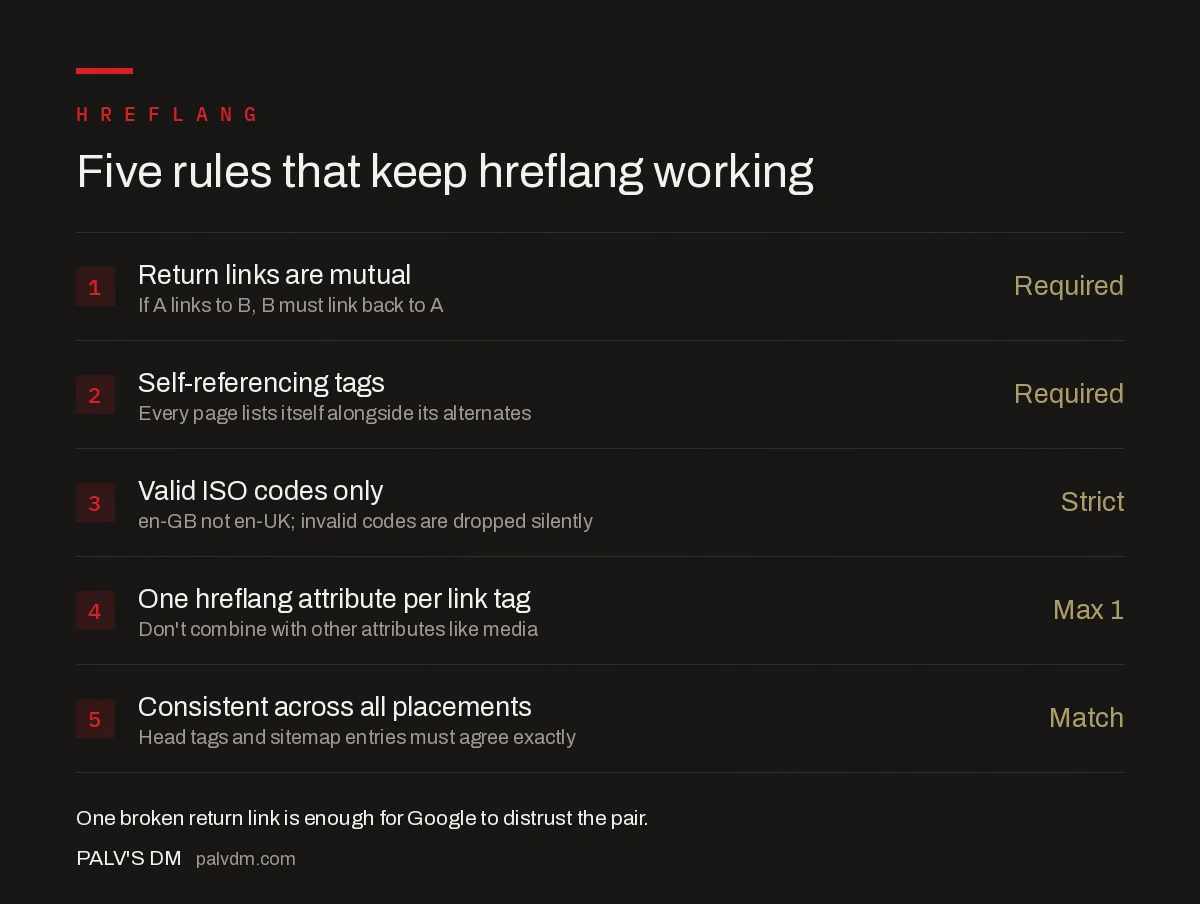
Five rules that keep hreflang working
- Return links are mutual — Required. If A links to B, B must link back to A.
- Self-referencing tags — Required. Every page lists itself alongside its alternates.
- Valid ISO codes only — Strict. en-GB not en-UK; invalid codes are dropped silently.
- One hreflang attribute per link tag — Max 1. Don’t combine with other attributes like media.
- Consistent across all placements — Match. Head tags and sitemap entries must agree exactly.
The return-link rule breaks most often in practice, usually invisibly. A content team publishes an update to the French page and the CMS regenerates its hreflang block, but a caching layer serves a stale version of the English page that still lists an old French URL. Nothing throws an error. Google just quietly stops trusting the pair.
What mistakes cause Google to ignore hreflang?
- Missing or broken return links. The single most common cause of hreflang failing silently — one broken link invalidates that specific pair, not necessarily the whole set, but it’s rarely isolated in practice.
- Invalid or malformed codes. Codes that don’t match ISO 639-1 or ISO 3166-1 Alpha-2 are ignored rather than flagged, so the page behaves as if hreflang wasn’t there at all.
- Pointing to non-canonical or redirecting URLs. Similar to canonical tags, an hreflang target that itself redirects or isn’t the canonical version creates a signal Google has to resolve rather than trust directly.
- Inconsistent implementation across page types. Product pages using sitemap-based hreflang while blog pages use head tags, with no cross-checking between the two, tends to drift out of sync over time.
- Treating hreflang as a substitute for good regional content. hreflang decides which URL to show — it does nothing to fix thin or duplicated regional content underneath it.
Several of these mistakes compound with other technical issues rather than existing in isolation. A site with unresolved HTTPS and mixed content problems often has hreflang pointing to HTTP versions of pages that no longer match the canonical HTTPS URL, which is exactly the kind of inconsistency that makes Google discount the whole annotation.
How do you audit hreflang at scale?
On a site with more than a handful of language pairs, manual checking isn’t realistic. A crawl configured to extract hreflang annotations — Screaming Frog has a dedicated hreflang tab — flags missing return links, invalid codes, and inconsistencies between HTML and sitemap sources in one pass. Cross-check the results against Search Console’s International Targeting report, which surfaces hreflang errors Google has actually detected during crawling, since a clean crawl and a clean Search Console report don’t always agree — caching and rendering differences can cause Google to see something different from what the crawler sees.
It’s also worth confirming hreflang implementation doesn’t interfere with other indexing signals nearby. Sites that serve different content by device sometimes run into mobile-first indexing issues where the mobile and desktop versions of a regional page disagree on their hreflang annotations, which is a variant of the same consistency problem across a different axis.
Frequently asked questions
What does hreflang actually do?
hreflang is an annotation that tells Google which language or regional version of a page to show a searcher based on their location and language settings. It doesn’t create rankings or pass authority between versions — it only affects which URL from a set of equivalent pages gets served in search results.
Why do return links matter so much in hreflang?
If page A links to page B with an hreflang annotation, page B must link back to page A. Google treats hreflang as a set of mutual confirmations, and a one-way link is an unconfirmed signal it will typically ignore rather than partially trust.
Does every page in an hreflang set need to link to itself?
Yes. Each page in a language or region set must include a self-referencing hreflang annotation alongside the annotations pointing to its alternates. Omitting the self-reference is one of the most common implementation mistakes and weakens the entire cluster’s signal.
What’s the difference between en-GB and en-UK in hreflang?
en-GB is correct; en-UK is not a valid ISO code and will be silently ignored by Google. hreflang uses ISO 639-1 language codes combined with ISO 3166-1 Alpha-2 region codes, and the United Kingdom’s correct region code is GB, not UK.
Should I use hreflang in the HTML head, HTTP header, or sitemap?
Any of the three works, and all three follow the same rules around return links and self-references. HTML head tags are most common for standard pages, HTTP headers suit non-HTML files like PDFs, and sitemap-based hreflang is often preferred on very large sites since it avoids inflating every page’s HTML.
Sources
- Tell Google about localized versions of your page — Google Search Central
- ISO 639 language codes — ISO
- Technical SEO: The Complete Working Guide
Want this done on your site?
Every PalV’s DM engagement starts with a free audit of your actual website — a 12-point
crawl covering what is blocking indexation, on-page gaps against your primary keywords, speed
findings, and the three to five fixes worth making first. Delivered in two working days. No
payment details, and the findings are yours whether you hire us or not.


