
Image and Video Sitemaps: Worth Building?
Image and video sitemaps help Google discover media a normal crawl might miss. When they earn their keep, when they're redundant, and how to build one that actually works.

Image and video sitemaps are worth building when your media isn’t fully discoverable through a normal crawl — images loaded via JavaScript, video hosted on your own domain rather than embedded, or large media libraries a standard crawl might skip. If your images sit in plain <img> tags on crawlable pages, a separate image sitemap adds little. Video is different: a video sitemap is close to mandatory if you’re serving self-hosted video and want it to show up in video search results at all.
The confusion usually comes from treating “sitemap” as one thing that either helps or doesn’t. XML sitemaps for pages, images, and video solve different discovery problems, and the value of each depends entirely on how your specific media is served, not on a blanket best practice.
What do image and video sitemaps actually do?
Both are extensions of the standard XML sitemap format. An image sitemap adds <image:image> tags inside a page’s <url> entry, listing every notable image on that page along with an optional caption, title, and licence URL. A video sitemap adds a <video:video> block with required fields — thumbnail, title, description — and strongly recommended ones like duration, upload date, and the video’s own content URL.
Neither sitemap type replaces normal indexing. Google still needs to render and understand the page the media lives on. What the sitemap does is flag media Google’s regular crawl might not otherwise associate with that page, and for video, it supplies structured metadata Google would otherwise have to guess from surrounding text.
When does an image sitemap actually help?
Most sites don’t need one. Google’s crawler renders JavaScript and discovers images referenced in standard HTML without extra help, and has said so directly in its own documentation on image sitemaps. The cases where an image sitemap earns its maintenance cost are narrower and more specific:
- Images injected purely through JavaScript, especially lazy-loaded galleries where the image URL only appears after a script runs, with no fallback in the raw HTML.
- Image CDNs on a different domain or subdomain that Googlebot might crawl less thoroughly than your primary domain.
- Large product catalogues where product images matter for Google Images traffic and you want to guarantee coverage rather than rely on crawl priority.
- Images with licensing information you want indexed via the optional
<image:license>tag, relevant for stock photography and syndicated content sites.
Outside those cases, an image sitemap is maintenance overhead for marginal gain. If your images already appear in Google Images search without one, adding a sitemap is unlikely to move the needle.
When is a video sitemap worth building?
Video is the case where the sitemap earns its place far more often. Video content is harder for Google to parse from the page alone: duration, whether autoplay is on, and the actual playable file URL aren’t things Google can reliably infer from HTML the way it can with an <img> tag’s src attribute.
| Situation | Video sitemap needed? | Why |
|---|---|---|
| Self-hosted video, own domain | Strongly recommended | Google has no other reliable source for duration, thumbnail, and content URL |
| YouTube embed | Not necessary | YouTube already provides this metadata to Google directly |
| Video behind a login or paywall | Not useful | Google can’t crawl or index content it can’t access regardless of the sitemap |
| Large video library, new content added weekly | Recommended | Speeds discovery of new uploads beyond normal crawl frequency |
Google also accepts an mRSS feed as an alternative to a formal video sitemap, which matters if your CMS already generates one for podcast or video syndication. Either format works; you don’t need both.
What does a video sitemap entry actually look like?
A minimal, valid video sitemap entry needs a content location or player location URL, a thumbnail image, a title, and a description. Beyond those four required fields, Google reads a longer list of optional tags that materially affect how the video gets treated: duration in seconds, publication_date, family_friendly, tag for topic keywords, and view_count if you want to surface popularity signals. None of the optional fields are mandatory, but leaving them out means Google has to infer that information from the page itself, and inference is less reliable than a declared value.
One detail trips up more implementations than it should: the content_loc tag must point to the actual playable video file (an .mp4 or similar), not the HTML page the video is embedded on. Pointing it at the page URL by mistake is a common copy-paste error when a sitemap is generated from a template built for standard page sitemaps, and it silently breaks the entry rather than throwing a visible error.
How do you build one correctly?
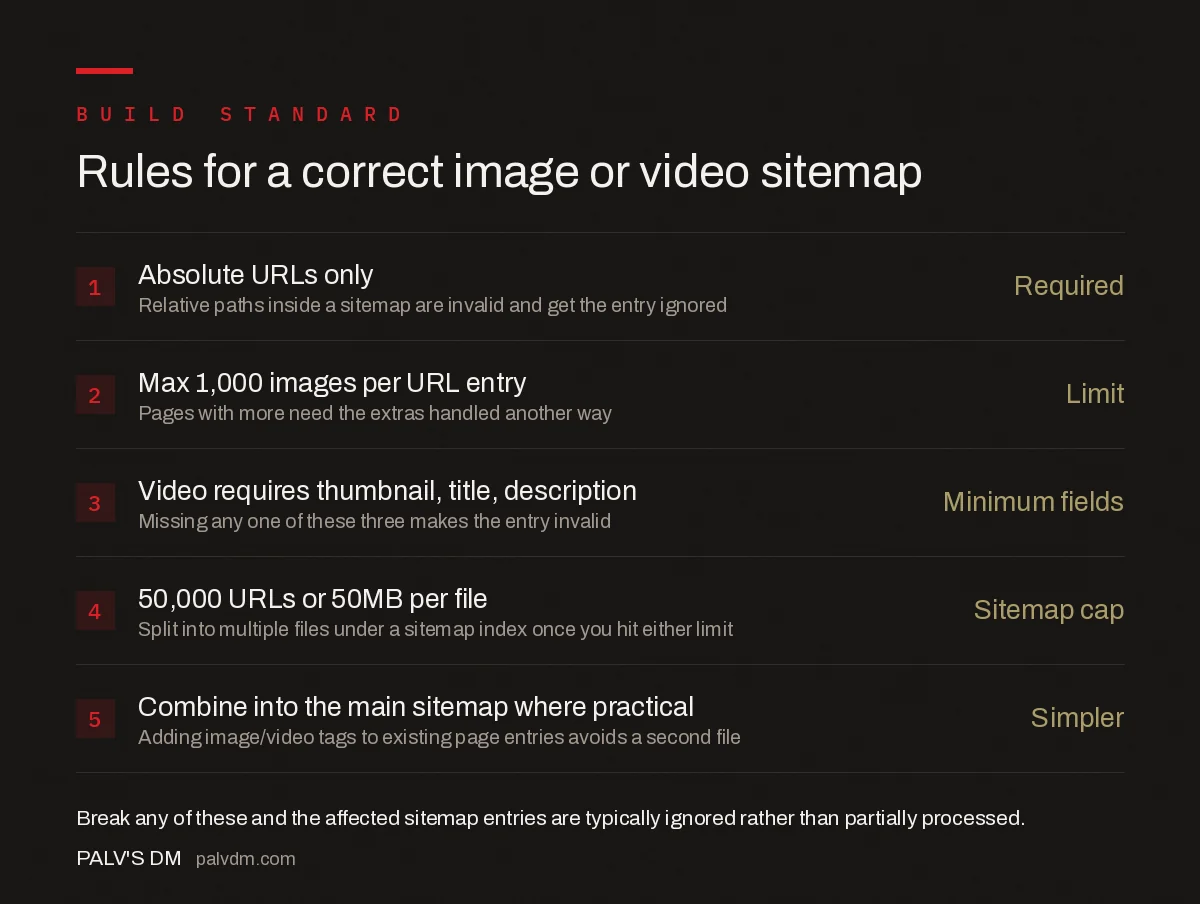
Rules for a correct image or video sitemap
- Absolute URLs only — Required. Relative paths inside a sitemap are invalid and get the entry ignored.
- Max 1,000 images per URL entry — Limit. Pages with more images than that need the extras handled another way, usually a dedicated gallery sitemap.
- Video requires thumbnail, title, description — Minimum fields. Missing any one of these three makes the entry invalid.
- 50,000 URLs or 50MB per file — Sitemap cap. Split into multiple files under a sitemap index once you hit either limit.
- Combine into the main sitemap where practical — Simpler. Adding image/video tags to existing page entries avoids maintaining a second file.
The most common implementation mistake is generating the sitemap once and never updating it. Because image and video sitemaps typically list content Google might otherwise struggle to find, a stale sitemap missing your last three months of uploads defeats the purpose entirely. Automate generation from your CMS rather than exporting it by hand.
Submission alone doesn’t confirm anything is working. Once a sitemap is live at a known URL, submit it through Google Search Central’s Sitemaps report and check back after a few days: the report shows how many URLs were discovered versus submitted, and a large gap between those two numbers usually points to a formatting error rather than a crawling problem. For video specifically, the URL Inspection tool will show whether Google recognises the page as containing a valid VideoObject, which is a faster way to catch a broken content_loc value than waiting for the sitemap report to flag it.
How does this fit into your broader indexing strategy?
Sitemaps of any kind are a hint, not a guarantee of indexing, and they work best alongside clean crawl signals elsewhere on the site. If your sitemap lists a canonical URL that conflicts with your on-page tags, Google resolves the disagreement in ways that can undermine the sitemap entirely — the same failure mode covered in conflicting signals: when canonical and sitemap disagree. It’s also worth checking that your robots.txt file isn’t accidentally blocking the image CDN or video subdomain you’re trying to get indexed through the sitemap; a blocked path makes the sitemap entry pointless no matter how correctly it’s formatted.
It’s also worth distinguishing sitemap directives from indexing directives. A sitemap tells Google a URL or asset exists; it doesn’t override a noindex directive sitting on the same page. If a page is noindexed, listing its images in a sitemap won’t get them indexed either — Google respects the stronger, more specific signal.
Frequently asked questions
Do I need a separate image sitemap for every site?
No. If your images are in standard <img> tags with a normal crawlable path, Google finds them during a regular crawl without a sitemap. An image sitemap earns its cost mainly when images load via JavaScript, sit behind a CDN Googlebot doesn’t otherwise reach, or aren’t referenced anywhere in your HTML.
Is a video sitemap required for video SEO?
Not strictly required, but it’s the most reliable way to get video-specific metadata like duration, thumbnail, and upload date in front of Google, especially for video hosted directly on your own domain rather than embedded from YouTube or Vimeo. Without it, Google has to infer that metadata from the page, which it does inconsistently.
Can I add image and video tags to my existing sitemap?
Yes. Google explicitly supports adding <image:image> and <video:video> tags inside your existing page-level sitemap entries instead of creating separate sitemap files. Either approach works equally well; a combined sitemap is usually simpler to maintain for small to mid-sized sites.
Does a video sitemap help video content rank in Google Images or a video carousel?
It helps Google discover and understand the video, which is a prerequisite for those placements, but it doesn’t guarantee them. Eligibility for video-rich results and carousels also depends on structured data (VideoObject schema), a fast-loading page, and a thumbnail that meets Google’s size and quality requirements.
How many images or videos can go in one sitemap file?
Up to 1,000 images per URL entry, and a sitemap file itself is capped at 50,000 URLs or 50MB uncompressed, whichever comes first. Sites with more media than that need multiple sitemap files listed in a sitemap index, the same pattern used for large standard XML sitemaps.
Sources
- Image Sitemaps — Google Search Central
- Video Sitemaps and Examples — Google Search Central
- Technical SEO: The Complete Working Guide
- Conflicting Signals: When Canonical and Sitemap Disagree
- How to Read a robots.txt File Line by Line
- noindex, nofollow, and Robots Directives Compared
Want this done on your site?
Every PalV’s DM engagement starts with a free audit of your actual website — a 12-point
crawl covering what is blocking indexation, on-page gaps against your primary keywords, speed
findings, and the three to five fixes worth making first. Delivered in two working days. No
payment details, and the findings are yours whether you hire us or not.


