
Index Bloat: How to Find and Remove Junk Pages
Index bloat is when Google indexes far more of your URLs than you want ranked. Here's how to find the junk pages and remove them with the right method per pattern.

Index bloat is when Google has indexed far more of your site’s URLs than you actually want competing for rankings — filtered product views, tag archives, paginated duplicates, internal search results pages, and other auto-generated variants that add no unique value. Fix it by pulling the real gap between your intended page count and Google’s indexed count from Search Console, sorting the junk into a small number of URL patterns, and applying the right removal method — noindex, redirect, or delete — per pattern rather than page by page.
The pattern matters more than the individual URL. A site with 40,000 indexed pages when only 4,000 are meant to rank almost never has 36,000 distinct problems. It usually has four or five template types generating thousands of near-identical URLs each: faceted filters, session parameters, thin tag pages, or an internal search feature that got crawled.
What counts as index bloat?
Index bloat is any indexed URL that isn’t part of the deliberate set of pages a site wants ranking in Google. It’s a relative measure, not an absolute one — a 200-page brochure site and a 200,000-SKU ecommerce catalogue both can have index bloat, just at different scales. The common culprits:
- Faceted navigation URLs — every combination of filter, sort, and size on a category page generating its own indexable address.
- Tag and archive pages — WordPress and similar CMSs create a tag or category archive automatically, often with no unique content beyond a list of excerpts already visible elsewhere.
- Parameter and tracking URLs — `?utm_source=`, `?sessionid=`, or `?sort=price` variants of a page that already has a clean canonical version.
- Paginated duplicates without a clear canonical strategy — page 2, 3, 4 of a listing indexed as if each were a standalone destination.
- Internal search results pages — a site’s own search feature generating a crawlable, indexable URL for every query someone has ever typed.
- Thin auto-generated location or date pages — programmatic pages built from a template with little more than a swapped city name or date.
How do you find index bloat on your own site?
Three sources triangulate the problem faster than any one alone:
Start with Search Console’s Page Indexing report
The “Indexed” count in Search Console’s Page Indexing report is the actual number Google is holding for your property. Compare it against your real page count — pull that from your CMS or your XML sitemap’s URL count, assuming the sitemap is already clean. A ratio much above 1.5x to 2x indexed-to-intended is worth investigating.
Run a full crawl and group by template
A crawler like Screaming Frog, configured to respect indexability signals, surfaces every indexed URL grouped by directory or URL pattern. Sort by count per pattern rather than reading URLs individually — the goal is finding which five or six templates account for 80% of the excess, not auditing every single page.
Sample with a site: search
A `site:yourdomain.com` search, skimmed a few pages deep, catches what a crawler sometimes misses: pages Google indexed from external links even though internal crawling never reached them, or old URLs still live from a previous site structure.
What are the five steps to remove junk pages?
Once the junk is grouped into patterns, work through this sequence. Skipping the audit step and jumping straight to bulk noindex tags is the most common mistake — it treats symptoms of five different problems with one blunt fix.
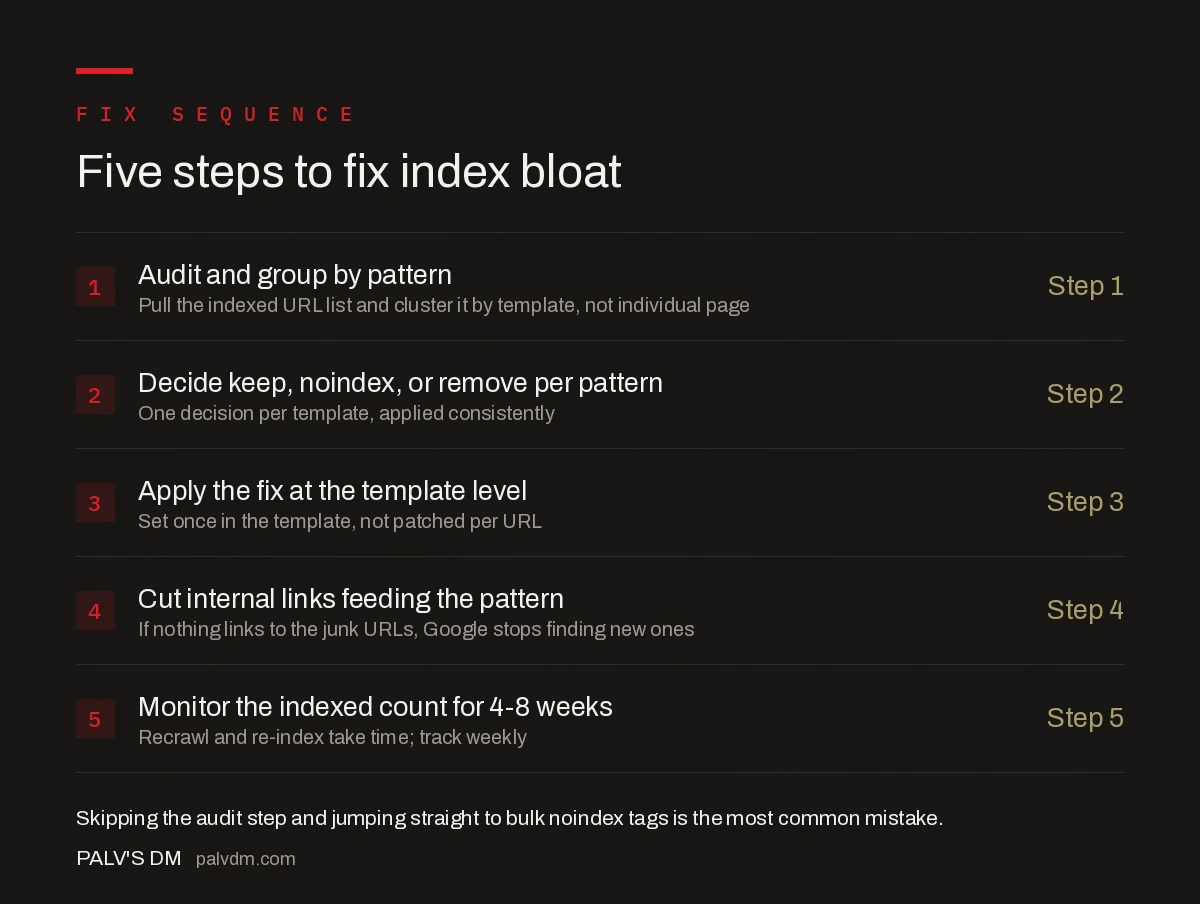
Five steps to fix index bloat
- Audit and group by pattern — Step 1. Pull the indexed URL list and cluster it by template, not by individual page.
- Decide keep, noindex, or remove per pattern — Step 2. One decision per template, applied consistently across every URL that matches it.
- Apply the fix at the template level — Step 3. A noindex tag, canonical, or redirect rule set once in the template, not patched per URL.
- Cut internal links feeding the pattern — Step 4. If nothing on the site links to the junk URLs, Google stops finding new ones to add.
- Monitor the indexed count for 4-8 weeks — Step 5. Recrawl and re-index take time; track the Page Indexing report weekly rather than checking once and assuming it’s done.
Which removal method fits which type of junk page?
Noindex, redirect, and outright deletion solve different problems, and picking the wrong one either wastes effort or creates new issues.
| Page type | Best method | Why |
|---|---|---|
| Faceted filter combinations | Noindex + robots.txt on low-value facets | Keeps the page usable for visitors while stopping it from competing for rankings |
| Tracking/session parameter URLs | Canonical tag to the clean URL | Consolidates ranking signals onto the version you actually want indexed |
| Old products or posts no longer offered | 301 redirect to the closest live equivalent, or 410 if none exists | Passes any accumulated signal forward, or tells Google cleanly it’s gone for good |
| Internal search result pages | Block via robots.txt and remove internal links to them | These should never have been crawlable in the first place |
| Thin tag/archive pages with real traffic | Add genuine unique content, or noindex if traffic is negligible | Some tag pages earn real long-tail traffic; check Search Console data before removing |
How do you stop index bloat from coming back?
Fixing an existing bloat problem without changing what generated it just means doing the audit again in six months. Three changes at the template and process level prevent recurrence:
- Default new URL-generating features to noindex. A new filter, sort option, or internal tool should not be indexable by default — make indexability an explicit decision, not an accident of the CMS.
- Keep the XML sitemap canonical-only. Every URL listed in the sitemap should be the version you want indexed, returning 200, not a redirect or a parameterised duplicate.
- Review Search Console’s indexed count quarterly. A steady climb in indexed pages that outpaces new content published is an early warning, catchable before it becomes a full audit again.
Google’s own guidance on crawl budget makes the trade-off explicit: crawling is a shared, finite resource, and sites that waste it on low-value URLs see slower discovery of the pages that actually matter. Index bloat is the visible symptom of that waste — fixing it is less about the count going down and more about redirecting Google’s attention to the pages built to rank.
Frequently asked questions
What is index bloat?
Index bloat is when Google’s index holds a large number of a site’s URLs that offer no search value — filtered listings, tag archives, internal search results, or thin auto-generated pages. It dilutes crawl attention and can drag down how the site’s genuinely useful pages are assessed.
How do I check if my site has index bloat?
Compare the number of pages you intend to rank against the number Google reports as indexed in Search Console’s Page Indexing report, or run a site: search and skim the results. A gap of several times your real page count, especially filled with parameter URLs or tag pages, is index bloat.
Does index bloat hurt rankings directly?
There’s no direct penalty for having extra indexed pages. The damage is indirect: crawl budget spent on junk URLs is crawl budget not spent on pages that matter, and a domain with a high ratio of low-value pages can affect how Google’s helpful content systems assess the site overall.
Should I use noindex or delete the page to fix index bloat?
Noindex the page if it needs to stay live for users — a filtered product view, for example. Delete and return a 404 or 410, or redirect, if the page genuinely shouldn’t exist anymore. Noindexing something that should be deleted just leaves clutter Google keeps re-crawling.
How long does it take Google to drop a noindexed page from the index?
Typically a few days to a few weeks, depending on how often Google recrawls the URL. Pages with more internal links or sitemap presence get recrawled faster. Requesting indexing on the changed URL in Search Console can speed up the first recrawl but doesn’t guarantee an immediate drop.
Sources
- Large Site Owner’s Guide to Managing Crawl Budget — Google Search Central
- Technical SEO: The Complete Working Guide
- How to Speed Up Google Indexing of New Pages
- Conflicting Signals: When Canonical and Sitemap Disagree
- Crawled, Currently Not Indexed: What It Means and How to Fix It
Want this done on your site?
Every PalV’s DM engagement starts with a free audit of your actual website — a 12-point
crawl covering what is blocking indexation, on-page gaps against your primary keywords, speed
findings, and the three to five fixes worth making first. Delivered in two working days. No
payment details, and the findings are yours whether you hire us or not.


