
Infinite Scroll and Load-More: Making Them Crawlable
Infinite scroll and load-more buttons hide content from Googlebot unless paired with crawlable, paginated URLs. Here is the exact implementation that keeps both indexed.

Infinite scroll and “load more” buttons only hurt SEO when the content behind them has no crawlable URL — Googlebot does not scroll, and it does not click buttons, so anything that appears purely from a scroll event or a JavaScript click stays invisible to it. The fix isn’t ripping out the scroll experience; it’s running a paginated series of component URLs underneath it, with the address bar updated via pushState as the user scrolls, so users keep the seamless feed and Google gets discrete, indexable pages.
Most sites that lose rankings to infinite scroll didn’t choose it for SEO reasons — they chose it for engagement, and the crawlability problem showed up later as a slow bleed of pages quietly falling out of the index. The pattern below is what Google’s own developer documentation recommends, and it’s the same pattern e-commerce catalogues and news feeds use to keep both the UX and the crawl intact.
Why does infinite scroll break crawling in the first place?
Google’s crawler discovers new pages by following <a href="..."> elements in the rendered HTML. A load-more button wired to a JavaScript click handler with no underlying href, or a scroll listener that fetches a new batch of items via XHR and appends them to the DOM, gives Googlebot nothing to follow. The content exists in the browser once a human scrolls, but it never existed as a link Googlebot could discover on its own crawl pass.
The practical result: the first chunk of items — the first 20 or 30 products, the first page of articles — gets indexed normally, because it’s present in the initial HTML response. Everything past that chunk is only reachable by simulating human scroll behaviour, which Googlebot’s rendering step doesn’t do. Sites often don’t notice until a Search Console coverage report shows thousands of product URLs as “Discovered — currently not indexed,” or until organic traffic to older catalogue pages quietly drops to zero.
How do you make infinite scroll crawlable?
Google’s infinite-scroll guidance comes down to one core requirement: produce a paginated series of component pages alongside the scroll experience, and keep both perfectly in sync.
- Give every chunk its own persistent URL. Use absolute page numbers —
/products?page=2or/products/page/2/— never a fragment identifier like#page=2, which Googlebot ignores entirely. - Make the content identical on direct load and on scroll-triggered load. If a user opens
/products/page/2/directly, it must render the same 20 items that appeared when they scrolled to that point organically. - Wire up
history.pushState()andreplaceState(). As the user scrolls past a chunk boundary, update the visible URL in the address bar to match. This keeps the URL a user might copy and share consistent with what they’re looking at. - Chunk the content so it’s reachable with JavaScript disabled. The component page needs to work as a server-rendered fallback, not solely as a client-side state that only exists after a script runs.
- Link the component pages to each other. A plain
<a>link from page 2 to page 3 (and back) gives Googlebot a crawl path independent of the scroll behaviour.
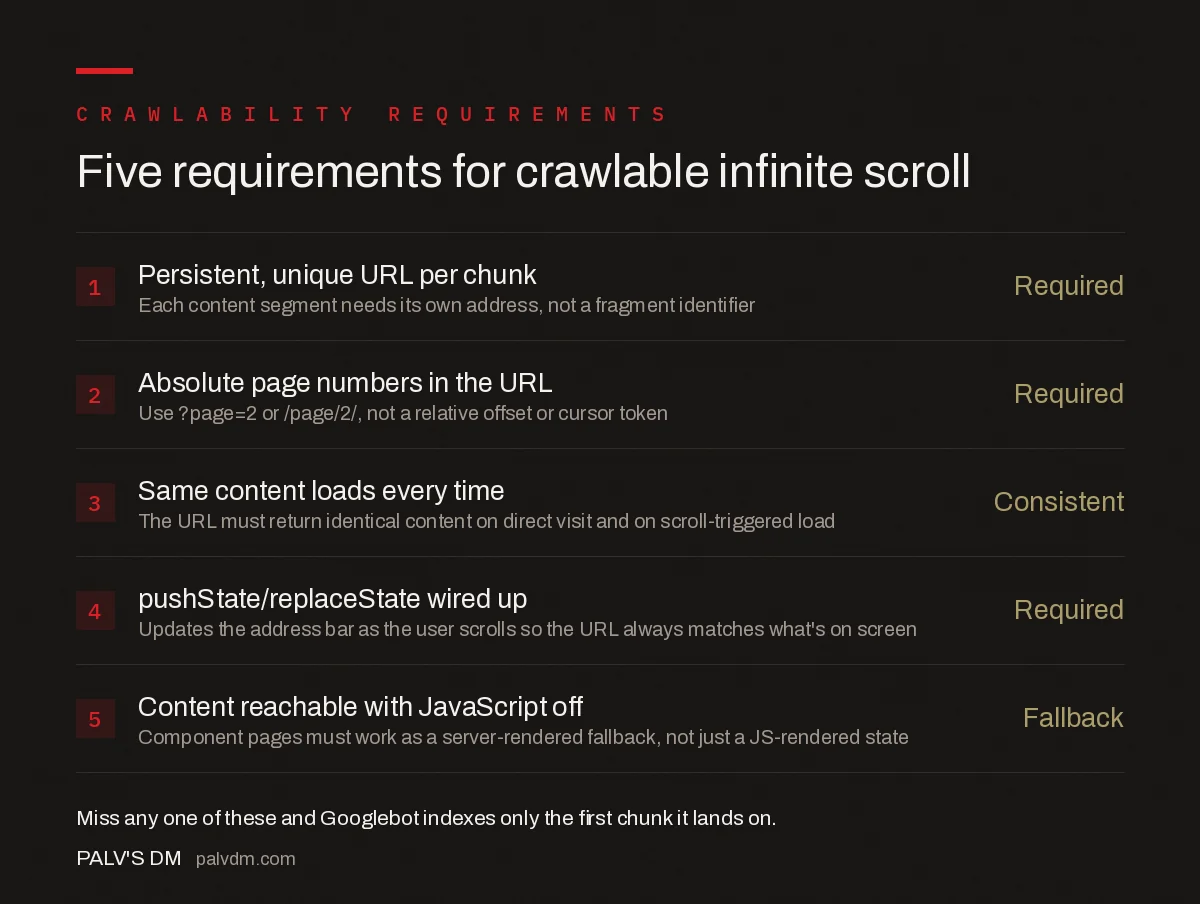
Five requirements for crawlable infinite scroll
- Persistent, unique URL per chunk — Required. Each content segment needs its own address, not a fragment identifier.
- Absolute page numbers in the URL — Required. Use ?page=2 or /page/2/, not a relative offset or cursor token.
- Same content loads every time — Consistent. The URL must return identical content on a direct visit and on a scroll-triggered load.
- pushState/replaceState wired up — Required. Updates the address bar as the user scrolls so the visible URL always matches what’s on screen.
- Content reachable with JavaScript off — Fallback. Component pages must work as a server-rendered fallback, not only as a JS-rendered state.
What does a correct component-page implementation look like?
There are three ways teams typically retrofit this onto an existing infinite-scroll page, and they aren’t equally reliable.
| Approach | How it works | Crawl reliability |
|---|---|---|
| Server-rendered pagination + scroll enhancement | Server returns full HTML for /page/2/, /page/3/; JS intercepts scroll to fetch and append the same data client-side | High — content exists independent of JS |
| Client-side rendering with pushState only | Data fetched via API on scroll; URL updated in address bar but initial HTML for /page/2/ isn’t pre-rendered | Medium — depends on Googlebot’s rendering queue completing successfully |
| Pure infinite scroll, no component URLs | Scroll listener appends items; no URL ever changes | Low — only the first chunk in the initial HTML gets indexed |
The first row is the pattern Google’s documentation describes and the one that survives rendering-budget issues, because the content doesn’t depend on Googlebot successfully executing and waiting on your JavaScript. If your stack can’t do full server-side rendering for every page, pre-rendering just the component pages (via a headless renderer or a static export) gets you most of the reliability without a full framework rewrite.
Load-more buttons vs infinite scroll vs classic pagination: which is best for SEO?
| Pattern | Crawlability | UX | Best fit |
|---|---|---|---|
| Classic numbered pagination | Highest — every page is a plain link | Requires clicks, feels dated on mobile | Blogs, documentation, search-driven catalogues |
| Load-more button + real href | High, if the button is an anchor tag pointing to the next component URL | One click per batch, no jarring reload | Product listings, image galleries |
| Infinite scroll + pushState pagination | High, but only with the full implementation above | Seamless, best for browsing behaviour | Feeds where dwell time and scroll depth matter |
| Pure infinite scroll, no URLs | Low — only the first chunk is indexable | Seamless | Social feeds where SEO isn’t the traffic source |
The middle two rows are where most commercial sites should land. A numbered-pagination-only site sacrifices the browsing UX that made infinite scroll appealing in the first place; pure infinite scroll with no URLs sacrifices organic visibility for everything past the first screen.
What mistakes commonly break infinite scroll SEO anyway?
- Fragment identifiers instead of real query parameters or paths.
#page=2is invisible to a crawler; it needs to be?page=2or a path segment. - Content drift between the scroll-loaded version and the direct-load version. If sorting or filters apply differently on direct load, Google indexes a different result set than what users scrolled through.
- No fallback link between component pages. Relying solely on the scroll event to reach page 3 means Googlebot, which doesn’t scroll, never reaches it without an href.
- Rendering-dependent content with no server-side fallback. If page 2’s content only exists after a client-side fetch completes, it depends on Googlebot’s two-pass rendering succeeding, which isn’t guaranteed on a slow or resource-heavy page.
- Canonicalising every component page back to page 1. This is a leftover habit from old pagination advice and tells Google to ignore pages 2 through N entirely — each component page should self-canonicalise.
When is infinite scroll fine to use without pagination?
The one case where pure infinite scroll is the right call is when the product genuinely is the feed — a social timeline, a live chat log, a short-form video feed — and organic search isn’t the primary discovery channel. If users arrive through the app, a share link, or a notification rather than a search query, and individual items are short-form and disposable rather than something someone would search for by name, the crawlability trade-off doesn’t cost much. A blog, a product catalogue, or a directory listing doesn’t fit that description, and treating it like a social feed is where most of the traffic loss happens.
How do you audit whether Google has indexed your infinite scroll pages?
Search site:yourdomain.com combined with a distinctive phrase from an item you know sits several scrolls deep. If it doesn’t surface, pull the specific component URL through URL Inspection in Search Console to see whether it was crawled, and if so, what HTML Google actually received — this catches cases where the server-rendered fallback silently broke. Cross-reference against the XML sitemap: every component URL that’s meant to be indexable should be listed there, since a sitemap entry is often the fastest way to get Googlebot to a deep page independent of the scroll or link path.
Frequently asked questions
Does infinite scroll hurt SEO?
Only when the content it loads has no crawlable URL behind it. Googlebot does not scroll or click load-more buttons, so any item that only appears after a scroll event stays invisible unless it also lives on a discrete, linkable page.
Can Googlebot scroll down a page?
No. Googlebot renders JavaScript but does not simulate user scroll or click events to trigger lazy-loaded content. It discovers new content through crawlable href links, so anything gated behind a scroll listener needs a separate, linked URL to be found.
What is the difference between infinite scroll and load-more for SEO?
Functionally similar: both hide additional content behind a JavaScript event rather than a link. Load-more is easier to fix because the button can be swapped for or paired with a real anchor tag pointing at a paginated URL, which is harder to retrofit onto a pure scroll listener.
Do I need to remove infinite scroll entirely to fix SEO?
No. Keep the scroll experience for users and add a parallel paginated URL structure underneath it, with pushState updating the address bar as the user scrolls. Google indexes the component pages; users never see them unless they land directly.
How do I check if my infinite scroll pages are actually indexed?
Search site:yourdomain.com for a product or article you know is several scrolls deep. If it does not appear, or only the first page’s items do, pull the component URL through URL Inspection in Search Console and check whether it was crawled and indexed independently.
Sources
- Infinite scroll search-friendly recommendations — Google Search Central
- Technical SEO: The Complete Working Guide
- Crawled, Currently Not Indexed: What It Means and How to Fix It
- Canonical Tags: The Rules Most Sites Get Wrong
Want this done on your site?
Every PalV’s DM engagement starts with a free audit of your actual website — a 12-point
crawl covering what is blocking indexation, on-page gaps against your primary keywords, speed
findings, and the three to five fixes worth making first. Delivered in two working days. No
payment details, and the findings are yours whether you hire us or not.


