
Panic Moves That Make Post-Update Damage Worse
Deleting pages, mass rewrites, disavow files and bought links. The eight post-update panic moves that cause more damage than the core update did.

A large share of the damage blamed on core updates is added after the update, by the site owner, in the two weeks when doing nothing feels indefensible. Core updates reassess rankings; they do not de-index sites, apply penalties or flag violations. The panic response usually does something more permanent than the update did — deleting pages, rewriting an entire library at once, buying links, or reversing changes that were working. Google’s own guidance is that no specific action guarantees recovery and that the largest changes tend to arrive with a subsequent core update.
The pattern is consistent enough to name. The mistakes below are ordered roughly by how much harm they cause, and every one of them starts from treating a reassessment as a punishment.
Mistake 1: acting before the rollout finishes
Rankings move more than once during a core update rollout, so a conclusion drawn on day four describes a state that will not exist by day twelve. The May 2026 core update produced large movement on 23 May, further large movement on 30 May, and more volatility in the final twenty-four hours before Google marked it complete on 2 June.
A site owner who started rewriting on 24 May was optimising against a moving target and lost the ability to attribute cause afterwards. Wait for the completion notice on the dashboard, then measure. Rollouts have run 12 to 18 days recently, which feels long and is shorter than the time wasted on a wrong diagnosis.
Mistake 2: deleting the pages that dropped
Deleting a page that fell a few positions removes the only evidence you have. You lose the ability to compare it against the pages that gained, you lose the historical Search Console data for it, and you frequently lose a page that would have returned at the next rollout without intervention.
Retiring content is legitimate when a page exists only because a keyword tool returned a volume figure and it has nothing to offer a reader. That is a quality judgement made independently of the ranking drop. “It dropped, therefore it is bad” is not a quality judgement — it is a reassessment being mistaken for a verdict, which is the error at the heart of treating core updates as penalties.
Mistake 3: filing a reconsideration request or a disavow file
Reconsideration requests apply only to manual actions, which are applied by a human reviewer at Google and always appear as a notice in Search Console under Security & Manual Actions. If there is no notice there, there is nothing to reconsider, and the request goes nowhere.
Disavow files address link spam. A core update is not link enforcement, so a disavow file has nothing to act on, and an aggressive one can remove links that were helping. The three mechanisms and their three different correct responses are separated in core update versus spam update versus manual action.
Mistake 4: rewriting everything at once
A mass rewrite across a hundred pages in a fortnight produces one outcome that is guaranteed and one that is not. The guaranteed outcome is that you will never know which change did what. The unguaranteed one is improvement.
It also caps quality. Rewriting at volume under time pressure produces exactly the kind of content Google’s self-assessment questions are built to catch — competent, complete, and adding nothing the top ten does not already contain. Better to take the ten to twenty URLs that lost most in absolute clicks and do genuinely different work on those, as set out in how to recover from a core update.
Mistake 5: reversing the changes you made just before the update
The instinct is strong: traffic fell, something changed recently, undo it. It is worth testing rather than obeying, because the timing coincidence is very easy to manufacture. Core updates roll out over 12 to 18 days, so almost any deployment in a normal release cycle lands somewhere inside a rollout window.
Run the diagnostic properly. A self-inflicted problem usually shows as a vertical drop on a single date affecting everything roughly equally; a core update usually shows as uneven movement spread over days. The distinction is worked through in was it an update or was it you. Undoing a genuine improvement because it shipped in the wrong fortnight is a real cost.
Mistake 6: buying links to compensate
This converts a reassessment, which carries no violation, into an actual policy problem, which does. Google’s spam policies cover link schemes explicitly, and spam enforcement is a different mechanism with a different consequence — the March 2026 spam update completed in under 24 hours and the June 2026 spam update in about two days, so the enforcement side moves considerably faster than the recovery side.
Mistake 7: trusting a volatility tracker over the dashboard
Third-party trackers show that search results moved. Only Google’s Search Status Dashboard confirms that Google moved them, and the difference has consequences.
Across 1–6 August 2026, roughly fourteen tracking tools registered spikes and the industry widely described an August update. Google announced no algorithm update that month, and the dashboard showed no ranking, indexing, crawling or serving incident between 1 and 6 August. Three unrelated issues sat in the same window: a GA4 reporting bug, Google Ad Manager disruptions, and a Discover traffic decline that had begun in mid-July, before the window opened. Anyone who diagnosed an August core update was assigning a cause to an event that did not happen.
Mistake 8: changing several things at once and calling the result proof
If you rewrite content, restructure internal links, change titles and prune pages in the same fortnight, and rankings improve at the next rollout, you have learned nothing transferable. Multi-variable change destroys attribution permanently, and the next drop starts from the same blank page.
Change one class of thing at a time, date every change, and keep a running update log against confirmed rollout dates. It costs almost nothing and it is the only way any of this becomes knowledge rather than folklore.
Mistake 9: deciding the update had a theme
Within days of any core update completing, the industry settles on a name for what it “targeted” — a quality signal, a content type, a particular kind of site. That narrative is then used to direct months of work.
Google issued no new guidance with the March 2026 core update, at launch or at completion, and used its standing language for the May 2026 update. Neither came with a stated theme. Every interpretation you read was inference, frequently attached to a product, and frequently supported by percentage figures with no published methodology behind them. Acting on an invented theme is worse than acting on nothing, because it looks like a strategy and it aims the whole recovery effort at a target Google never described.
What the correct response looks like
The unpanicked sequence is deliberately slow, and it is faster in practice than the alternative.
- Wait for Google to mark the rollout complete.
- Confirm the update on the Search Status Dashboard and check Search Console for a manual action.
- Set clean comparison windows on either side of the rollout.
- Segment the damage by page, query, device and country before deciding anything.
- Answer Google’s own self-assessment questions against the ten URLs that lost most.
- Ship one class of change at a time, dated, and wait for the next core update — which is when the assessment actually happens.
None of that feels like action in week one, and week one is not when the assessment happens.
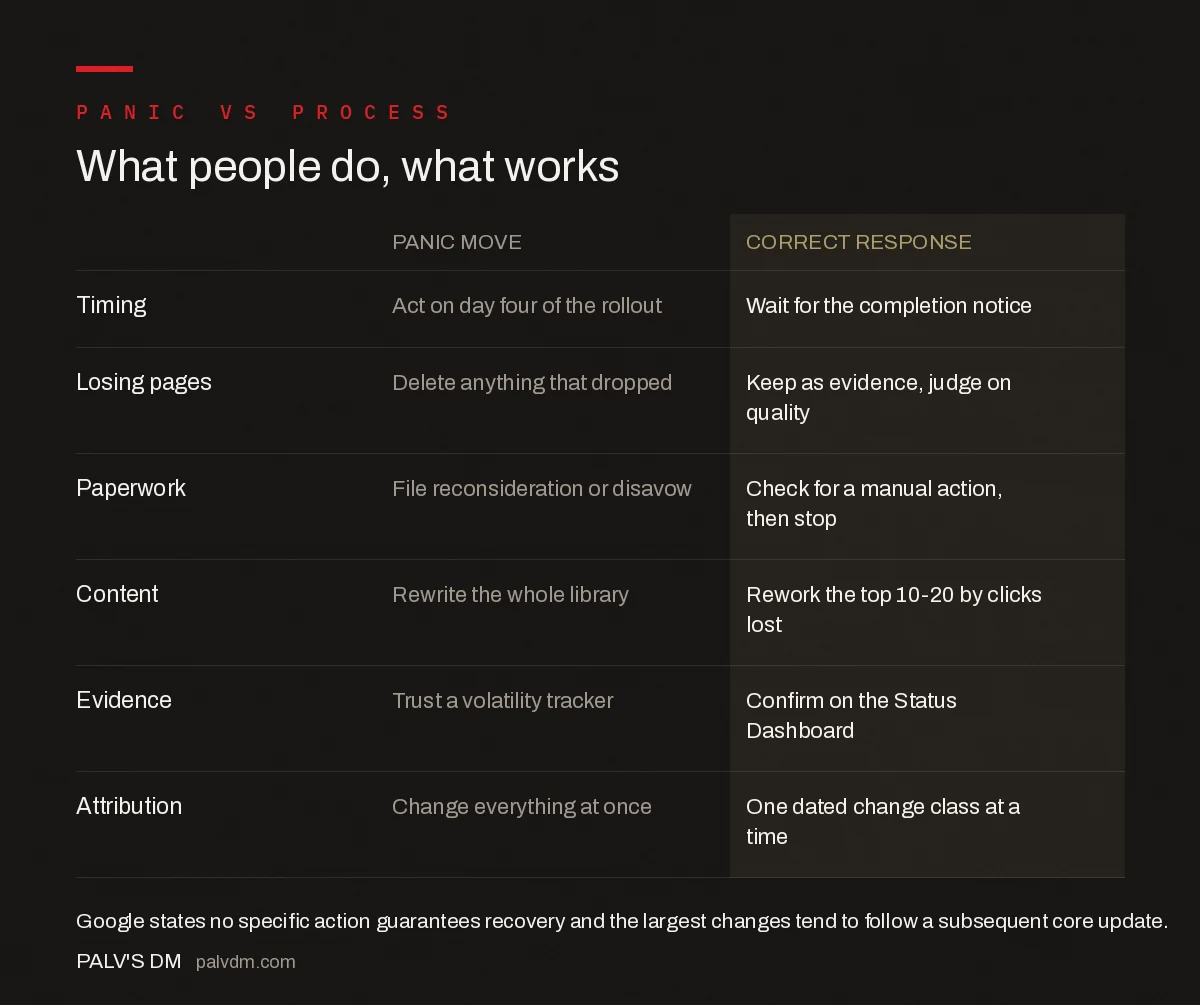
What people do, what works
| Panic move | Correct response | |
|---|---|---|
| Timing | Act on day four of the rollout | Wait for the completion notice |
| Losing pages | Delete anything that dropped | Keep as evidence, judge on quality |
| Paperwork | File reconsideration or disavow | Check for a manual action, then stop |
| Content | Rewrite the whole library | Rework the top 10-20 by clicks lost |
| Evidence | Trust a volatility tracker | Confirm on the Status Dashboard |
| Attribution | Change everything at once | One dated change class at a time |
Frequently asked questions
What should you not do after a Google core update?
Do not act before the rollout completes, do not delete pages simply because they dropped, and do not file a reconsideration request or disavow file, since neither applies to core updates. Avoid rewriting an entire content library at once, buying links, and treating a third-party volatility tracker as confirmation that Google changed anything.
Is it bad to delete pages after a core update?
Deleting a page because it dropped is a mistake: it removes the evidence needed to diagnose the loss, wipes the page’s Search Console history, and often removes a page that would return at the next rollout. Retiring pages that exist only to target a keyword and offer readers nothing is a separate, legitimate quality decision.
Why should I wait for a core update to finish rolling out?
Because rankings move more than once during a rollout, so any conclusion drawn mid-rollout describes a temporary state. The May 2026 core update produced large movement on 23 May, further large movement on 30 May, and more volatility in the final 24 hours before Google marked it complete on 2 June.
Does a disavow file help after a core update?
No. Disavow files address link spam, and a core update is a broad reassessment of ranking systems rather than link enforcement, so there is nothing for the file to act on. An aggressive disavow can also remove links that were contributing value, which makes the situation measurably worse rather than neutral.
Should I undo the changes I made just before the update?
Test the assumption first. Core updates roll out over roughly 12 to 18 days, so most deployments in a normal release cycle land inside a rollout window by coincidence. Self-inflicted damage typically appears as a vertical drop on a single date across the whole site, while update damage is uneven and spread over days.
Why does changing many things at once hurt after an update?
Because it destroys attribution permanently. If content, internal links, titles and page inventory all change in the same fortnight, any improvement at the next rollout cannot be traced to a cause, so nothing transferable is learned. Change one class of thing at a time and record every change with its date.
Sources
- Google core updates and your website — Search Central
- Manual Actions report — Search Console Help
- Google Search spam policies
- August 2026 Google Webmaster Report — Search Engine Roundtable
Want this done on your site?
Every PalV’s DM engagement starts with a free audit of your actual website — a 12-point
crawl covering what is blocking indexation, on-page gaps against your primary keywords, speed
findings, and the three to five fixes worth making first. Delivered in two working days. No
payment details, and the findings are yours whether you hire us or not.


