
Project Management for SEO Teams: What Actually Works
How to structure project management for SEO work: tool choice, recurring task systems, and why generic PM software needs SEO-specific workarounds.

SEO project management fails most often not from picking the wrong software, but from treating SEO work like a normal project with a start and an end, when most of it is recurring, cyclical work that needs a system built for repetition. A content calendar, a technical audit cadence, and a link-building pipeline all repeat monthly or quarterly. Generic project templates built for one-off deliverables don’t fit that shape without deliberate adaptation.
Most articles on this topic just list project management tools and rank them by feature count. That’s the easy part. The harder, more useful question is how to structure the work itself so that a tool, any reasonably capable tool, can actually keep it organized without someone spending an hour every Monday manually recreating the same checklist from scratch.
Why does SEO work resist standard project management?
Most project management software is built around projects with a clear beginning, middle and end: launch a product, ship a feature, run a campaign. SEO work is mostly the opposite. Rankings need to be checked continuously. Content needs refreshing on a rolling schedule. Technical issues get flagged by a crawl and need triage against unpredictable timing. Link building runs as an ongoing pipeline, not a single deliverable.
The mismatch shows up practically as boards that either get abandoned within a few months because the “project” never has a finish line to close out, or as an unmanageable pile of recurring tasks manually re-added every cycle because nobody set up automation for them.
What actually needs to live in the system?
The checklist below covers the categories that need explicit tracking, in the order we’d set them up for a new client engagement.
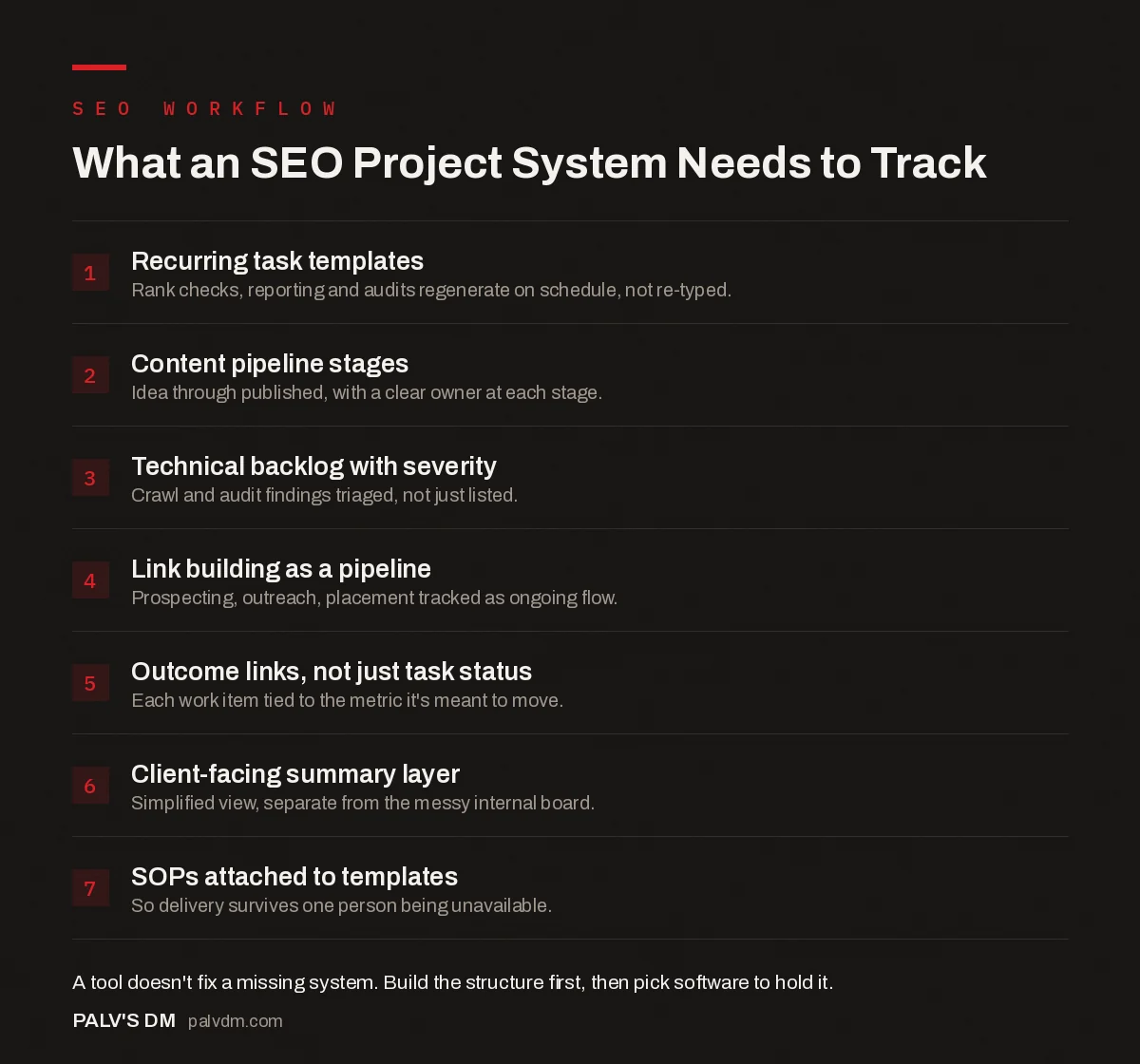
What an SEO Project System Needs to Track
- Recurring task templates. Rank checks, reporting and audits regenerate on schedule, not re-typed.
- Content pipeline stages. Idea through published, with a clear owner at each stage.
- Technical backlog with severity. Crawl and audit findings triaged, not just listed.
- Link building as a pipeline. Prospecting, outreach, placement tracked as ongoing flow.
- Outcome links, not just task status. Each work item tied to the metric it’s meant to move.
- Client-facing summary layer. Simplified view, separate from the messy internal board.
- SOPs attached to templates. So delivery survives one person being unavailable.
Which tool actually fits this kind of work?
There’s no single correct answer, and the honest version of this section resists picking a winner, because the right fit depends on team size and how the team already thinks.
- Trello suits small teams that think visually and want a low setup cost. Kanban boards map naturally onto a content pipeline (idea, draft, review, published) but strain once you’re tracking recurring technical tasks and multiple client accounts at once.
- Asana works well for teams that need to connect day-to-day SEO tasks to broader goals a client or leadership team cares about, thanks to its portfolio and goal-tracking views sitting above individual task lists.
- ClickUp combines tasks, documents and multiple view types (list, board, calendar, Gantt) in one workspace, which suits teams juggling content, technical and reporting workflows together without switching tools, at the cost of a steeper initial setup.
- Monday.com offers similarly broad functionality with strong automation and custom dashboards, generally needing more upfront configuration time to get right than Trello or Asana, which pays off for larger teams running standardized processes across many clients.
For a solo consultant or a two-person team, the honest recommendation is often the simplest tool that avoids fighting the interface, not the most feature-rich one. Feature depth only pays for itself once a team is large enough that coordination overhead, not task-tracking mechanics, is the actual bottleneck.
How should recurring work actually be structured?
Build recurring tasks as templates with automated recurrence, not fresh entries typed out each cycle. A monthly reporting task, a quarterly technical audit, a weekly rank-check review: each of these should exist once as a template that regenerates itself on schedule, with the specific findings or notes for that cycle added into the regenerated task, not the checklist rebuilt from memory every time.
The default setup in most tools does not do this automatically. Recurring task automation exists in Asana, ClickUp, Monday and most competent PM tools, but it has to be deliberately configured per task type. Teams that skip this step end up with the exact chaos a project management tool was supposed to prevent: someone forgets February’s technical audit because nobody manually created the card for it.
What does client visibility actually require?
Full internal board access rarely serves a client well. Internal boards accumulate jargon, half-finished exploratory tasks, and abandoned experiments that look alarming or confusing out of context. A simplified client-facing summary, whether a separate shared view, a monthly report, or a lightweight dashboard, communicates progress far more clearly than raw access to the messy internal reality of how the work actually gets done. Our guide on building a client reporting system that scales covers how to structure that layer so it doesn’t become a second full-time job to maintain.
How do you keep delivery from depending on one person?
This is the operational risk that generic project management advice rarely addresses directly: SEO work concentrated in one person’s head is a single point of failure, and it shows up the moment that person takes leave or leaves the company. Documented SOPs, attached directly inside the relevant recurring task templates rather than in a separate wiki nobody checks, are the difference between a smooth handoff and a scramble. If a new team member can’t pick up a recurring task from the template alone, the template isn’t finished yet. Our piece on documenting SOPs so delivery doesn’t depend on one person goes deeper into building that documentation without it becoming its own maintenance burden.
How should priority actually get decided?
Most SEO backlogs grow faster than they shrink: every audit surfaces new issues, every content review suggests new pieces, every competitor move suggests a response. Without an explicit prioritization method, the loudest request wins, not the most valuable one. A simple effort-versus-impact scoring pass, even a rough one done in ten minutes at the start of each planning cycle, beats no method at all. Rank each open item on a low/medium/high scale for both estimated impact and effort required, and work the high-impact, low-effort items first.
What we watch for specifically: technical fixes with a clear, direct ranking or crawl-budget impact tend to get pushed down the list in favor of more visible content work, because content feels more like “progress” to a client watching the board. Both matter. A prioritization system that only optimizes for what looks productive in a status update, rather than what actually moves the needle, will quietly starve the technical side of a program over time.
What does a realistic weekly rhythm look like?
A workable cadence for most small-to-mid SEO teams: a short weekly check on rank movement and any crawl errors flagged since the last review, a monthly content calendar and technical backlog planning session, and a quarterly deeper audit covering the items too time-consuming to check weekly. Trying to run everything at maximum frequency burns time on monitoring that doesn’t change fast enough to justify it. Trying to run everything quarterly misses fast-moving issues, like a sudden indexation drop, that need faster attention. Match the check frequency to how fast that specific metric or issue actually tends to move.
Frequently asked questions
Do I need SEO-specific project management software?
Not usually. A general tool like Asana, Trello or ClickUp configured with SEO-specific templates and recurring task structures covers most teams’ needs. Dedicated SEO project platforms exist, but the switching cost rarely justifies itself unless a team has outgrown what a general tool can be configured to do.
What’s the biggest mistake teams make setting up SEO project management?
Tracking tasks without tracking outcomes. A board full of completed cards (“wrote 12 blog posts,” “fixed 40 broken links”) looks productive but says nothing about whether rankings, traffic or conversions actually moved. Link the work items back to the metric they’re meant to affect.
How should recurring monthly SEO tasks be handled?
Build them as templates or recurring task automations, not manually recreated checklists every month. Rank checks, reporting, technical audits and content calendar reviews repeat on a predictable cycle; automating their creation removes the most common source of dropped tasks.
Should clients have visibility into the project management tool directly?
Rarely the full internal board. Most agencies use a simplified client-facing view or a separate reporting tool, since a raw internal task board full of jargon and half-finished items creates more confusion than transparency for a client checking in occasionally.
How many tools does an SEO team actually need for project management?
Ideally one central task and project tool, plus whatever specialized SEO tools (rank tracker, audit crawler, keyword research) feed data into it. Running two competing project management systems in parallel, one per team member’s preference, is a common and avoidable source of dropped work.
Sources
- Best project management software comparison, Asana
- SEO project management software: key features, Wrike
- Building an In-House SEO Team: Roles, Order of Hire, Salaries
- Documenting SOPs So Delivery Doesn’t Depend on One Person
- Building a Client Reporting System That Scales
- Building an SEO Audit Workbook in Google Sheets
Want this done on your site?
Every PalV’s DM engagement starts with a free audit of your actual website — a 12-point
crawl covering what is blocking indexation, on-page gaps against your primary keywords, speed
findings, and the three to five fixes worth making first. Delivered in two working days. No
payment details, and the findings are yours whether you hire us or not.
Get your free SEO audit
See One-Time Services plans and prices


