
Documenting SEO SOPs So Delivery Doesn’t Depend on One Person
How to write SEO SOPs that actually get used: finding what to document first, recording the real process, and keeping it from going stale.

An SEO SOP works when someone who has never done the task can follow it and get the same result you would, without messaging you a single question. Most agencies don’t have a documentation problem so much as a prioritisation problem: they’ve written down the easy, obvious stuff and left the actual bottleneck process living entirely in one person’s head.
I’ve watched a small agency lose three working days of momentum during a client migration because the one person who understood how the redirect map was structured happened to be on leave that week. Nobody else could safely touch it. That’s not a staffing failure, it’s a documentation failure, and it’s completely avoidable with a few hours of work done before the crisis, not during it.
What actually counts as an SOP, versus a rough note?
A standard operating procedure is a specific, repeatable set of instructions for one task, detailed enough that someone unfamiliar with it gets the same outcome you would. That’s the standard: not “documented,” but “someone else can execute it correctly without asking you anything.” A bullet list titled “Site Migration Notes” that only makes sense to the person who wrote it isn’t an SOP. It’s a memory aid for someone who already knows the process, which defeats the entire point.
ISO 9001, the quality management standard used across manufacturing and services, essentially requires documented procedures for any process that affects output quality, for exactly this reason: quality without documentation depends entirely on the individual doing the work that day. An SEO agency isn’t a factory floor, but the underlying logic holds. A migration checklist, a schema implementation process, a client onboarding sequence, these all determine output quality, and every one of them currently sitting undocumented in someone’s head is a quality risk waiting for that person’s day off.
How do you find out what actually needs documenting first?
Run a bus factor audit before writing anything. The term comes from software development: it’s the number of people who’d need to disappear (traditionally “get hit by a bus,” more realistically go on leave or quit) before a project stalls. List every recurring process your agency runs, then mark how many people could execute each one competently today. Anything sitting at a bus factor of one goes to the top of the documentation queue, full stop, ahead of anything easier or more interesting to write up.
This reordering matters because most teams default to documenting whatever’s freshest in memory, usually a recent one-off project, rather than the boring recurring task that would actually hurt if the one person who knows it left. Sort by risk, not by recency.
How do you actually write one, step by step?
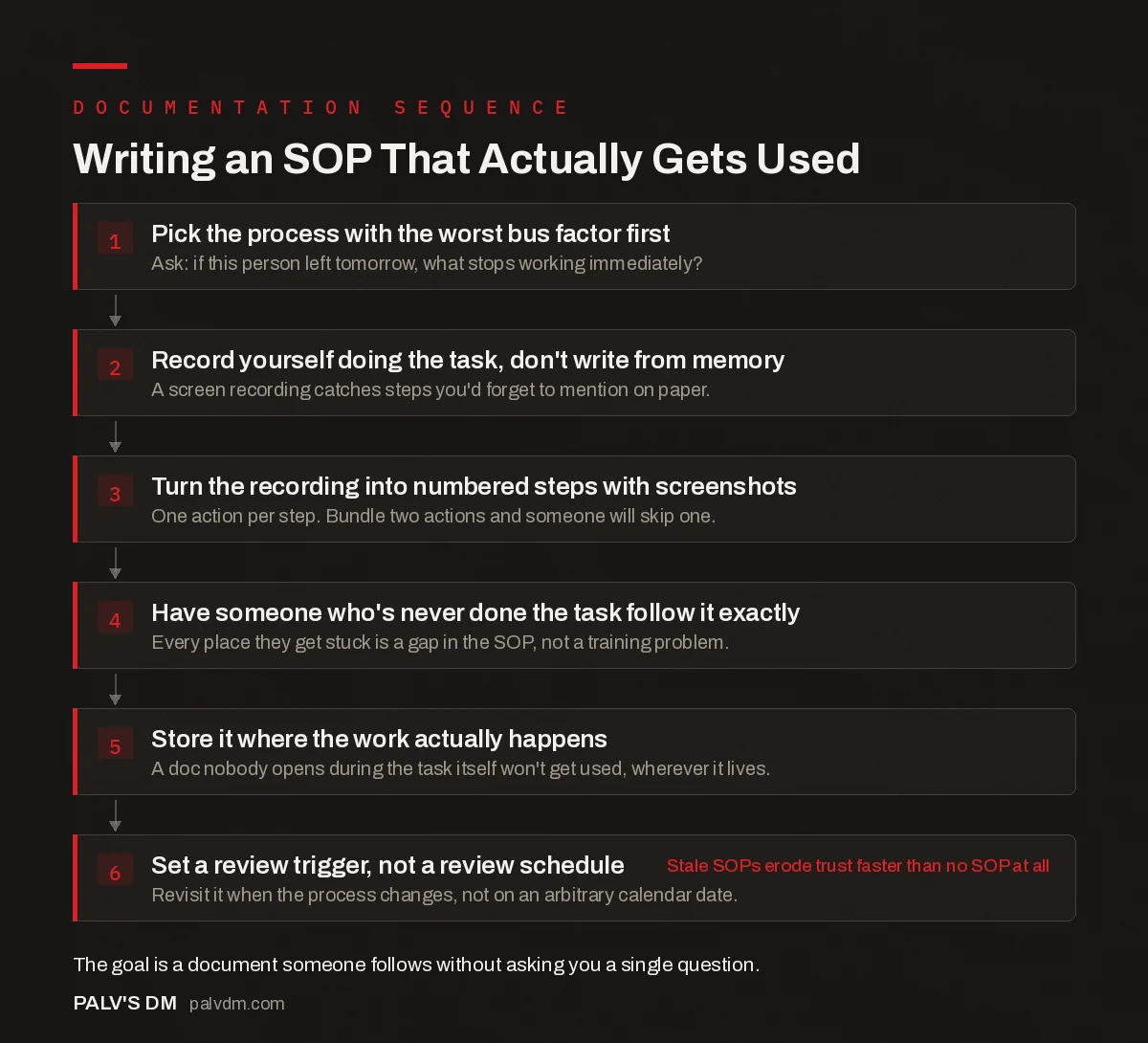
The sequence below is what gets an SOP from “exists” to “actually gets used,” which are two very different things.
Writing an SOP that actually gets used
Writing an SOP That Actually Gets Used
- Pick the process with the worst bus factor first. Ask: if this person left tomorrow, what stops working immediately?.
- Record yourself doing the task, don’t write from memory. A screen recording catches steps you’d forget to mention on paper.
- Turn the recording into numbered steps with screenshots. One action per step. Bundle two actions and someone will skip one.
- Have someone who’s never done the task follow it exactly. Every place they get stuck is a gap in the SOP, not a training problem.
- Store it where the work actually happens. A doc nobody opens during the task itself won’t get used, wherever it lives.
- Set a review trigger, not a review schedule. Revisit it when the process changes, not on an arbitrary calendar date. Stale SOPs erode trust faster than no SOP at all
The recording step is the one people skip and shouldn’t. Writing an SOP from memory means writing the version of the process you think you follow, which is reliably different from the version you actually follow. You’ll forget the keyboard shortcut you use without thinking, the specific filter setting you always apply, the client-specific exception you’ve internalised so completely it doesn’t register as a decision anymore. A screen recording, even a rough five-minute one with no editing, catches all of it. Turn that into steps afterward; don’t try to write the steps first and record second.
What format actually keeps an SOP alive?
Whatever tool your team already opens during the actual work, not a separate documentation platform nobody visits unless someone’s chasing them for it. If your team lives in a shared drive, a well-structured folder of numbered docs works fine. If everyone’s already in a project management tool daily, that’s where the SOP belongs, linked directly from the recurring task card, not buried three folders deep somewhere else. The tool matters far less than proximity to the moment someone needs it.
Screenshots and short embedded video clips beat paragraphs of description for anything involving a specific UI, which covers most SEO tooling work: a plugin configuration screen, a Search Console report, a specific Screaming Frog filter setup. A screenshot with an arrow removes an entire category of “wait, which button do you mean” follow-up questions.
How do you keep SOPs updated without it becoming a full-time job?
Set a review trigger, not a review calendar. A quarterly “review all SOPs” ritual sounds disciplined and usually produces nothing, because most processes haven’t changed since the last review and the exercise turns into skimming documents nobody has a reason to update. Instead, tie the review to the actual trigger: a plugin update that changes a settings screen, a client requirement that adds a new exception, a mistake that traces back to an SOP that was wrong or outdated. Fix it the moment it’s caught, while the correct process is fresh in whoever caught it’s mind.
Assign an owner to each SOP, not necessarily the person who wrote it, but someone whose job includes noticing when it’s gone stale. Undocumented ownership is how half of every agency’s SOP folder ends up two years out of date: everyone assumes updating it is someone else’s job, so nobody does it until a new hire follows a broken process and something breaks in front of a client.
What’s the wrong way to do this?
Trying to document everything at once, and writing SOPs so long nobody reads past the second page. Both mistakes come from the same instinct, treating documentation as a project to finish rather than a standing practice that grows one process at a time as the bus factor audit demands it. A twelve-page SOP for a task that takes fifteen minutes gets skipped in favour of just asking the person who knows it, which puts you right back where you started.
The other failure mode worth naming directly: documenting the idealised process instead of the real one. If the actual workflow includes “check with the client’s marketing manager before publishing because she changes her mind about category names,” that belongs in the SOP exactly as written, exceptions included, not smoothed over into a clean version that doesn’t survive contact with an actual client.
A related trap: letting the person who’s best at a task write the SOP for it. They’re often the worst choice, precisely because the task feels obvious to them and they skip steps a less experienced reader would need spelled out. Pair them with someone newer to the process who can flag every place the instructions silently assume knowledge the reader doesn’t have yet.
Frequently asked questions
What’s the difference between an SOP and a checklist?
A checklist confirms steps were completed; an SOP explains how to actually do each step. Many good SOPs contain a checklist as their final section, a quick-reference summary, but the detailed instructions above it are what makes the process repeatable by someone new.
How do I know which processes to document first?
Run a bus factor audit: list your recurring processes and count how many people could execute each one competently today. Anything with a bus factor of one, only one person can do it, goes first, regardless of how interesting or urgent it feels compared to other documentation work.
Should SOPs be written documents or video?
Both, usually. Record yourself doing the task first to capture the real steps accurately, then convert that into a written, numbered document with screenshots. The video protects against memory gaps during writing; the written version is what’s actually fast to scan during execution.
How often should SOPs be reviewed?
On a trigger, not a fixed schedule. Update an SOP the moment the underlying process changes, a tool’s interface updates, or a mistake traces back to outdated instructions, rather than waiting for a quarterly review that usually produces little because most processes haven’t changed since the last pass.
Who should own SOP documentation in a small agency?
Assign a specific owner to each SOP, not necessarily its original author, whose job explicitly includes noticing when it’s gone stale. Without a named owner, updates tend not to happen because everyone assumes it’s someone else’s responsibility.
Sources
- Bus factor, Wikipedia
- Standard operating procedure, Wikipedia
- The Workbooks Behind Our SEO Delivery
- Building a Client Reporting System That Scales
- Project Management for SEO Teams
- The SEO Tool Stack a Small Agency Actually Needs
Want this done on your site?
Every PalV’s DM engagement starts with a free audit of your actual website — a 12-point
crawl covering what is blocking indexation, on-page gaps against your primary keywords, speed
findings, and the three to five fixes worth making first. Delivered in two working days. No
payment details, and the findings are yours whether you hire us or not.
Get your free SEO audit
See One-Time SEO Services plans and prices


