
Server-Side Tracking: Is It Worth the Complexity?
Server-side tracking improves data accuracy but adds cost and maintenance. Here's how to decide if the switch from client-side GTM is worth it.

Published August 2026. Server-side tracking moves tag processing from a visitor’s browser to a server you control, sending data to Google, Meta, and other platforms from your own infrastructure instead of directly from the client. It genuinely improves data accuracy and can speed up page load, but it also adds real cost and ongoing maintenance most small teams underestimate. The short answer: worth it once you have complex tracking needs and someone to maintain it, not worth it as a default setup for every site.
What Is Server-Side Tracking and How Does It Differ From Standard GTM?
Standard, client-side Google Tag Manager runs entirely in the visitor’s browser. When someone loads your page, their browser fetches the GTM container, executes the tags inside it, and sends data directly from their device to GA4, Google Ads, Meta, and any other destination configured.
Server-side tagging inserts a server you control in the middle of that path. A lightweight client-side container sends events to your server container — usually hosted on Google Cloud Run or a similar platform — which then forwards the data to each destination platform. The visitor’s browser talks to your server, and your server talks to Google and Meta.
This changes two things meaningfully: first-party cookies get set from your own domain rather than a third-party one, which survives browser tracking restrictions better, and you gain a control point where you can filter, enrich, or block data before it reaches any third party.
What Are the Real Benefits of Server-Side Tracking?
- Better data accuracy against ad blockers and browser restrictions. Many ad blockers and privacy browsers block requests to known third-party tracking domains. A server-side setup routes those requests through your own domain, which most blocklists don’t catch, recovering data that would otherwise be lost.
- Faster page load. Fewer third-party scripts execute directly in the browser, since much of the tag logic moves server-side. This can measurably improve Core Web Vitals on tag-heavy sites.
- More control over what data leaves your site. You can strip or hash sensitive parameters before they reach any third-party platform, which matters for privacy compliance under frameworks like the DPDP Act.
- Longer-lived first-party cookies. Cookies set from your own domain aren’t subject to the same aggressive expiry that many browsers now apply to third-party cookies, improving the accuracy of returning-visitor and attribution data over time.
What Does Server-Side Tracking Actually Cost?
This is where most “should we do this” conversations end. Running a server container means paying for cloud hosting — typically starting in the range of a hundred dollars or more per month depending on traffic volume, before factoring in setup time. Google Cloud Run, the most common hosting choice for GTM server containers, charges based on request volume, so the cost scales with your traffic rather than staying fixed.
Beyond hosting, someone needs to configure and maintain the server container: setting up the client and server containers correctly, mapping each destination platform’s server-side tag, and troubleshooting when a platform changes its server-side API. This isn’t a one-time setup you forget about — server-side configurations need more active maintenance than client-side GTM because there’s genuine infrastructure behind them, not just a JavaScript snippet.
| Factor | Client-Side GTM | Server-Side GTM |
|---|---|---|
| Setup complexity | Low — paste two snippets, configure tags | High — cloud server, DNS, container mapping |
| Ongoing cost | Free | Cloud hosting fees, scales with traffic |
| Data accuracy vs ad blockers | Lower — third-party requests often blocked | Higher — first-party domain requests |
| Maintenance burden | Low, mostly tag hygiene | Higher — infrastructure plus tag hygiene |
| Skill required | Marketing team can manage independently | Needs technical/developer involvement |
How Does Server-Side Tracking Interact With iOS and Browser Privacy Changes?
Safari’s Intelligent Tracking Prevention and similar browser-level restrictions specifically target third-party cookies and known tracking domains, which is exactly what client-side tags rely on. A server-side setup, because it routes data through your own first-party domain, sidesteps much of that restriction — the browser sees a request to your domain, not to a recognizable third-party tracking endpoint.
This is genuinely useful for advertisers dealing with the post-iOS-14 measurement gap on Meta and other ad platforms, where client-side pixel data has degraded substantially over the past few years. It’s less relevant if your traffic and conversions are dominated by desktop Chrome users in a market where browser tracking restrictions haven’t tightened as aggressively — which is a reasonable starting assumption for many Indian SMB audiences, though worth checking against your own analytics rather than assuming.
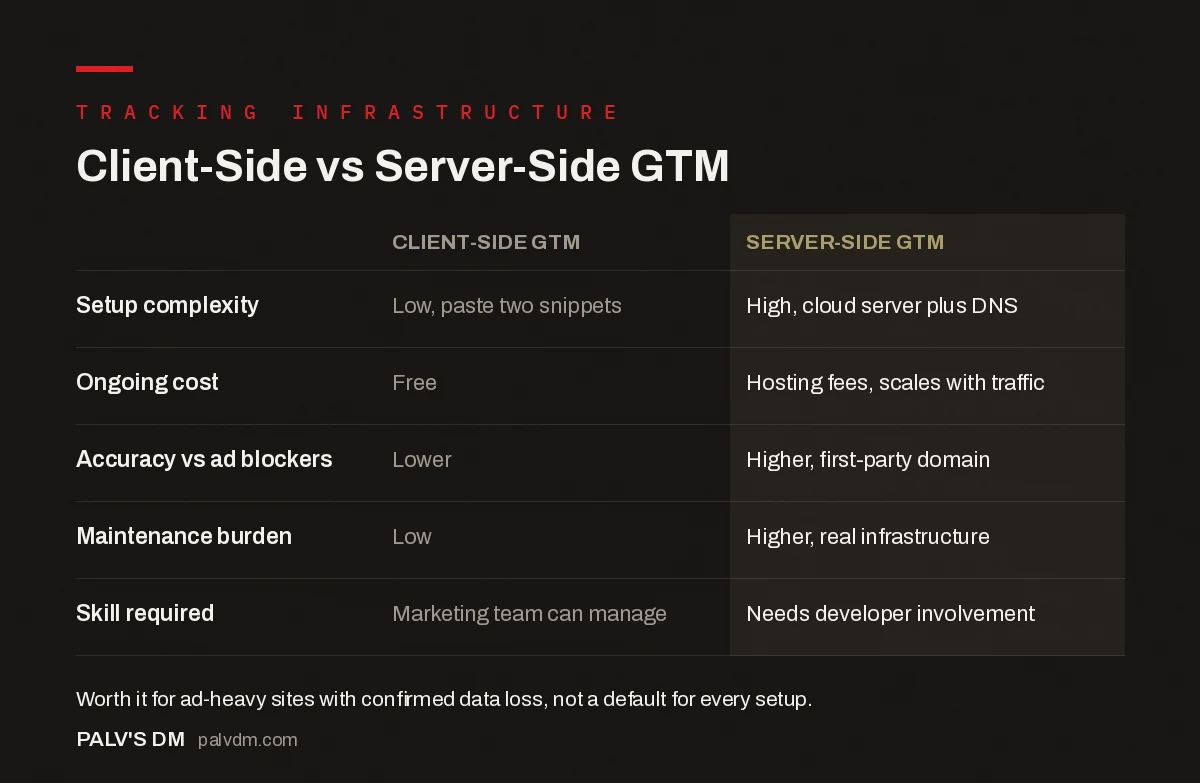
Client-Side vs Server-Side GTM
| Client-Side GTM | Server-Side GTM | |
|---|---|---|
| Setup complexity | Low, paste two snippets | High, cloud server plus DNS |
| Ongoing cost | Free | Hosting fees, scales with traffic |
| Accuracy vs ad blockers | Lower | Higher, first-party domain |
| Maintenance burden | Low | Higher, real infrastructure |
| Skill required | Marketing team can manage | Needs developer involvement |
Who Actually Needs Server-Side Tracking?
Sites with significant ad spend where conversion accuracy directly affects budget allocation get the clearest return — a five to ten percent improvement in tracked conversions can be worth far more than the hosting cost if you’re spending meaningfully on Google or Meta ads. E-commerce sites fighting measurable data loss from ad blockers and iOS tracking restrictions are the other common case.
Smaller service businesses running lead-gen campaigns with modest ad budgets rarely see enough return to justify the ongoing cost and maintenance. If your GA4 numbers are directionally useful and your conversion tracking is close enough to make budget decisions, client-side GTM configured correctly is usually sufficient. Server-side tracking solves a specific, measurable data-loss problem — if you haven’t confirmed you have that problem, it’s not the first place to spend engineering time.
What Are the Common Mistakes When Migrating to Server-Side?
- Migrating everything at once. Moving every tag to server-side in one go makes it hard to isolate what broke if something goes wrong. Move one destination platform at a time, verify it, then move the next.
- Forgetting to forward consent state. Consent signals set by your client-side CMP need to be explicitly passed to the server container. Skip this and you risk sending tracking data for visitors who declined consent — a genuine compliance issue, not just a technical oversight.
- Not monitoring server costs as traffic grows. Cloud Run and similar hosting bill by request volume. A traffic spike from a successful campaign can produce a hosting bill spike nobody budgeted for if there’s no monitoring in place.
- Assuming server-side automatically fixes bad data. If your client-side tagging was already misconfigured — duplicate tags, wrong triggers — moving it server-side just relocates the same mistakes to more expensive infrastructure. Clean up the tag logic before migrating it.
How Do You Decide Whether to Make the Switch?
- Check how much conversion data you’re currently losing. Compare Google Ads reported conversions against your actual CRM or sales data. A large, consistent gap suggests tracking loss worth solving.
- Estimate the value of the recovered data. If you’re spending a meaningful ad budget and the gap is costing you optimization accuracy, the math often favors server-side. If ad spend is modest, it usually doesn’t.
- Confirm you have the technical capacity to maintain it. Server-side setups aren’t “set and forget.” If nobody on your team or agency roster can troubleshoot a broken server container, factor that risk in before committing.
- Start with the highest-value destination first. Most teams begin by moving just the Google Ads or Meta conversion tag server-side rather than migrating the entire tracking stack at once.
FAQ
Does server-side tracking replace the need for Consent Mode?
No. Consent Mode governs what a visitor has agreed to; server-side tracking governs where the data physically travels after consent is granted. You still need consent signals forwarded from the client container to the server container — skipping that step means a server-side setup that ignores user consent choices, which is a compliance problem, not a technical improvement.
Can a small business set up server-side GTM without a developer?
Basic setup guides exist for non-developers, but troubleshooting when something breaks — a platform API change, a misconfigured DNS record, a tag that stops forwarding data — usually requires someone comfortable with cloud infrastructure. Budget for ongoing technical support, not just the initial setup.
How much can server-side tracking actually improve conversion tracking?
The improvement varies by site and audience, depending heavily on how much of your traffic uses ad blockers or privacy-focused browsers. There’s no universal percentage to quote here — the only reliable way to know is comparing your own before-and-after numbers once implemented, which is why step one is confirming you have measurable data loss in the first place.
Is server-side tracking required for DPDP Act compliance?
No, it’s not a compliance requirement. Client-side GTM with a properly configured Consent Mode setup satisfies DPDP Act obligations on its own. Server-side tracking is a data-accuracy and control tool, not a legal requirement — don’t let a vendor sell it to you as mandatory compliance infrastructure.
Is the Complexity Worth It for Your Site?
Server-side tracking is a genuine upgrade for sites with the ad spend and technical capacity to support it, and unnecessary overhead for sites that don’t. The honest test isn’t whether it sounds more sophisticated — it’s whether you’ve confirmed a measurable data-loss problem that the added cost and maintenance would actually fix.
If you’re not sure whether your current tracking gap justifies the move, that’s a diagnostic question before an implementation one. Our SEO Growth service includes tracking audits that quantify data loss before recommending infrastructure changes, rather than defaulting to the most complex solution.
Before considering server-side, make sure your client-side foundation is solid — see setting up Google Tag Manager without breaking your site and Consent Mode and DPDP Act compliance, since consent signals still need to flow correctly in a server-side setup. For the crawler-side measurement server infrastructure doesn’t touch, see log-based vs tag-based analytics for SEO.


