
Video Carousels: Getting a Page Into Them
Getting a page into Google's video results now runs through VideoObject structured data and key moments markup, not the ItemList-based video carousel Google retired in 2024.

Getting a page into Google’s video results today runs through VideoObject structured data with a valid thumbnail, an actually playable video on the page, and — for chaptered content — Clip or SeekToAction markup for key moments; the separate ItemList-based “video host carousel” markup Google tested is no longer supported. Google removed that specific documentation and feature in April 2024, saying directly in its developer changelog that it “wasn’t useful for the ecosystem at scale.” Sites that built around the old markup can leave it in place, but it does nothing for rich results now.
The practical implication: if a page isn’t showing up in video search features, the fix almost always traces back to missing or incomplete VideoObject markup, not to some separate carousel-specific schema that no longer exists.
What actually gets a page into Google’s video results now?
VideoObject structured data is the foundation. It tells Google what a video is about, who made it, how long it runs, and where to find a thumbnail — and it’s what currently enables video-specific search features including standard video results, key moments, and the LIVE badge for streaming content. A page without VideoObject markup can still have a video embedded and playing perfectly for users, but it’s invisible to the systems that decide what shows up in video-specific search placements.
What does VideoObject structured data need to include?
The core properties Google’s documentation calls out are name (the video’s title), description, thumbnailUrl, uploadDate, duration in ISO 8601 format, and either contentUrl or embedUrl depending on how the video is hosted. All of these should describe the video that’s actually visible and playable on that specific page — schema describing a video that doesn’t appear on the page it’s marked up on violates Google’s structured data guidelines outright.
| Property | Purpose | Notes |
|---|---|---|
| name | Video title shown in results | Should match the on-page title |
| description | Summary shown alongside the result | Plain text, no HTML markup |
| thumbnailUrl | Preview image in search | Minimum 160x90px; larger performs better |
| uploadDate | Freshness signal | ISO 8601 date format |
| duration | Runtime shown in results | ISO 8601 duration format, e.g. PT1M30S |
| contentUrl / embedUrl | Where the video file or player lives | At least one required |
How do key moments (Clip and SeekToAction) improve video listings?
Key moments show up as labelled, timestamped jump links underneath a video result — something like “0:42 Choosing a drill bit, 2:15 Marking the wall” — and clicking one starts playback at that exact point. There are two ways to enable them. Clip structured data lets you manually specify the start time, end time, and label for each segment. SeekToAction structured data instead tells Google the URL pattern your site uses to deep-link into a timestamp (for example, ?t=30 for 30 seconds in), letting Google identify key moments automatically from the video content itself.
Both require the page hosting VideoObject markup to be a page where the video can genuinely be watched, and the underlying video needs to be at least 30 seconds long — shorter videos aren’t eligible for key moments regardless of markup.
Why doesn’t the old “video host carousel” markup work anymore?
Google tested a separate feature — informally called the video host carousel — using ItemList structured data to let a small set of publishers surface a gallery-style carousel of their video content. In April 2024, Google removed the documentation and guidance for this markup entirely, explaining in its search developer changelog that after testing it with a limited group of site owners, it “wasn’t useful for the ecosystem at scale.” Sites that still have the old ItemList markup on their pages don’t need to remove it — Google notes other systems may still find it useful — but it no longer drives any Google rich result. VideoObject markup is the feature that remains active and current.
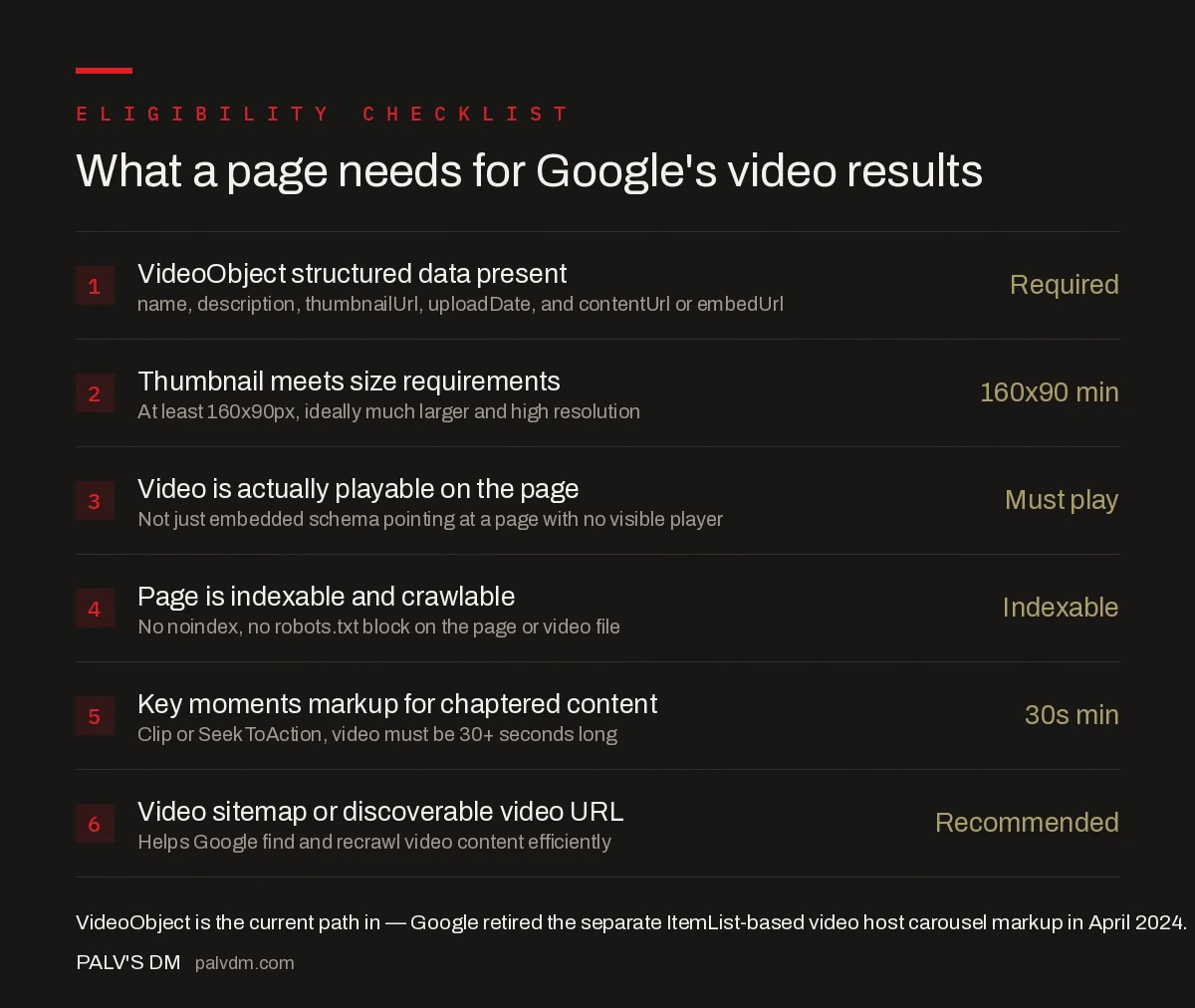
What a page needs for Google’s video results
- VideoObject structured data present — Required. name, description, thumbnailUrl, uploadDate, and contentUrl or embedUrl.
- Thumbnail meets size requirements — 160×90 min. At least 160x90px, ideally much larger and high resolution.
- Video is actually playable on the page — Must play. Not just embedded schema pointing at a page with no visible player.
- Page is indexable and crawlable — Indexable. No noindex, no robots.txt block on the page or video file.
- Key moments markup for chaptered content — 30s min. Clip or SeekToAction, video must be 30+ seconds long.
- Video sitemap or discoverable video URL — Recommended. Helps Google find and recrawl video content efficiently.
What does a minimal VideoObject JSON-LD example include?
A working implementation nests VideoObject inside the page’s existing structured data, describing exactly what’s embedded on that page:
| Field | Example value |
|---|---|
| @type | VideoObject |
| name | Matches the visible on-page video title |
| thumbnailUrl | Direct URL to the preview image, minimum 160x90px |
| uploadDate | ISO 8601, e.g. 2026-08-17 |
| duration | ISO 8601 duration, e.g. PT4M12S for 4 minutes 12 seconds |
| embedUrl | The iframe or player URL, if the video is embedded rather than self-hosted |
Google’s Rich Results Test tool validates this markup against a live page and flags missing required properties before publishing, which is worth running on a template change rather than discovering an error after the fact in Search Console’s enhancement reports.
Does video schema help pages rank even without a rich result appearing?
Yes, indirectly. Even on pages where Google chooses not to display a video-specific rich result, VideoObject markup still gives Google clearer signals about what the page’s content actually is — its topic, its format, its runtime — which factors into how the page is understood and categorised generally. Sites publishing video consistently, with complete and accurate markup across the catalogue, tend to see video results appear more often over time as Google builds confidence in the markup’s reliability; a single well-tagged video is a smaller signal than a consistent pattern across dozens of pages.
What page-level requirements does Google check before showing video results?
Beyond the structured data itself, the page has to meet the same baseline requirements as any other content competing for search visibility: it must be indexable, without a noindex tag or a robots.txt block on either the page or the video file itself, and the video needs to be genuinely central to the page rather than a small embed buried below unrelated content. A video sitemap, or at minimum a discoverable and crawlable video URL, helps Google find and periodically recrawl the content — this matters more on sites publishing video regularly, since fresh uploads need to be found quickly to be timely in results.
Clip vs SeekToAction: which key moments method fits your site?
| Factor | Clip | SeekToAction |
|---|---|---|
| How segments are defined | Manually specified start/end times and labels | Google infers segments from your URL’s timestamp pattern |
| Setup effort | Higher — write markup per segment, per video | Lower — one URL pattern covers every video |
| Control over labels | Full control over segment names | Less control; Google generates labels |
| Best fit | A small number of high-value videos worth hand-tagging | A large video library where per-video tagging isn’t practical |
Frequently asked questions
Is there still a way to get a dedicated video host carousel in Google Search?
Google retired the ItemList-based video host carousel (limited access) markup in April 2024, stating it wasn’t useful for the ecosystem at scale. The remaining path into video-specific search features is VideoObject structured data, which still powers video results, key moments, and the LIVE badge.
What’s the minimum thumbnail size for VideoObject structured data?
Google’s guidelines call for a thumbnail of at least 160×90 pixels, though a much larger, high-resolution image performs better in the actual search result display. Use .jpg, .png, or .gif format, and make sure the image URL itself is crawlable.
Do I need Clip or SeekToAction markup, or just VideoObject?
VideoObject alone is enough to be eligible for standard video results. Clip or SeekToAction markup adds key moments — the timestamped jump links shown under some video results — but only applies to videos at least 30 seconds long with a working deep-link URL structure.
Can a page with an embedded YouTube video still get VideoObject rich results?
Yes, as long as the page itself carries the VideoObject markup and the embedded player is genuinely visible and playable on that page. Marking up a page with video schema when no working video actually appears on it violates Google’s guidelines and won’t be shown.
Sources
- Video (VideoObject, Clip, BroadcastEvent) Structured Data — Google Search Central
- On-Page SEO Checklist
- Sitelinks: What Influences Them and What Doesn’t
- Table of Contents and Jump Links: SEO Value and Setup
- FAQ Blocks: The Single Highest-Yield On-Page Element
Want this done on your site?
Every PalV’s DM engagement starts with a free audit of your actual website — a 12-point
crawl covering what is blocking indexation, on-page gaps against your primary keywords, speed
findings, and the three to five fixes worth making first. Delivered in two working days. No
payment details, and the findings are yours whether you hire us or not.


