How-To Posts: Prerequisites, Steps, and Failure Modes
How-to content only works if readers can finish it. Here is how to write prerequisites, ordered steps, and failure modes that keep them from quitting.
Published: August 2026
A how-to article that actually helps readers states prerequisites before step one, numbers every step in the order they must happen, and tells readers what to do when a step doesn’t work — not just what to do when it does. Most how-to content skips the third part entirely, which is why readers abandon it midway and go looking for a version that anticipates where they’ll get stuck.
How-to content is the workhorse format of content marketing: high search volume, clear intent, and a natural place to demonstrate expertise. It’s also the format most often written carelessly, because “just list the steps” sounds simple until you’re the reader stuck on step 4 with no idea why it isn’t working. This guide covers the parts of a how-to post that separate the ones people actually finish from the ones they abandon.
What has to happen before step one?
Every how-to post needs a prerequisites section, even a short one, because skipping it is the single most common reason readers get stuck. Prerequisites cover:
- Tools or accounts needed. Software, logins, subscription tiers — anything the reader has to have before starting.
- Required knowledge. If step 6 assumes the reader already knows what a canonical tag is, say so upfront rather than letting them discover the gap mid-process.
- Time and access. How long the process takes and whether it needs admin-level access, which matters a lot for anything involving a CMS or hosting account.
- Version or platform specifics. “This works in WordPress 6.4+” saves someone on an older install from following broken instructions for twenty minutes before realising why nothing matches.
A prerequisites section that takes thirty seconds to read can save a reader twenty minutes of confusion. That trade is almost always worth it, and skipping it is the fastest way to get a “this didn’t work for me” comment.
How should steps be written and ordered?
Steps need to be sequential, numbered, and each one needs to represent a single action, not a bundle of three things happening at once. “Set up your tracking and configure your goals and check the report” is three steps disguised as one, and readers lose their place when a “step” actually contains sub-decisions.
| Weak step | Strong step |
|---|---|
| “Set up Google Search Console and verify your domain, then submit your sitemap” | Split into three numbered steps: add property, verify ownership, submit sitemap |
| “Optimise your meta description” | “Write a meta description under 155 characters that includes your primary keyword and a reason to click” |
| No indication of expected outcome | Each step states what the reader should see once it’s done correctly |
Stating the expected outcome after each step matters more than most writers realise. It’s how a reader confirms they’re still on track before moving forward, instead of discovering three steps later that something went wrong at step 2.
What are failure modes, and why do most how-to posts skip them?
A failure mode is a specific, named way a step commonly goes wrong — not a generic “if you have trouble, contact support” disclaimer. Most how-to content skips failure modes because they’re harder to write: they require the author to have actually done the process enough times to know where people get stuck, rather than just describing the ideal path once.
Good failure-mode notes look like this: “If the verification step fails, check that you’re using the exact domain format Search Console expects (with or without www) — a mismatch here is the most common cause of a failed verification.” That’s specific, diagnosable, and saves the reader from googling the error separately.
Writing failure modes well usually means actually running through the process yourself, or interviewing someone who has, rather than paraphrasing existing guides. It’s the part of a how-to post that’s hardest to fake and most valuable when done properly.
What mistakes make readers abandon a how-to post?
Beyond skipping failure modes entirely, several specific execution mistakes recur across how-to content that otherwise looks complete.
- Numbering steps that aren’t actually sequential. If steps 3 and 4 can genuinely happen in either order, numbering them as if one must precede the other adds false rigidity and can confuse a reader who did them in a different, equally valid order and now wonders if they made a mistake.
- Assuming the reader is on the same software version as the writer. Interface-heavy processes, especially inside a CMS or a third-party tool, change their menus and button labels between versions more often than writers account for. A step that says “click the gear icon” is only useful if that icon still exists where the writer remembers it.
- Writing steps as a wall of text instead of true single actions. A “step” that runs four sentences and covers two decisions is really two steps merged into one, and readers following along lose their place trying to figure out which sentence is the actual instruction and which is context.
- No indication of how long the whole process takes. A reader deciding whether to start a twelve-step process right now or bookmark it for later needs a rough time estimate upfront. Omitting it means some readers abandon partway through simply because they didn’t budget enough time and hit a natural stopping point mid-process instead of before starting.
- Ending on the last step with no wrap-up. A how-to post that stops the instant step 8 is done, with no confirmation of what success looks like overall or what to do next, leaves readers uncertain whether they actually finished correctly.
A worked example: writing one step with a real failure mode
Take a single step from a hypothetical how-to on setting up email authentication: “Add an SPF record to your domain’s DNS settings.” Written thinly, that’s the entire step, and a reader whose SPF record doesn’t validate afterward has no idea why.
Written properly, the step includes the action, the expected outcome, and the failure mode: “Add a TXT record to your domain’s DNS settings with the value provided by your email service, then wait 24-48 hours for DNS propagation before checking whether it’s live. You’ll know it worked when a tool like MXToolbox shows your SPF record with no syntax errors. The most common failure here is having two SPF records instead of one, since some domains already have an SPF record for an existing service, and DNS only allows one SPF TXT record per domain. If validation fails, check for an existing record first and merge the two rather than adding a second one, which is invalid and will cause both to fail.”
The difference isn’t length for its own sake. It’s that the second version tells the reader what “done correctly” looks like, roughly how long to wait before checking, and the single most common way this specific step goes wrong along with the fix. A reader who hits that exact failure mode finds the answer in the post itself instead of abandoning it to search for the error separately.
How long should a how-to post be?
Length should follow the actual complexity of the task, not a target word count. A five-step process with no real decision points might be genuinely well-served at 800 words. A process with multiple branching paths, platform-specific variations, and common failure points can reasonably run past 2,000 words. Padding a simple process to hit a word count target makes it worse, not better — readers following along step by step notice filler immediately because it breaks their momentum.
How does a how-to post earn an AI citation, not just a ranking?
AI answer engines tend to lift how-to content when the steps are self-contained enough to quote in isolation — meaning each numbered step makes sense without requiring the reader to have absorbed three earlier paragraphs of context. A step that says “click Save” without stating what screen you should be on, or what you just configured, is nearly useless when it’s pulled out of its original page.
Writing each step as a complete, standalone instruction — naming the interface element, the expected result, and any condition that changes the action — does double duty. It helps a human skimming mid-process pick back up without losing their place, and it gives an AI system a clean, quotable unit it can surface without stripping out meaning. Schema.org’s HowTo structure reflects this same principle: each step is meant to stand as a discrete, addressable unit, not a fragment of continuous prose.
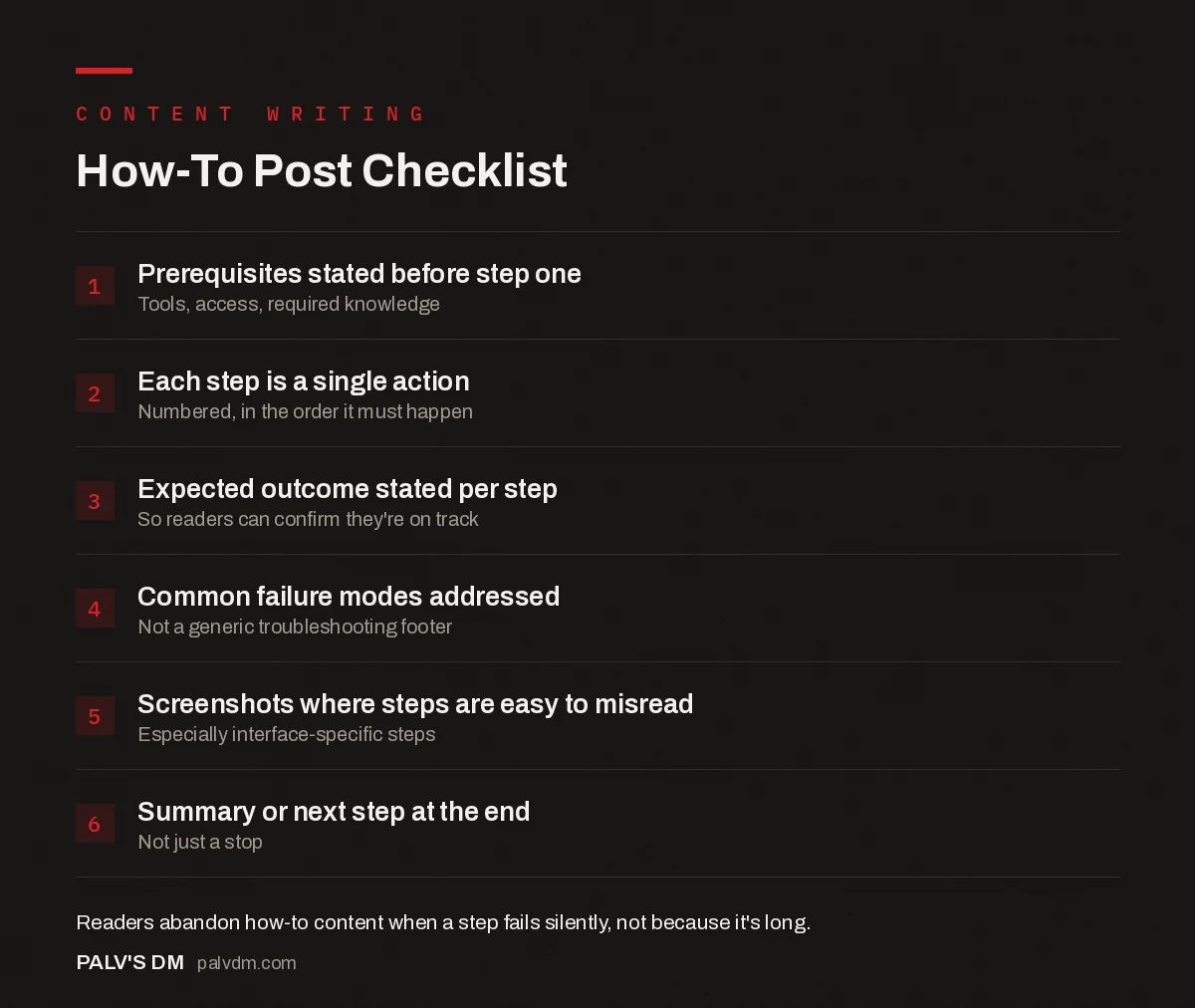
How-To Post Checklist
- Prerequisites stated before step one. Tools, access, required knowledge.
- Each step is a single action. Numbered, in the order it must happen.
- Expected outcome stated per step. So readers can confirm they’re on track.
- Common failure modes addressed. Not a generic troubleshooting footer.
- Screenshots where steps are easy to misread. Especially interface-specific steps.
- Summary or next step at the end. Not just a stop.
How-to post structure checklist
Run every how-to draft against this before publishing.
FAQs
Should how-to posts include screenshots?
Yes, wherever a step involves a specific interface a reader has to navigate. Text alone is fine for conceptual steps; anything involving clicking a specific button in a specific location benefits from a visual, since interfaces change and readers on slightly different versions need a landmark to orient against.
How many steps is too many for one post?
There’s no fixed ceiling, but past 15 to 20 numbered steps, consider whether the process is actually two or three separate how-to posts stitched together. A process that long usually has natural breakpoints where a reader could stop, apply what they’ve learned, and come back.
Should a how-to post name specific tools or stay tool-agnostic?
Name specific tools when the steps genuinely differ by tool, and say so explicitly if a step is transferable. Vague, tool-agnostic instructions for something inherently tool-specific (like a CMS setting) frustrate readers who came looking for exact clicks, not general theory.
What’s the most common reason readers abandon a how-to post?
Hitting a step that doesn’t work as described and having no guidance on why. This is precisely what a failure-modes section prevents. Readers rarely abandon a how-to post because it’s too long; they abandon it because it stops working for them and offers no way forward.
Do how-to posts need a materials or tools list at the top?
Yes, if any tools, accounts, or access levels are required. Listing them upfront, even briefly, lets readers self-select out before investing time, which is better for both the reader and your bounce-rate metrics than losing them at step 6.
Where how-to content fits in a content programme
How-to posts pair naturally with definitional content that explains the concepts a process assumes the reader already understands, and with listicle content when a topic is better served as a set of independent options than a single sequential process. Within a broader plan, how-to content should be scoped as part of a documented content strategy so the team isn’t guessing which processes deserve a dedicated guide.
Writing a how-to post that actually anticipates where readers get stuck takes more research than most teams budget for. PalV’s DM’s content writing service builds failure modes into every process guide it writes, based on genuinely running through the steps rather than paraphrasing what’s already ranking.