
X-Robots-Tag: Controlling Non-HTML Files
X-Robots-Tag is the only way to send noindex or nofollow directives on PDFs, images, and other non-HTML files. How it works, where to set it, and the five checks that catch a broken setup.

X-Robots-Tag is an HTTP response header that sends the same directives as a robots meta tag — noindex, nofollow, nosnippet — to any file type a server can respond to, which matters because a meta tag only works inside an HTML page’s <head>. PDFs, images, video files, and other non-HTML resources have no head element to place a tag in, so the header is the only mechanism for controlling how Google indexes them.
Most sites never touch X-Robots-Tag deliberately. It usually shows up on a technical audit as a mistake: a CDN rule applying noindex to an entire file type, a staging-environment header that made it to production, or a plugin blocking more than it should. Understanding what the header does and where it’s configured turns that error into a five-minute server config fix.
What does the X-Robots-Tag header actually control?
It controls indexing and result presentation, not crawling. Googlebot still requests the file — the header rides along in the HTTP response and tells Google what to do with the content once it’s fetched. That distinction matters: a noindex X-Robots-Tag still lets Googlebot spend a crawl request on the file, it just prevents the result from appearing in search. Blocking the crawl itself is a robots.txt job, not an X-Robots-Tag job.
The header accepts the identical directive set as the HTML robots meta tag: noindex, nofollow, none, noarchive, nosnippet, max-snippet, max-image-preview, and unavailable_after. Google’s robots meta tag documentation explicitly covers X-Robots-Tag as the equivalent for non-HTML files, since the underlying rules are shared between the two mechanisms.
When do you need X-Robots-Tag instead of a meta robots tag?
| File type | Meta robots tag works? | X-Robots-Tag works? |
|---|---|---|
| HTML pages | Yes | Yes — either works, meta tag is more common |
| PDF documents | No — no head to place it in | Yes — the only option |
| Images (JPG, PNG, WebP) | No | Yes — the only option |
| Video and audio files | No | Yes — the only option |
| XML or JSON API responses | No | Yes — the only option |
Any time the resource isn’t an HTML document, X-Robots-Tag is the only mechanism available. A common case: a site publishes downloadable whitepapers as standalone PDFs and wants them crawlable for internal linking purposes but not competing with the HTML landing page for the same keyword in search results.
How do you set an X-Robots-Tag header?
Configuration happens at the server or CDN level, not in application code for most static file types. The exact syntax depends on the stack:
- Apache — added via
.htaccessor the virtual host config using<FilesMatch>to target a file extension, then aHeader set X-Robots-Tag "noindex, nofollow"directive. - Nginx — set with
add_header X-Robots-Tag "noindex, nofollow";inside alocationblock matching the file pattern. - Application-level (Node, PHP, etc.) — set directly on the response object before the file is served, useful when the noindex decision depends on dynamic logic rather than a static file type.
- CDN rules (Cloudflare, Fastly, etc.) — response header rules matching a path or file extension pattern, applied before the request reaches origin.
What five checks catch a broken X-Robots-Tag setup?
These come up repeatedly in crawl audits where a site’s PDF or image library isn’t indexing the way the team expects.
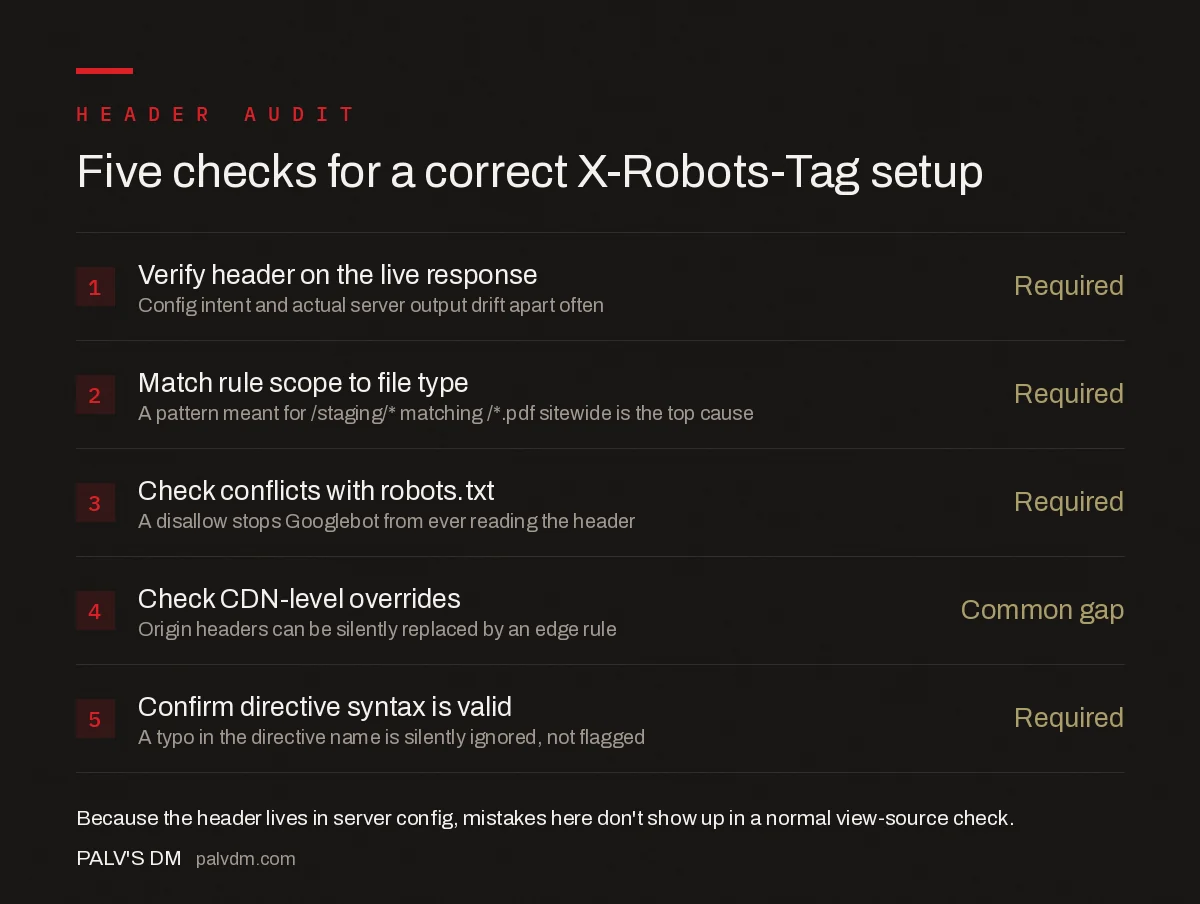
Five checks for a correct X-Robots-Tag setup
- Verify the header on the live HTTP response — Required. Config intent and actual server output drift apart more often than expected.
- Match the rule’s scope to the intended file type — Required. A pattern meant for
/staging/*that instead matches/*.pdfsitewide is the most common accidental-noindex cause. - Check for conflicts with robots.txt — Required. A robots.txt disallow on a path stops Googlebot from ever seeing the X-Robots-Tag header at all.
- Check CDN-level overrides — Common gap. Origin server headers can be silently replaced by a CDN edge rule set up for an unrelated reason.
- Confirm directive syntax is valid — Required. The header value is case-insensitive but must use recognised directive names; a typo is silently ignored rather than erroring.
The robots.txt conflict is the one that costs the most debugging time. If a path is disallowed in robots.txt, Googlebot never fetches the file, which means it never reads the X-Robots-Tag header sitting on that response — so a “why won’t this noindex take effect” question is often actually a robots.txt problem, not an X-Robots-Tag problem.
How do you audit X-Robots-Tag headers across a site?
A crawler like Screaming Frog reports the X-Robots-Tag header value alongside status code and canonical for every URL it fetches, including non-HTML files if “Crawl All” is enabled for the relevant extensions. Cross-referencing that report against the list of file types a site actually wants indexed — usually a short list — surfaces any file type getting an unintended noindex or nofollow in minutes rather than spot-checking individual files by hand.
The Search Console URL Inspection tool also reports X-Robots-Tag directives for an individual URL, useful for confirming a fix took effect on a specific file after a server config change, though it’s too slow for auditing more than a handful of URLs at once.
What’s the most common X-Robots-Tag mistake?
Applying a rule at too broad a scope. A developer sets noindex on a staging subdomain during development, the rule gets copied into the production server block during a deploy, and now every PDF or image on the live site carries the header without anyone deciding that on purpose. Because X-Robots-Tag lives in server config rather than in visible page markup, this kind of mistake can sit undetected for months — it doesn’t show up in a normal “view source” check the way a stray meta robots tag would.
Frequently asked questions
What is the difference between a robots meta tag and X-Robots-Tag?
A robots meta tag is an HTML element placed in a page’s <head>, so it only works on HTML documents. X-Robots-Tag is an HTTP response header, so it works on any file type a server can respond to, including PDFs, images, and video files, where there’s no HTML head to place a meta tag in.
Why is Google showing ‘noindex detected in X-Robots-Tag header’ as an error?
This means a server or CDN rule is sending a noindex X-Robots-Tag on a URL you expected to be indexable, often a leftover staging-environment rule, a misconfigured CDN, or a plugin-level setting applied too broadly across a directory rather than a specific file type.
Can I use X-Robots-Tag to block Googlebot from crawling a PDF?
X-Robots-Tag controls indexing, not crawling — Googlebot still fetches the file to read the header. To prevent crawling entirely, use a robots.txt disallow rule instead; use X-Robots-Tag when the file needs to stay reachable but shouldn’t appear in search results.
Does X-Robots-Tag support the same directives as a meta robots tag?
Yes. Every directive available in a robots meta tag — noindex, nofollow, noarchive, nosnippet, max-snippet, and the rest — is also valid in an X-Robots-Tag header, using identical syntax.
Sources
- Robots Meta Tags Specifications — Google Search Central
- Technical SEO: The Complete Working Guide
- Canonical vs noindex vs Redirect: A Decision Tree
- How to Read a robots.txt File Line by Line
Want this done on your site?
Every PalV’s DM engagement starts with a free audit of your actual website — a 12-point
crawl covering what is blocking indexation, on-page gaps against your primary keywords, speed
findings, and the three to five fixes worth making first. Delivered in two working days. No
payment details, and the findings are yours whether you hire us or not.


