
XML Sitemaps: What to Include, What to Leave Out
An XML sitemap should list only canonical, indexable, 200-status URLs. What belongs in it, what to strip out, and the five rules that keep Google trusting it.

An XML sitemap should list only the URLs you want Google to index: canonical pages that return a 200 status and aren’t blocked by robots.txt or a noindex tag. Everything else — duplicates, redirects, 404s, noindexed pages, parameter variants — doesn’t belong in it, and including them is the single most common reason a sitemap stops being useful to Google rather than actively working against you.
Most sites don’t have a missing-sitemap problem. They have a sitemap that lists 4,000 URLs when only 2,600 are meant to be indexed, and Google spends part of its crawl budget re-checking URLs that were never going to rank in the first place.
What should you include in an XML sitemap?
Four conditions, all required at once. The URL must be canonical — the one you want indexed, not a duplicate of it. It must be indexable, meaning no noindex tag and no robots.txt block. It must return a 200 status when Googlebot requests it, not a redirect or an error. And it should be a URL you’d genuinely want a user landing on from search, not a thin utility page that happens to be crawlable.
In practice that means: published blog posts and pages, product and category pages that are live and canonical, and any indexable page that isn’t already covered by another canonical URL. Draft posts, thank-you pages, internal search results, and filtered or parameterised versions of a page all fail at least one of the four conditions.
What should you leave out of an XML sitemap?
The exclusion list matters more than the inclusion list, because sitemaps tend to accumulate junk silently as a site grows and nobody re-audits them.
| Category | Include? | Why |
|---|---|---|
| Canonical, indexable, 200-status pages | Yes | This is what a sitemap is for |
| Non-canonical duplicates (parameter, UTM, print versions) | No | Conflicts with the canonical tag on the same content |
| Noindexed pages | No | Directly contradicts the “index this” signal a sitemap sends |
| Pages returning 3xx, 4xx, or 5xx | No | Wastes crawl requests on URLs that can’t be indexed anyway |
| Robots.txt-disallowed URLs | No | Googlebot can’t fetch them regardless of the sitemap listing |
| Paginated pages (page 2, 3…) of a listing | Usually no | Page 1 is normally the canonical target; deeper pages rarely need to rank independently |
| Login-gated or admin pages | No | Not accessible to anonymous crawlers or users from search |
A sitemap that mixes indexable and non-indexable URLs doesn’t just waste crawl requests — it becomes a source of conflicting signals. Google’s own guidance on consolidating duplicate URLs treats sitemap inclusion as one of the signals it weighs when deciding which version of a page to index, alongside the canonical tag and internal links. When the sitemap disagrees with the canonical tag, that’s one more vote for the wrong URL.
How many URLs can one sitemap file hold?
50,000 URLs or 50MB uncompressed, whichever limit hits first. Sites under that ceiling can run a single flat sitemap.xml. Sites above it need a sitemap index file — an XML file that lists the locations of multiple child sitemaps, each of which stays under both caps individually. Splitting by content type (posts, products, categories) rather than by arbitrary chunks of 50,000 makes the index easier to debug when one section has an indexing problem.
What five rules keep a sitemap clean?
These five checks catch the majority of sitemap problems found in a technical crawl, and they’re worth re-running any time a site adds a new content type or migrates a URL structure.
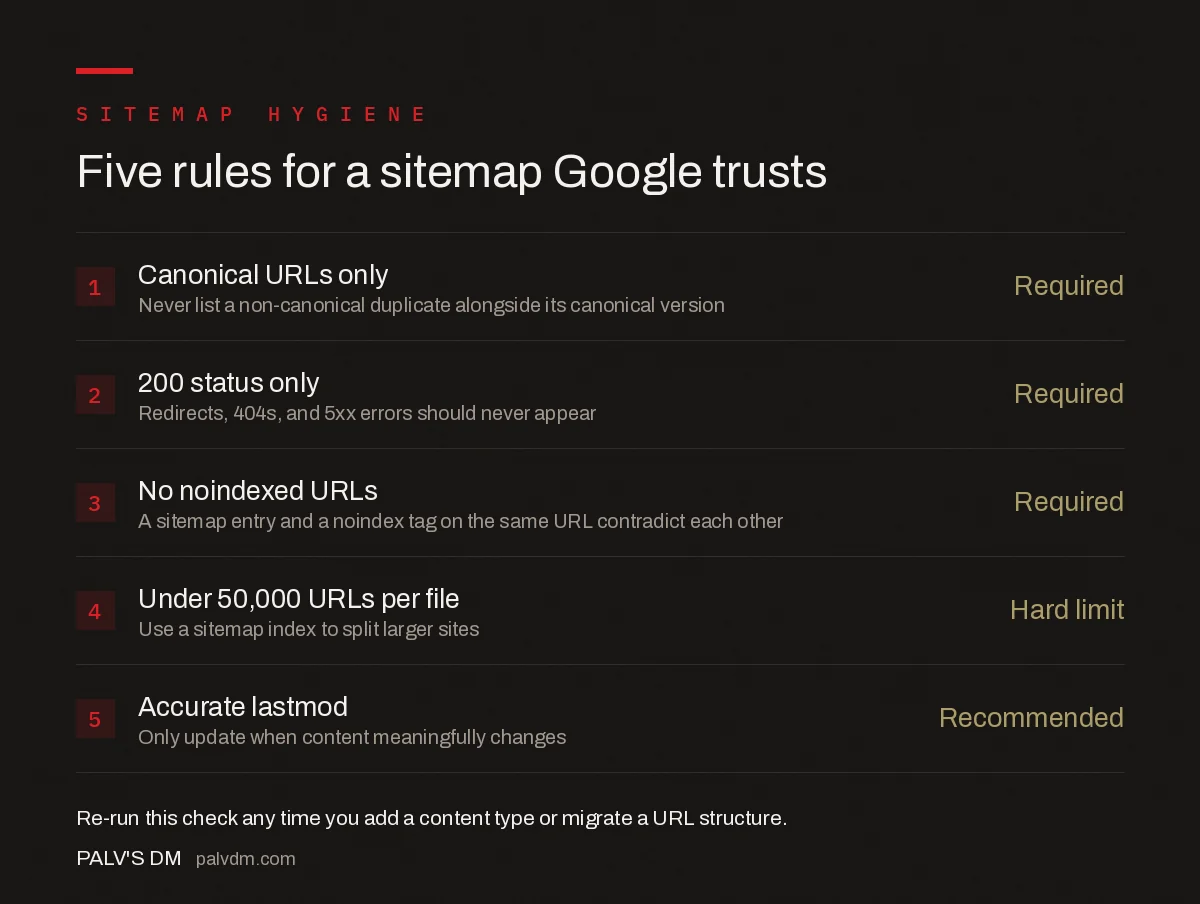
Five rules for a sitemap Google trusts
- Canonical URLs only — Required. Never list a non-canonical duplicate alongside its canonical version.
- 200 status only — Required. Redirects, 404s, and 5xx errors should never appear.
- No noindexed URLs — Required. A sitemap entry and a noindex tag on the same URL directly contradict each other.
- Under 50,000 URLs per file — Hard limit. Use a sitemap index to split larger sites.
- Accurate lastmod — Recommended. Only update it when the content meaningfully changes, not on every template rebuild.
The lastmod rule trips up more sites than it should. If a CMS rewrites the lastmod timestamp on every page whenever an unrelated global template changes — a new plugin, a footer edit — Google eventually learns to discount the field, because it stops correlating with actual content changes. At that point it stops being a useful recrawl signal.
How do you handle images, video, and news content in a sitemap?
Standard sitemaps handle text pages. Three extensions cover other content types, and none of them replace the base sitemap — they add to it.
| Extension | Use case | Key requirement |
|---|---|---|
| Image sitemap | Product photos, galleries, editorial images worth discovering directly | Nest <image:image> tags inside the <url> entry for the page the image lives on |
| Video sitemap | Hosted video content | Needs a thumbnail, title, and description per video entry |
| News sitemap | Publishers wanting Google News inclusion | Only articles published in the last 48 hours, capped at 1,000 URLs |
Most brochure and SaaS sites never need the video or news extensions. Ecommerce and content-heavy publishers are the two cases where the image extension is worth the setup time, mainly because product and editorial images are a meaningful source of Google Images traffic on their own.
How often should a sitemap update?
Automatically, on publish. A sitemap that’s regenerated dynamically by the CMS whenever a page is added, updated, or unpublished is the baseline expectation now — most SEO plugins and modern frameworks do this without extra configuration. A static, manually-maintained sitemap.xml is a liability on anything beyond a handful of static pages, because it silently drifts out of sync with the live site and nobody notices until an indexing report flags it.
What common sitemap mistakes hurt indexing?
- Listing URLs blocked by robots.txt. Googlebot can’t fetch what it’s disallowed from fetching, sitemap entry or not — this just produces a “Submitted URL blocked by robots.txt” error in Search Console.
- Forgetting to remove a page after it’s deleted or noindexed. The sitemap keeps referencing a URL Google already dropped, generating a steady stream of avoidable coverage errors.
- Auto-generating entries for tag and filter archives with no unique content. Common on WordPress and ecommerce platforms where every taxonomy term gets a URL and a sitemap entry by default.
- Pointing the sitemap reference in robots.txt to the wrong file after a migration. Search Console still shows the old submission as the active one until it’s resubmitted.
- One giant sitemap with no logical grouping on a large site, making it impossible to isolate which content type has an indexing problem when coverage drops.
How do you submit and monitor a sitemap in Search Console?
Submit the sitemap URL (or the sitemap index URL) under Search Console’s Sitemaps report, and reference it in robots.txt with a Sitemap: line so other crawlers can find it too. After submission, the report shows how many URLs were discovered versus how many are indexed — a large, persistent gap between those two numbers is the clearest signal that something in the exclusion list above needs auditing, not that the sitemap needs resubmitting.
Frequently asked questions
Does every URL on my site need to be in the sitemap?
No. Only include URLs you want indexed: canonical, indexable pages that return a 200 status. Non-canonical duplicates, noindexed pages, redirects, and 404s should never appear in a sitemap because they send Google conflicting signals about what to index.
How many URLs can a single XML sitemap file hold?
A single sitemap file is capped at 50,000 URLs and 50MB uncompressed. Sites beyond that limit need a sitemap index file that points to multiple child sitemaps, each staying under both caps.
Do priority and changefreq tags still matter?
No. Google has stated it ignores the priority and changefreq fields entirely and relies on lastmod plus its own crawl signals instead. Including them isn’t harmful, but spending time tuning their values doesn’t change crawl behaviour.
Should images and PDFs be in the main sitemap?
Standard image files referenced on indexable pages can use the image sitemap extension within the same sitemap. Standalone PDFs you want indexed need their own <url> entries with a 200 status, but most sites are better off keeping downloadable assets out of the sitemap unless they’re a real acquisition channel.
Does having a sitemap guarantee those pages get indexed?
No. A sitemap is a hint that tells Google which URLs exist and that you consider them worth crawling; it does not force indexing. Pages still need to pass Google’s quality bar and be reachable through normal crawling for the sitemap to help.
Sources
- Build and Submit a Sitemap — Google Search Central
- Technical SEO: The Complete Working Guide
- Orphan Pages: How to Find Them and Why They Matter
- Canonical vs noindex vs Redirect: A Decision Tree
Want this done on your site?
Every PalV’s DM engagement starts with a free audit of your actual website — a 12-point
crawl covering what is blocking indexation, on-page gaps against your primary keywords, speed
findings, and the three to five fixes worth making first. Delivered in two working days. No
payment details, and the findings are yours whether you hire us or not.


