
Internal Linking at Scale: Technical Approaches That Work
On a site with tens of thousands of URLs, internal linking has to be a system, not an editorial habit. The routing rules, automation guardrails, and audit cadence that keep it working.
Internal linking at scale stops being an editorial habit and becomes an engineering problem once a site passes a few thousand URLs — you cannot hand-place links fast enough to keep pace with new pages, so the system that adds, audits, and prunes internal links has to run on rules, templates, and periodic crawls rather than memory. The sites that get this right treat internal linking as a routing decision: where should authority concentrate, and which pages are structurally starved of it right now.
The failure mode is familiar to anyone who has crawled a large e-commerce or publisher site: a quarter of pages sit with zero internal links pointing at them, category pages get hundreds of links while the product pages under them get one, and nobody planned either outcome — it’s what happens when linking is left to whoever last edited a page.
Why does internal linking break down as a site grows?
Below a few hundred pages, a person can reasonably remember what exists and link to it manually when relevant. Past that, new pages get published faster than anyone can retroactively review the rest of the site for linking opportunities. Templates that only link to a fixed set of “related” pages stop being related as the catalogue or content library grows past what the template was designed around. The result is structural: crawl depth increases, some sections become reachable only through pagination five clicks deep, and Googlebot’s crawl budget gets spent on low-value paginated pages instead of the money pages behind them.
This isn’t a volume problem you can fix by adding more links everywhere. Internal linking at scale is a routing decision — deciding deliberately where authority should concentrate — not a “link everything to everything” exercise, which just dilutes the signal instead of concentrating it.
How do you build an internal linking system instead of doing it manually?
- Map the site into a link hierarchy first. Pillar pages at the top, category or cluster pages beneath them, individual articles or products at the base. Links should generally flow down and across within a cluster, with occasional links up to reinforce the pillar.
- Build linking into templates, not individual pages. A “related articles” or “related products” module driven by shared category, tag, or attribute data scales automatically as new content is added — no one has to remember to update it.
- Add contextual links during content creation, not after. The highest-value internal links are in-body, contextual links added while writing, because they carry topical relevance a sidebar module can’t replicate.
- Set rules before automating anything. Define what counts as a relevant link candidate — same category, overlapping keyword targets, logical next step in a user journey — before letting a script or plugin insert links at scale.
- Crawl and audit on a fixed cadence. A quarterly technical crawl catches orphan pages, broken internal links, and redirect chains before they compound.
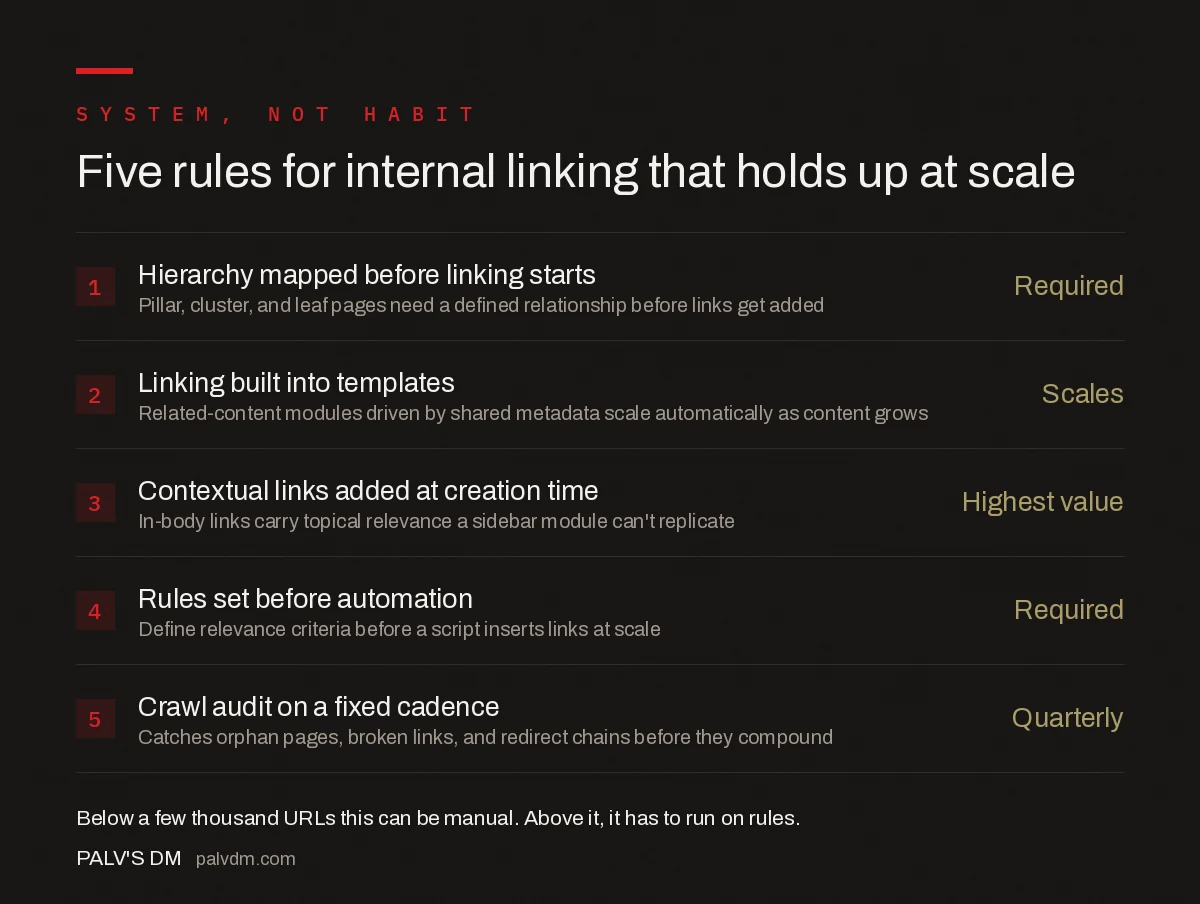
Five rules for internal linking that holds up at scale
- Hierarchy mapped before linking starts — Required. Pillar, cluster, and leaf pages need a defined relationship before links get added.
- Linking built into templates — Scales automatically. Related-content modules driven by shared metadata don’t need manual upkeep as content grows.
- Contextual links added at creation time — Highest value. In-body links carry topical relevance a sidebar module can’t replicate.
- Rules set before automation — Required. Define relevance criteria before a script inserts links at scale.
- Crawl audit on a fixed cadence — Quarterly baseline. Catches orphan pages, broken links, and redirect chains before they compound.
What technical methods actually move link equity at scale?
| Method | How it works | Best for |
|---|---|---|
| Hub-and-spoke pillar pages | One comprehensive pillar page links to every cluster article; every cluster article links back to the pillar and sideways to 2-3 siblings | Content-driven sites, blogs, resource libraries |
| Faceted/attribute-based related modules | Product or listing pages auto-link to others sharing category, brand, or attribute tags | E-commerce catalogues with structured product data |
| Breadcrumb navigation | Every page links up its category chain, reinforcing the hierarchy and giving Google a consistent crawl path | Any site with nested categories |
| Contextual in-body links | Editorially placed links inside article or product copy, targeted at specific anchor text | Editorial content, cornerstone pages you want to rank |
| XML sitemap prioritisation | Doesn’t pass link equity directly, but ensures orphaned or deep pages are still discoverable | Backstop for pages a link audit hasn’t caught yet |
None of these methods substitute for the others. A hub-and-spoke structure without breadcrumbs still leaves deep pages hard to navigate back out of; faceted modules without contextual links still miss the topical relevance signal that in-body links provide. Large sites need at least three of these running simultaneously.
How do you find and fix orphan pages?
An orphan page has no internal links pointing to it — it might still be in the XML sitemap, so Google can find it, but it gets none of the internal link equity that comes from being referenced elsewhere on the site, and search engines read that absence as a low-priority signal. A site crawl (Screaming Frog or a similar tool crawling from the homepage, following only in-site links) followed by a cross-reference against the full URL list from the CMS or sitemap surfaces every page the crawler couldn’t reach organically. Those are your orphans.
Fixing an orphan usually means adding it to the relevant category or related-content template, or, if it genuinely has no natural parent, questioning whether it should exist as a standalone indexable page at all.
How much should you automate internal linking, and where does automation go wrong?
Automation is necessary past a certain scale — no team manually reviews ten thousand product pages for linking opportunities every month. But unreviewed automation, especially keyword-match link insertion that fires whenever a string appears in body copy, produces exactly the over-optimised, low-relevance link patterns that manual linking was supposed to avoid in the first place. A workable middle ground: automate the candidate generation (shared category, shared tag, shared search intent) but keep a lightweight review step, even a sampled one, before links go live at scale.
How does crawl depth connect to internal linking?
Crawl depth — how many clicks a page sits from the homepage — is a direct output of internal linking decisions. A page reachable only through five layers of pagination or a rarely-used filter combination is functionally orphaned even if a link technically exists somewhere in the chain. Google’s crawl-budget guidance is explicit that link architecture, not just raw page count, decides what gets crawled frequently and what gets deprioritised. Restructuring a deep category so its most important pages sit two or three clicks from the homepage, rather than eight, is often a higher-leverage fix than adding more links elsewhere.
How do you audit internal linking on a large site?
| Check | Tool | What it catches |
|---|---|---|
| Orphan pages | Crawler vs. full URL list from CMS/sitemap | Pages with zero internal inbound links |
| Crawl depth distribution | Site crawler depth report | Important pages buried too many clicks from the homepage |
| Broken internal links | Crawler link-status report | Links pointing to 404s, redirects, or noindexed pages |
| Anchor text distribution | Crawler anchor-text export | Over-optimised or repetitive anchor patterns from automation |
| Link concentration | Crawl data + internal link count per URL | Whether money pages are actually among the most-linked pages on the site |
Frequently asked questions
How many internal links should a page have?
There’s no fixed number. The goal is that every page you want indexed and ranking has at least one contextual internal link from a relevant page, and pages you want to rank highly get links from your highest-authority pages, not just from a footer or sitemap listing.
Can automated internal linking hurt SEO?
Yes, if it links purely on keyword match without relevance review. Automated systems that insert links wherever a keyword string appears create irrelevant, over-optimised anchor text patterns. Automation should suggest candidates for a human or a rules-based relevance check, not publish unreviewed.
What is an orphan page and why does it matter?
An orphan page has no internal links pointing to it from anywhere else on the site. Googlebot can still find it via the sitemap, but it receives no internal link equity and signals low priority, which is why orphan pages are consistently under-indexed and under-ranked relative to linked pages.
Should every page link back to the homepage?
Not directly and not as the primary linking strategy. The homepage usually accumulates plenty of links through navigation and breadcrumbs already; deliberate internal linking should route equity toward money pages and cornerstone content, not reinforce a page that’s already well-linked.
How often should you audit internal links on a large site?
A full crawl-based audit quarterly is a reasonable baseline for a site above a few thousand URLs, checking for orphan pages, broken internal links, redirect chains, and crawl depth. Sites that publish daily or restructure categories frequently benefit from a lighter monthly check as well.
Sources
- SEO Link Best Practices for Google — Google Search Central
- Site Architecture for SEO: The Complete Guide
- Technical SEO: The Complete Working Guide
- URL Structure Best Practices, With Real Examples
- Breadcrumbs: SEO Value, Schema, and Correct Implementation
Want this done on your site?
Every PalV’s DM engagement starts with a free audit of your actual website — a 12-point
crawl covering what is blocking indexation, on-page gaps against your primary keywords, speed
findings, and the three to five fixes worth making first. Delivered in two working days. No
payment details, and the findings are yours whether you hire us or not.


