
Breadcrumbs: SEO Value, Schema, and Correct Implementation
Breadcrumbs carry no direct ranking weight, but correct BreadcrumbList schema and a real hierarchy behind them still earn their keep. Here's the implementation that actually works.

Breadcrumbs carry no direct ranking weight, but they do two things that affect SEO indirectly: they reinforce your internal linking structure for both users and crawlers, and, when marked up correctly with BreadcrumbList schema, they can make your search listing show a clean hierarchy path instead of a raw URL. The value is real but modest — breadcrumbs won’t rescue a page with thin content or a broken link structure, and treating them as a ranking lever rather than a navigation and clarity tool is where most breadcrumb advice goes wrong.
Where breadcrumbs earn their place is at scale. On a site with real depth — a hundred product pages, a multi-level blog taxonomy, a documentation library — breadcrumbs are one of the cheapest ways to keep every page within a click or two of a parent category, and to give Google an explicit, machine-readable statement of how the page fits into the site.
What SEO value do breadcrumbs actually provide?
Three distinct effects, and it’s worth separating them because only one has anything to do with schema markup:
- Internal linking reinforcement. Every breadcrumb link is an internal link to a parent category. On a large site, that’s thousands of consistent, template-driven links Google can crawl to understand the hierarchy, independent of any schema.
- Reduced click depth. A deep product page that would otherwise require five clicks from the homepage becomes reachable in one click via its category breadcrumb, which helps both crawl efficiency and user navigation.
- Rich result eligibility. BreadcrumbList structured data makes a page eligible for Google to display a hierarchy path (Home > Category > Page) above the title in desktop search results, in place of the raw URL. This is a presentation change, not a ranking boost, but it can affect click-through rate.
None of these effects show up as a direct ranking factor in Google’s own documentation, and Google has never claimed breadcrumbs influence rankings on their own. Their value is structural and presentational, which is still worth building correctly — just not worth over-promising to a client.
How do you implement BreadcrumbList schema correctly?
Google’s documentation on breadcrumb structured data specifies JSON-LD as the recommended format, placed as a script block in the page, with a BreadcrumbList containing an ordered array of ListItem entries. Each item needs a position, a name, and an item URL — except the final item, the current page, which should omit the item URL since a page doesn’t link to itself in its own breadcrumb.
| Field | Required? | Common mistake |
|---|---|---|
| position | Yes | Skipping a number or starting at 0 instead of 1 |
| name | Yes | Using a generic label that doesn’t match the visible on-page breadcrumb text |
| item (URL) | Yes, except last item | Relative URLs instead of absolute; including it on the final (current) item |
| Minimum items | 2 ListItems | A single-item breadcrumb isn’t valid and won’t qualify for rich results |
The markup needs to match what’s visibly on the page. If the visible breadcrumb trail reads “Home > Shoes > Running Shoes” but the schema lists different category names or a different order, Google’s structured data guidelines treat that as a mismatch, and mismatched markup is one of the more common reasons breadcrumb rich results don’t appear even though the code validates.
How should breadcrumbs be structured for the best SEO outcome?
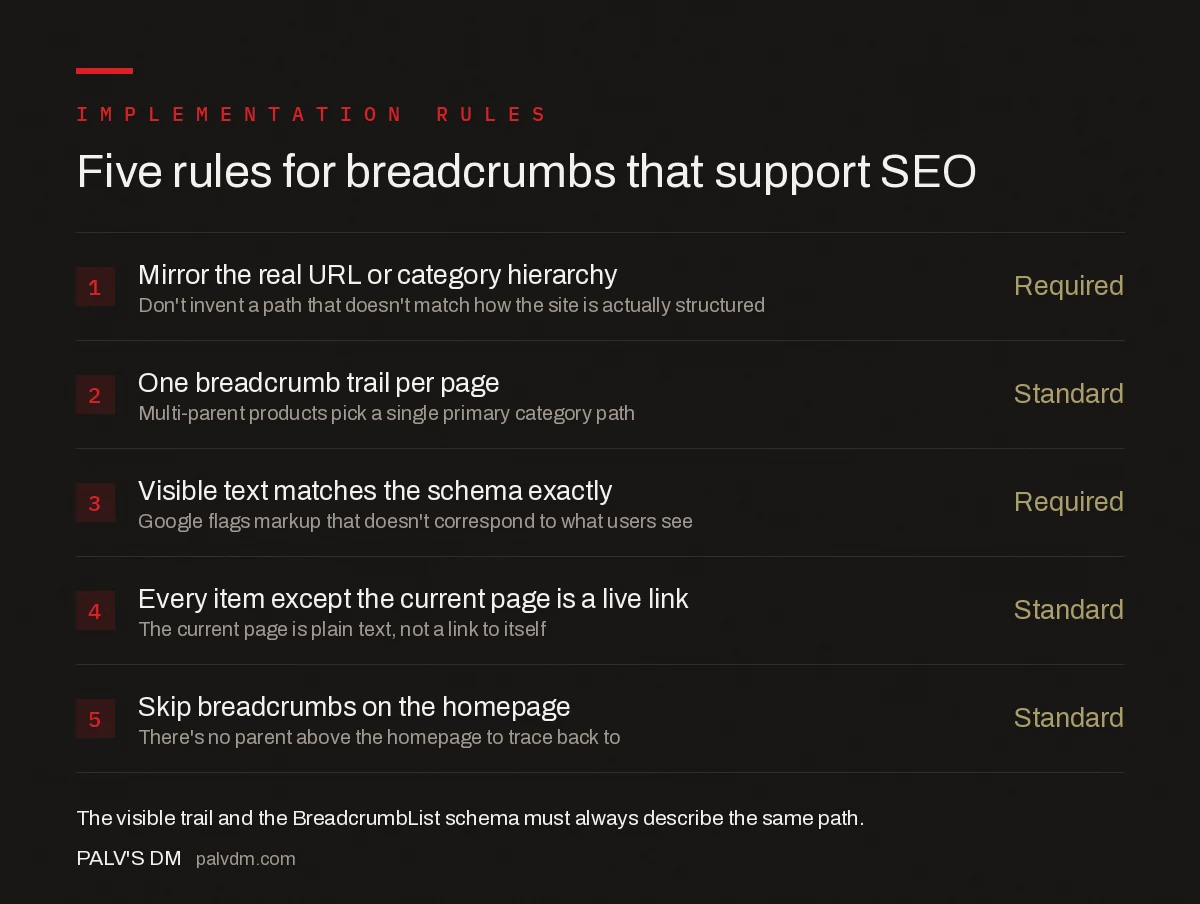
Five rules for breadcrumbs that support SEO
- Mirror the real URL or category hierarchy — Required. Don’t invent a path that doesn’t match how the site is actually structured.
- One breadcrumb trail per page — Standard. Multi-parent products pick a single primary category path rather than showing several.
- Visible text matches the schema exactly — Required. Google flags markup that doesn’t correspond to what users see on the page.
- Every item except the current page is a live link — Standard. The current page is plain text, not a link to itself.
- Skip breadcrumbs on the homepage — Standard. There’s no parent above the homepage to trace back to.
The first rule causes the most disagreement in practice. E-commerce sites with products that logically belong to two categories — a running shoe that’s also on sale — often want to show both paths. Pick one canonical path for the breadcrumb and schema, typically the more specific or primary category, and let filters or tags handle the secondary classification elsewhere on the page.
What mistakes make Google ignore breadcrumb markup?
- Breadcrumb schema present but no visible breadcrumb UI. Google’s guidelines expect the structured data to describe something a user can actually see; markup with nothing rendered on the page is against policy and risks a manual action in extreme cases.
- Category names in the schema that don’t match the page’s own title tag or H1 pattern. This creates the same kind of internal inconsistency that undermines other structured data types.
- Breadcrumb links pointing to redirecting or noindexed URLs. If the parent category itself redirects or is deindexed, the breadcrumb trail is pointing users and crawlers toward a dead end.
- JavaScript-rendered breadcrumbs where the schema is injected separately from the visible HTML. The same two-pass rendering risk that affects canonical tags applies here — if the two don’t match after rendering, Google can discard the markup.
- Forgetting mobile. Breadcrumb rich results are desktop-only, so testing exclusively on a mobile device will make it look like the markup isn’t working when it actually is, just not visible there.
How do breadcrumbs fit into overall site architecture?
Breadcrumbs are a symptom of site architecture, not a substitute for it. They work well when the underlying hierarchy is genuinely a hierarchy — clear categories, clear subcategories, a logical parent for every page. On a site where URL structure is inconsistent or categories overlap heavily, breadcrumbs end up documenting a mess rather than clarifying one, and the fix is upstream in how the site is organised, not in the breadcrumb template.
They’re also one piece of a broader internal linking strategy. On larger sites, breadcrumbs alone won’t solve click depth for pages that sit outside the main category tree — orphaned landing pages, old campaign pages, or content published outside the standard taxonomy still need deliberate internal links, the kind covered in internal linking at scale. And if your blog and main site sit on different paths, the question of whether a breadcrumb trail should even cross that boundary comes back to the same decision covered in subdomain vs subfolder for your blog — a subdomain breaks the hierarchy a breadcrumb trail depends on, while a subfolder keeps it intact.
Should every site build breadcrumbs?
Sites with genuine depth — more than two or three levels of category nesting, e-commerce catalogues, documentation sites, large blogs with subcategories — get real navigational and structural value from breadcrumbs. A five-page brochure site with no category structure doesn’t need them; there’s no hierarchy complex enough to justify the UI pattern, and forcing one in creates noise rather than clarity. The decision comes down to whether users would ever actually need to trace back up a hierarchy to find related content, not whether breadcrumbs are a generically recommended best practice.
Most CMS platforms and SEO plugins can generate both the visible breadcrumb trail and its matching schema automatically once category structure is set up correctly, which is the easier path for most sites. The manual approach — hand-coding a breadcrumb template — only makes sense when the automatic version produces the mismatches described above, typically on custom-built pages or a headless front end where the plugin’s logic doesn’t apply cleanly. Either way, the underlying test is the same: does the breadcrumb tell a user, at a glance, exactly where they are and how to get back up a level. If it does that reliably, the schema is a formality on top of work that’s already done.
Frequently asked questions
Do breadcrumbs directly improve rankings?
Not directly. Breadcrumbs don’t carry ranking weight the way backlinks or content quality do. Their SEO value is indirect: they reinforce internal linking and site hierarchy, reduce click depth to deep pages, and can make your listing more clickable in search results when the markup qualifies for rich display.
Why don’t my breadcrumbs show up in Google search results?
Breadcrumb rich results only appear on desktop, never mobile, so check desktop results first. Beyond that, Google shows its own generated breadcrumb-style path based on URL structure more often than it uses your BreadcrumbList markup, especially if your URL structure and markup disagree.
Should breadcrumb links use nofollow?
No. Breadcrumb links are standard internal navigation and should pass link equity like any other internal link. Nofollowing them removes a legitimate signal of your site’s hierarchy without any benefit, and Google has never recommended it.
Can I use breadcrumbs on a flat site with no real category hierarchy?
You can, but they only add value if they reflect a genuine structure. A breadcrumb trail invented to look hierarchical when the URLs and navigation don’t actually nest that way confuses users and creates a mismatch between the markup and the page, which Google’s guidelines discourage.
Do I need breadcrumbs on the homepage?
No. The homepage is the top of the hierarchy, so a breadcrumb trail there is redundant — there’s nothing above it to trace back to. Start the breadcrumb pattern one level down, on category and subcategory pages.
Sources
- How To Add Breadcrumb (BreadcrumbList) Markup — Google Search Central
- Site Architecture SEO: The Complete Guide
- Technical SEO: The Complete Working Guide
- URL Structure Best Practices, With Real Examples
- Internal Linking at Scale: Technical Approaches That Work
- Subdomain vs Subfolder for Your Blog: Settling It
Want this done on your site?
Every PalV’s DM engagement starts with a free audit of your actual website — a 12-point
crawl covering what is blocking indexation, on-page gaps against your primary keywords, speed
findings, and the three to five fixes worth making first. Delivered in two working days. No
payment details, and the findings are yours whether you hire us or not.


