
Website Redesign Without Losing Your SEO: The Pre-Launch Checklist
How to redesign a website without losing SEO rankings: URL inventory, redirect mapping, content preservation, and launch-day checks.

A website redesign loses rankings when URLs change without redirects, content gets thinned out in the process, or the new site accidentally launches blocked from search engines. None of those are inherent to redesigning a site. All three are checklist items that got skipped under launch-day pressure. Do the inventory and mapping work before the new design touches production, and a redesign is one of the lower-risk technical projects you can run.
We’ve handled enough of these to know where they actually go wrong, and it’s rarely the design. It’s the unglamorous middle step everyone wants to skip: matching every old URL to a new one before a single page goes live.
What actually puts rankings at risk during a redesign?
Three failure modes account for almost every ranking drop we’ve diagnosed after a redesign. First, URLs change and nobody builds a redirect map, so Google hits a wall of 404s where ranking pages used to be. Second, “simplifying” the copy during the redesign guts pages that were ranking specifically because of the depth they had, not despite it. Third, and more common than either, a technical setting carries over from staging: a robots.txt still disallowing the whole site, or noindex tags left on templates that were fine to block while the site was in development.
Traffic doesn’t dip gradually in these cases. It falls off a cliff within days, because Google recrawls fast when a site changes and it’s unforgiving about broken paths.
What needs to happen before the redesign even starts?
Everything here happens on the old site, before a single new template goes live.
| Task | What it protects |
|---|---|
| Full URL export (crawl the live site) | Nothing gets missed from the redirect map later |
| Export current rankings and organic landing pages from Search Console | A real before-picture to measure the launch against |
| Identify top 20-50 organic pages by traffic | These get the most scrutiny during content migration, not the least |
| Save existing title tags, meta descriptions and H1s for ranking pages | A prettier layout with the SEO copy stripped out ranks worse, not better |
| Document current internal linking structure | Rebuilds link equity to key pages instead of losing it in a new nav |
How do you actually handle URLs that have to change?
Keeping every URL identical is the easiest path, and it’s worth pushing for if the new site’s structure allows it. When URLs do need to change, whether for a cleaner taxonomy or a platform switch, the rule is simple and unforgiving: every single old URL gets a 301 redirect to its closest live equivalent, not a blanket redirect to the homepage. A homepage catch-all redirect is barely better than a 404 from Google’s perspective; it tells search engines nothing about where the specific content moved.
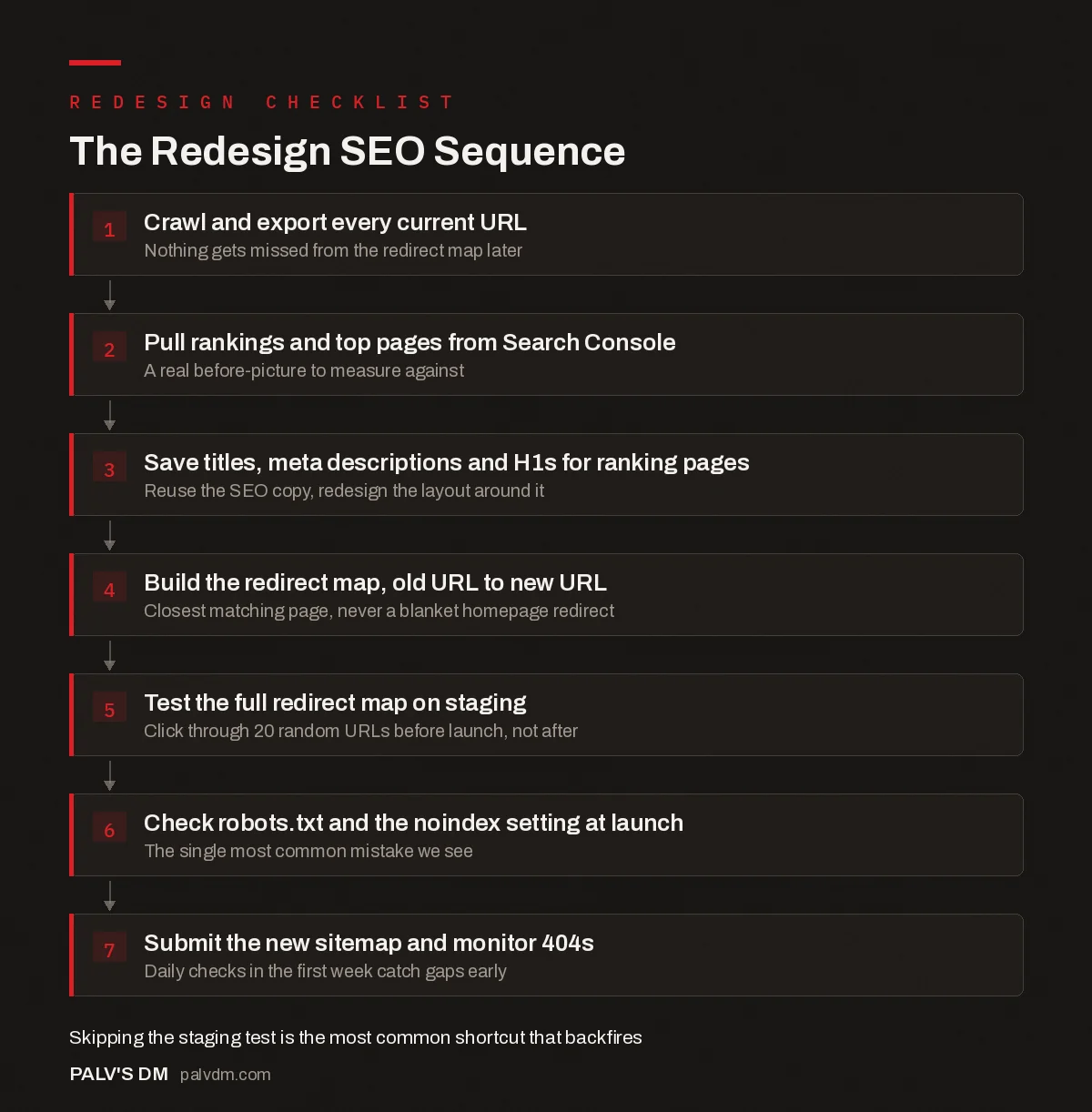
The Redesign SEO Sequence
- Crawl and export every current URL. Nothing gets missed from the redirect map later.
- Pull rankings and top pages from Search Console. A real before-picture to measure against.
- Save titles, meta descriptions and H1s for ranking pages. Reuse the SEO copy, redesign the layout around it.
- Build the redirect map, old URL to new URL. Closest matching page, never a blanket homepage redirect.
- Test the full redirect map on staging. Click through 20 random URLs before launch, not after.
- Check robots.txt and the noindex setting at launch. The single most common mistake we see.
- Submit the new sitemap and monitor 404s. Daily checks in the first week catch gaps early.
Does it change anything if the redesign includes a platform switch?
Yes, and it raises the stakes. Redesigning inside WordPress means the underlying platform stays the same, so the redirect and content work is mostly what’s described above. Redesigning while also moving off Wix, Squarespace, or a custom-built site onto WordPress adds a second layer: URL structures on different platforms rarely match by default, and content exported from a page builder often loses formatting, schema markup, and alt text on the way out. Budget extra time here, not less, even though the visual redesign might look finished faster.
The safest sequence when both are happening is to build the new site on the new platform first, on a staging subdomain, get the redirect map fully tested against that staging build, and only then point the domain at it. Doing the platform migration and the visual redesign as two separate, sequential projects is slower but dramatically easier to debug if something goes wrong, because you’re never asking “was it the new design or the new platform” while traffic is dropping.
What do you check the moment the new site goes live?
Launch day has a short list that matters more than anything done in planning. Test the redirect map on staging first: pick 20 random URLs from the old sitemap and confirm each one lands somewhere sensible, not a 404, not a redirect chain three hops long. Then, within minutes of the DNS or server switch, check three things in this order.
- robots.txt. Confirm it isn’t still disallowing the whole site, which is the default on most staging environments and gets forgotten constantly during a rushed handoff.
- The WordPress “Discourage search engines” setting. Under Settings > Reading. This single checkbox, left on from staging, is the most common launch-day mistake we see, more common than any redirect error.
- A sample crawl of the live site. Confirm canonical tags point to the live domain, not a staging URL that got baked into a template.
Once those three are clear, submit the new XML sitemap in Search Console and request indexing on the two or three most important pages to nudge recrawling along, though Google will find the rest on its own within days regardless.
What should you watch in the weeks after launch?
Check Search Console’s Pages report daily for the first week, specifically the “Not Found (404)” count. A spike here means the redirect map has a gap, and the sooner it’s caught the smaller the damage. Compare organic landing pages week over week against the pre-launch export. Some fluctuation is normal as Google re-evaluates the new templates; a specific high-value page disappearing entirely from the report is not normal and needs investigating the same day, not at the end of the month.
Rankings for a clean migration typically settle within two to six weeks. If it’s still volatile past that point, something in the redirect chain or the content is still off, and it’s worth a full crawl comparison against the pre-launch URL list rather than waiting it out.
What mistakes actually tank redesign SEO, based on what we’ve fixed?
- Redirecting everything to the homepage. Faster to build, far weaker signal to Google. Map to the closest matching page every time, even if that means a spreadsheet with 200 rows.
- Rewriting ranking content “for clarity” during the redesign. A page ranking at position four for a competitive term earned that position with specific words and structure. Redesign the layout around that content, don’t gut the content to fit the layout.
- Launching on a Friday afternoon. Not an SEO issue exactly, but if something breaks, the team best equipped to fix it is unavailable until Monday, and Google has already started crawling the broken version.
- Forgetting internal links pointing to old URLs from blog posts. External redirects catch new visitors; unfixed internal links still send Google and users through unnecessary redirect hops on every page view.
- No rollback plan. If the new site’s Core Web Vitals or crawlability turn out to be materially worse, having a fast path back to the old version limits the damage while it gets fixed properly.
- Skipping the staging test entirely. A redirect map that “looks right” in a spreadsheet still needs to be tested live on staging. Typos in URLs, trailing slash mismatches, and case sensitivity issues only show up when you actually click through.
Most of this list has nothing to do with SEO skill and everything to do with sequencing. Every one of these mistakes is avoidable with a checklist and twenty extra minutes on launch day. The sites that come through a redesign clean aren’t the ones with the best content strategist, they’re the ones where somebody owned the redirect map and treated it as seriously as the design itself.
Frequently asked questions
Will a website redesign hurt my SEO rankings?
Not if URLs, content, and internal links are preserved or properly redirected. Ranking drops after a redesign almost always trace back to a specific, avoidable cause: missing redirects, thinned-out content, or a technical setting left over from staging, not the redesign itself.
How long does it take for rankings to recover after a redesign?
With a clean migration (full redirect map, preserved content, correct sitemap), most sites see rankings stabilise within two to six weeks as Google recrawls and re-evaluates the new URLs. A messy migration with gaps in the redirect map can take months to recover, if it fully recovers at all.
Do I need to keep the exact same URLs when I redesign?
It helps, but it’s not mandatory. Changing URL structure is fine as long as every old URL gets a 301 redirect to its closest equivalent on the new site. What actually hurts is changing URLs and not redirecting them, which is far more common than most people expect during a rushed launch.
Should I redesign and change domains at the same time?
Avoid it if you can. A design overhaul and a domain migration are each individually risky; running them together makes it much harder to isolate the cause if traffic drops. Space them out by at least a few months when the timeline allows it.
What’s the single most common mistake in website redesigns?
The site going live with search engines still blocked, either through a leftover robots.txt disallow rule from staging or the WordPress “Discourage search engines from indexing this site” setting left checked after launch. It happens more often than any redirect mistake.
Sources
- Site Moves and Migrations, Google Search Central
- Website Redesign SEO Checklist, HubSpot
- WordPress SEO: The Complete Configuration Guide
- How to Check Who Currently Owns Your Domain
- What to Get in a Website Handover From Your Developer
- Mobile Usability Errors in Search Console and Their Fixes
Want this done on your site?
Every PalV’s DM engagement starts with a free audit of your actual website — a 12-point
crawl covering what is blocking indexation, on-page gaps against your primary keywords, speed
findings, and the three to five fixes worth making first. Delivered in two working days. No
payment details, and the findings are yours whether you hire us or not.
Get your free SEO audit
See Web Development plans and prices


